
Official statement
Other statements from this video 43 ▾
- □ Does the 15 MB Googlebot crawl limit really kill your indexation, and how can you fix it?
- □ Is Google Really Measuring Page Weight the Way You Think It Does?
- □ Has mobile page weight tripled in 10 years? Why should SEO professionals care about this trend?
- □ Is your structured data bloating your pages too much to be worth the SEO investment?
- □ Is your mobile site missing critical content that exists on desktop?
- □ Is your desktop content disappearing from Google rankings because it's missing on mobile?
- □ Does page speed really impact conversions according to Google?
- □ Is Google really processing 40 billion spam URLs every single day?
- □ Does network compression really improve your site's crawl budget?
- □ Is lazy loading really essential to optimize your initial page weight and boost Core Web Vitals?
- □ Does Googlebot really stop crawling after 15 MB per URL?
- □ Has mobile page weight really tripled in just one decade?
- □ Does page weight really affect user experience and SEO performance?
- □ Does structured data really bloat your HTML and hurt page performance?
- □ Is mobile-desktop parity really costing you search rankings more than you think?
- □ Should you still worry about page weight for SEO in 2024?
- □ Is resource size really the make-or-break factor for your website's speed?
- □ Is Google really enforcing a strict 1 MB limit on images—and what does that tell you about SEO priorities?
- □ Does optimizing page size actually benefit users more than it benefits your search rankings?
- □ Does Googlebot really cap crawling at 15 MB per URL?
- □ Is page size really still hurting your SEO in 2024?
- □ Are structured data slowing down your pages enough to harm your SEO?
- □ Does page loading speed really impact your conversion rates?
- □ Does network compression really optimize user device storage space, or is it just a temporary fix?
- □ Is content disparity between mobile and desktop killing your rankings in mobile-first indexing?
- □ Is lazy loading really a must-have SEO performance lever you should activate systematically?
- □ Does Google really block 40 billion spam URLs daily—and how does your site avoid the filter?
- □ Can image optimization really cut your page weight by 90%?
- □ Does Googlebot really stop at 15 MB per URL?
- □ Why is mobile-desktop parity sabotaging your rankings in Mobile-First Indexing?
- □ Is your page weight really slowing down your SEO performance?
- □ Does structured data really slow down your crawl budget?
- □ Does Google really block 40 billion spam URLs every single day?
- □ Should you really cap your images at 1 MB to satisfy Google?
- □ Does Googlebot really stop crawling after 15 MB per URL?
- □ Does site speed really impact your conversion rates?
- □ Is mobile-desktop mismatch really destroying your SEO rankings right now?
- □ Do structured data markups really bloat your HTML pages?
- □ Does page size really matter for SEO when internet connections keep getting faster?
- □ Is network compression really enough to optimize your site's crawlability?
- □ Can lazy loading really boost your performance without hurting crawlability?
- □ Does your website's overall size really hurt your SEO performance?
- □ Why does Google enforce a strict 1MB image size limit across its developer documentation?
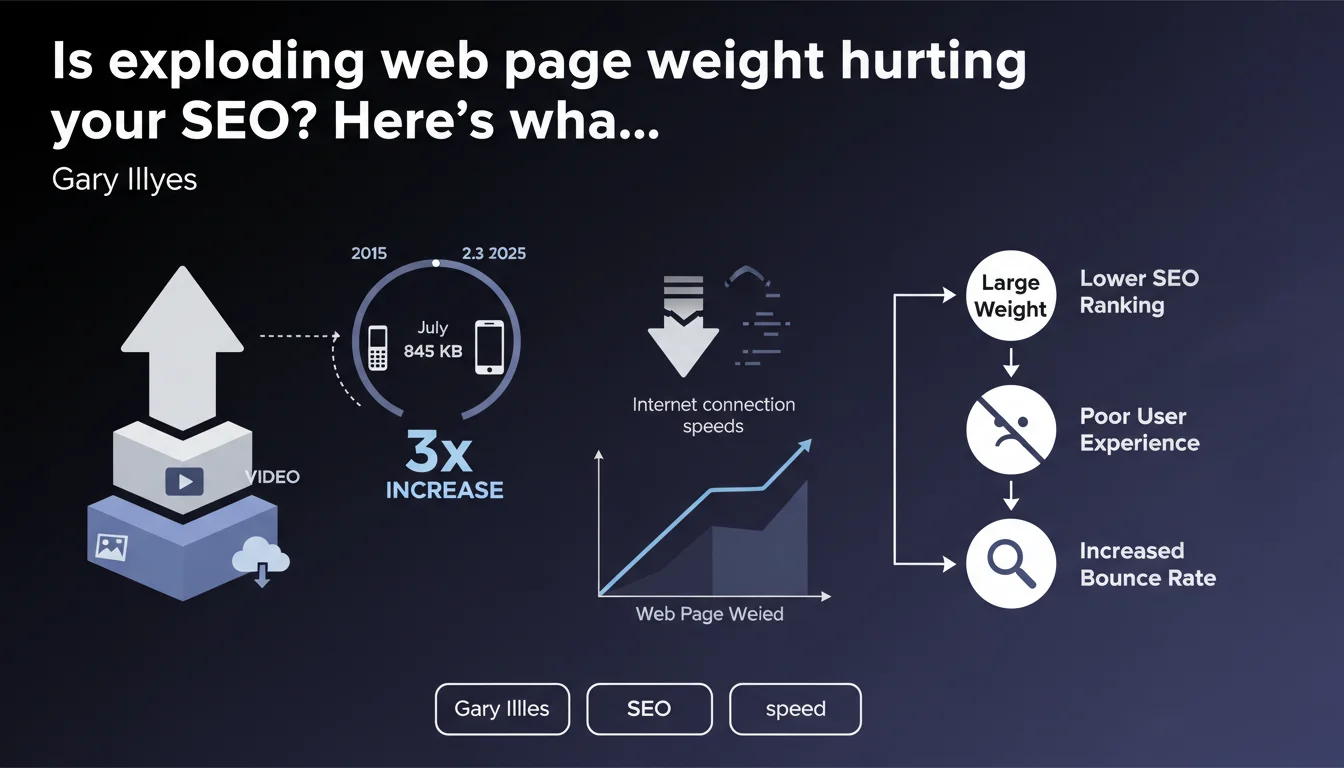
The median weight of a mobile page has tripled over ten years, jumping from 845 KB to 2.3 MB, according to the Web Almanac. This surge far outpaces improvements in Internet speeds. For SEO, this is a red flag: heavier pages directly impact Core Web Vitals and user experience—two confirmed ranking factors from Google.
What you need to understand
Why is this explosion in page weight becoming a problem?
Tripling a page's weight over a decade means vastly outpacing improvements in network infrastructure. Mobile connections have improved, sure, but nowhere near enough to compensate for such massive growth.
In practical terms, this translates to longer load times for a large portion of users—especially those in areas with poor coverage or on older devices. And when load times climb, so do bounce rates and user frustration.
What are the main culprits behind this digital obesity?
The usual suspects: excessive JavaScript, unoptimized images, oversized web fonts, redundant third-party libraries. Modern frameworks and marketing stacks (tracking, personalization, A/B testing) add their own share of kilobytes.
CMS platforms and visual builders make it easy to create rich content, but they also generate bloated code. Teams keep adding features without always measuring the real performance cost.
What's the direct connection to SEO rankings?
Google has confirmed that Core Web Vitals are a ranking factor, particularly LCP (Largest Contentful Paint). Heavy pages delay the display of main content, directly hurting this metric.
Beyond rankings, there's the matter of user experience. Slow pages breed frustration and abandonment, sending negative signals to Google: lower time on page, higher bounce rates. Google picks up on these behavioral cues.
- The median weight of mobile pages has tripled in a decade, now hitting 2.3 MB.
- This growth far exceeds improvements in connection speeds, degrading real-world user experience.
- Core Web Vitals, especially LCP, are directly impacted by page weight.
- JavaScript, unoptimized images, and third-party scripts are the primary drivers of this inflation.
- Heavy pages trigger high bounce rates and poor user satisfaction—both negative SEO signals.
SEO Expert opinion
Does this observation align with what we're seeing in the real world?
Absolutely. Our audits consistently reveal pages bloated with unnecessary resources. E-commerce sites are particularly affected: product recommendations, chatbots, tracking pixels… it all adds up.
What's striking is that this trend persists despite repeated warnings from Google about Core Web Vitals. Many teams still prioritize marketing features over performance—until rankings start to drop.
What nuances should we consider with this statistic?
The 2.3 MB figure is a median, not a ceiling. Some industries (media, e-commerce) regularly exceed this without necessarily suffering, provided they optimize load order and prioritize critical content.
It's also important to distinguish between raw weight and perceived weight. A 3 MB page with lazy loading, Brotli compression, and a high-performance CDN can load faster than a poorly configured 1 MB page. [To verify]: Google hasn't clarified whether these measurements account for modern optimizations like HTTP/3 or advanced caching strategies.
When doesn't this rule apply strictly?
Rich web applications (SaaS, interactive platforms) have legitimate JavaScript requirements. For them, the goal isn't to minimize absolute weight, but to optimize progressive loading and interactivity.
Similarly, premium sites (luxury, creative portfolios) may prioritize visual impact over pure speed. It's a deliberate choice, but you need to compensate with premium hosting and a strong SEO strategy across other channels.
Practical impact and recommendations
What should you do concretely to manage page weight?
Start by auditing loaded resources. Use tools like PageSpeed Insights, WebPageTest, or Lighthouse to identify the heaviest scripts and media. Often, 20% of resources account for 80% of the total weight.
Next, optimize images: modern formats like WebP and AVIF, adaptive compression, native lazy loading. On the JavaScript side, evaluate every third-party library: is it truly essential? Can you defer or load it asynchronously?
What mistakes should you avoid at all costs?
Don't confuse perceived performance with actual performance. Showing a page skeleton quickly is nice, but if main content takes forever, LCP stays poor.
Another trap: underestimating the cumulative weight of third-party scripts. A Facebook pixel, a misconfigured Google Tag Manager, a chatbot… each addition adds weight. Some sites carry 1 MB of tracking for just 500 KB of useful content.
How can you verify that your site meets the standards?
Benchmark your metrics against Google's recommended thresholds: LCP under 2.5s, FID under 100ms, CLS under 0.1. If you're above these, dig into the details via Search Console's Core Web Vitals section.
Also test on throttled connections (simulated 3G, 4G). What you experience on your office WiFi doesn't reflect the real experience for most mobile users.
- Audit total weight across key templates (homepage, product pages, articles)
- Identify your top 5 heaviest resources and prioritize optimizing them
- Convert images to WebP or AVIF with adaptive compression
- Enable Brotli compression on your server
- Lazy-load images and iframes outside the initial viewport
- Defer non-critical script loading (async, defer)
- Limit third-party scripts and measure their actual ROI
- Monitor Core Web Vitals in Search Console and PageSpeed Insights
- Test regularly on slow connections and older devices
❓ Frequently Asked Questions
Le poids d'une page impacte-t-il directement le classement Google ?
Quel est le poids idéal pour une page mobile en SEO ?
Les images sont-elles le principal coupable du poids excessif ?
Peut-on avoir une page lourde et de bons Core Web Vitals ?
Faut-il sacrifier des fonctionnalités pour réduire le poids des pages ?
🎥 From the same video 43
Other SEO insights extracted from this same Google Search Central video · published on 30/03/2026
🎥 Watch the full video on YouTube →
💬 Comments (0)
Be the first to comment.