
Official statement
Other statements from this video 29 ▾
- □ Does it really matter whether you submit your sitemap in robots.txt or Search Console?
- □ Do H1-H6 heading tags really still impact Google rankings?
- □ Is a strict heading tag hierarchy really necessary for SEO rankings?
- □ How long does Google actually take to fully process a domain migration?
- □ Can a site migration really boost your SEO rankings or destroy them completely?
- □ Does Googlebot really crawl from just one place when indexing your geo-targeted content?
- □ Can a noindex tag on geolocalized pages wipe your entire website from Google search results?
- □ Should you really ditch geo-redirects for a simple dynamic banner?
- □ How many location pages can you create before Google penalizes you for spam?
- □ Should you redirect mobile users to your app—and what are the hidden SEO risks?
- □ Do you really need to translate your pages word-for-word for hreflang to work effectively?
- □ Does the domain directive in your Disavow file really help you bypass Google's 2MB limit?
- □ Should you really use the Disavow tool only for purchased links?
- □ Should you noindex your internal search results pages to prevent spammers from creating backlinks?
- □ Does semantic HTML really boost your search rankings?
- □ Is AMP still a ranking factor in Google Search?
- □ Is AMP really a ranking factor for Google?
- □ Does removing AMP actually boost crawl on your regular pages?
- □ Should you test removing your Disavow file incrementally, or can you delete it all at once?
- □ Why do knowledge panels display differently across devices and search contexts?
- □ Does Google's synonym system really work without any human intervention?
- □ Should you really create a separate page for each location to implement Local Business schema correctly?
- □ Do you really need to mark up ALL your content with structured data?
- □ Do you really need to display all FAQ schema questions visibly on your page?
- □ Can hidden accordion content really show up in featured snippets?
- □ Why does Google deliberately choose not to index your entire website?
- □ Should you delete pages to boost your site's indexation?
- □ Does search volume of anchor text really impact the value of your internal links?
- □ Should you really add unique content to your e-commerce product pages?
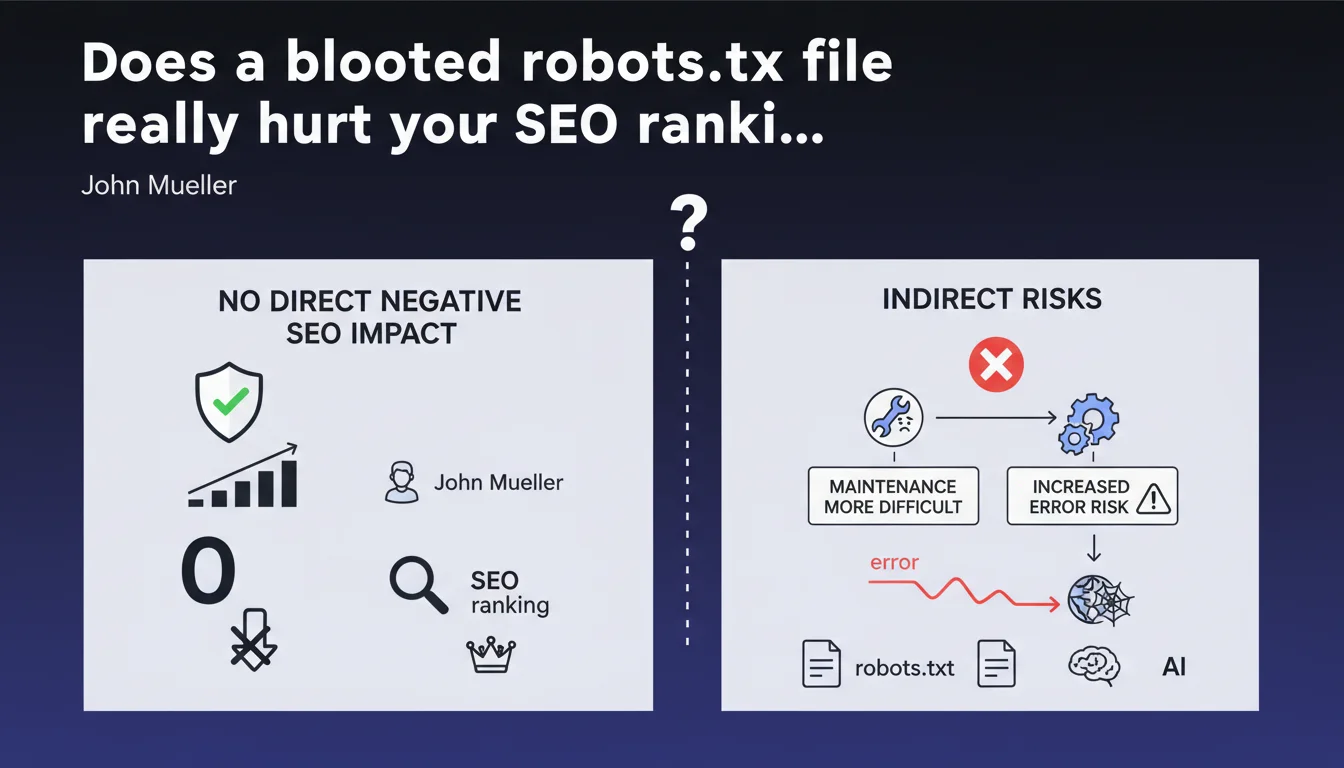
Google confirms that a robots.txt file exceeding 1500 lines has no direct negative SEO impact. The real danger? Maintenance complexity that multiplies the risk of catastrophic errors — accidental blocking of entire sections, unexpected deindexing.
What you need to understand
Why does Google downplay the risks of oversized robots.txt files?
Mueller's position is crystal clear: no algorithmic penalty is applied to a large robots.txt. Googlebot treats this file as a simple list of instructions — whether it contains 50 or 5000 lines makes no difference to its technical ability to parse it.
It's not a ranking factor. Not a quality signal. It's a configuration file, period. File size doesn't directly enter the crawl budget equation — contrary to what you sometimes read.
Where does the real problem lie according to Mueller?
The risk is human, not technical. The bigger the file grows, the exponentially higher the probability of error: faulty syntax, contradictory directives, misplaced wildcards. A single character out of place can block entire sections of your site.
Mueller points to maintenance. A file with 1500 lines quickly becomes unmanageable without rigorous documentation. Teams come and go, rules accumulate, nobody remembers why a particular section has been blocked since 2019.
What are the technical limits you need to know about?
Google imposes a maximum size of 500 KB for robots.txt — beyond that, only that portion will be read. In practice, 1500 lines represent roughly 50-80 KB depending on verbosity. You have room to spare, but it's not unlimited.
There's also a limit of 500,000 characters after decompression. Few sites reach this threshold, but massive platforms with thousands of subdomains can get close.
- No direct SEO impact linked to the number of robots.txt lines
- The maximum size processed by Google is 500 KB
- Primary risk: human errors during maintenance
- A complex file slows down audits and emergency interventions
- Contradictory or poorly formulated directives create unexpected blocks
SEO Expert opinion
Is this statement consistent with what we observe in the field?
Yes and no. In principle, Mueller is right: I've never seen a site lose traffic solely because its robots.txt was long. Cases of sudden traffic drops are always linked to a directive error — not file size.
However, the statement sidesteps one crucial point: file readability impacts response time. Faced with a sudden decline, a 2000-line robots.txt slows down diagnosis. It's not pure technical SEO, but it has real consequences for overall performance.
What nuances should be added to this position?
Mueller talks about « direct » SEO impact. That's the key word. Indirectly, an obese file can create organizational drifts: duplicate rules, forgotten cleanup after redesigns, cognitive overload for technical teams.
On very large sites — e-commerce with hundreds of thousands of pages, multi-language platforms — a poorly structured robots.txt can hide critical errors for months. [To verify]: Google doesn't indicate whether parsing time for a 10,000-line file impacts crawl frequency on other domain resources.
Another gray area: CDNs and intermediate caches. Some proxies limit the size of text files served. If your robots.txt is truncated before reaching Googlebot, you're flying blind.
In what cases does this rule not apply?
If your robots.txt exceeds the 500 KB limit, Google stops reading. Everything after is ignored — which can create chaos if critical directives are at the end of the file.
Sites with dynamic robots.txt generation must be careful: some CMS or frameworks compile rules on the fly. If the script fails, you can end up with an empty file or conversely, a monstrous file that crashes third-party crawlers.
Practical impact and recommendations
What should you actually do to control your robots.txt?
First step: audit what exists. Export your robots.txt, analyze each directive, remove anything obsolete. Most large files are stuffed with dead rules — old redesigns, forgotten tests, sections deleted years ago.
Next, structure into commented blocks. Add clear annotations: « Third-party crawlers block », « Admin sections », « Staging tests ». This improves readability and reduces manipulation risks.
For complex sites, consider a version management system (Git, for example). Every modification must be tracked, commented, validated. It seems heavy-handed, but it's the only way to stay in control of a 1000+ line file.
What errors must you absolutely avoid?
Never use wildcards (* or $) without thoroughly testing them. A misplaced Disallow: /*? can block all your URLs with parameters — goodbye filtered product pages.
Avoid redundant directives. If you already have Disallow: /admin/, there's no point adding fifteen lines to block every subdirectory. It just bloats for nothing and multiplies friction points.
Watch out for user-agent specific rules. Some bots don't respect all directives — documenting who obeys what quickly becomes a nightmare. Favor generic rules unless there's a critical need.
How can you verify your configuration is optimal?
Use Search Console to test each directive. The URL Inspection tool tells you exactly whether a page is blocked by robots.txt. Don't rely on your own reading — one misplaced comma and everything changes.
Implement automated monitoring. Alert yourself if the file size changes dramatically (sign of unplanned modification) or if critical sections are accidentally blocked.
Test on a staging environment before any production deployment. A modified robots.txt can deindex thousands of pages within hours — caution is not optional.
- Audit and clean up existing robots.txt: remove obsolete directives
- Structure into commented blocks to improve readability and maintenance
- Version the file (Git) to track all modifications
- Test every wildcard in staging environment before production
- Use the Search Console robots.txt testing tool systematically
- Set up alerts on file size changes
- Document each directive: why it exists, what problem it solves
- Prefer generic rules over ultra-specific directives
❓ Frequently Asked Questions
Est-ce que Google crawle moins souvent un site avec un gros robots.txt ?
Quelle est la limite maximale pour un fichier robots.txt ?
Faut-il créer plusieurs fichiers robots.txt pour alléger ?
Un changement dans le robots.txt est-il pris en compte immédiatement ?
Dois-je bloquer les crawlers tiers dans mon robots.txt ?
🎥 From the same video 29
Other SEO insights extracted from this same Google Search Central video · published on 14/01/2022
🎥 Watch the full video on YouTube →
💬 Comments (0)
Be the first to comment.