
Official statement
Other statements from this video 29 ▾
- □ Does a bloated robots.txt file really hurt your SEO rankings?
- □ Does it really matter whether you submit your sitemap in robots.txt or Search Console?
- □ Do H1-H6 heading tags really still impact Google rankings?
- □ Is a strict heading tag hierarchy really necessary for SEO rankings?
- □ How long does Google actually take to fully process a domain migration?
- □ Can a site migration really boost your SEO rankings or destroy them completely?
- □ Does Googlebot really crawl from just one place when indexing your geo-targeted content?
- □ Can a noindex tag on geolocalized pages wipe your entire website from Google search results?
- □ Should you really ditch geo-redirects for a simple dynamic banner?
- □ How many location pages can you create before Google penalizes you for spam?
- □ Do you really need to translate your pages word-for-word for hreflang to work effectively?
- □ Does the domain directive in your Disavow file really help you bypass Google's 2MB limit?
- □ Should you really use the Disavow tool only for purchased links?
- □ Should you noindex your internal search results pages to prevent spammers from creating backlinks?
- □ Does semantic HTML really boost your search rankings?
- □ Is AMP still a ranking factor in Google Search?
- □ Is AMP really a ranking factor for Google?
- □ Does removing AMP actually boost crawl on your regular pages?
- □ Should you test removing your Disavow file incrementally, or can you delete it all at once?
- □ Why do knowledge panels display differently across devices and search contexts?
- □ Does Google's synonym system really work without any human intervention?
- □ Should you really create a separate page for each location to implement Local Business schema correctly?
- □ Do you really need to mark up ALL your content with structured data?
- □ Do you really need to display all FAQ schema questions visibly on your page?
- □ Can hidden accordion content really show up in featured snippets?
- □ Why does Google deliberately choose not to index your entire website?
- □ Should you delete pages to boost your site's indexation?
- □ Does search volume of anchor text really impact the value of your internal links?
- □ Should you really add unique content to your e-commerce product pages?
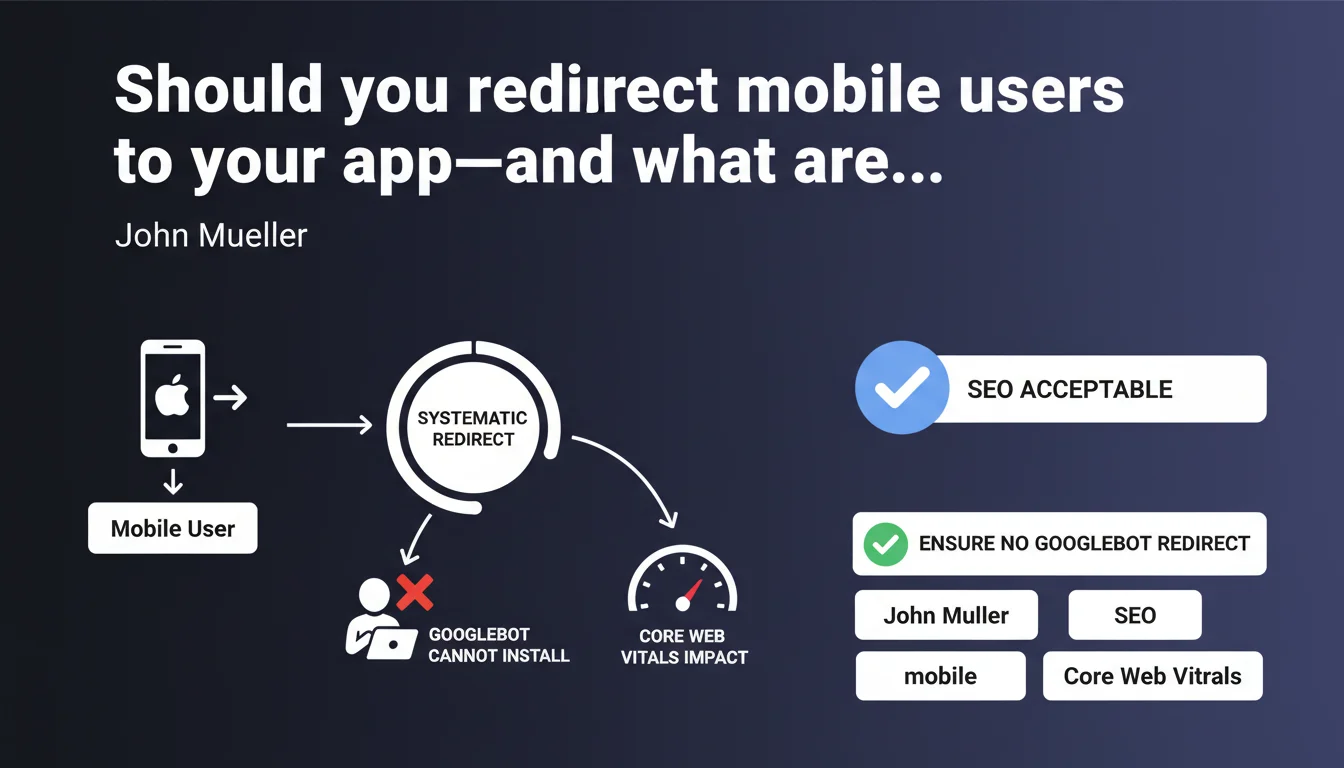
Google allows mobile redirects to an app, provided you exclude Googlebot from the mechanism—the bot cannot install applications. Also watch your Core Web Vitals: systematic redirects can degrade your performance metrics and impact your rankings.
What you need to understand
Why does Google forbid redirecting Googlebot to the App Store?
Googlebot mobile crawls web pages to index them. If you redirect it to the App Store (iOS) or Google Play Store (Android), it faces content it can neither install nor analyze. The result? Your web content disappears from the index, replaced by an app store page with zero SEO value.
Google needs to access your HTML to understand what your site offers. A blind redirect breaks this process and can lead to partial or complete deindexing of your mobile pages.
What's the connection between app redirects and Core Web Vitals?
A JavaScript redirect to an app adds a client-side execution layer. This delays the display of main content, increases Largest Contentful Paint (LCP), and creates layout shift if an interstitial banner appears after initial rendering.
Automatic redirects also frequently trigger intrusive pop-ups or overlays that degrade user experience—exactly what Core Web Vitals penalizes since their integration into ranking factors.
How does Google distinguish between a human user and Googlebot?
Googlebot mobile identifies itself via its user-agent. If your redirect script doesn't explicitly filter this user-agent, the bot will be treated as a regular user and redirected to the app store. This is a common technical error, especially with hastily built JavaScript implementations.
The solution: detect the user-agent server-side or client-side, and disable the redirect for all bots. Don't rely solely on the declared user-agent—some crawlers can disguise themselves—but for Googlebot, it's a reliable signal.
- Never redirect Googlebot to an app store—it cannot index that content
- App redirects can degrade LCP, CLS, and First Input Delay
- Use user-agent detection to exclude bots from redirects
- Favor smart app banners (iOS) or Web App Manifests (Android) over forced redirects
- Test mobile experience with PageSpeed Insights and Mobile-Friendly Test tools
SEO Expert opinion
Is Google's tolerance on this truly risk-free?
Let's be honest: allowing app redirects while warning about Core Web Vitals impact is a bit like saying "you can jump from a plane, but watch your landing." In practice, most implementations degrade the experience.
JavaScript redirects always add latency. Full-screen interstitials—even well-intentioned ones—break the user journey. And if you auto-redirect without giving users a choice, you're also violating guidelines on intrusive interstitials that penalize mobile-first indexing.
In what cases can this approach remain defensible?
An app redirect can be justified if you have a loyal user base that prefers the app, and if you use native smart app banners rather than custom scripts. These banners are optimized by Apple and Google, don't impact Core Web Vitals, and offer a clear close button.
But—and this is crucial—it only works if your app delivers real added value over the web. If it's just to push notifications or track users more invasively, you lose more than you gain in SEO and bounce rate.
What should you do if your data shows negative impact?
Monitor your mobile bounce rates and Core Web Vitals in Search Console. If LCP spikes or bounce rate climbs after enabling an app redirect, disable it immediately. [To verify]: Google doesn't specify a critical threshold, but a 20% LCP degradation is generally enough to impact ranking.
A less drastic alternative: offer a persistent banner at the top of the page (sticky header) with an "Open in app" CTA. No forced redirect, no intrusive pop-up, and the user stays in control.
Practical impact and recommendations
What exactly should you do to secure an app redirect?
First step: exclude all bots from the redirect logic. This includes Googlebot, Bingbot, and third-party crawlers (Ahrefs, SEMrush, etc.). Detection happens via user-agent, server-side if possible to avoid JavaScript workarounds.
Next, choose a non-intrusive method. Smart app banners (iOS Safari) or Web App Manifests (Android Chrome) are native, lightweight, and don't break Core Web Vitals. If you must code in JavaScript, load the script with defer or async to avoid blocking initial render.
What mistakes must you avoid at all costs?
Never auto-redirect without consent. Full-screen pop-ups that hide main content have been penalized by Google since 2017. Even if you think you're offering a service, the algorithm sees it as an intrusive interstitial.
Also avoid redirects based solely on screen resolution or viewport size. Googlebot mobile crawls with a standard viewport (411x731 on Android), but other bots may have different configurations. User-agent remains the most reliable signal.
How do you verify your implementation is compliant?
Use Google's Mobile-Friendly Test to see how the bot renders your page. If you see a redirect or app store screen, your user-agent filtering isn't working. Also test with PageSpeed Insights to measure Core Web Vitals impact.
In Search Console, monitor the Page Experience report and CrUX (Chrome User Experience Report) data. If your mobile metrics degrade after enabling redirects, you have your answer.
- Detect and exclude Googlebot via user-agent server-side
- Prioritize native smart app banners over custom JavaScript redirects
- Load redirect scripts with defer or async to avoid blocking render
- Provide a visible, accessible close button on any app banner
- Measure impact on LCP, CLS, and FID in PageSpeed Insights and Search Console
- Test with Mobile-Friendly Test to verify Googlebot can access HTML content
- Document redirect logic in a README file or code comments
❓ Frequently Asked Questions
Peut-on rediriger les utilisateurs mobiles vers une app sans pénalité SEO ?
Comment empêcher Googlebot d'être redirigé vers l'App Store ?
Les redirections app dégradent-elles toujours les Core Web Vitals ?
Quelle différence entre un smart app banner et une redirection JavaScript ?
Peut-on forcer une redirection automatique vers l'app au bout de quelques secondes ?
🎥 From the same video 29
Other SEO insights extracted from this same Google Search Central video · published on 14/01/2022
🎥 Watch the full video on YouTube →
💬 Comments (0)
Be the first to comment.