
Official statement
Other statements from this video 29 ▾
- □ Soumettre son sitemap dans robots.txt ou Search Console : y a-t-il vraiment une différence ?
- □ Les balises H1-H6 ont-elles encore un impact réel sur le classement Google ?
- □ Faut-il vraiment respecter une hiérarchie stricte des balises Hn pour le SEO ?
- □ Combien de temps faut-il réellement pour qu'une migration de domaine soit prise en compte par Google ?
- □ Une migration de site peut-elle vraiment booster votre SEO ou tout faire planter ?
- □ Googlebot crawle-t-il vraiment depuis un seul endroit pour indexer vos contenus géolocalisés ?
- □ Le noindex sur pages géolocalisées peut-il faire disparaître tout votre site des résultats Google ?
- □ Faut-il vraiment abandonner les redirections géolocalisées pour une simple bannière ?
- □ Faut-il créer des pages de destination pour chaque ville ou se limiter aux régions ?
- □ Faut-il rediriger les utilisateurs mobiles vers votre application mobile ?
- □ Faut-il vraiment traduire mot pour mot ses pages pour que le hreflang fonctionne ?
- □ Fichier Disavow : pourquoi la directive domaine permet-elle de contourner la limite de 2MB ?
- □ Faut-il vraiment utiliser le fichier Disavow uniquement pour les liens achetés ?
- □ Faut-il mettre en noindex ses pages de résultats de recherche interne pour bloquer les backlinks spam ?
- □ Le HTML sémantique booste-t-il vraiment votre référencement naturel ?
- □ AMP est-il encore un critère de ranking dans Google Search ?
- □ AMP est-il vraiment un facteur de classement pour Google ?
- □ Supprimer AMP boost-t-il le crawl de vos pages classiques ?
- □ Faut-il tester la suppression de son fichier Disavow de manière incrémentale ?
- □ Pourquoi les panels de connaissance s'affichent-ils différemment selon les appareils ?
- □ Le système de synonymes de Google fonctionne-t-il vraiment sans intervention humaine ?
- □ Faut-il vraiment créer une page distincte par localisation pour le schema Local Business ?
- □ Faut-il vraiment marquer TOUT son contenu en données structurées ?
- □ Faut-il vraiment afficher toutes les questions du schema FAQ sur la page ?
- □ Le contenu masqué dans les accordéons peut-il vraiment apparaître dans les featured snippets ?
- □ Pourquoi Google ne veut-il pas indexer l'intégralité de votre site web ?
- □ Faut-il supprimer des pages pour améliorer l'indexation de son site ?
- □ Le volume de recherche des ancres influence-t-il vraiment la valeur d'un lien interne ?
- □ Faut-il vraiment ajouter du contenu unique sur vos pages produit en e-commerce ?
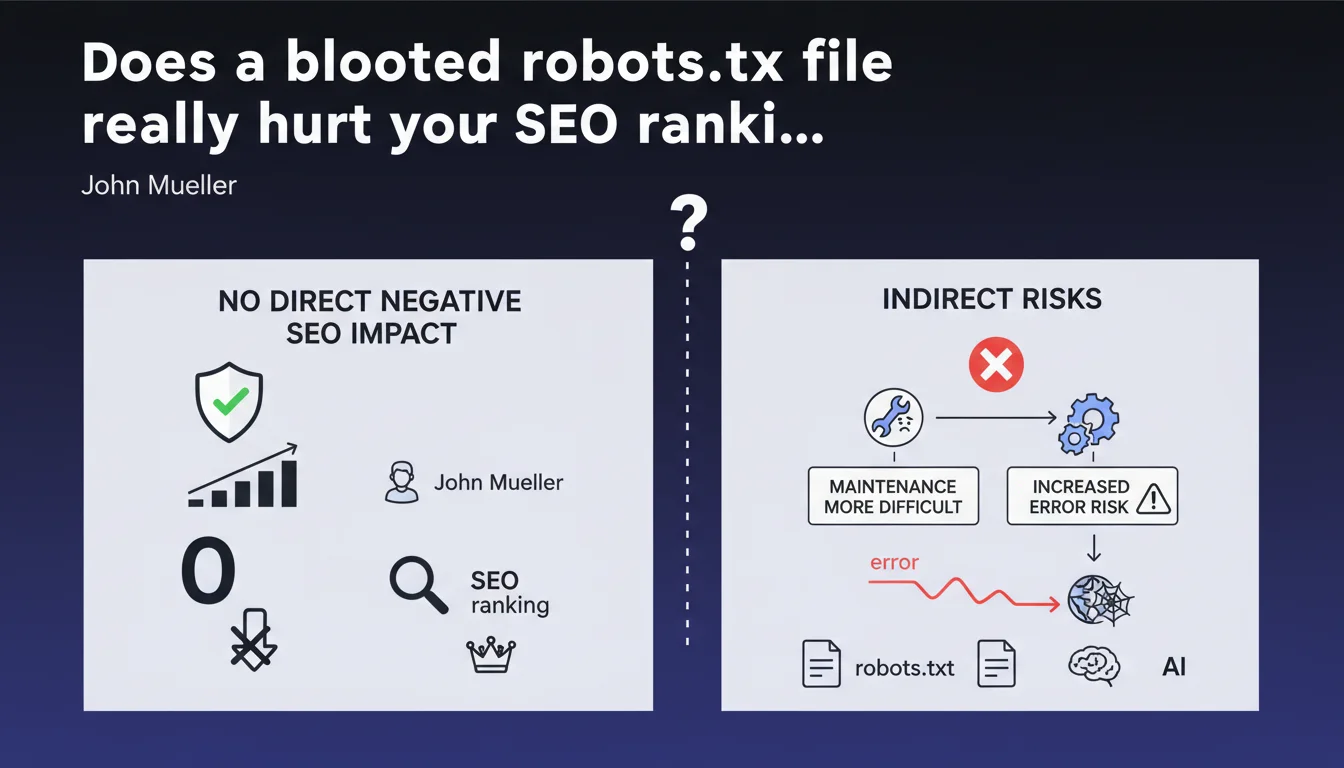
Google confirms that a robots.txt file exceeding 1500 lines has no direct negative SEO impact. The real danger? Maintenance complexity that multiplies the risk of catastrophic errors — accidental blocking of entire sections, unexpected deindexing.
What you need to understand
Why does Google downplay the risks of oversized robots.txt files?
Mueller's position is crystal clear: no algorithmic penalty is applied to a large robots.txt. Googlebot treats this file as a simple list of instructions — whether it contains 50 or 5000 lines makes no difference to its technical ability to parse it.
It's not a ranking factor. Not a quality signal. It's a configuration file, period. File size doesn't directly enter the crawl budget equation — contrary to what you sometimes read.
Where does the real problem lie according to Mueller?
The risk is human, not technical. The bigger the file grows, the exponentially higher the probability of error: faulty syntax, contradictory directives, misplaced wildcards. A single character out of place can block entire sections of your site.
Mueller points to maintenance. A file with 1500 lines quickly becomes unmanageable without rigorous documentation. Teams come and go, rules accumulate, nobody remembers why a particular section has been blocked since 2019.
What are the technical limits you need to know about?
Google imposes a maximum size of 500 KB for robots.txt — beyond that, only that portion will be read. In practice, 1500 lines represent roughly 50-80 KB depending on verbosity. You have room to spare, but it's not unlimited.
There's also a limit of 500,000 characters after decompression. Few sites reach this threshold, but massive platforms with thousands of subdomains can get close.
- No direct SEO impact linked to the number of robots.txt lines
- The maximum size processed by Google is 500 KB
- Primary risk: human errors during maintenance
- A complex file slows down audits and emergency interventions
- Contradictory or poorly formulated directives create unexpected blocks
SEO Expert opinion
Is this statement consistent with what we observe in the field?
Yes and no. In principle, Mueller is right: I've never seen a site lose traffic solely because its robots.txt was long. Cases of sudden traffic drops are always linked to a directive error — not file size.
However, the statement sidesteps one crucial point: file readability impacts response time. Faced with a sudden decline, a 2000-line robots.txt slows down diagnosis. It's not pure technical SEO, but it has real consequences for overall performance.
What nuances should be added to this position?
Mueller talks about « direct » SEO impact. That's the key word. Indirectly, an obese file can create organizational drifts: duplicate rules, forgotten cleanup after redesigns, cognitive overload for technical teams.
On very large sites — e-commerce with hundreds of thousands of pages, multi-language platforms — a poorly structured robots.txt can hide critical errors for months. [To verify]: Google doesn't indicate whether parsing time for a 10,000-line file impacts crawl frequency on other domain resources.
Another gray area: CDNs and intermediate caches. Some proxies limit the size of text files served. If your robots.txt is truncated before reaching Googlebot, you're flying blind.
In what cases does this rule not apply?
If your robots.txt exceeds the 500 KB limit, Google stops reading. Everything after is ignored — which can create chaos if critical directives are at the end of the file.
Sites with dynamic robots.txt generation must be careful: some CMS or frameworks compile rules on the fly. If the script fails, you can end up with an empty file or conversely, a monstrous file that crashes third-party crawlers.
Practical impact and recommendations
What should you actually do to control your robots.txt?
First step: audit what exists. Export your robots.txt, analyze each directive, remove anything obsolete. Most large files are stuffed with dead rules — old redesigns, forgotten tests, sections deleted years ago.
Next, structure into commented blocks. Add clear annotations: « Third-party crawlers block », « Admin sections », « Staging tests ». This improves readability and reduces manipulation risks.
For complex sites, consider a version management system (Git, for example). Every modification must be tracked, commented, validated. It seems heavy-handed, but it's the only way to stay in control of a 1000+ line file.
What errors must you absolutely avoid?
Never use wildcards (* or $) without thoroughly testing them. A misplaced Disallow: /*? can block all your URLs with parameters — goodbye filtered product pages.
Avoid redundant directives. If you already have Disallow: /admin/, there's no point adding fifteen lines to block every subdirectory. It just bloats for nothing and multiplies friction points.
Watch out for user-agent specific rules. Some bots don't respect all directives — documenting who obeys what quickly becomes a nightmare. Favor generic rules unless there's a critical need.
How can you verify your configuration is optimal?
Use Search Console to test each directive. The URL Inspection tool tells you exactly whether a page is blocked by robots.txt. Don't rely on your own reading — one misplaced comma and everything changes.
Implement automated monitoring. Alert yourself if the file size changes dramatically (sign of unplanned modification) or if critical sections are accidentally blocked.
Test on a staging environment before any production deployment. A modified robots.txt can deindex thousands of pages within hours — caution is not optional.
- Audit and clean up existing robots.txt: remove obsolete directives
- Structure into commented blocks to improve readability and maintenance
- Version the file (Git) to track all modifications
- Test every wildcard in staging environment before production
- Use the Search Console robots.txt testing tool systematically
- Set up alerts on file size changes
- Document each directive: why it exists, what problem it solves
- Prefer generic rules over ultra-specific directives
❓ Frequently Asked Questions
Est-ce que Google crawle moins souvent un site avec un gros robots.txt ?
Quelle est la limite maximale pour un fichier robots.txt ?
Faut-il créer plusieurs fichiers robots.txt pour alléger ?
Un changement dans le robots.txt est-il pris en compte immédiatement ?
Dois-je bloquer les crawlers tiers dans mon robots.txt ?
🎥 From the same video 29
Other SEO insights extracted from this same Google Search Central video · published on 14/01/2022
🎥 Watch the full video on YouTube →
💬 Comments (0)
Be the first to comment.