
Official statement
Other statements from this video 29 ▾
- □ Does a bloated robots.txt file really hurt your SEO rankings?
- □ Does it really matter whether you submit your sitemap in robots.txt or Search Console?
- □ Do H1-H6 heading tags really still impact Google rankings?
- □ Is a strict heading tag hierarchy really necessary for SEO rankings?
- □ Can a site migration really boost your SEO rankings or destroy them completely?
- □ Does Googlebot really crawl from just one place when indexing your geo-targeted content?
- □ Can a noindex tag on geolocalized pages wipe your entire website from Google search results?
- □ Should you really ditch geo-redirects for a simple dynamic banner?
- □ How many location pages can you create before Google penalizes you for spam?
- □ Should you redirect mobile users to your app—and what are the hidden SEO risks?
- □ Do you really need to translate your pages word-for-word for hreflang to work effectively?
- □ Does the domain directive in your Disavow file really help you bypass Google's 2MB limit?
- □ Should you really use the Disavow tool only for purchased links?
- □ Should you noindex your internal search results pages to prevent spammers from creating backlinks?
- □ Does semantic HTML really boost your search rankings?
- □ Is AMP still a ranking factor in Google Search?
- □ Is AMP really a ranking factor for Google?
- □ Does removing AMP actually boost crawl on your regular pages?
- □ Should you test removing your Disavow file incrementally, or can you delete it all at once?
- □ Why do knowledge panels display differently across devices and search contexts?
- □ Does Google's synonym system really work without any human intervention?
- □ Should you really create a separate page for each location to implement Local Business schema correctly?
- □ Do you really need to mark up ALL your content with structured data?
- □ Do you really need to display all FAQ schema questions visibly on your page?
- □ Can hidden accordion content really show up in featured snippets?
- □ Why does Google deliberately choose not to index your entire website?
- □ Should you delete pages to boost your site's indexation?
- □ Does search volume of anchor text really impact the value of your internal links?
- □ Should you really add unique content to your e-commerce product pages?
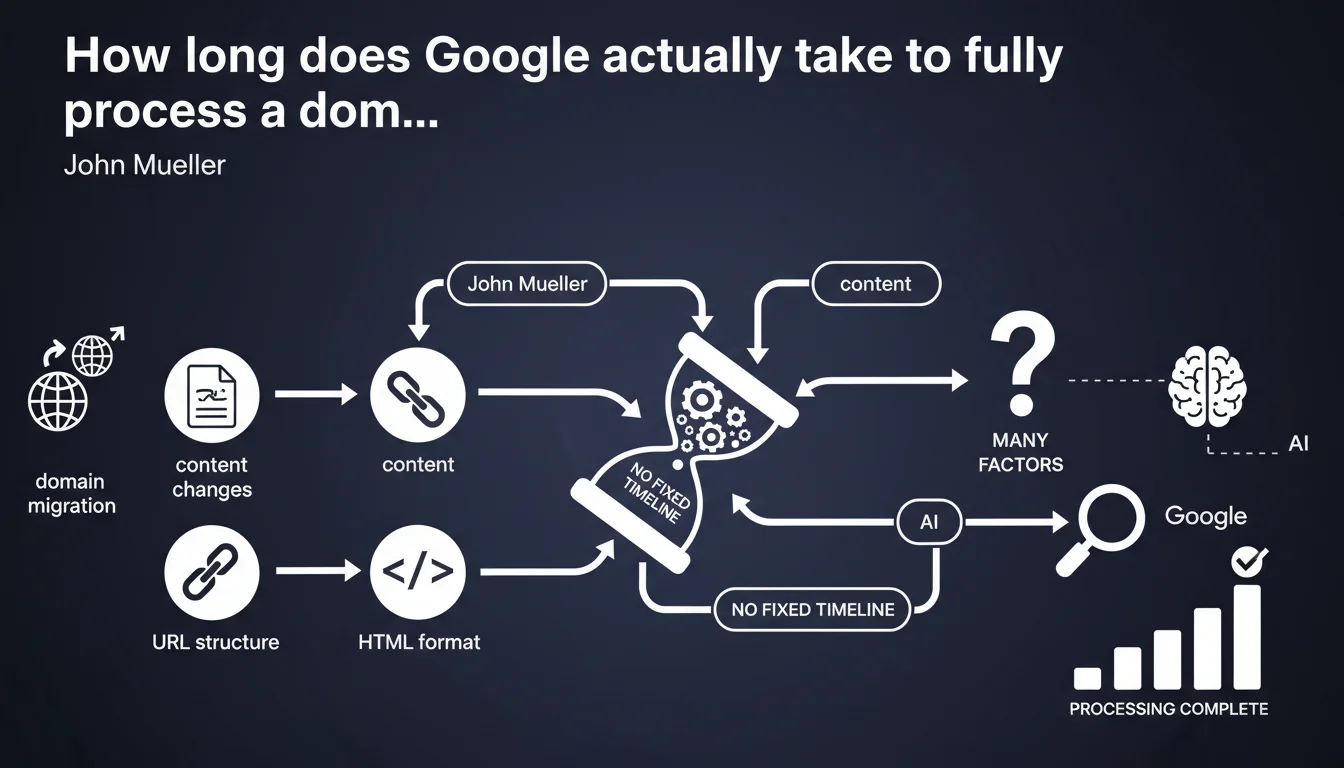
Google provides no guaranteed timeframe for a domain migration to be fully processed. Processing time varies based on content changes, URL structure, and HTML format. A migration can take anywhere from a few weeks to several months — it's impossible to predict with certainty.
What you need to understand
Why does Google refuse to commit to a specific timeline?
John Mueller's statement debunks a widespread misconception: no, your migration won't be wrapped up in 2-3 weeks just because you've properly configured your 301 redirects. Google treats each migration as a unique case, with its own technical constraints.
Several factors are beyond the search engine's direct control: the crawl frequency of your old domain, the volume of affected pages, the quality of your internal linking, external signals (backlinks), and most importantly — a critical point — any content or structural modifications you've introduced during the migration.
What specifically slows down a domain migration?
Mueller emphasizes three specific elements: content changes, URL structure, and HTML format. Translation? If you take the migration as an opportunity to overhaul your site, change your templates, or restructure your information architecture, Google must re-evaluate every page as if it were new content.
It's no longer a simple technical switch. It's a gradual discovery, page by page, with relevance and ranking recalculation. The timeline extends mechanically — and nobody can tell you how long it will take.
Does this absence of guarantee mean everything is random?
Not quite. While some parameters remain unclear, others are well documented. A migration that is technically clean — consistent 301 redirects, updated XML sitemap, preserved internal linking — reduces the risk of delays. But it guarantees nothing.
The real problem is that Google provides no reliable progress indicator. Search Console displays partial signals, but nothing that lets you say "you're 60% done." You're flying blind.
- No fixed timeline: impossible to predict the total duration of a migration
- Aggravating factors: content changes, modified URL structure, new HTML format
- Progressive processing: Google re-evaluates each page individually if modifications are detected
- Lack of indicators: no progress gauge available in Search Console
SEO Expert opinion
Is this statement consistent with real-world observations?
Yes, completely. Any agency that has managed large-scale migrations will confirm: timelines vary from 3 weeks to 6 months, sometimes longer. Two comparable sites in size and industry can experience radically different trajectories.
The problem is that Mueller provides no order of magnitude. Saying "it depends" without providing a low/high range is frustrating for anyone who needs to brief a client or board. [To verify]: are there empirical studies correlating site size, migration type, and observed timeline? Google could at least share anonymized statistics.
What nuances should be added to this position?
Mueller mentions content and structural changes as key factors, but he overlooks one essential point: the historical crawl frequency of your domain. A site crawled daily by Googlebot will have a mechanical advantage over a site crawled weekly.
Another blind spot: external signals. If you lose 30% of your backlinks during migration (links not updated by third-party sites), Google interprets this as a loss of authority — and it slows down the transfer. It's not just an internal technical matter.
In what cases does this rule not apply?
If you're migrating a 10-page site with negligible traffic, the timeline will probably be short — but nobody questions this scenario. The real issue concerns sites with thousands of pages and significant organic traffic.
Furthermore, Mueller discusses "domain or infrastructure migration" without distinguishing between them. Yet an infrastructure migration (server change without touching the domain) shouldn't impact processing time. Here again, the wording is too broad to be truly actionable.
Practical impact and recommendations
What should you do concretely before and during the migration?
First priority: map every URL on the old domain that receives traffic or backlinks. Not just main pages — PDFs, indexed images, old blog URLs. Everything with a history in Google Analytics or Ahrefs must be properly redirected.
Next, prepare a strict 1:1 redirect plan whenever possible. Avoid redirect chains (A → B → C) and bulk redirects to the homepage. Google hates this, and it delays authority transfer.
During migration, monitor Search Console daily. Not to see a progress gauge — it doesn't exist — but to detect technical anomalies: spikes in 404 errors, sudden crawl drops, pages blocked by robots.txt.
What mistakes must you absolutely avoid?
Don't remove the old domain too quickly. Google recommends maintaining active redirects for at least 6 months, ideally 12. Some even recommend keeping the old domain indefinitely if the cost is negligible.
Don't change ten parameters at once. If you migrate the domain AND redesign AND restructure your architecture AND switch to HTTPS, you multiply the unknowns. Isolate variables — one project at a time.
And above all: don't count on a fixed timeline. That's Mueller's message. Build a safety margin into your commercial and marketing planning. Planning for 4 weeks when it could take 16 is the best way to create an internal crisis.
How do you track progress without an official indicator?
Create your own KPIs: percentage of old domain pages still in the index (via site: command), weekly organic traffic evolution, number of backlinks pointing to the new domain vs the old.
Use third-party tools (Ahrefs, SEMrush, OnCrawl) to monitor authority transfer. If the new domain's Domain Rating stagnates while the old one keeps its score, that's a bad sign.
- Map every URL with traffic or backlinks before migration
- Set up 301 redirects in 1:1 fashion, avoid chains
- Keep the old domain active for at least 6 months, ideally 12
- Don't combine migration + redesign + restructuring in the same timeline
- Monitor Search Console daily to detect technical anomalies
- Create custom KPIs: old domain index presence, traffic evolution, transferred backlinks
- Build a safety margin into your schedule (3x or 4x the theoretical timeline)
❓ Frequently Asked Questions
Combien de temps faut-il conserver les redirections 301 après une migration ?
Une migration sans changement de contenu est-elle traitée plus rapidement ?
Peut-on accélérer le traitement d'une migration par Google ?
Quels signaux indiquent qu'une migration se passe mal ?
Faut-il bloquer l'indexation de l'ancien domaine après la migration ?
🎥 From the same video 29
Other SEO insights extracted from this same Google Search Central video · published on 14/01/2022
🎥 Watch the full video on YouTube →
💬 Comments (0)
Be the first to comment.