
Official statement
Other statements from this video 29 ▾
- □ Does a bloated robots.txt file really hurt your SEO rankings?
- □ Does it really matter whether you submit your sitemap in robots.txt or Search Console?
- □ Do H1-H6 heading tags really still impact Google rankings?
- □ Is a strict heading tag hierarchy really necessary for SEO rankings?
- □ How long does Google actually take to fully process a domain migration?
- □ Does Googlebot really crawl from just one place when indexing your geo-targeted content?
- □ Can a noindex tag on geolocalized pages wipe your entire website from Google search results?
- □ Should you really ditch geo-redirects for a simple dynamic banner?
- □ How many location pages can you create before Google penalizes you for spam?
- □ Should you redirect mobile users to your app—and what are the hidden SEO risks?
- □ Do you really need to translate your pages word-for-word for hreflang to work effectively?
- □ Does the domain directive in your Disavow file really help you bypass Google's 2MB limit?
- □ Should you really use the Disavow tool only for purchased links?
- □ Should you noindex your internal search results pages to prevent spammers from creating backlinks?
- □ Does semantic HTML really boost your search rankings?
- □ Is AMP still a ranking factor in Google Search?
- □ Is AMP really a ranking factor for Google?
- □ Does removing AMP actually boost crawl on your regular pages?
- □ Should you test removing your Disavow file incrementally, or can you delete it all at once?
- □ Why do knowledge panels display differently across devices and search contexts?
- □ Does Google's synonym system really work without any human intervention?
- □ Should you really create a separate page for each location to implement Local Business schema correctly?
- □ Do you really need to mark up ALL your content with structured data?
- □ Do you really need to display all FAQ schema questions visibly on your page?
- □ Can hidden accordion content really show up in featured snippets?
- □ Why does Google deliberately choose not to index your entire website?
- □ Should you delete pages to boost your site's indexation?
- □ Does search volume of anchor text really impact the value of your internal links?
- □ Should you really add unique content to your e-commerce product pages?
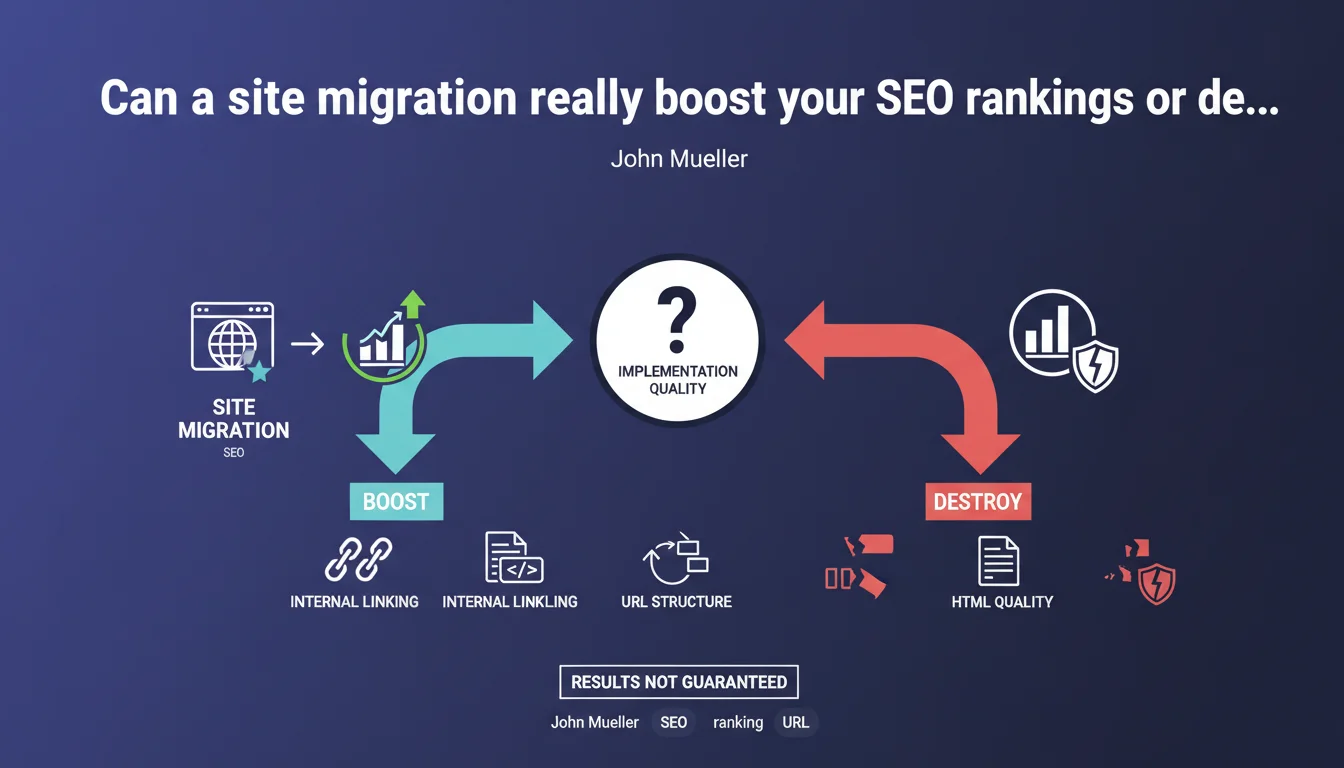
Mueller confirms that a migration can either propel your SEO or demolish it. The outcome depends entirely on execution quality: URL structure, internal linking, HTML quality. There's no guarantee of identical results — everything hinges on implementation.
What you need to understand
Why does Google insist so much on execution quality?
Google doesn't handle migrations with a clemency filter. Contrary to what some hope, there is no grace period during which errors would be tolerated. A botched migration generates contradictory signals: chained redirects, duplicate content, loss of coherent internal linking.
Crawl budget then becomes problematic. Googlebot wastes time on obsolete URLs, redirect loops, or poorly managed 404 pages. Meanwhile, new strategic pages await discovery and indexing — sometimes for weeks.
What are the levers that tip a migration toward success or failure?
Mueller cites three axes: internal linking, URL structure, and HTML quality. This is no accident. Internal linking transmits PageRank and guides crawling. If you break it during migration, you fragment your site into orphaned islands.
URL structure determines the semantic coherence perceived by Google. Moving from a logical architecture to a chaotic flat system dilutes thematic understanding. HTML quality — meta tags, structured data, Hn hierarchy — determines entity extraction and content interpretation.
Should you expect to recover the same rankings after migration?
No. Mueller is explicit: don't assume the results will be identical. A well-executed migration can improve SEO performance if it fixes existing structural problems — duplicate content, cannibalization, excessive depth.
Conversely, even a technically correct migration can temporarily disrupt rankings while Google recalculates signals. Crawling, indexing, and reclassification take time — sometimes several months for large sites.
- A migration is never neutral — it amplifies or corrects your existing problems
- Crawl budget becomes critical during the transition
- Internal linking must be preserved or improved, never degraded
- URL structure must remain semantically coherent
- Structured data and HTML tags must be migrated cleanly
SEO Expert opinion
Is this statement consistent with real-world observations?
Yes, and it's actually one of the rare times Google doesn't dodge the question. In the field, migrations are the leading cause of sudden organic traffic drops — well before algorithmic updates. SEO agencies regularly see sites lose 40-60% of visibility within weeks after a poorly planned redesign.
The classic problem? Technical teams think a clean 301 redirect table is enough. Except nobody verifies that internal linking now points to URLs that redirect — creating unnecessary redirect chains and diluting PageRank.
What nuances should be added to this statement?
Mueller remains vague about the duration of transitory effects. A migration always generates an instability phase — even when perfectly executed. Google must recrawl, reindex, recalculate signals. For a 10,000-page site, plan for 2-3 months. For 100,000 pages, 6 months is not uncommon. [To verify] No official data clarifies this timeline.
Another point: Mueller mentions possible internal linking improvements, but doesn't address external signals. Yet a migration also impacts backlinks. If you change your URLs without proper redirects, you lose link equity — and no internal optimization compensates for that.
In what cases does this rule not fully apply?
For sites with very low crawl budget — typically under 500 pages with little authority — the impact can be delayed simply because Google doesn't visit the site frequently enough. The problem exists, but it takes weeks to manifest in the SERPs.
Practical impact and recommendations
What should you do concretely before launching a migration?
First, audit the existing site thoroughly. Crawl the current site with Screaming Frog or Oncrawl. Identify pages generating organic traffic (top 20% in Google Analytics or Search Console). Map internal linking — which pages transmit the most PageRank, which are orphaned.
Next, build a page-by-page redirect plan — not just domain-to-domain. Each URL from the old site must have a logical destination in the new one. Redirect chains (A → B → C) must be strictly avoided. Test redirects in a staging environment before going live.
What critical mistakes must you absolutely avoid?
Never launch a migration during a period of high commercial activity. If you're in e-commerce, avoid November-December. A traffic drop during sales or Black Friday is irreversible in terms of revenue.
Another classic mistake: modifying internal linking without mapping PageRank flows. You remove a sidebar menu that generated 80% of internal links to your strategic pages? You just isolated them. Google will take weeks to recrawl them and positions will plummet.
Finally, never run old and new sites in parallel without strict canonicals or noindex tags. Post-migration duplicate content is a plague — Google indexes both versions, dilutes signals, and you lose on both fronts.
How do you verify the migration is going well after launch?
Intensive monitoring for at least 8 weeks. Follow daily in Search Console: crawl errors, indexed pages (Coverage tab), Core Web Vitals. A sharp drop in indexed page count signals a crawl or redirect problem.
Compare organic traffic week-by-week in Google Analytics. Segment by landing page — quickly identify which sections are losing traffic. Verify that external backlinks still point to active URLs (or are properly redirected).
- Crawl the existing site and map internal linking before any changes
- Create a page-by-page 301 redirect table, with no redirect chains
- Test redirects in a staging environment before going live
- Preserve or improve URL structure and semantic hierarchy
- Migrate meta tags, structured data, and Hn tags cleanly
- Avoid critical commercial periods when launching the migration
- Monitor Search Console and Analytics daily for at least 8 weeks
- Verify external backlinks don't point to 404s or redirect chains
❓ Frequently Asked Questions
Combien de temps faut-il pour récupérer après une migration ratée ?
Peut-on faire une migration par étapes pour limiter les risques ?
Les redirections 301 transmettent-elles 100% du PageRank ?
Faut-il soumettre un nouveau sitemap XML après migration ?
Comment gérer les backlinks externes qui pointent vers les anciennes URLs ?
🎥 From the same video 29
Other SEO insights extracted from this same Google Search Central video · published on 14/01/2022
🎥 Watch the full video on YouTube →
💬 Comments (0)
Be the first to comment.