
Official statement
Other statements from this video 29 ▾
- □ Does a bloated robots.txt file really hurt your SEO rankings?
- □ Does it really matter whether you submit your sitemap in robots.txt or Search Console?
- □ Do H1-H6 heading tags really still impact Google rankings?
- □ Is a strict heading tag hierarchy really necessary for SEO rankings?
- □ How long does Google actually take to fully process a domain migration?
- □ Can a site migration really boost your SEO rankings or destroy them completely?
- □ Does Googlebot really crawl from just one place when indexing your geo-targeted content?
- □ Can a noindex tag on geolocalized pages wipe your entire website from Google search results?
- □ Should you really ditch geo-redirects for a simple dynamic banner?
- □ How many location pages can you create before Google penalizes you for spam?
- □ Should you redirect mobile users to your app—and what are the hidden SEO risks?
- □ Do you really need to translate your pages word-for-word for hreflang to work effectively?
- □ Should you really use the Disavow tool only for purchased links?
- □ Should you noindex your internal search results pages to prevent spammers from creating backlinks?
- □ Does semantic HTML really boost your search rankings?
- □ Is AMP still a ranking factor in Google Search?
- □ Is AMP really a ranking factor for Google?
- □ Does removing AMP actually boost crawl on your regular pages?
- □ Should you test removing your Disavow file incrementally, or can you delete it all at once?
- □ Why do knowledge panels display differently across devices and search contexts?
- □ Does Google's synonym system really work without any human intervention?
- □ Should you really create a separate page for each location to implement Local Business schema correctly?
- □ Do you really need to mark up ALL your content with structured data?
- □ Do you really need to display all FAQ schema questions visibly on your page?
- □ Can hidden accordion content really show up in featured snippets?
- □ Why does Google deliberately choose not to index your entire website?
- □ Should you delete pages to boost your site's indexation?
- □ Does search volume of anchor text really impact the value of your internal links?
- □ Should you really add unique content to your e-commerce product pages?
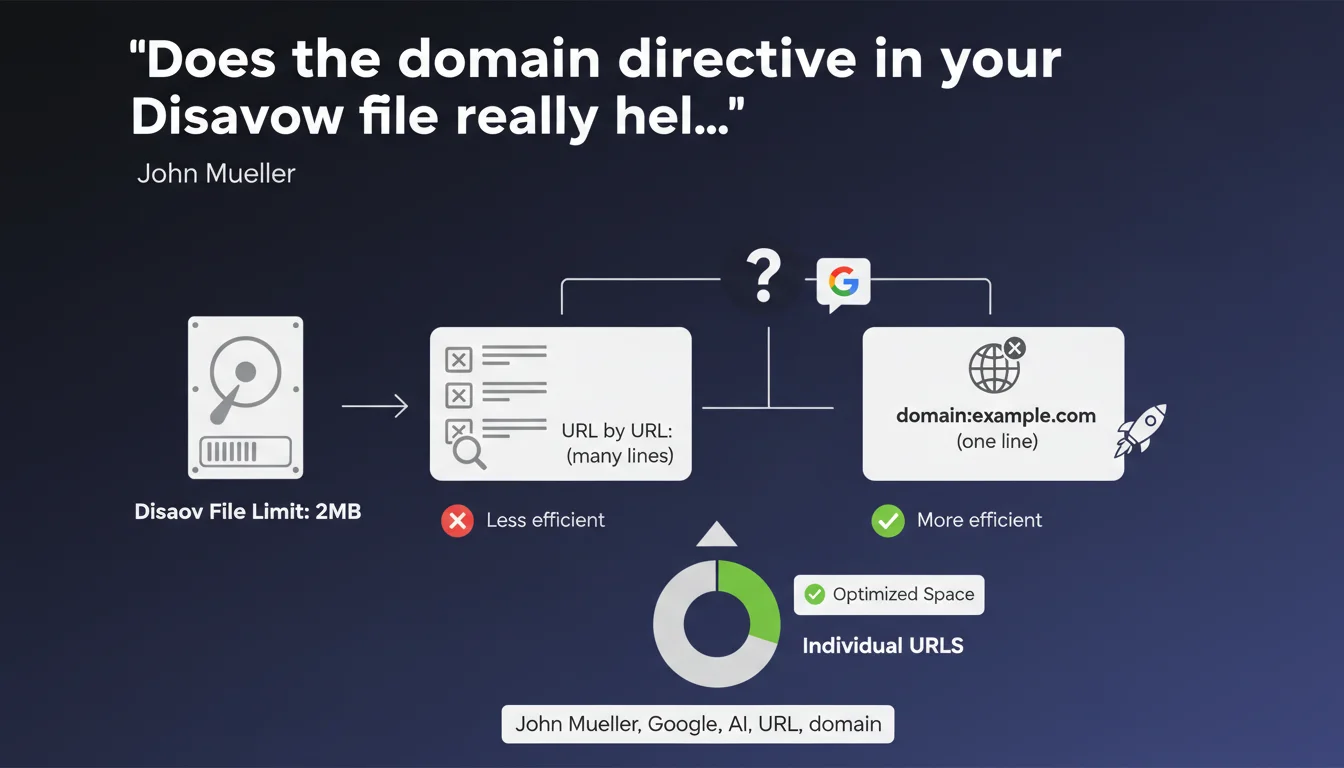
Google enforces a strict 2MB limit on Disavow files. To avoid exceeding it, Mueller recommends using the domain directive (domain:) rather than listing each URL individually. This approach optimizes space and simplifies managing massive disavowals.
What you need to understand
What is this 2MB limit and why does it exist?
Google sets a strict technical constraint: the Disavow file cannot exceed 2MB. Beyond that, the file is simply rejected or only partially processed.
This limit is explained by server processing reasons — Google must parse these files for millions of websites. A file that is too large would slow down the process and consume disproportionate resources.
Why does the domain directive change everything?
Listing each URL individually (https://spam-site.com/page1, https://spam-site.com/page2, etc.) consumes enormous amounts of space. A single domain:spam-site.com directive disavows the entire domain in just a few bytes.
Concretely? If a domain generates thousands of toxic backlinks, the domain directive reduces file size by 100 times or more. It's purely mechanical.
When should you really worry about this limit?
This issue primarily affects sites that have suffered massive negative SEO attacks or wild linking campaigns across hundreds of referring domains. For a standard audit, the 2MB limit remains rarely an obstacle.
- 2MB limit: non-negotiable technical constraint on Google's side
- Domain directive: disavows all backlinks from an entire domain in one line
- Essential optimization: for sites with thousands of toxic links to disavow
- Efficient parsing: drastically reduces file size and facilitates processing
SEO Expert opinion
Is this recommendation really new?
No. The domain directive has existed since the early days of the Disavow Tool. Mueller's reminder comes because many SEO professionals were still listing each URL out of habit or lack of knowledge.
Some audit tools generate Disavow files with URL-level granularity by default, not domain-level — which explains the persistence of this inefficient practice. Let's be honest: if a domain is toxic, disavowing 500 individual URLs from the same site makes no sense.
In what cases does the domain directive cause problems?
Where it gets tricky: when a quality domain (a real media outlet, an institutional site) hosts a few spammed or hacked pages. Disavowing the entire domain causes you to lose legitimate backlinks.
In this specific case, it's better to disavow the individual URLs of compromised pages. It's more verbose, but surgical. [To verify]: Google has never published data on the real impact of Disavow in 2023-2024 — it's impossible to quantify its on-the-ground effectiveness with certainty.
Does Disavow remain relevant with current algorithms?
Google has claimed for years that its algorithms automatically ignore poor-quality backlinks. So why maintain the Disavow Tool?
Because in extreme cases — massive attacks, manual penalties — the tool remains an explicit signal sent to Google. But for 95% of sites, Disavow is unnecessary. If your link profile is healthy, don't touch it.
Practical impact and recommendations
How do you structure an optimal Disavow file?
Start with a backlink profile audit. Identify entire domains that are toxic (link farms, questionable PBNs, obvious spam). For those, use domain:. For borderline cases — mixed domains with good and bad content — stay at URL level.
The file should look like this:
- One entry per line (URL or domain)
- Format: domain:example.com to disavow the entire domain
- Format: https://example.com/spam-page for a specific URL
- Comments allowed with # at the beginning of a line (useful for documenting your approach)
- Encode the file in UTF-8 or plain text, never in .doc or .pdf
- Verify final size: if > 2MB, consolidate further with domain directives
What mistakes should you absolutely avoid?
First common mistake: disavowing domains without checking their history. A domain can be resold, cleaned up, or host legitimate content despite a few spammed pages. Always cross-reference multiple sources (Ahrefs, Majestic, Search Console).
Second mistake: submitting a Disavow file "just in case". If Google detects that you're disavowing massively without valid reason, it can raise internal red flags. Disavow is not insurance — it's a last resort.
What if my file still exceeds 2MB after optimization?
It's rare, but it happens to sites that have suffered industrial-scale attacks. In this case, prioritize the most toxic domains (high Spam Score, zero traffic, suspicious link profile). Split your file in waves: submit the worst first, wait a few weeks, then add the rest.
And that's where it gets tricky — managing a backlink profile this polluted requires fine expertise and ongoing monitoring. Between manual analysis, disavow prioritization, and post-submission monitoring, the process can quickly become time-consuming. If you manage a critical site or a portfolio of domains, bringing in a specialized SEO agency to structure this approach can prevent irreversible errors and accelerate site recovery.
❓ Frequently Asked Questions
Que se passe-t-il si mon fichier Disavow dépasse 2MB ?
Puis-je mixer directives domaine et URLs individuelles dans le même fichier ?
Combien de temps avant que Google prenne en compte un fichier Disavow ?
Faut-il désavouer les liens nofollow ?
Le Disavow peut-il nuire à mon SEO si mal utilisé ?
🎥 From the same video 29
Other SEO insights extracted from this same Google Search Central video · published on 14/01/2022
🎥 Watch the full video on YouTube →
💬 Comments (0)
Be the first to comment.