
Official statement
Other statements from this video 43 ▾
- □ Pourquoi Googlebot s'arrête-t-il à 15 Mo par URL et comment cela impacte-t-il votre crawl ?
- □ Google mesure-t-il vraiment le poids de page comme vous le pensez ?
- □ Le poids des pages mobiles a triplé en 10 ans : faut-il s'inquiéter pour le SEO ?
- □ Les données structurées alourdissent-elles trop vos pages pour être rentables en SEO ?
- □ Votre site mobile contient-il autant de contenu que votre version desktop ?
- □ Pourquoi votre contenu desktop disparaît-il des résultats Google s'il manque sur mobile ?
- □ La vitesse de page impacte-t-elle réellement les conversions selon Google ?
- □ Google traite-t-il vraiment 40 milliards d'URLs de spam par jour ?
- □ La compression réseau améliore-t-elle réellement le crawl budget de votre site ?
- □ Le lazy loading est-il vraiment indispensable pour optimiser le poids initial de vos pages ?
- □ Googlebot s'arrête-t-il vraiment après 15 Mo par URL ?
- □ Pourquoi le poids des pages mobiles a-t-il triplé en une décennie ?
- □ Le poids des pages impacte-t-il vraiment l'expérience utilisateur et le SEO ?
- □ Les données structurées alourdissent-elles vraiment vos pages HTML ?
- □ Pourquoi la parité mobile-desktop reste-t-elle un facteur de déclassement majeur ?
- □ Faut-il encore se préoccuper du poids des pages pour le SEO ?
- □ La taille des ressources est-elle le facteur déterminant de la vitesse de votre site ?
- □ Pourquoi Google impose-t-il une limite stricte de 1 Mo pour les images ?
- □ L'optimisation de la taille des pages profite-t-elle vraiment plus aux utilisateurs qu'au SEO ?
- □ Googlebot limite-t-il vraiment le crawl à 15 Mo par URL ?
- □ Le poids des pages web explose : faut-il s'inquiéter pour son SEO ?
- □ La taille des pages web nuit-elle encore vraiment à votre SEO ?
- □ Les structured data alourdissent-elles vos pages au point de nuire au SEO ?
- □ La vitesse de chargement influence-t-elle vraiment les conversions de vos pages ?
- □ La compression réseau suffit-elle à optimiser l'espace de stockage des utilisateurs ?
- □ Pourquoi la disparité mobile/desktop tue-t-elle votre référencement en indexation mobile-first ?
- □ Le lazy loading est-il vraiment un levier de performance SEO à activer systématiquement ?
- □ Google bloque 40 milliards d'URLs de spam par jour : comment votre site échappe-t-il au filtre ?
- □ L'optimisation des images peut-elle vraiment diviser par 10 le poids de vos pages ?
- □ Googlebot s'arrête-t-il vraiment à 15 Mo par URL ?
- □ Pourquoi la parité mobile-desktop impacte-t-elle autant votre classement en Mobile-First Indexing ?
- □ Le poids de vos pages freine-t-il vraiment votre référencement ?
- □ Les données structurées ralentissent-elles vraiment votre crawl ?
- □ Google intercepte vraiment 40 milliards d'URLs de spam par jour ?
- □ Faut-il limiter vos images à 1 Mo pour plaire à Google ?
- □ Googlebot s'arrête-t-il vraiment à 15 Mo par URL crawlée ?
- □ La vitesse d'un site impacte-t-elle vraiment la conversion ?
- □ Les données structurées alourdissent-elles vraiment vos pages HTML ?
- □ Pourquoi la taille des pages reste-t-elle un facteur SEO critique malgré l'amélioration des connexions Internet ?
- □ La compression réseau suffit-elle à optimiser le crawl de votre site ?
- □ Le lazy loading peut-il vraiment booster vos performances sans impacter le crawl ?
- □ La taille d'un site web a-t-elle vraiment un impact sur son référencement ?
- □ Pourquoi Google limite-t-il la taille des images à 1Mo sur sa documentation développeur ?
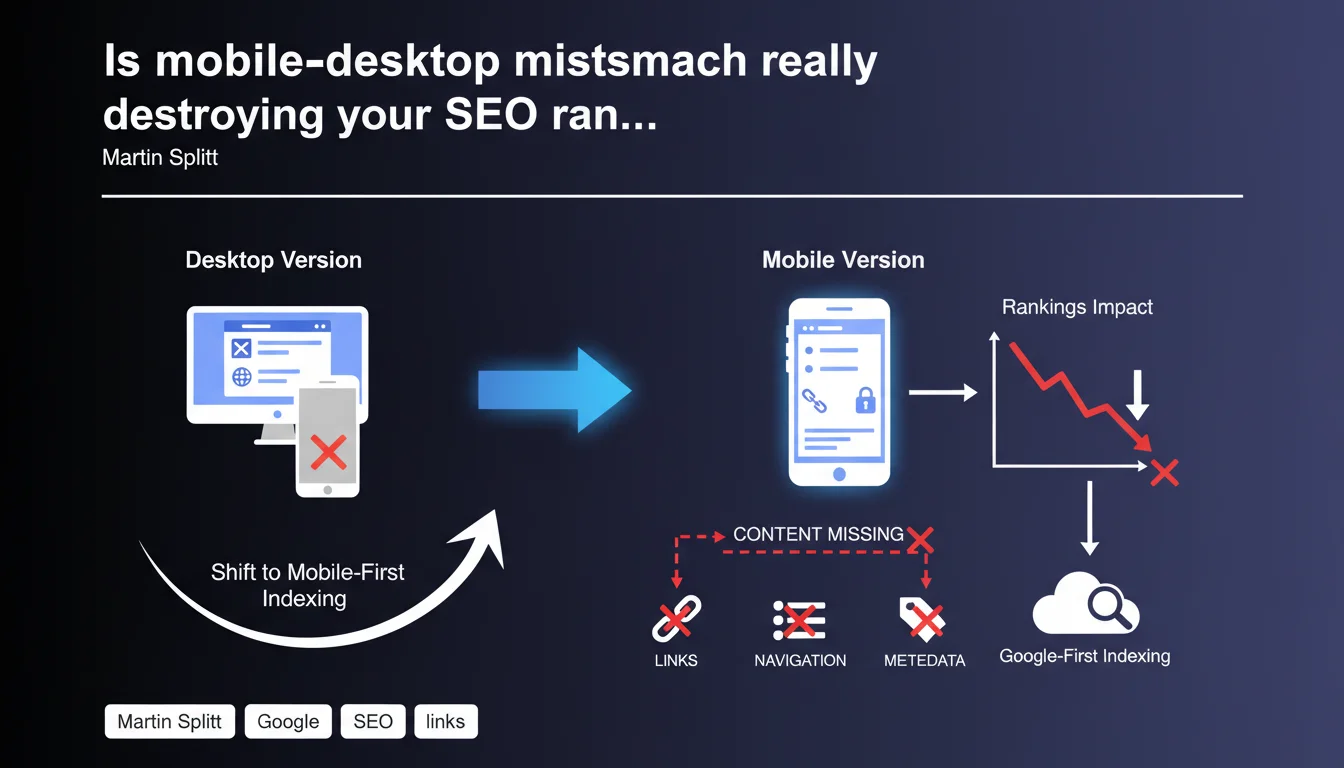
Google is finding that a massive number of sites display stripped-down mobile versions compared to desktop: truncated content, missing links, oversimplified navigation, incomplete metadata. Direct consequence: ranking drops when switching to mobile-first indexing. Mobile-desktop parity isn't optional—it's a survival requirement in SEO.
What you need to understand
What is mobile-first indexing and why this statement now?
Mobile-first indexing means Google crawls and ranks your site primarily based on its mobile version, even for searches performed from a desktop. This shift has gradually become the standard, and Google has spotted a recurring problem: too many sites are maintaining stripped-down mobile versions.
Martin Splitt clarifies that differences between mobile and desktop mainly concern sites with distinct URLs (m.example.com vs www.example.com), but also responsive implementations that hide content on mobile. The verdict is clear—when Google crawls the mobile version and finds less information than on desktop, rankings suffer.
What mobile-desktop gaps actually impact rankings?
Four types of differences come up repeatedly on penalized sites. First issue: missing content. Entire sections disappear on mobile, either by deliberate choice to lighten the page or by technical error.
Second issue: internal links. Simplified menus on mobile sometimes eliminate entire navigation sections, cutting off Google from essential signals about site architecture. Third issue: global navigation, often replaced by a hamburger menu that hides important categories. Fourth issue: metadata—some sites thoughtlessly strip structured data on mobile.
Why does this gap persist despite Google's repeated warnings?
Let's be honest: part of it stems from technical legacy. Sites that kept a separate mobile version since 2010-2012 carry obsolete architectural decisions. The other part comes from strategic misunderstanding—the idea that mobile needs to be "simplified" for speed or UX.
Result: you strip "non-essential" content without realizing Google reads that as a lower-quality signal. And that's where it breaks—what was UX optimization becomes an SEO penalty.
- Mobile-first indexing makes the mobile version THE reference for ranking, including desktop
- Critical gaps involve content, internal links, navigation, and metadata
- Sites with distinct mobile URLs particularly at risk, but poorly-built responsive also affected
- Excessive mobile simplification is read as a reduced quality signal
- Technical legacy and false UX best practices explain the problem's persistence
SEO Expert opinion
Is this statement consistent with real-world observations?
Completely. We still see it in audits of established sites: richly documented desktop version, mobile stripped to bare essentials. The classic pattern? Information boxes hidden via CSS, content blocks "collapsed" by default, FAQ sections or "learn more" blocks completely absent from the mobile DOM.
Google keeps repeating the message for years, yet some sites still treat mobile like a second-class product. When mobile-first index finally rolls out for them—often months late—the shock is brutal. Rankings crash, organic traffic plummets, and nobody understands why.
What nuances should we add to this statement?
First nuance: not all content holds equal weight. If you have a complex data table that only works on larger screens, Google won't penalize you for making it horizontally scrollable on mobile—as long as the content stays in the DOM and is crawlable.
Second nuance: Martin Splitt mentions "metadata" without specifying which. From experience, structured data (JSON-LD) must absolutely match between mobile and desktop. However, a meta description slightly shortened for mobile—even if unnecessary—doesn't seem to cause issues [Verify].
Third nuance: the "missing content" problem mainly affects primary text content. Third-party widgets, ads, peripheral elements can vary without major impact—what matters is the main body and strong semantic signals.
In what cases might this rule not apply strictly?
Edge case: sites with a dedicated mobile app strategy (Android/iOS app) and an intentionally minimal web version to drive users to the app. Google may index these differently if rel="alternate" tags to the app are properly implemented—but that's a risky bet.
Another case: sites with dynamic geolocation-based content that varies by mobile context (proximity, hours…). As long as core content remains identical and variation is legitimate, no issues arise. But heads up—Google needs to understand the logic, otherwise it might get flagged as cloaking.
Practical impact and recommendations
What do you need to do concretely to ensure mobile-desktop parity?
First step: a systematic parity audit. Crawl your site with both mobile and desktop user-agents, compare the exports. Look for text content gaps, internal link differences, heading tags, structured data discrepancies. Tools like Screaming Frog or Sitebulb make this comparison easier.
Second action: verify that all content hidden via CSS on mobile (display:none, visibility:hidden) is truly secondary. If it's editorial content, important links, or structured data, make it visible—even if that means using accordions or tabs open by default to preserve UX.
Third point: mobile navigation. A hamburger menu is fine—but ensure all main categories remain crawlable. Google must access the same sections as on desktop, even if presentation differs. Test with Google Search Console > URL Inspection > Mobile version.
What mistakes must you absolutely avoid?
Classic mistake: believing "responsive = automatic parity." False. A responsive site can easily hide content via CSS or JavaScript based on screen size. You must audit actual rendering, not just validate that the site is technically responsive.
Another trap: removing "unnecessary" content on mobile based on UX metrics (click-through rate, scroll depth). What gets little user engagement might be crucial for Google. Contextual sections, definitions, expert content—even if rarely read—strengthen semantic relevance.
Final mistake: neglecting structured data. If your desktop product page has a complete Product schema and mobile only has partial markup, Google indexes the diminished version. Result: loss of rich snippet eligibility.
How do you verify your site follows this recommendation?
Use the URL Inspection tool in Google Search Console. For each key page type (product page, blog post, category), inspect the mobile version. Compare rendered HTML with the desktop version—ideally side-by-side.
Supplement with a standard Mobile-Friendly test, but don't stop there. Also verify that your internal links match: export the link list from mobile and desktop crawls, then use a diff tool to find variations.
- Crawl site with both mobile and desktop user-agents, compare content exports
- Verify all CSS-hidden content on mobile is truly secondary—otherwise make it accessible
- Ensure mobile navigation exposes all main categories to crawling
- Compare structured data between mobile and desktop to guarantee total parity
- Use Google Search Console > URL Inspection to validate mobile rendering for each key template
- Export and compare internal link lists between mobile and desktop versions
- Don't mistake responsive design for actual parity—audit effective rendering
❓ Frequently Asked Questions
Est-ce que tous les sites sont déjà passés à l'indexation mobile-first ?
Un site 100% responsive est-il automatiquement à parité mobile-desktop ?
Les URLs distinctes mobile (m.example.com) sont-elles toujours un problème ?
Peut-on avoir un contenu plus court sur mobile sans être pénalisé ?
Comment Google détecte-t-il qu'un contenu est masqué sur mobile ?
🎥 From the same video 43
Other SEO insights extracted from this same Google Search Central video · published on 30/03/2026
🎥 Watch the full video on YouTube →
💬 Comments (0)
Be the first to comment.