
Official statement
Other statements from this video 43 ▾
- □ Pourquoi Googlebot s'arrête-t-il à 15 Mo par URL et comment cela impacte-t-il votre crawl ?
- □ Google mesure-t-il vraiment le poids de page comme vous le pensez ?
- □ Le poids des pages mobiles a triplé en 10 ans : faut-il s'inquiéter pour le SEO ?
- □ Les données structurées alourdissent-elles trop vos pages pour être rentables en SEO ?
- □ Votre site mobile contient-il autant de contenu que votre version desktop ?
- □ Pourquoi votre contenu desktop disparaît-il des résultats Google s'il manque sur mobile ?
- □ La vitesse de page impacte-t-elle réellement les conversions selon Google ?
- □ Google traite-t-il vraiment 40 milliards d'URLs de spam par jour ?
- □ La compression réseau améliore-t-elle réellement le crawl budget de votre site ?
- □ Le lazy loading est-il vraiment indispensable pour optimiser le poids initial de vos pages ?
- □ Googlebot s'arrête-t-il vraiment après 15 Mo par URL ?
- □ Pourquoi le poids des pages mobiles a-t-il triplé en une décennie ?
- □ Le poids des pages impacte-t-il vraiment l'expérience utilisateur et le SEO ?
- □ Les données structurées alourdissent-elles vraiment vos pages HTML ?
- □ Pourquoi la parité mobile-desktop reste-t-elle un facteur de déclassement majeur ?
- □ Faut-il encore se préoccuper du poids des pages pour le SEO ?
- □ La taille des ressources est-elle le facteur déterminant de la vitesse de votre site ?
- □ Pourquoi Google impose-t-il une limite stricte de 1 Mo pour les images ?
- □ L'optimisation de la taille des pages profite-t-elle vraiment plus aux utilisateurs qu'au SEO ?
- □ Googlebot limite-t-il vraiment le crawl à 15 Mo par URL ?
- □ Le poids des pages web explose : faut-il s'inquiéter pour son SEO ?
- □ La taille des pages web nuit-elle encore vraiment à votre SEO ?
- □ Les structured data alourdissent-elles vos pages au point de nuire au SEO ?
- □ La vitesse de chargement influence-t-elle vraiment les conversions de vos pages ?
- □ La compression réseau suffit-elle à optimiser l'espace de stockage des utilisateurs ?
- □ Pourquoi la disparité mobile/desktop tue-t-elle votre référencement en indexation mobile-first ?
- □ Le lazy loading est-il vraiment un levier de performance SEO à activer systématiquement ?
- □ Google bloque 40 milliards d'URLs de spam par jour : comment votre site échappe-t-il au filtre ?
- □ L'optimisation des images peut-elle vraiment diviser par 10 le poids de vos pages ?
- □ Googlebot s'arrête-t-il vraiment à 15 Mo par URL ?
- □ Pourquoi la parité mobile-desktop impacte-t-elle autant votre classement en Mobile-First Indexing ?
- □ Le poids de vos pages freine-t-il vraiment votre référencement ?
- □ Les données structurées ralentissent-elles vraiment votre crawl ?
- □ Google intercepte vraiment 40 milliards d'URLs de spam par jour ?
- □ Faut-il limiter vos images à 1 Mo pour plaire à Google ?
- □ Googlebot s'arrête-t-il vraiment à 15 Mo par URL crawlée ?
- □ La vitesse d'un site impacte-t-elle vraiment la conversion ?
- □ Pourquoi la disparité mobile-desktop ruine-t-elle encore tant de classements SEO ?
- □ Les données structurées alourdissent-elles vraiment vos pages HTML ?
- □ Pourquoi la taille des pages reste-t-elle un facteur SEO critique malgré l'amélioration des connexions Internet ?
- □ La compression réseau suffit-elle à optimiser le crawl de votre site ?
- □ Le lazy loading peut-il vraiment booster vos performances sans impacter le crawl ?
- □ La taille d'un site web a-t-elle vraiment un impact sur son référencement ?
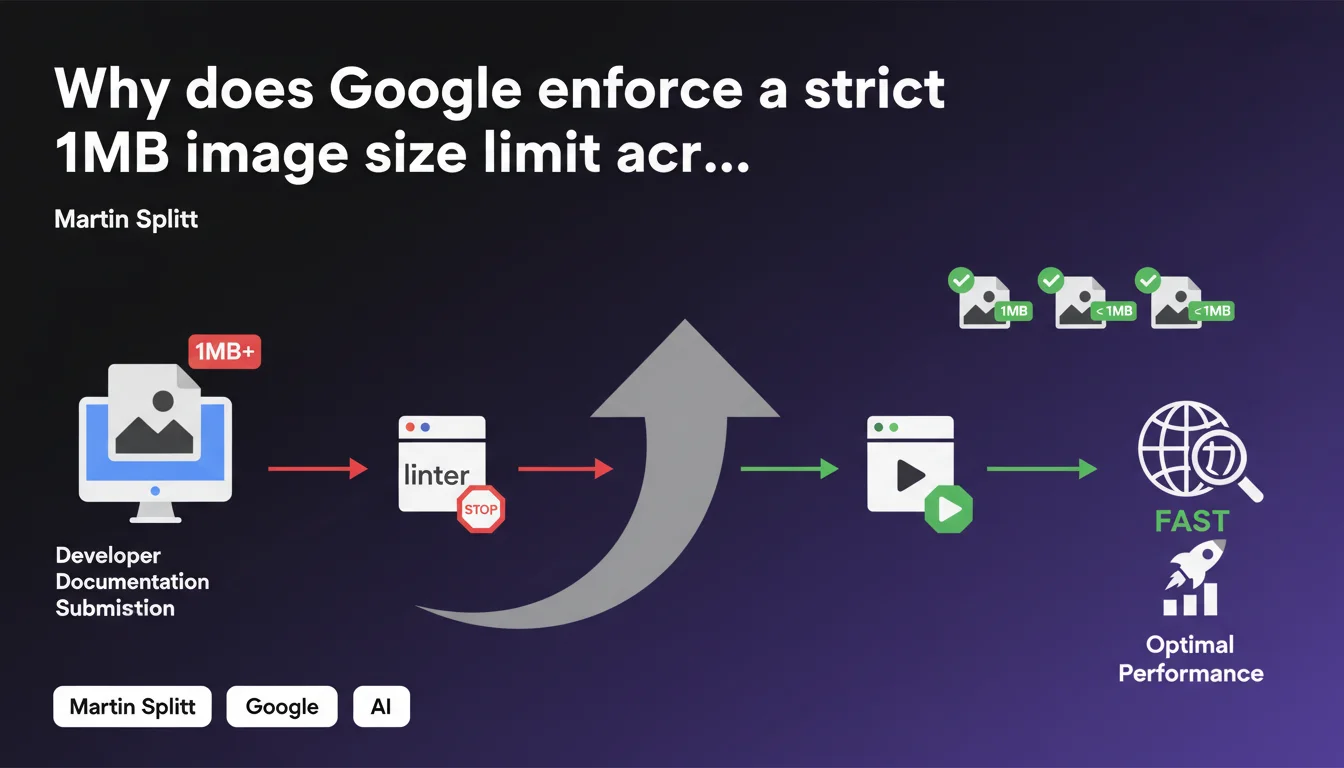
Google enforces a strict internal rule: no image can exceed 1MB on its developer documentation sites. This constraint, applied through an automatic linter, aims to guarantee optimal performance. For SEO practitioners, it's a clear signal of the standards Google imposes on itself regarding web performance.
What you need to understand
Is this 1MB limit a general recommendation or an internal technical constraint?
Martin Splitt mentions here a Google internal practice, not an official SEO directive for all websites. The linter blocking images exceeding 1MB applies only to Google's developer documentation sites.
That said, this choice reveals Google's philosophy about web performance: even on technical documentation primarily consulted by developers, loading speed remains a priority. If Google imposes this constraint on itself, it's because it meets a measurable objective — likely linked to Core Web Vitals and user experience.
What's the difference between this limit and standard SEO best practices?
Typical SEO recommendations rarely mention such precise thresholds. You often hear "optimize your images" without exact numbers. Here, Google shows that internally, they've drawn a clear line: 1MB maximum.
This limit likely concerns the file weight after compression, not pixel dimensions. A modern, well-compressed JPEG can display a 1920px-wide image under 500KB easily. The 1MB bar remains generous — but it's a firm ceiling, not a suggestion.
Should you consider this limit a standard to follow?
Not necessarily in an absolute way. Google's documentation sites have specific constraints: international audience, variable connections, technical accessibility. Your e-commerce site may have different needs.
But if Google applies this rule internally, it signals a consistency between what they preach and what they practice. It's a solid benchmark for calibrating your own performance standards.
- The 1MB limit applies only to Google's documentation sites, not all websites
- It reflects a strong internal priority on performance, even for technical content
- It's a firm ceiling applied automatically via a validation tool (linter)
- This practice reinforces consistency between Google's public recommendations and its own standards
- For SEO, it's an indicator of the thresholds Google considers "optimal" for image weight
SEO Expert opinion
Is this statement consistent with practices observed in the field?
Yes — and it's actually reassuring. Too often, Google recommends optimizations that its own sites don't follow. Here, the internal constraint shows they apply their own rules.
In practice, sites performing well in SEO and Core Web Vitals rarely have images exceeding 1MB. Exceptions mainly involve high-resolution photo galleries or e-commerce sites with product zoom — and even there, lazy loading and modern compression solutions (WebP, AVIF) allow you to stay under this threshold.
What stands out is the automation through a linter. Google doesn't leave the decision to developers — the tool blocks production deployment. It's a "shift-left" approach we should see more often in our own workflows.
What nuances should be added to this limit?
The 1MB limit likely concerns the final weight served to the browser, not the original source file. A 3MB uncompressed PNG can be converted to a 400KB WebP without visible quality loss.
Let's be honest: [To verify] whether this limit applies before or after server compression. Martin Splitt doesn't specify if the linter checks the uploaded file or the file after CMS processing. The difference is significant — some systems automatically compress on the fly.
Another nuance: this rule targets developer documentation, not commercial landing pages. Priorities can differ. But regarding SEO technical aspects, a heavy image remains a heavy image — Core Web Vitals don't distinguish based on content type.
In what cases might this rule not apply strictly?
Some contexts justify heavier images: photography portfolios, architecture sites, online art galleries. There, visual quality takes priority — and techniques like progressive loading or responsive images can compensate.
But be careful: even in these cases, technical alternatives exist. Serve a lightweight version by default, then load high resolution on click. Use next-gen formats with more efficient compression. Implement a CDN with automatic optimization.
Practical impact and recommendations
What should you concretely do to comply with this limit?
First step: audit existing images. A crawl with Screaming Frog or Sitebulk can quickly reveal images exceeding 1MB. Focus first on strategic pages — homepage, main categories, best-seller product pages.
Next, implement an automatic optimization process. Modern CMSs (WordPress with plugins, Shopify, Webflow) can compress images on upload. If you work with a custom CMS, integrate a solution like Cloudinary or imgix that optimizes on the fly.
Regarding formats: WebP is now supported by all modern browsers and offers 25-35% weight savings compared to JPEG. AVIF goes even further but browser support remains partial. A progressive approach: serve WebP with JPEG fallback via the <picture> tag.
What mistakes should you avoid in this process?
Don't sacrifice visual quality in the name of performance. An over-compressed image with visible artifacts harms user experience — and indirectly impacts SEO. Find the right balance between weight and rendering.
Also avoid systematically reducing pixel dimensions without responsive logic. An 800px image served on a 1600px Retina screen will appear blurry. Instead use srcset to serve the correct size based on screen.
Common mistake: optimizing only main images and neglecting icons, logos, CSS backgrounds. Every element counts toward total page weight. A complete audit must cover all graphical assets.
How can you verify that your images comply with performance standards?
Use PageSpeed Insights or Lighthouse to identify images needing optimization. These tools specifically flag heavy files and suggest estimated gains in KB.
Also test with WebPageTest while limiting bandwidth (3G profile). Heavy images become immediately visible in the waterfall — and the impact on LCP (Largest Contentful Paint) is obvious.
Set up an automatic alert: configure your CI/CD to refuse commits containing images exceeding 1MB, exactly like Google does. It's more effective than fixing afterward.
- Audit all site images with an SEO crawler to identify those exceeding 1MB
- Implement automatic compression on upload via CMS or CDN
- Prioritize modern formats (WebP, AVIF) with JPEG fallback for compatibility
- Configure
srcsetandsizesto serve correct dimensions based on screen - Integrate a linter or Git hook to block heavy images before production deployment
- Regularly test with PageSpeed Insights and WebPageTest to measure real impact
- Train editorial teams on optimization best practices before upload
❓ Frequently Asked Questions
Cette limite de 1Mo s'applique-t-elle à tous les sites web ou uniquement à la documentation Google ?
Est-ce que dépasser 1Mo par image pénalise directement mon classement SEO ?
Quels formats d'images permettent de rester sous 1Mo tout en gardant une bonne qualité ?
Comment implémenter une vérification automatique du poids des images avant mise en ligne ?
La compression doit-elle se faire avant l'upload ou après par le serveur ?
🎥 From the same video 43
Other SEO insights extracted from this same Google Search Central video · published on 30/03/2026
🎥 Watch the full video on YouTube →
💬 Comments (0)
Be the first to comment.