
Official statement
Other statements from this video 21 ▾
- □ Should you update the same page or create a new URL every day for frequently refreshed content?
- □ Should you stop using the manual submission tool in Google Search Console?
- □ Do H2 tags in your footer actually hurt your SEO rankings?
- □ Do HTML5 <header> and <footer> tags really boost your SEO rankings?
- □ Should you really rely on the schema.org validator to optimize your structured data?
- □ Does improving page speed really boost your rankings as fast as everyone claims?
- □ Does Google really crawl all your sitemaps at the same pace?
- □ Does Google really keep crawling a sitemap after you remove it from Search Console?
- □ Is Google really refusing to index your pages even though they're crawled regularly and have no technical issues?
- □ Can you safely use bidirectional canonicals between two site versions without any risk?
- □ Can structured data really replace traditional internal linking strategy?
- □ Why is one x-default enough for your entire multi-domain hreflang configuration?
- □ Should you really avoid product structured data on category pages?
- □ Do you really need to pick one primary language per page if you're targeting multiple markets?
- □ Why is Google completely ignoring your desktop version once mobile-first indexing kicks in?
- □ Can commodity content really survive in Google search results?
- □ Should you isolate your FAQs on separate pages to rank better?
- □ Is Google really cutting back on FAQ rich snippets in search results, and what does that mean for your SEO strategy?
- □ Is Google really ignoring 95% of your submitted URLs—and what does that say about your content?
- □ Can you host your XML sitemap on a different domain than your main website?
- □ Does the shift from 'Bad' to 'Medium' on Core Web Vitals really transform your Google rankings?
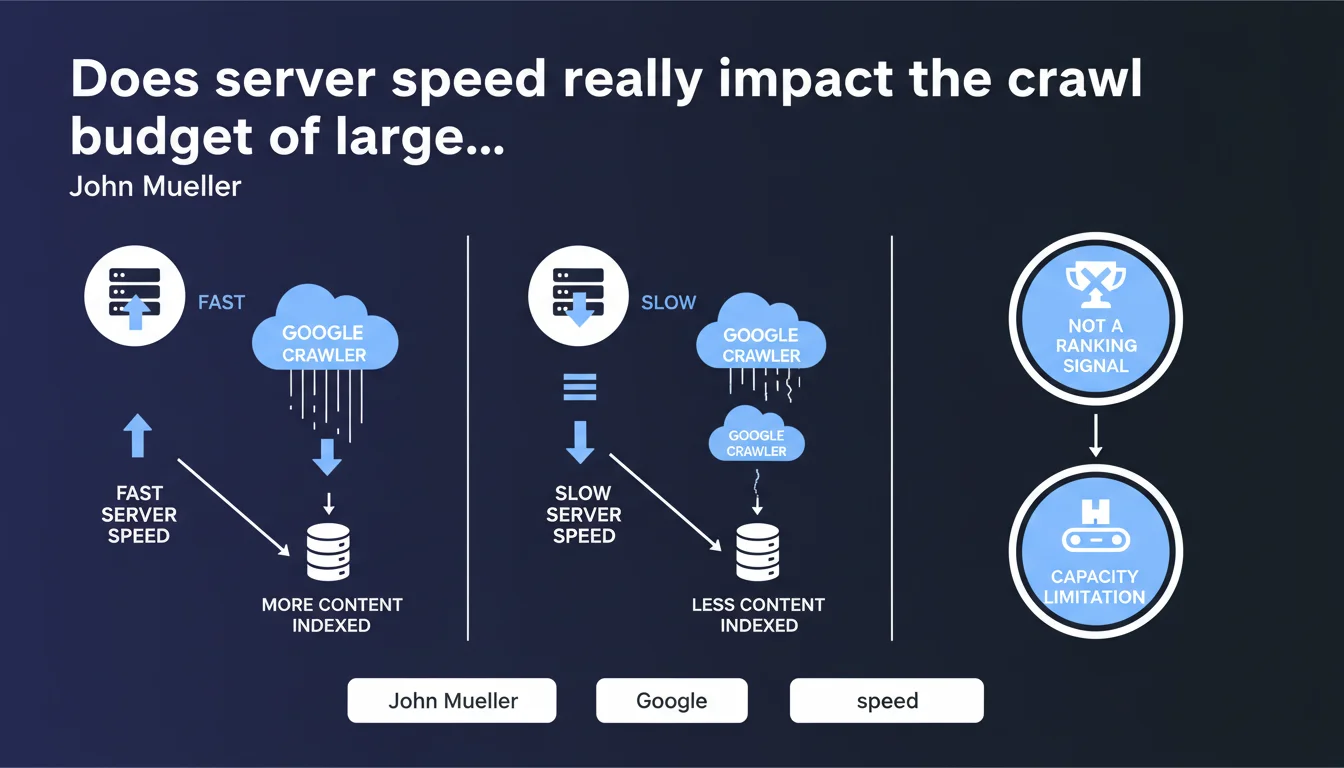
For very large sites, a slow server directly limits the number of pages Google can crawl, which affects indexation. Google clarifies that this is a technical capacity constraint, not a negative ranking signal. In practice: less crawl = fewer pages indexed, even if those indexed pages aren't penalized in rankings.
What you need to understand
Why does Google make this distinction between crawl capacity and quality signal?
The nuance is crucial. A server that responds slowly forces Googlebot to slow down its crawl pace to avoid overloading the infrastructure. It's a mechanical limitation: the bot has limited time per site, and if each request takes 2 seconds instead of 0.2, it crawls 10 times fewer pages.
This constraint implies no judgment on content quality. Pages that do manage to be crawled and indexed are not disadvantaged in search results because of server slowness — their ranking depends on other factors.
At what site size does this issue become critical?
Mueller mentions "very large sites." In practical terms, this concerns platforms with several tens of thousands of active pages: significant e-commerce platforms, content aggregators, classifieds sites, large media outlets.
For a site with hundreds or thousands of pages, even with a mediocre server, Google typically manages to crawl everything within its allocated budget. The problem manifests when the page volume far exceeds what the bot can traverse in a normal cycle.
What's the concrete difference between crawl and indexation in this context?
Crawl is the bot's visit to the page. Indexation is the decision to include that page in the index after analyzing it. A slow server reduces the number of pages visited, which mechanically reduces the number of pages eligible for indexation.
If Google can't crawl all your critical pages, some will never be indexed — not because they're poor quality, but simply because the bot never discovered or refreshed them.
- Slow server speed = fewer pages crawled per unit of time
- Less crawl = fewer indexable pages, especially on large sites
- This doesn't affect the ranking of pages that are actually indexed
- It's a technical capacity constraint, not a quality signal
- The problem concentrates on sites with tens of thousands of pages
SEO Expert opinion
Is this statement consistent with real-world observations?
Yes, and it's actually one of the rare statements from Google that matches exactly what we observe in the field. On large e-commerce catalogs or classifieds sites, an undersized server creates a visible bottleneck in the logs: Googlebot reduces its frequency, spaces out its visits, leaves entire sections of the site uncrawled for weeks.
Tests are reproducible: improve TTFB (Time To First Byte) from 1500ms to 300ms on a large site, and you'll see Googlebot hits increase significantly within 2-3 weeks. No need to take Google's word for it — server data speaks for itself.
Should we really separate crawl budget and ranking as Mueller does?
This is where it gets interesting. Technically, Mueller is right: server speed in itself is not a direct ranking factor. A slow-to-load page on the server side but well-optimized content-wise can rank very well.
Except. If your server is so slow that Google doesn't crawl your new product pages, fresh articles, or price updates, you have a stale index. And a stale index indirectly impacts ranking: content freshness, information relevance, click-through rates on pages that no longer exist. The boundary between "capacity" and "quality" becomes blurry in practice.
What are the limitations of this statement?
Mueller provides no numerical thresholds. At what TTFB does Google slow down? 500ms? 1000ms? 2000ms? No data. [To verify]: each site appears to receive different treatment depending on its history, popularity, and content type.
Another blind spot: he discusses "very large sites," but what about medium sites (10,000-50,000 pages) with mediocre servers? Are they affected or not? Communication remains vague on the activation thresholds for this limitation.
Practical impact and recommendations
What should you concretely do to avoid this bottleneck?
First step: measure your real TTFB as Googlebot perceives it. Not from your Paris office with fiber, but from Google's IP addresses, under load. Tools like Google Search Console (Crawl Stats report) give an indication of the average response time perceived by the bot.
If you're above 500ms average, you likely have room for improvement. Above 1000ms on a large site, it's critical. Identify the slowest pages: often these are those with complex database queries, heavy dynamic calculations, or blocking external API calls.
What errors should you avoid when optimizing crawl on large sites?
Don't confuse server speed with client-side rendering speed. You can have excellent TTFB but a site that takes 5 seconds to be interactive due to JavaScript — that's a different problem (Core Web Vitals, UX), not the crawl budget topic.
Another classic mistake: over-optimizing cache without considering freshness. If you serve perfect static cache but your out-of-stock product pages remain indexed as "in stock," you create a gap between index and reality. Balance performance and freshness.
How can you verify your site isn't suffering from this limitation?
Analyze your server logs over 30 days. Calculate the ratio crawled pages / indexable pages. If Google visits less than 60-70% of your active pages in a month, and your TTFB is poor, you likely have a capacity issue.
Also compare crawl frequency between your strategic sections. If your new product pages take 3 weeks to be crawled while zombie pages are visited daily, your internal linking architecture or XML sitemap sends wrong priority signals.
- Measure your average TTFB via Google Search Console (Crawl Stats report)
- Identify slow pages with tools like WebPageTest in Googlebot mode
- Optimize database queries: missing indexes, complex joins, N+1 queries
- Enable intelligent server caching (Varnish, Redis) with adapted purge strategy
- Size your infrastructure according to actual volume: dedicated server, load balancing if needed
- Use a CDN to relieve origin server load (Cloudflare, Fastly, AWS CloudFront)
- Monitor logs: if crawl rate stagnates or decreases, diagnose TTFB immediately
- Prioritize strategic URLs via internal linking and well-structured XML sitemap
❓ Frequently Asked Questions
Un serveur lent peut-il faire baisser mon classement dans Google ?
À partir de combien de pages un site est-il concerné par cette limitation ?
Quel est le TTFB acceptable pour ne pas freiner le crawl de Google ?
La vitesse de chargement côté client (Core Web Vitals) est-elle concernée ?
Comment savoir si mon site subit cette limitation de crawl ?
🎥 From the same video 21
Other SEO insights extracted from this same Google Search Central video · published on 05/03/2022
🎥 Watch the full video on YouTube →
💬 Comments (0)
Be the first to comment.