
Official statement
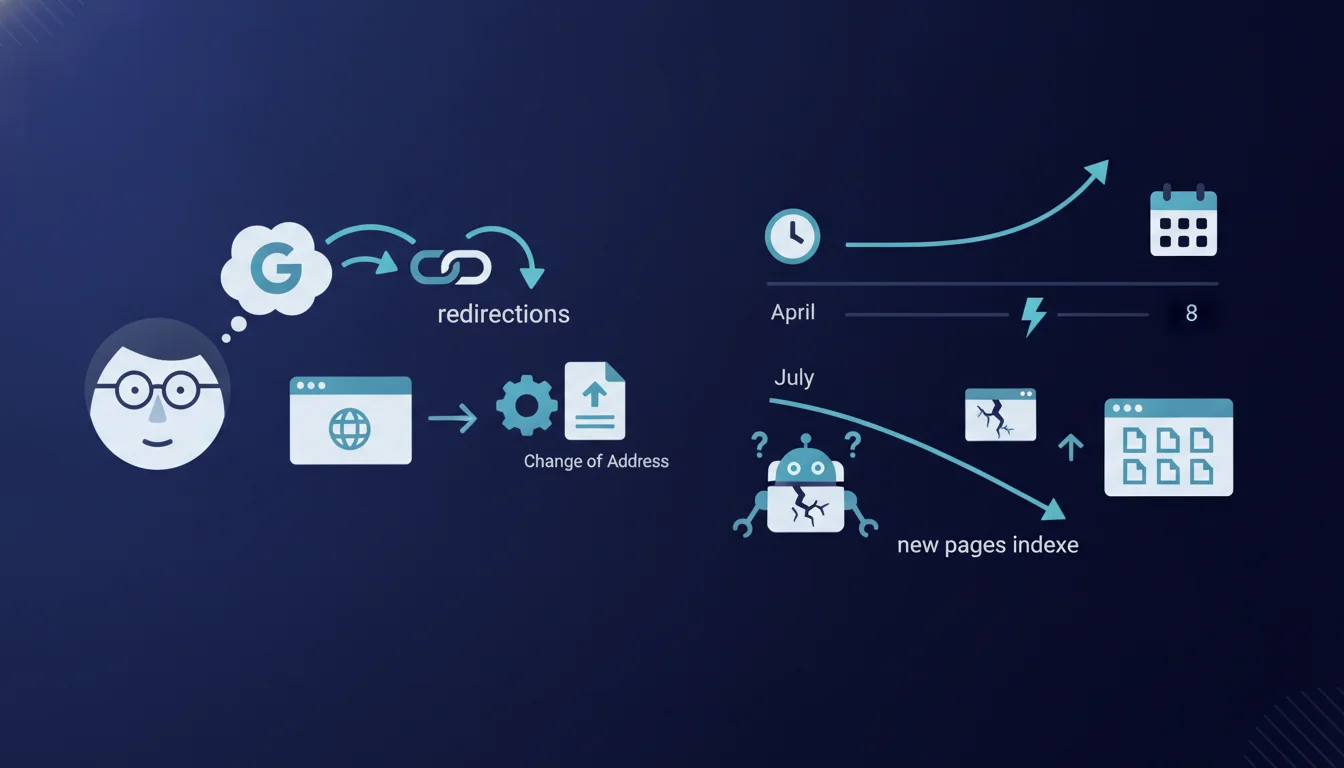
Four months later (late July), Google abruptly reindexed the old domain, while over 5,000 pages from the new domain switched to the ‘Crawled, currently not indexed’ status and the new domain lost almost all its direct traffic. Users find content on Google via the old domain and are then redirected to the new one, but absolutely none of what was published in 2026 under the new domain is indexed. Also read Domain migration: Google clarifies how to use the Change of Address tool. In the discussion, John Mueller reminds us that, generally, some migration and processing processes by Google can take a particularly long time. He highlights an important point discovered and updated in Google’s official documentation: for a domain migration to proceed and finalize correctly via the Search Console’s Change of Address tool, the procedure needs to be configured properly for both variants (with www and without www).
Google confirms that a domain migration can take several months and requires strict configuration of the Change of Address tool for both www and non-www variants. One documented case shows a drastic reindexing of the old domain four months post-migration, resulting in a total traffic loss and mass shifting of pages to the ‘Crawled, currently not indexed’ status. The lesson: an apparently successful migration can collapse if GSC configuration is not thorough across all domain variants.
What you need to understand
What really happened in this catastrophic migration?
A site migrated to a new domain at the start of the year. 301 redirects are in place, the Change of Address tool is activated in Search Console. Traffic quickly recovers until April. Everything seems to be working.
Four months later, Google abruptly reindexes the old domain. More than 5,000 pages from the new site switch to the ‘Crawled, currently not indexed’ status. Traffic collapses. Users click in the SERPs on the old domain, go through the redirect, but no content published since the migration is indexed under the new name.
What configuration error led to this failure?
Mueller reveals a technical detail that has been overlooked until now: the Change of Address tool must be configured for each domain variant (with www and without www). If you only declare one variant, Google may treat the migration as incomplete or ambiguous.
Google adjusted its official documentation after this discovery. The procedure was not explicit on this point, and many migrations have likely failed for this reason without SEOs understanding why.
How long does a domain migration really take?
Mueller reminds us that some migration processes take a particularly long time. No precise figures, no guaranteed timeline. Some sites switch in a few weeks, others drag on for months.
The problem: Google does not provide a reliable timeline. A migration may seem complete after a month, only to collapse four months later if a technical signal is missing or if Google re-evaluates the situation. This is exactly what happened here.
- Required configuration: activate Change of Address for both www and non-www in the GSC
- Unpredictable timeline: a migration can take several months, even with perfect configuration
- Regression risk: a site can regain its traffic and then lose everything abruptly if Google detects a configuration anomaly
- ‘Crawled, currently not indexed’ status: a signal that Google crawls but refuses to index, often related to a canonicalization issue or conflicting signals
- Continuous monitoring essential: a migration is never ‘complete’ as long as the old domain remains active in the index
SEO Expert opinion
Is this statement consistent with real-world observations?
Yes, and that’s exactly what’s worrying. Many practitioners have observed late regressions after migration, never understanding the cause. This case documents a classic scenario: an apparently successful migration, followed by a brutal collapse several months later.
The detail regarding the www/non-www variants is revealing. Google treats these variants as distinct entities in the GSC, but the documentation has never been clear about the necessity to configure the tool for each version. How many migrations have failed because of this omission? [To check] on a sample of sites that experienced regressions post-migration.
What uncertainties remain in this explanation?
Mueller does not specify why Google abruptly reindexed the old domain after four months. An algorithm error? Periodic reassessment of migration signals? A transient bug? No answers.
The ‘Crawled, currently not indexed’ status on 5,000 pages is massive. This is not a content quality issue. It’s a signal that Google considers the new domain to be technically invalid or ambiguous. But again, no specifics on the exact mechanism.
In what cases does this rule not apply?
If you only use one domain variant (for example, only non-www with permanent redirection from www), theoretically a single declaration suffices. But Google does not make this clear, and the risk of error remains high.
Migrations without the Change of Address tool (relying solely on 301s) can work, but they usually take much longer. The tool speeds up the process when properly configured, but sabotages it when it is not.
Practical impact and recommendations
What should be done practically during a domain migration?
The first step: configure the Change of Address tool in Search Console for all domain variants. If your site is accessible at www.example.com and example.com, create two separate GSC properties and activate the tool for each.
The second step: ensure that 301 redirects are correctly in place for all URLs, including protocol and subdomain variants. A single missing link can block the migration for months.
What mistakes should absolutely be avoided?
Never assume that a migration is complete after a few weeks of stable traffic. The documented case shows a brutal collapse after four months. Keep monitoring the index of the old domain and the indexing status of the new one.
Never deactivate the old domain or remove redirects before at least six months. Some migration signals can take considerable time to propagate within Google's algorithm. Patience is key.
How can you check if the migration is on track?
Daily monitor the Index Coverage report in the GSC of the new domain. A sharp increase in the ‘Crawled, currently not indexed’ status is an immediate red flag.
Check that the old domain is gradually disappearing from Google's index. Use the site:olddomain.com operator to count the pages still indexed. If this number rises after several weeks of decline, there is a configuration problem.
- Create distinct GSC properties for www and non-www (old and new domains)
- Activate Change of Address for each variant in the GSC
- Check 301 redirects on all URLs and domain variants
- Monitor the Coverage report for at least 6 months post-migration
- Monitor the index of the old domain with site: to detect any reindexing
- Never remove redirects before a minimum of 12 months
💬 Comments (0)
Be the first to comment.