
Official statement
Other statements from this video 21 ▾
- □ Should you update the same page or create a new URL every day for frequently refreshed content?
- □ Should you stop using the manual submission tool in Google Search Console?
- □ Do H2 tags in your footer actually hurt your SEO rankings?
- □ Do HTML5 <header> and <footer> tags really boost your SEO rankings?
- □ Should you really rely on the schema.org validator to optimize your structured data?
- □ Does improving page speed really boost your rankings as fast as everyone claims?
- □ Does Google really crawl all your sitemaps at the same pace?
- □ Does Google really keep crawling a sitemap after you remove it from Search Console?
- □ Is Google really refusing to index your pages even though they're crawled regularly and have no technical issues?
- □ Can you safely use bidirectional canonicals between two site versions without any risk?
- □ Can structured data really replace traditional internal linking strategy?
- □ Why is one x-default enough for your entire multi-domain hreflang configuration?
- □ Should you really avoid product structured data on category pages?
- □ Do you really need to pick one primary language per page if you're targeting multiple markets?
- □ Can commodity content really survive in Google search results?
- □ Should you isolate your FAQs on separate pages to rank better?
- □ Is Google really cutting back on FAQ rich snippets in search results, and what does that mean for your SEO strategy?
- □ Is Google really ignoring 95% of your submitted URLs—and what does that say about your content?
- □ Can you host your XML sitemap on a different domain than your main website?
- □ Does the shift from 'Bad' to 'Medium' on Core Web Vitals really transform your Google rankings?
- □ Does server speed really impact the crawl budget of large websites?
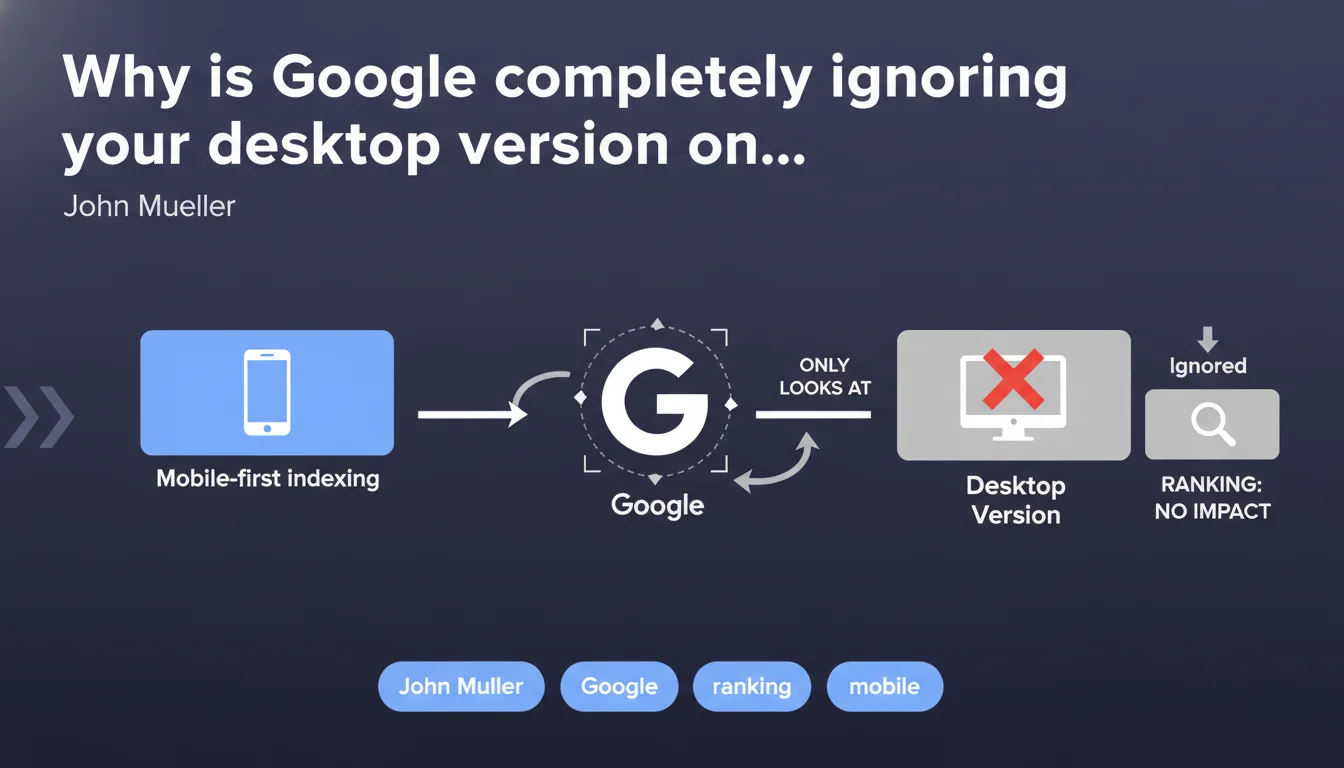
Once your site switches to mobile-first indexing, Google only indexes and ranks your mobile version. Anything that exists solely on desktop — content, links, tags — is invisible to Google and has absolutely no impact on your search rankings. It's not a penalty, it's pure ignorance.
What you need to understand
What does "Google only looks at the mobile version" really mean?
Mobile-first indexing isn't an option or a compatibility mode. It's a fundamental shift in how Googlebot crawls and indexes your site. When your site switches over, the bot no longer consults the desktop version to understand your content, internal links, schema tags, or images.
Every element that exists only on desktop becomes invisible to the index. Not penalized — simply absent. If you have 2000 words on desktop and 800 on mobile, Google only knows about the 800. If you have rich internal linking on desktop but a stripped-down version on mobile, Google only sees the stripped-down version.
How does Google handle differences between versions?
Mueller's statement is crystal clear: Google doesn't penalize these differences because it simply doesn't know about them. This is a crucial point that's often misunderstood. Many SEOs imagine that Google compares both versions and sanctions inconsistencies.
In reality, once you're in mobile-first indexing, the desktop version drops out of the equation entirely. If your desktop menu contains 50 links and your mobile hamburger menu only shows 10, Google indexes 10 links. End of story.
What triggers the switch to mobile-first indexing?
Google migrates sites progressively, based on its assessment of parity between mobile and desktop versions. But here's the catch — parity doesn't mean perfect identity. Google tolerates minor UX differences but expects equivalent content, structure, and links.
The problem? Many sites get switched even with significant gaps, because Google considers the mobile experience functional enough. Result: unexplained ranking drops for those who didn't anticipate the change.
- In mobile-first indexing, only the mobile version is crawled and indexed
- Any content missing from mobile disappears from the Google index
- Google doesn't compare versions — it simply ignores desktop
- Migration happens automatically, often without clear notification
- Differences aren't penalized, but they create blind spots
SEO Expert opinion
Is this statement consistent with what we observe in the field?
Absolutely. Real-world observations confirm that Google indexes only what it finds on mobile. I've seen sites lose 30-40% of organic traffic after the switch, simply because entire content sections didn't exist on mobile. No algorithmic penalty — just a disappearance from the index.
Let's be honest: this Mueller statement is one of the rare occasions where Google doesn't muddy the waters. No "it depends," no "in certain cases." It's binary — mobile-first indexing = mobile-only indexing.
What nuances should we add to this rule?
The nuance concerns sites that haven't yet switched to mobile-first indexing. Yes, some still exist — primarily sites with major gaps between versions that Google hesitates to migrate. For those, the desktop version still matters. But it's a shrinking minority.
Another point: structured data. Even in mobile-first indexing, if you have schema.org markup only on desktop, Google ignores it. But it doesn't trigger an alert in Search Console — you discover the problem when your rich snippets vanish.
Where can this rule cause problems in practice?
The classic trap: e-commerce sites that hide complex faceted filters behind collapsed menus on mobile. If these filters generate indexable URLs on desktop but are invisible to Googlebot mobile, those pages drop from the index.
Another tricky scenario — institutional websites with rich footers full of links on desktop (sitemap, thematic links) but minimal footers on mobile. Result: loss of internal linking, loss of crawl budget distribution, performance drops on deep pages.
Practical impact and recommendations
How do I check if my site is affected?
First step: Search Console, Settings > Crawl section. Look at which user-agent Googlebot uses. If it's "Smartphone," you're in mobile-first indexing. If it's "Desktop," you've dodged it for now — but probably not for much longer.
Next, manually compare your mobile and desktop versions. Don't rely on rendering tools — crawl your site with Screaming Frog in both mobile and desktop modes, then diff: word count per page, number of internal links, presence of canonical tags, hreflang, schema.org.
What should I prioritize fixing?
Align your text content. If desktop shows 1500 words and mobile shows 600 because content is hidden behind collapsed accordions that don't auto-expand, you have a critical problem. Google's mobile crawler doesn't expand accordions to read hidden content.
Check your internal linking. Links in hamburger menus are crawled, but links in collapsed sections or loaded through late lazy-loading may not be. Test with "Inspect URL" in Search Console — the rendered version must display your links.
What critical mistakes should I absolutely avoid?
Don't hide essential content with CSS display:none on mobile. Google can technically see it in the HTML, but it's a gray area — and if that content isn't visible to the mobile user, it loses indexing value.
Avoid different URLs between mobile and desktop (m.example.com vs www.example.com) without flawless canonical and alternate tag setup. In mobile-first indexing, Google follows the mobile version — if your canonicals point to desktop, you're creating confusion.
- Check your mobile-first indexing status in Search Console (Settings > Crawl)
- Crawl your site in both mobile and desktop user-agents, compare results
- Align text content: same word volume, same H1/H2/H3 structure
- Verify all important internal links are present on mobile
- Test structured data on mobile (use Schema.org testing tool in mobile mode)
- Ensure images have alt tags on mobile, not just desktop
- Verify CSS and JS files aren't blocked for Googlebot mobile
- Validate canonical, hreflang, and alternate tags in both versions
❓ Frequently Asked Questions
Si je corrige ma version desktop après bascule en mobile-first, Google verra-t-il les changements ?
Les liens présents uniquement sur desktop transmettent-ils encore du PageRank ?
Comment Google gère-t-il les sites avec versions desktop et mobile complètement différentes (m.example.com) ?
Le contenu caché derrière des accordéons sur mobile est-il indexé ?
Peut-on revenir en indexation desktop après une bascule en mobile-first ?
🎥 From the same video 21
Other SEO insights extracted from this same Google Search Central video · published on 05/03/2022
🎥 Watch the full video on YouTube →
💬 Comments (0)
Be the first to comment.