
Official statement
Other statements from this video 21 ▾
- □ Faut-il créer une nouvelle URL ou mettre à jour la même page pour du contenu quotidien ?
- □ Faut-il arrêter d'utiliser l'outil de soumission manuelle dans Search Console ?
- □ Les balises H2 dans le footer posent-elles un problème pour le référencement ?
- □ Les balises <header> et <footer> HTML5 améliorent-elles vraiment le SEO ?
- □ La vitesse de page améliore-t-elle vraiment le classement aussi vite qu'on le croit ?
- □ Google crawle-t-il tous les sitemaps au même rythme ?
- □ Google continue-t-il vraiment de crawler un sitemap supprimé de Search Console ?
- □ Pourquoi Google n'indexe-t-il pas une page crawlée régulièrement si elle ne présente aucun problème technique ?
- □ Peut-on utiliser des canonical bidirectionnels entre deux versions d'un site sans risque ?
- □ Les structured data peuvent-elles remplacer le maillage interne classique ?
- □ Pourquoi un seul x-default suffit-il pour toute votre configuration hreflang multi-domaines ?
- □ Faut-il vraiment éviter le structured data produit sur les pages catégories ?
- □ Faut-il vraiment choisir une langue principale pour chaque page si vous visez plusieurs marchés ?
- □ Pourquoi Google ignore-t-il complètement votre version desktop en mobile-first indexing ?
- □ Le contenu 'commodity' peut-il vraiment survivre dans les résultats Google ?
- □ Faut-il isoler ses FAQ dans des pages séparées pour mieux ranker ?
- □ Pourquoi Google réduit-il drastiquement l'affichage des FAQ dans les résultats de recherche ?
- □ Pourquoi Google n'indexe-t-il qu'une infime fraction de vos URLs ?
- □ Peut-on héberger son sitemap XML sur un domaine différent de son site principal ?
- □ Les Core Web Vitals : pourquoi le passage de « Bad » à « Medium » change tout pour votre ranking ?
- □ La vitesse serveur impacte-t-elle vraiment le crawl budget des gros sites ?
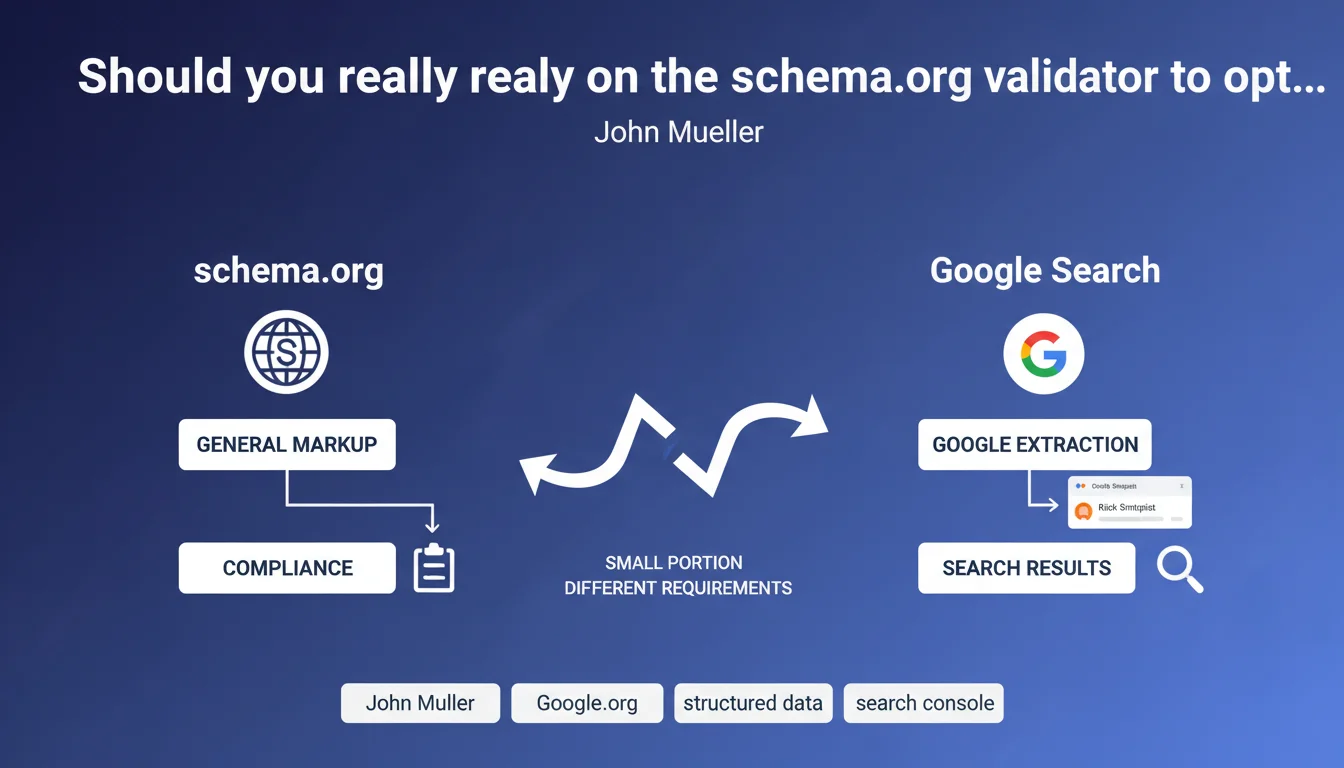
Google uses only a fraction of schema.org markup and applies its own validation rules. The schema.org validator checks general technical compliance, while Search Console indicates what Google actually extracts for SERP display. A perfectly valid markup according to schema.org can therefore be ignored or rejected by Google.
What you need to understand
Why do two validators give different results?
The confusion stems from a fundamental misunderstanding: schema.org is an open standard that defines hundreds of types of structured data, while Google exploits only a handful. The schema.org validator checks that your code respects the syntax and rules of the complete vocabulary.
Search Console, on the other hand, only cares about the types of markup that Google actually uses: reviews, recipes, FAQs, events, products, and so on. If you mark up an element that Google doesn't handle, the schema.org validator will say "OK" but Search Console will ignore it completely.
What are Google's specific requirements?
Google imposes additional mandatory properties that schema.org doesn't necessarily require. A classic example: to display a recipe rich snippet, Google requires fields like "recipeIngredient" and "recipeInstructions" with a specific structure, where schema.org is more permissive.
Google also filters out certain data it considers irrelevant or potentially manipulative. Auto-generated reviews, ratings without verifiable sources, prices without transaction URLs — all elements technically valid according to schema.org but rejected by Google.
Which validator should you use in your SEO routine?
The short answer: both, but not for the same reasons. Schema.org detects syntax errors and ensures your JSON-LD or microdata is technically correct. Essential for avoiding typos and broken structures.
Search Console, on the other hand, reveals what Google actually sees. That's where you discover if your data displays as rich snippets, if properties are missing, or if Google rejects your markup for non-compliance with its guidelines.
- Schema.org validator: verifies technical compliance with the vocabulary
- Search Console: indicates what Google extracts and displays in SERPs
- Google uses only a fraction of available schema.org types
- Different mandatory properties depending on Google's requirements
- Valid markup doesn't guarantee Google will use it
SEO Expert opinion
Is this distinction really new for practitioners?
Let's be honest: any SEO who has deployed structured data at scale has run into this divergence. Mueller formalizes here a reality known from the field for years. The number of times a client has asked me why their markup "validated at 100%" generated no rich snippet...
What's missing from this statement is clear documentation of the gaps between the two standards. Google publishes guidelines by markup type, certainly, but these docs are often incomplete or ambiguous about truly mandatory properties. [To be verified] case by case, which remains time-consuming.
What nuances should be noted in practice?
The reality is that Google doesn't treat all sites the same way. An e-commerce site with strong authority may see its product data displayed as a rich snippet even with approximate markup, while a small site will need to be flawless to hope for the same treatment.
Another rarely mentioned point: Google regularly changes its requirements without always documenting it publicly. I've observed cases where rich snippets disappeared overnight, with no error detected in Search Console — simply because Google had tightened its eligibility criteria.
In what cases does this rule not apply?
If you're marking up data for search engines other than Google — Bing, Yandex, or even industry-specific aggregators — then the schema.org validator becomes relevant again. These platforms don't necessarily have the same restrictions as Google.
Similarly, some schema.org implementations serve to structure data internally for analytics tools or CMS, without direct SEO intent. In this context, validating against the complete standard keeps its full relevance.
Practical impact and recommendations
What should you concretely do to validate your structured data?
Stop relying solely on the schema.org validator. Your workflow must systematically include a pass through Search Console or Google's Rich Results Test tool. That's where you'll see if Google detects and exploits your markup.
Focus on the types of data Google officially supports: Product, Review, Recipe, FAQ, HowTo, Event, VideoObject, Article, JobPosting, LocalBusiness. Everything else is a bonus — useful for other purposes, but with no guarantee of SERP display.
What errors should you avoid when deploying?
Never deploy markup at scale without testing on a representative sample. Start with a few pages, verify in Search Console that Google handles them correctly, then scale progressively. Too many sites have polluted their code with unnecessary or poorly formatted JSON-LD.
Also avoid marking up elements absent from the visible page. Google may ignore or penalize structured content that doesn't match the actual DOM. If you display a price in your JSON-LD, it must be visible on the page — not hidden in micro-text or in an image.
How do you verify that my implementation meets Google's expectations?
Use the URL Inspection Tool in Search Console to inspect individual URLs and see exactly what Googlebot extracts. Compare with what you expect. If properties are missing or rejected, Search Console will tell you — unlike the schema.org validator.
Also monitor the "Enhancements" report in Search Console, which aggregates errors and warnings by markup type. A sudden spike in errors could signal a deployment problem or a change in Google's requirements.
- Validate technically with schema.org to detect syntax errors
- Systematically test in Search Console to verify Google's extraction
- Focus on markup types officially supported by Google
- Deploy progressively and monitor enhancements reports
- Ensure each structured data point corresponds to visible page content
- Avoid self-promotional or manipulative data (fake reviews, inflated ratings)
- Regularly consult Google guidelines specific to each markup type
❓ Frequently Asked Questions
Un balisage valide selon schema.org sera-t-il forcément exploité par Google ?
Dois-je corriger les erreurs détectées uniquement par schema.org mais pas par Search Console ?
Pourquoi mes rich snippets ont-ils disparu alors que Search Console ne signale aucune erreur ?
Puis-je baliser des éléments que Google ne supporte pas officiellement ?
Combien de temps faut-il à Google pour afficher un nouveau balisage en rich snippet ?
🎥 From the same video 21
Other SEO insights extracted from this same Google Search Central video · published on 05/03/2022
🎥 Watch the full video on YouTube →
💬 Comments (0)
Be the first to comment.