
Official statement
Other statements from this video 22 ▾
- □ Why doesn't Google Search Console's average position reflect a theoretical ranking but actual display results instead?
- □ Can you really afford to wait for an unstable ranking to stabilize on its own?
- □ Does boosting your SEO really require producing more content?
- □ Does the location of your XML sitemap really affect crawl efficiency?
- □ Should you really use the URL inspection tool to index a brand new website?
- □ How long does it really take to see your new backlinks in Google Search Console?
- □ Why do Search Console and Analytics data never really match up?
- □ Is Google Search Console really collecting all the data from your massive e-commerce site?
- □ Should you really prefer noindex over disallow to control indexation in Google?
- □ Can out-of-stock product pages really trigger soft 404 errors in Google's eyes?
- □ Do Google's testing tools really crawl in real-time or do they rely on cached data?
- □ Does Google really use different ranking algorithms depending on your industry?
- □ Why does Google deprioritize crawling low-effort aggregator sites?
- □ Does Google really count clicks on rich results the same way as organic clicks?
- □ Does the order of links in your HTML code really affect Google's crawl priority?
- □ Should you really avoid URLs with parameters for SEO?
- □ Are out-of-stock products hurting your e-commerce site's overall search rankings?
- □ Does partial duplicate content really hurt your search rankings?
- □ Does Google really ignore your canonical tags when it decides pages are too similar?
- □ Does Google really use just one signal to choose which URL to canonicalize among your duplicate content?
- □ Do brand mentions without backlinks actually help your SEO rankings?
- □ Why does a link without an indexed URL essentially do nothing for your SEO?
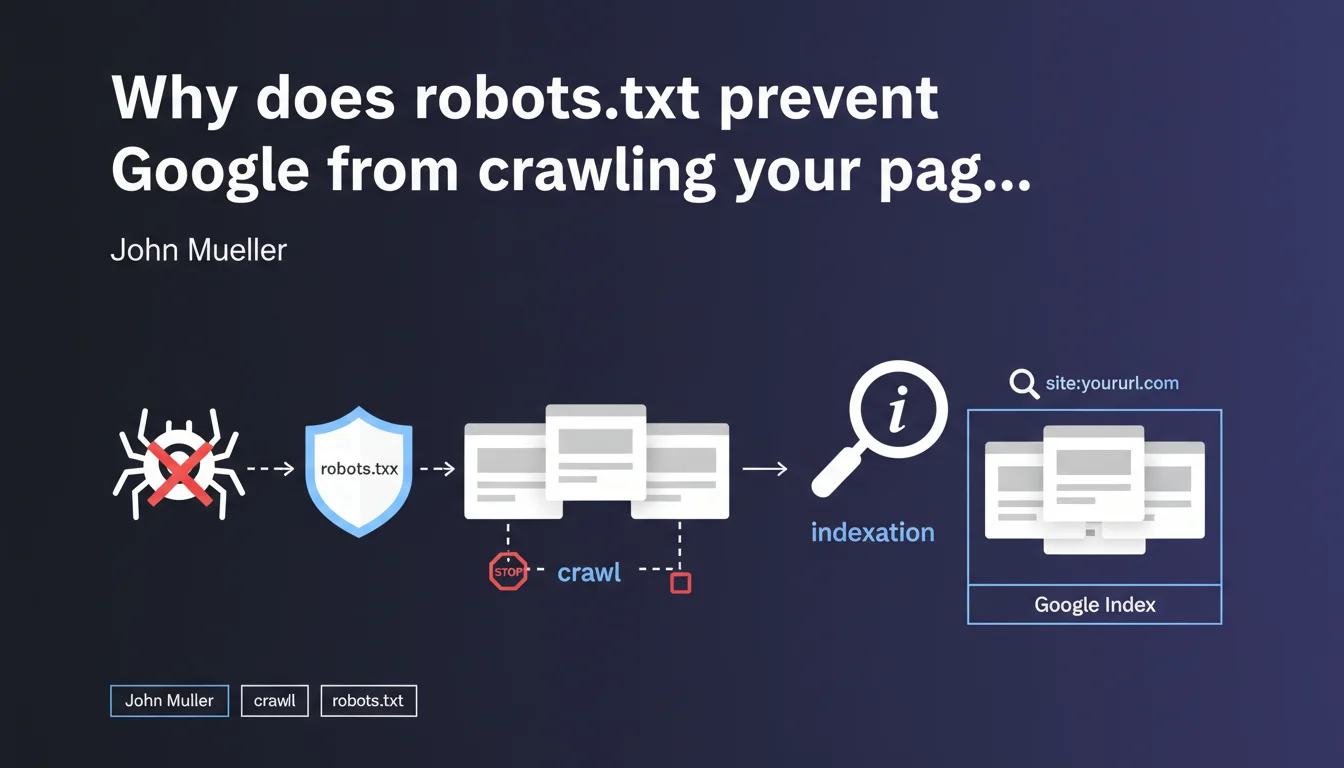
Robots.txt only prevents Googlebot from crawling your URLs, not from indexing them. If a blocked page receives backlinks, it can appear in the search index without Google ever accessing its content — which creates a loss of control over what actually gets indexed.
What you need to understand
What's the difference between crawling and indexation in this context?
The crawl refers to Googlebot's access to a page's content: reading the HTML, resources, and analyzing the text. Indexation is the decision to include that URL in search results.
Mueller clarifies that a robots.txt block prevents the first but not the second. In concrete terms — a URL that was never crawled can still appear in the index if Google discovers its existence through external links.
How can a page be indexed without being crawled?
Google discovers URLs through multiple sources: sitemaps, backlinks, redirects, and internal links on accessible pages. If your robots.txt blocks access to a URL but that URL receives links, Google records it in its index.
The URL then appears in search results with a generic description like "No information available for this page" — because the search engine never managed to read the content.
Why is this a problem for SEO?
You lose editorial control. Google displays your URL with an empty snippet or one based only on the anchor text of backlinks. You cannot optimize the title, meta description, or content.
- Pages blocked by robots.txt but still indexed damage your site's perceived quality in the SERPs
- You cannot manage on-page signals (H1, semantics, internal linking)
- These URLs consume your crawl budget without delivering value
- The
site:command often reveals hundreds of these "zombie" pages
SEO Expert opinion
Is this statement consistent with real-world observations?
Absolutely. SEO audits regularly reveal dozens or even hundreds of URLs blocked by robots.txt but present in the index. This is particularly common on older sites that have accumulated backlinks to sections that are now forbidden to crawl.
The reflex to block "useless" URLs via robots.txt is a classic mistake. Practitioners think they're removing these pages from Google when they're actually making them uncontrollable.
What nuances should be added to this rule?
Mueller doesn't specify the timeframe between robots.txt blocking and actual deindexation. In practice, a blocked URL that receives no more external signals will eventually disappear from the index — but it can take months, sometimes over a year [To be verified].
Another point: if you block a URL before it receives any external links, it will never be indexed. The problem arises when you block pages that are already crawled and linked to.
noindex tag after robots.txt blocking solves the problem. This is false — Googlebot cannot read this tag since it no longer has access to the page. You're locking yourself into a technical dead end.In what cases does this mechanism become truly problematic?
Sites with filter facets, internal search pages, or migrated older sections are the most exposed. You block these URLs to save crawl budget, but they remain indexed thanks to historical links.
Result: hundreds of pages appear in site:yourdomain.com with empty snippets, which degrades the perceived quality of your site. Google indexes nothing — and you have no way to correct it.
Practical impact and recommendations
What should you do concretely to clean up these orphaned URLs?
First step: identify pages blocked by robots.txt but present in the index. Use the site: command combined with a check of your current robots.txt file.
For each detected URL, temporarily remove the corresponding Disallow directive. Then add a <meta name="robots" content="noindex"> tag in the <head> of these pages. Googlebot will then be able to crawl, read the noindex directive, and remove the URL from the index.
What mistakes should you absolutely avoid in this process?
Never block robots.txt AND add noindex simultaneously — that's a technical contradiction. Google cannot read your tag if you forbid it access to the HTML.
Another trap: using the URL removal tool in Search Console. It's a temporary solution (90 days) that doesn't fix anything structurally. The URL reappears if backlinks persist.
- Audit blocked URLs via
site:and robots.txt - Temporarily remove robots.txt blocking for pages to be deindexed
- Add
noindexin the HTML of these pages - Wait for Google to reprocess the URLs (monitor in Search Console)
- Once deindexed, reapply robots.txt if necessary — but prefer noindex for lasting control
- Check regularly with
site:to detect new appearances
How can you prevent this problem in the future?
Adopt a noindex-by-default strategy for any content you don't want indexed. Robots.txt should only be used to manage crawl budget on technical sections (admin, infinite filters, media files).
Clearly document in your SEO governance: robots.txt = crawl management, meta robots tags = indexation management. Never mix the two approaches.
❓ Frequently Asked Questions
Peut-on utiliser robots.txt pour empêcher définitivement l'indexation d'une page ?
Combien de temps faut-il pour qu'une URL bloquée disparaisse de l'index Google ?
Si j'ajoute noindex après avoir bloqué robots.txt, est-ce que ça fonctionne ?
Comment détecter rapidement les URLs bloquées mais indexées sur mon site ?
Robots.txt est-il encore utile si noindex gère l'indexation ?
🎥 From the same video 22
Other SEO insights extracted from this same Google Search Central video · published on 28/03/2022
🎥 Watch the full video on YouTube →
💬 Comments (0)
Be the first to comment.