
Official statement
Other statements from this video 22 ▾
- □ Why doesn't Google Search Console's average position reflect a theoretical ranking but actual display results instead?
- □ Can you really afford to wait for an unstable ranking to stabilize on its own?
- □ Does boosting your SEO really require producing more content?
- □ Should you really use the URL inspection tool to index a brand new website?
- □ How long does it really take to see your new backlinks in Google Search Console?
- □ Why do Search Console and Analytics data never really match up?
- □ Is Google Search Console really collecting all the data from your massive e-commerce site?
- □ Should you really prefer noindex over disallow to control indexation in Google?
- □ Can out-of-stock product pages really trigger soft 404 errors in Google's eyes?
- □ Do Google's testing tools really crawl in real-time or do they rely on cached data?
- □ Does Google really use different ranking algorithms depending on your industry?
- □ Why does Google deprioritize crawling low-effort aggregator sites?
- □ Does Google really count clicks on rich results the same way as organic clicks?
- □ Does the order of links in your HTML code really affect Google's crawl priority?
- □ Should you really avoid URLs with parameters for SEO?
- □ Why does robots.txt prevent Google from crawling your pages but still allow them to be indexed?
- □ Are out-of-stock products hurting your e-commerce site's overall search rankings?
- □ Does partial duplicate content really hurt your search rankings?
- □ Does Google really ignore your canonical tags when it decides pages are too similar?
- □ Does Google really use just one signal to choose which URL to canonicalize among your duplicate content?
- □ Do brand mentions without backlinks actually help your SEO rankings?
- □ Why does a link without an indexed URL essentially do nothing for your SEO?
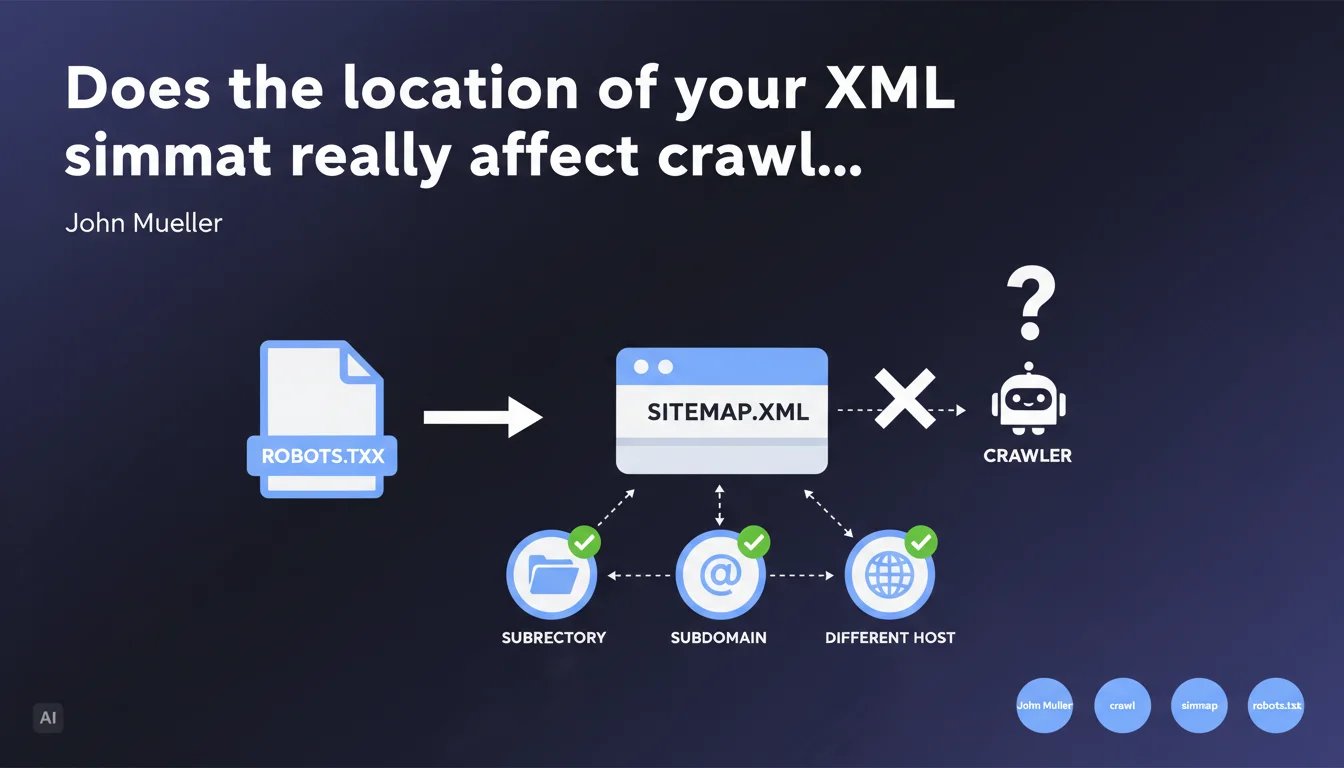
The physical location of the sitemap file has no impact on its effectiveness. Google can crawl it from a subdirectory, subdomain, or even a remote host, as long as it is declared in the robots.txt file. Only this declaration really matters.
What you need to understand
Why has the sitemap location long been considered important?
Historically, many SEO guides recommended placing the sitemap.xml at the root of the domain (https://example.com/sitemap.xml). This practice came from a time when standards were not clearly defined and certain tools imposed technical constraints.
The convention persisted out of habit — and because most CMSs automatically generated the file at that location. Few people really questioned this standard placement.
What does Mueller's statement actually mean in practical terms?
Google relies exclusively on the declaration in robots.txt or via Search Console to locate your sitemap. The physical file path doesn't factor into the equation.
You can therefore host your sitemap at cdn.example.com/data/sitemap.xml, example.com/wp-content/uploads/2023/sitemap.xml, or even external-host.com/example-sitemap.xml — as long as the reference is correct in robots.txt, Googlebot will find it.
What are the implications for technical architecture?
This flexibility opens up possibilities for distributed architectures. Multilingual sites with distinct subdomains, headless platforms where content is served from multiple sources, complex CDN configurations — everything becomes simpler.
The only requirement remains that the file be accessible to Googlebot and explicitly declared. No magic, no automatic detection.
- The physical location of the sitemap does not affect its effectiveness
- Declaration in robots.txt or Search Console is the only discovery mechanism
- You can host the sitemap on a subdomain or distinct host
- This flexibility simplifies complex technical architectures
- The file must remain accessible without authentication or robots.txt blocking
SEO Expert opinion
Is this statement really surprising?
No, honestly. Any SEO who has already tested different configurations has probably observed this empirically. Google follows explicit instructions — it's consistent with its general crawling approach.
What's interesting is that Mueller formalizes this clearly. It puts an end to sterile debates about the "best" sitemap location and dogmatic recommendations that still appear in certain audits.
What nuances should be applied in practice?
Attention: not all search engines work the same way. Bing, Yandex, or Baidu may have their own constraints or preferences. Testing remains essential if you're targeting multiple engines.
Another point — technical accessibility. A sitemap hosted on an external CDN can introduce synchronization latencies or caching issues. If your file is updated every 10 minutes but the CDN invalidates its cache every hour, you have a freshness problem. [To be verified] depending on your technical stack.
In what cases does this flexibility cause problems?
On large sites with fragmented sitemaps (sitemap index plus multiple child sitemaps), hosting files across different domains can complicate tracking and maintenance. You multiply potential failure points.
If your dev team isn't rigorous about path and redirect management, you risk silently breaking your sitemap during a migration or refactoring. The "at the root" convention at least offers some predictability — that's not insignificant in organizations with high turnover.
Practical impact and recommendations
What should you do concretely with this information?
Nothing revolutionary. If your current sitemap is working and being properly crawled, don't change anything. Don't optimize what isn't broken.
On the other hand, if you have technical constraints that prevented you from placing the sitemap at the root (server access restrictions, proprietary CMS, microservices architecture), you now know you can work around the problem without SEO impact.
What errors should you avoid with this configuration?
Don't assume Google will "guess" where your sitemap is. Explicit declaration remains absolutely mandatory — either in robots.txt or via Search Console.
Another classic pitfall: moving the sitemap without updating robots.txt. Result: Google continues looking for the old file, gets a 404, and stops crawling your new URLs. Always verify consistency between your declaration and actual location.
Finally, if you host the sitemap on an external domain, ensure that domain is verified in Search Console. Otherwise, you risk security alerts or automatic blocking.
How can you verify that the configuration is working correctly?
- Test your sitemap's accessibility with a simple
curlorwgetfrom an external IP - Verify that the
Sitemap:directive in robots.txt points to the exact URL of the file - Check the Sitemaps report in Search Console: parsing errors, unindexed URLs, processing delays
- If you use a sitemap index, verify that all child sitemaps are accessible from their declared URLs
- Monitor server logs to confirm that Googlebot is actually crawling the sitemap at the expected frequency
- Test after any architecture change: migration, CDN change, refactoring
❓ Frequently Asked Questions
Puis-je héberger mon sitemap sur un CDN comme Cloudflare ou Amazon S3 ?
Faut-il déclarer le sitemap dans robots.txt ET dans Search Console ?
Si je déplace mon sitemap, dois-je mettre une redirection 301 depuis l'ancien emplacement ?
Un sitemap hébergé sur un sous-domaine peut-il indexer des URLs du domaine principal ?
Cette règle s'applique-t-elle aussi aux sitemaps vidéo, images ou actualités ?
🎥 From the same video 22
Other SEO insights extracted from this same Google Search Central video · published on 28/03/2022
🎥 Watch the full video on YouTube →
💬 Comments (0)
Be the first to comment.