
Official statement
Other statements from this video 22 ▾
- □ Pourquoi la position moyenne de Search Console ne reflète-t-elle pas un classement théorique mais des affichages réels ?
- □ Peut-on encore se permettre d'attendre qu'un classement instable se stabilise tout seul ?
- □ Faut-il vraiment produire plus de contenu pour améliorer son SEO ?
- □ Où placer son sitemap XML pour optimiser son crawl ?
- □ Faut-il vraiment utiliser l'outil d'inspection d'URL pour indexer un nouveau site ?
- □ Combien de temps faut-il attendre pour voir les backlinks dans Search Console ?
- □ Pourquoi les données Search Console et Analytics ne concordent-elles jamais vraiment ?
- □ Search Console collecte-t-elle vraiment toutes les données sur les gros sites e-commerce ?
- □ Faut-il vraiment préférer noindex à disallow pour contrôler l'indexation ?
- □ Les produits en rupture de stock peuvent-ils vraiment être traités comme des soft 404 par Google ?
- □ Les outils de test Google crawlent-ils vraiment en temps réel ou utilisent-ils un cache ?
- □ Google utilise-t-il des algorithmes différents selon votre secteur d'activité ?
- □ Pourquoi Google ignore-t-il les sites agrégateurs de faible effort ?
- □ Google compte-t-il vraiment les clics sur les rich results comme des clics organiques ?
- □ L'ordre des liens dans le HTML influence-t-il vraiment la priorité de crawl de Google ?
- □ Faut-il vraiment éviter les URLs avec paramètres pour le SEO ?
- □ Les produits en rupture de stock nuisent-ils au classement global de votre site e-commerce ?
- □ Le contenu dupliqué partiel pénalise-t-il vraiment vos pages ?
- □ Pourquoi Google refuse-t-il d'indexer plusieurs versions d'une même page malgré une canonicalisation correcte ?
- □ Comment Google choisit-il réellement quelle URL canoniser parmi vos contenus dupliqués ?
- □ Les mentions de marque sans lien ont-elles une valeur SEO ?
- □ Pourquoi un lien sans URL indexée ne sert strictement à rien ?
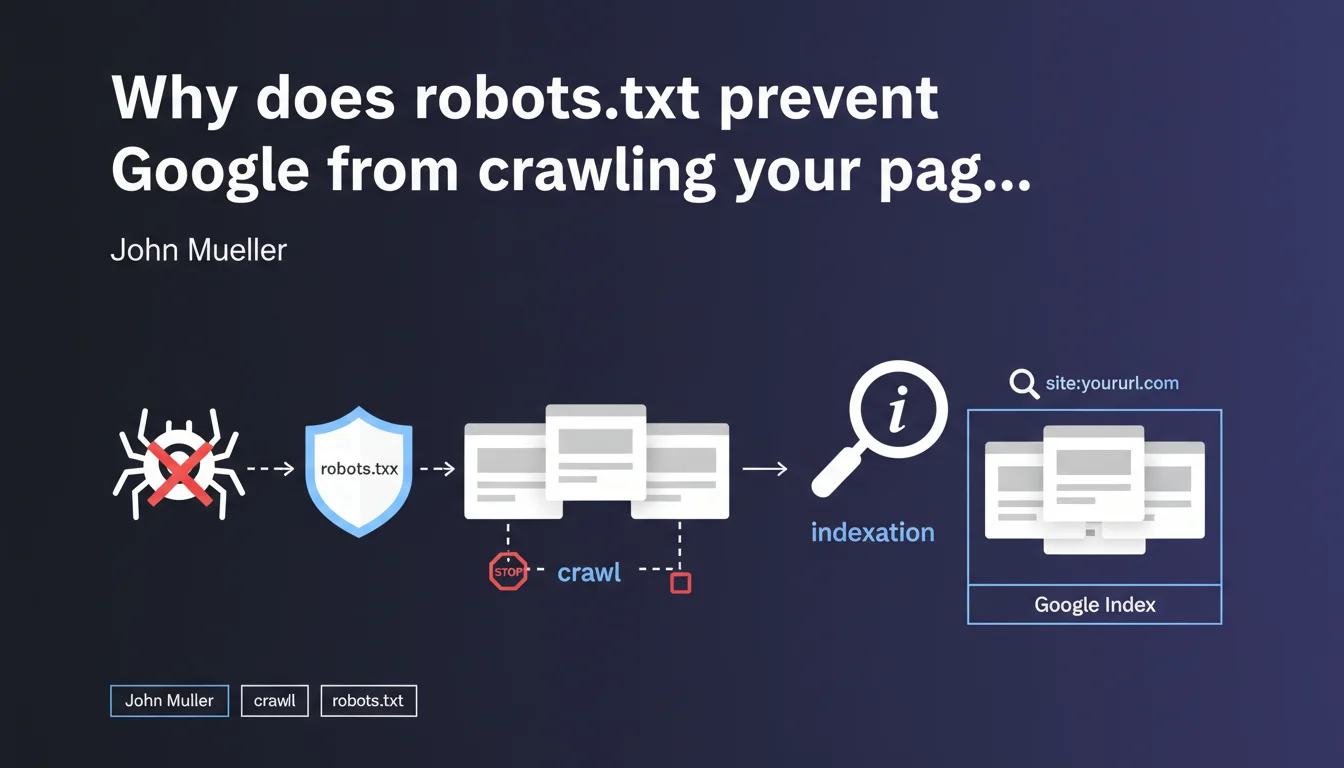
Robots.txt only prevents Googlebot from crawling your URLs, not from indexing them. If a blocked page receives backlinks, it can appear in the search index without Google ever accessing its content — which creates a loss of control over what actually gets indexed.
What you need to understand
What's the difference between crawling and indexation in this context?
The crawl refers to Googlebot's access to a page's content: reading the HTML, resources, and analyzing the text. Indexation is the decision to include that URL in search results.
Mueller clarifies that a robots.txt block prevents the first but not the second. In concrete terms — a URL that was never crawled can still appear in the index if Google discovers its existence through external links.
How can a page be indexed without being crawled?
Google discovers URLs through multiple sources: sitemaps, backlinks, redirects, and internal links on accessible pages. If your robots.txt blocks access to a URL but that URL receives links, Google records it in its index.
The URL then appears in search results with a generic description like "No information available for this page" — because the search engine never managed to read the content.
Why is this a problem for SEO?
You lose editorial control. Google displays your URL with an empty snippet or one based only on the anchor text of backlinks. You cannot optimize the title, meta description, or content.
- Pages blocked by robots.txt but still indexed damage your site's perceived quality in the SERPs
- You cannot manage on-page signals (H1, semantics, internal linking)
- These URLs consume your crawl budget without delivering value
- The
site:command often reveals hundreds of these "zombie" pages
SEO Expert opinion
Is this statement consistent with real-world observations?
Absolutely. SEO audits regularly reveal dozens or even hundreds of URLs blocked by robots.txt but present in the index. This is particularly common on older sites that have accumulated backlinks to sections that are now forbidden to crawl.
The reflex to block "useless" URLs via robots.txt is a classic mistake. Practitioners think they're removing these pages from Google when they're actually making them uncontrollable.
What nuances should be added to this rule?
Mueller doesn't specify the timeframe between robots.txt blocking and actual deindexation. In practice, a blocked URL that receives no more external signals will eventually disappear from the index — but it can take months, sometimes over a year [To be verified].
Another point: if you block a URL before it receives any external links, it will never be indexed. The problem arises when you block pages that are already crawled and linked to.
noindex tag after robots.txt blocking solves the problem. This is false — Googlebot cannot read this tag since it no longer has access to the page. You're locking yourself into a technical dead end.In what cases does this mechanism become truly problematic?
Sites with filter facets, internal search pages, or migrated older sections are the most exposed. You block these URLs to save crawl budget, but they remain indexed thanks to historical links.
Result: hundreds of pages appear in site:yourdomain.com with empty snippets, which degrades the perceived quality of your site. Google indexes nothing — and you have no way to correct it.
Practical impact and recommendations
What should you do concretely to clean up these orphaned URLs?
First step: identify pages blocked by robots.txt but present in the index. Use the site: command combined with a check of your current robots.txt file.
For each detected URL, temporarily remove the corresponding Disallow directive. Then add a <meta name="robots" content="noindex"> tag in the <head> of these pages. Googlebot will then be able to crawl, read the noindex directive, and remove the URL from the index.
What mistakes should you absolutely avoid in this process?
Never block robots.txt AND add noindex simultaneously — that's a technical contradiction. Google cannot read your tag if you forbid it access to the HTML.
Another trap: using the URL removal tool in Search Console. It's a temporary solution (90 days) that doesn't fix anything structurally. The URL reappears if backlinks persist.
- Audit blocked URLs via
site:and robots.txt - Temporarily remove robots.txt blocking for pages to be deindexed
- Add
noindexin the HTML of these pages - Wait for Google to reprocess the URLs (monitor in Search Console)
- Once deindexed, reapply robots.txt if necessary — but prefer noindex for lasting control
- Check regularly with
site:to detect new appearances
How can you prevent this problem in the future?
Adopt a noindex-by-default strategy for any content you don't want indexed. Robots.txt should only be used to manage crawl budget on technical sections (admin, infinite filters, media files).
Clearly document in your SEO governance: robots.txt = crawl management, meta robots tags = indexation management. Never mix the two approaches.
❓ Frequently Asked Questions
Peut-on utiliser robots.txt pour empêcher définitivement l'indexation d'une page ?
Combien de temps faut-il pour qu'une URL bloquée disparaisse de l'index Google ?
Si j'ajoute noindex après avoir bloqué robots.txt, est-ce que ça fonctionne ?
Comment détecter rapidement les URLs bloquées mais indexées sur mon site ?
Robots.txt est-il encore utile si noindex gère l'indexation ?
🎥 From the same video 22
Other SEO insights extracted from this same Google Search Central video · published on 28/03/2022
🎥 Watch the full video on YouTube →
💬 Comments (0)
Be the first to comment.