
Official statement
Other statements from this video 17 ▾
- □ Should you worry about changing page titles frequently—or is Google totally fine with it?
- □ Can you really erase the SEO past of a purchased domain?
- □ Should you really disavow links that don't match your current niche anymore?
- □ Should you really remove backlinks pointing to your domain's old content?
- □ Should you include your brand name in news article titles for better search visibility?
- □ Why does changing only the title of copied content fool absolutely nobody?
- □ Should you really be putting dates in your article titles?
- □ Does adding categories to your URLs really boost your SEO rankings?
- □ Why does Google crawl pages it never adds to its index?
- □ What's the real secret to getting Google to index all your content?
- □ Are backlinks to your non-indexed pages really wasting your SEO potential?
- □ Why Does Google Drastically Reduce Its Crawl Rate After a CDN Migration?
- □ Does server response time really impact your Google rankings?
- □ Should you really update your backlinks after a domain migration?
- □ Should you really block pages with robots.txt if Google can index them without any content?
- □ Does image alt text in a link carry the same SEO weight as visible anchor text?
- □ Does retouched product photography actually hurt your review rankings?
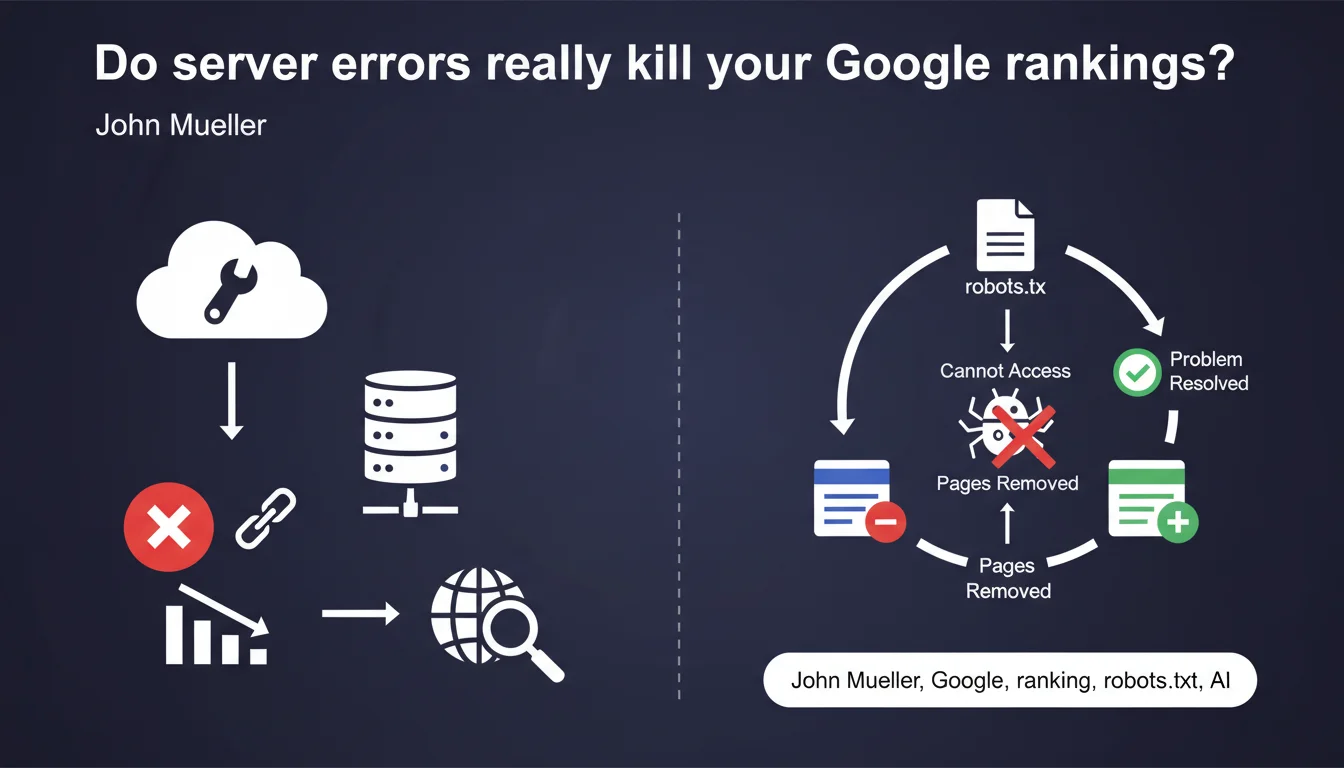
Server connectivity issues do not directly impact your ranking, but can cause your pages to disappear from the index if Google cannot access your robots.txt for an extended period. Reindexation typically takes a few days after the issue is resolved — which still means temporary loss of visibility.
What you need to understand
What's the difference between indexation and ranking in this context?
Google clearly distinguishes two mechanisms: indexation (the presence of your pages in the database) and ranking (the position of these pages in search results). A server problem does not degrade the perceived quality of your content — your pages don't lose quality points.
On the other hand, if Googlebot cannot fetch your robots.txt for a certain period, it applies a precautionary principle and removes certain pages from the index. This is a defensive mechanism, not a penalty.
How long does Google tolerate robots.txt unavailability?
Mueller remains vague about the exact duration — he talks about "for a certain amount of time" without giving a specific threshold. Field observations suggest that several consecutive days of unavailability are needed to trigger deindexation, but [To be verified] because Google does not communicate an official timeframe.
This ambiguity makes it difficult to properly size your monitoring. A few hours of downtime? Probably no consequence. Several days? Real risk of losing indexation.
Why is robots.txt so critical in this scenario?
The robots.txt file serves as an entry point for Googlebot. Without access to it, the crawler doesn't know which rules to apply — it could index sections you want to block, or conversely avoid exploring certain areas out of caution.
Faced with this uncertainty, Google chooses the conservative approach: it removes pages from the index rather than risk violating your directives. This is a compliance logic, not a penalty.
- Server errors do not degrade the quality of your pages in Google's eyes
- The inability to access robots.txt for an extended period can result in deindexation
- Reindexation typically takes a few days after the problem is resolved
- Google does not communicate a precise time threshold that triggers deindexation
- The mechanism is defensive, not punitive — Google protects your crawling directives
SEO Expert opinion
Is this statement consistent with field observations?
Overall, yes. We do observe that sites with occasional server problems do not see their rankings collapse — positions remain stable. However, progressive deindexation during extended robots.txt unavailability is documented in several cases.
The real problem is the reindexation delay. Mueller talks about "a few days," but in practice we see significant variations — some sites recover in 48 hours, others in 10-15 days. This probably depends on the crawl budget allocated to the site and its authority.
What nuances should be added to this statement?
Saying there is "no impact on ranking" is technically true, but practically misleading. If your pages disappear from the index for several days, they don't rank at all — that's worse than a ranking drop.
Additionally, Mueller does not specify whether prolonged deindexation can affect the perceived freshness of the site. A regularly inaccessible site could theoretically see its crawl frequency reduced over time — but [To be verified] because Google has never explicitly confirmed this.
In which cases can this mechanism become problematic?
Sites with high seasonality or those dependent on occasional traffic spikes (news, events) are most vulnerable. A 5-day deindexation during a planned peak can cancel months of SEO preparation.
Sites with limited crawl budget are also worth monitoring closely. If Google already takes several weeks to crawl your new pages under normal circumstances, deindexation followed by slow reindexation can create a cumulative lag that's difficult to catch up with.
Practical impact and recommendations
How to quickly detect a robots.txt accessibility problem?
Set up active monitoring that checks your robots.txt availability every 5-10 minutes. Don't just monitor general site accessibility — this specific file must have its own alerting system.
In Search Console, monitor the Settings > robots.txt file section. Google reports access issues there, but with a delay — your internal monitoring must be more reactive.
What to do if robots.txt becomes inaccessible?
Top priority: restore access in less than 24 hours. Even if Google probably tolerates a few days, every hour counts to minimize risk. Identify whether it's a server problem, CDN issue, DNS configuration, or firewall rules.
Once the issue is fixed, use the URL Inspection tool in Search Console to request manual reindexing of strategic pages. Don't overwhelm the tool — focus on 20-30 critical URLs to accelerate recovery.
What preventive measures should you put in place?
- Set up dedicated HTTP monitoring for /robots.txt with SMS/email alerts
- Document the quick robots.txt restoration procedure in your technical runbook
- Verify that your redundant infrastructure (CDN, load balancer) properly serves robots.txt even during partial failures
- Regularly test robots.txt accessibility from different geographic locations
- Never block robots.txt through firewall or overly restrictive security rules
- If you use a CDN, ensure the robots.txt TTL is reasonable (max 1 hour) to allow for quick fixes
- Keep a version history of robots.txt for quick rollback if needed
❓ Frequently Asked Questions
Combien de temps exactement Google tolère-t-il une indisponibilité du robots.txt avant de désindexer ?
Si mon serveur renvoie des erreurs 503 pendant quelques heures, est-ce que je perds mes positions ?
La réindexation après résolution du problème est-elle automatique ?
Est-ce que tous les types d'erreurs serveur ont le même impact ?
Dois-je surveiller autre chose que le robots.txt pour éviter la désindexation ?
🎥 From the same video 17
Other SEO insights extracted from this same Google Search Central video · published on 04/02/2022
🎥 Watch the full video on YouTube →
💬 Comments (0)
Be the first to comment.