
Official statement
Other statements from this video 17 ▾
- □ Should you worry about changing page titles frequently—or is Google totally fine with it?
- □ Can you really erase the SEO past of a purchased domain?
- □ Should you really disavow links that don't match your current niche anymore?
- □ Should you really remove backlinks pointing to your domain's old content?
- □ Do server errors really kill your Google rankings?
- □ Should you include your brand name in news article titles for better search visibility?
- □ Why does changing only the title of copied content fool absolutely nobody?
- □ Should you really be putting dates in your article titles?
- □ Does adding categories to your URLs really boost your SEO rankings?
- □ Why does Google crawl pages it never adds to its index?
- □ What's the real secret to getting Google to index all your content?
- □ Are backlinks to your non-indexed pages really wasting your SEO potential?
- □ Why Does Google Drastically Reduce Its Crawl Rate After a CDN Migration?
- □ Should you really update your backlinks after a domain migration?
- □ Should you really block pages with robots.txt if Google can index them without any content?
- □ Does image alt text in a link carry the same SEO weight as visible anchor text?
- □ Does retouched product photography actually hurt your review rankings?
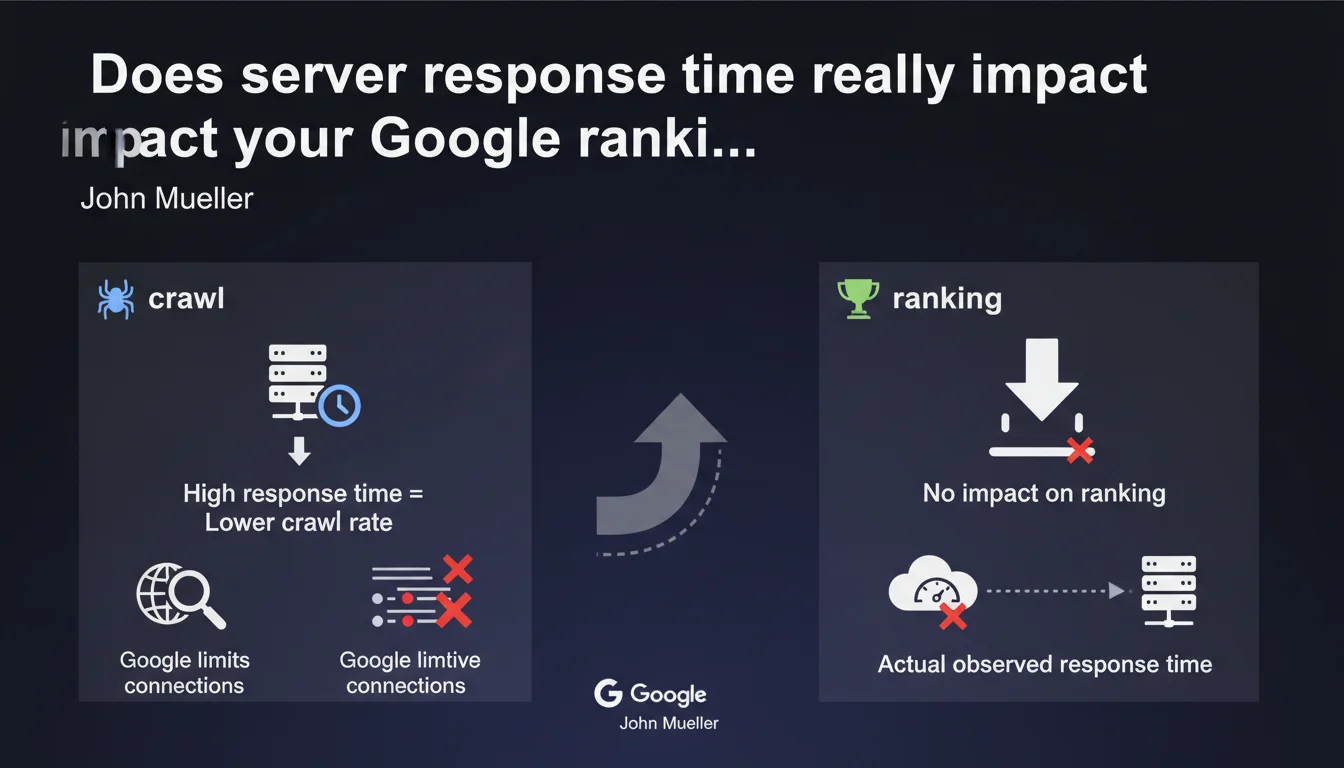
Google confirms that server response time affects crawl rate — not ranking. A slow server slows down the exploration of your pages, but doesn't directly penalize your positioning. Google measures the actual time observed from its servers, not a geographical estimate.
What you need to understand
Why does Google distinguish between crawl rate and ranking?
The confusion comes from the fact that server performance and perceived speed are two different things. Server response time (TTFB) measures how long your infrastructure takes to send the first byte of data. It's a back-end metric, invisible to the end user.
Google crawls millions of pages every day. To avoid overloading servers, it limits the number of simultaneous active connections. If your server responds slowly, Googlebot reduces pressure to avoid crashing it — hence a lower crawl rate. But this slowness doesn't signal that your content is of poor quality.
How does Google actually measure this response time?
Mueller clarifies that Google uses time observed under real conditions, not an estimate based on server location. In practice: Googlebot sends a request, measures the delay before receiving the first byte, and records this data.
If your server is physically far from Google's datacenters or if your infrastructure has network latencies, these factors are captured in the real measurement. No "geographical bonus" is applied — only effective speed counts.
- Crawl rate depends on your server's ability to respond quickly to bots.
- Ranking is based on quality signals, relevance, authority — not raw back-end performance.
- Google automatically adjusts crawl frequency to avoid impacting your site's availability.
- High response time can delay indexation of new pages, especially on large sites.
What is the relationship between response time and Core Web Vitals?
Core Web Vitals measure real user experience (LCP, INP, CLS). Server response time influences LCP — a high TTFB delays the loading of visible content. But beware: a good TTFB doesn't guarantee good LCP if the front-end is poorly optimized.
Google ranks pages based on the final user experience, not the internal speed of your technical stack. An ultra-fast server serving a poorly coded page won't rank better than a mid-range server with a lightweight, optimized page.
SEO Expert opinion
Is this statement consistent with field observations?
Yes. Audits regularly show that sites with mediocre TTFB (300-500 ms) can rank very well — as long as the final user experience remains good. Conversely, catastrophic TTFB (>1 second) often correlates with indexation problems on large sites: new pages crawled with delay, important URLs revisited less frequently.
The trap: confusing cause and effect. A server-slow site is often slow on the client side too — resulting in poor user experience which actually impacts ranking. But it's the visible symptom (LCP, INP) that counts for ranking, not the back-end metric.
What nuances should be added to this rule?
Mueller speaks of "average" response time. Let's be honest: Google never clarifies over what period this average is calculated, nor whether occasional spikes are smoothed or penalized. [To verify]: how does Google handle a server stable at 150 ms 90% of the time, but that crashes to 3 seconds during traffic peaks?
Another unclear point: the relationship between crawl rate and indexation. A low crawl rate doesn't automatically mean delayed indexation — Google can prioritize strategic pages. But on an e-commerce site with thousands of product sheets, reduced crawling = certain pages take weeks to be discovered.
In what cases does this rule not apply?
If your site has 50 pages and updates once a month, crawl rate doesn't matter — Google will visit anyway. The problem concerns large or dynamic sites: news sites, e-commerce, aggregators, multi-tenant SaaS.
And that's where it gets tricky: a throttled crawl rate on a site publishing 200 new articles per day means Google misses part of fresh content. Result: pages orphaned from indexation for days, even weeks.
Practical impact and recommendations
What should you concretely do to optimize response time?
First step: measure real TTFB from different points around the globe (not just from your office). Use tools like WebPageTest, GTmetrix, or Search Console data if Google reports crawl problems.
On the infrastructure side, several levers exist: switching to a CDN to bring content closer to Google bots, optimizing database queries (missing indexes, N+1 queries), implementing server caching (Redis, Varnish), enabling gzip/brotli compression. If you're on saturated shared hosting, migrating to a dedicated VPS or cloud changes things dramatically.
- Audit average TTFB across a representative sample of pages (home, categories, products, articles).
- Check server logs: identify latency spikes and their causes (heavy requests, CPU/RAM saturation).
- Analyze Search Console reports: crawl rate, server errors, pages discovered vs indexed.
- Implement a CDN if you're targeting multiple geographic zones or if your server is far from Google's datacenters.
- Optimize your tech stack: application-level caching, server-side lazy loading, minimize external API calls.
- Monitor load in real-time and adjust server resources before traffic peaks (sales, marketing campaigns).
What errors should you avoid to not degrade crawling?
Classic mistake: blocking Googlebot with overly aggressive rate-limiting rules. If you limit to 1 request per second, Google will take days to crawl a 10,000-page site. Instead, adjust the crawl rate from Search Console rather than manually throttling Googlebot.
Another trap: neglecting repeated 5xx errors. A server that crashes regularly under crawl pressure sends a negative signal — Google reduces frequency, or even temporarily deindexes pages. Monitor logs and alert yourself to server error spikes.
How do you verify that your site meets Google's expectations?
In Search Console, check the Crawl Stats report. Look at the evolution of pages crawled per day, average response time, and host errors. If response time consistently climbs above 500 ms, that's a warning signal.
Compare crawl rate with the volume of content published. If you add 100 pages per week but Google crawls 50, you're accumulating an indexation debt. Then prioritize strategic pages through a well-structured XML sitemap and effective internal linking.
In summary: Server response time determines how fast Google explores your site, not the quality of your ranking. A slow server slows down indexation of new pages, which can indirectly impact your visibility — especially on large or dynamic sites. Optimizing TTFB remains a best practice, but don't expect to climb the SERPs just by speeding up your server.
These technical optimizations often touch multiple layers (hosting, database, cache, CDN) and require specialized expertise to be conducted effectively. If your current infrastructure is throttling your crawl budget or if you're unsure about priorities, support from a specialized SEO agency can save you valuable time — and help you avoid costly mistakes.
❓ Frequently Asked Questions
Un serveur lent peut-il vraiment empêcher l'indexation de mes pages ?
Faut-il prioritairement optimiser le TTFB ou le LCP pour le SEO ?
Google pénalise-t-il un site hébergé loin de ses datacenters ?
Comment savoir si mon taux de crawl est trop bas ?
Un pic de latence ponctuel peut-il impacter durablement le crawl ?
🎥 From the same video 17
Other SEO insights extracted from this same Google Search Central video · published on 04/02/2022
🎥 Watch the full video on YouTube →
💬 Comments (0)
Be the first to comment.