
Official statement
What you need to understand
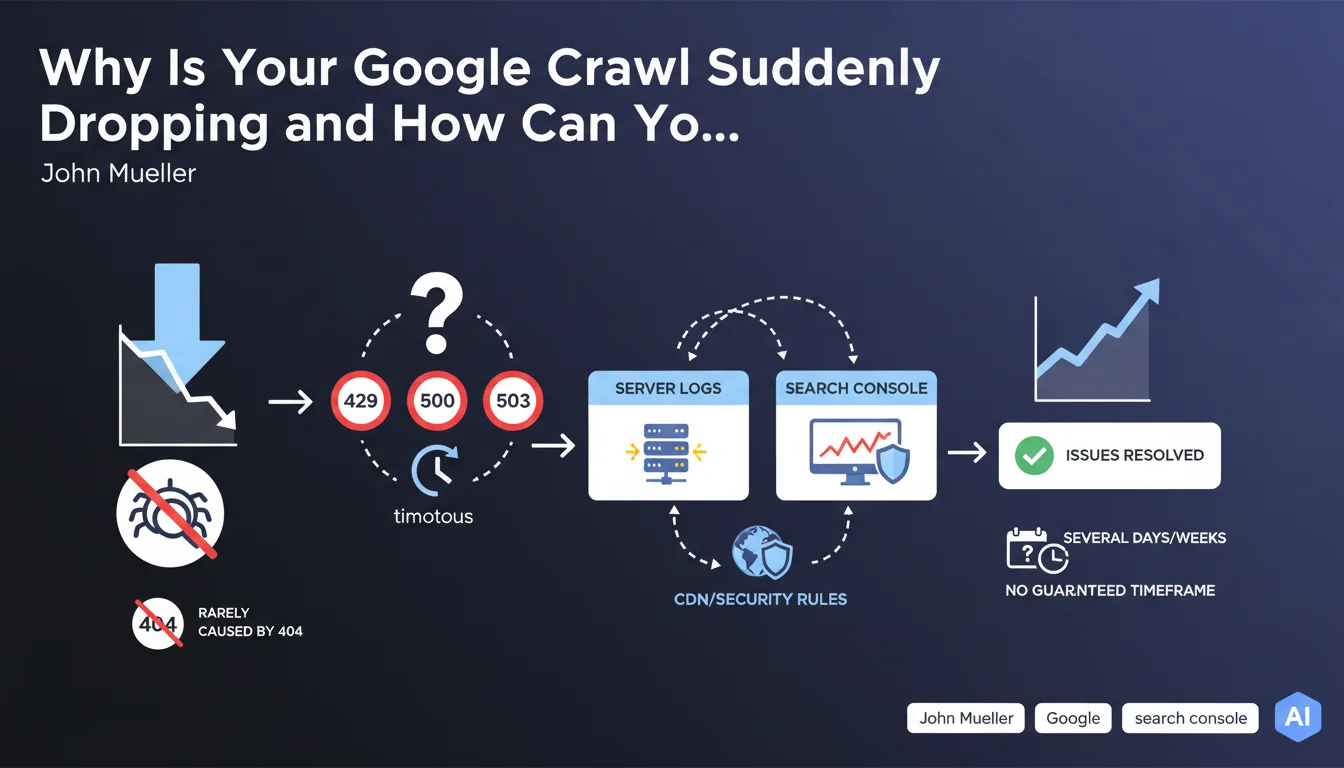
When Googlebot suddenly reduces its crawl frequency on your site, the first reaction is often to look for 404 errors. However, this lead is rarely the right one.
Google treats 404 errors as normal: the bot records them, then retries access later without penalizing the site's overall crawl. A deleted page does not trigger systematic slowdown.
On the other hand, a sudden drop in crawl almost always indicates a server infrastructure problem. Googlebot interprets certain signals as technical difficulties and adapts its behavior to avoid overloading your infrastructure.
- 429 errors (Too Many Requests): your server or CDN limits requests, Googlebot backs off
- 500/503 errors: detected server issues or maintenance, the bot slows down to avoid worsening the situation
- Repeated timeouts: response times too long that push Googlebot to space out its visits
- CDN or firewall blocking: security rules too strict that reject bot requests
- Slow recovery: once the problem is resolved, return to normal can take several days or even weeks
SEO Expert opinion
This statement corresponds perfectly to what I've observed in the field for years. Crawl drops linked to server errors are systematically more impactful than 404 errors, contrary to a widespread belief among some practitioners.
A crucial point often overlooked: CDNs and DDoS protection systems are frequently responsible for these blockages. I've seen sites lose 80% of their crawl due to overly aggressive Cloudflare or Sucuri configurations that identified Googlebot as a threat. Raw server logs often reveal patterns invisible in Search Console.
An important nuance concerns highly seasonal sites. A crawl decrease can also reflect a natural decline in content freshness or user interest, combined with minor technical issues that amplify the effect.
Practical impact and recommendations
- Immediately analyze your raw server logs: look for spikes in 429, 500, 503 errors and timeouts, particularly during intensive crawl hours
- Check Search Console: Crawl Stats section to identify problematic response codes and crawl trends
- Audit your CDN and firewall: verify that Googlebot IPs are not limited or blocked by your security rules (rate limiting, WAF, anti-DDoS)
- Test server performance: simulate load spikes to identify thresholds where your infrastructure starts returning errors
- Configure proactive monitoring: automatic alerts on 5xx codes, timeouts, and sudden crawl variations
- Optimize response times: aim for TTFB below 200ms for strategic pages, as repeated slowness triggers preventive slowdown
- Properly whitelist Googlebot: ensure your infrastructure recognizes and prioritizes legitimate bot requests (reverse DNS verification)
- Don't overreact to 404s: they don't impact overall crawl budget, focus on critical server errors
- Plan for recovery time: after resolution, wait 2 to 6 weeks before judging fix effectiveness, patience is essential
- Document each incident: maintain a history of problems and resolutions to identify recurring patterns
Proactive technical infrastructure management and detailed server log analysis require multidisciplinary skills that often exceed traditional SEO scope. These optimizations involve coordination between SEO, development, and infrastructure teams, with specialized expertise in crawl behaviors and server architectures.
For high-stakes sites or complex situations involving CDNs, load balancers, or distributed architectures, support from an SEO agency specialized in technical aspects can prove decisive for quickly diagnosing root causes and implementing sustainable solutions adapted to your specific infrastructure.
💬 Comments (0)
Be the first to comment.