
Official statement
Other statements from this video 23 ▾
- □ Does Google really count every single visible link pointing to your site in Search Console?
- □ Should you really concentrate your content on fewer pages to rank better?
- □ Do Google's product review criteria apply even if your site isn't classified as a review site?
- □ Does Google's Indexing API really work for all types of content?
- □ Does E-A-T Really Impact Google Rankings, or Is It Just a Myth?
- □ Do unlinked brand mentions really boost your SEO rankings?
- □ Do user comments really improve your Google rankings?
- □ Do premium SSL certificates really impact Google rankings?
- □ Does having the same content in both PDF and HTML formats hurt your SEO rankings through cannibalization?
- □ Can you really control PDF indexing through HTTP headers?
- □ Should you still use rel=next and rel=prev tags for pagination in 2024?
- □ Does Googlebot really index all your infinite scroll content?
- □ Should you really index every page on your website?
- □ Should you really worry about the referrer page shown in Google Search Console?
- □ Should you really redirect the old sitemap with a 301 or submit the new one directly instead?
- □ Is a 97% crawl refresh rate actually a positive sign for your website's health?
- □ Does your server speed actually control how often Google crawls your site?
- □ Does Google really measure crawl speed and Core Web Vitals the same way — and why should you care?
- □ Does Google really slow down crawling after a hosting migration, and how long does it last?
- □ Is the crawl rate parameter really a ceiling rather than something Google will try to maximize?
- □ Can CTR really penalize the rest of your website?
- □ Does internal linking really take effect instantly after Google recrawls your pages?
- □ Should you worry if Google isn't crawling all your pages?
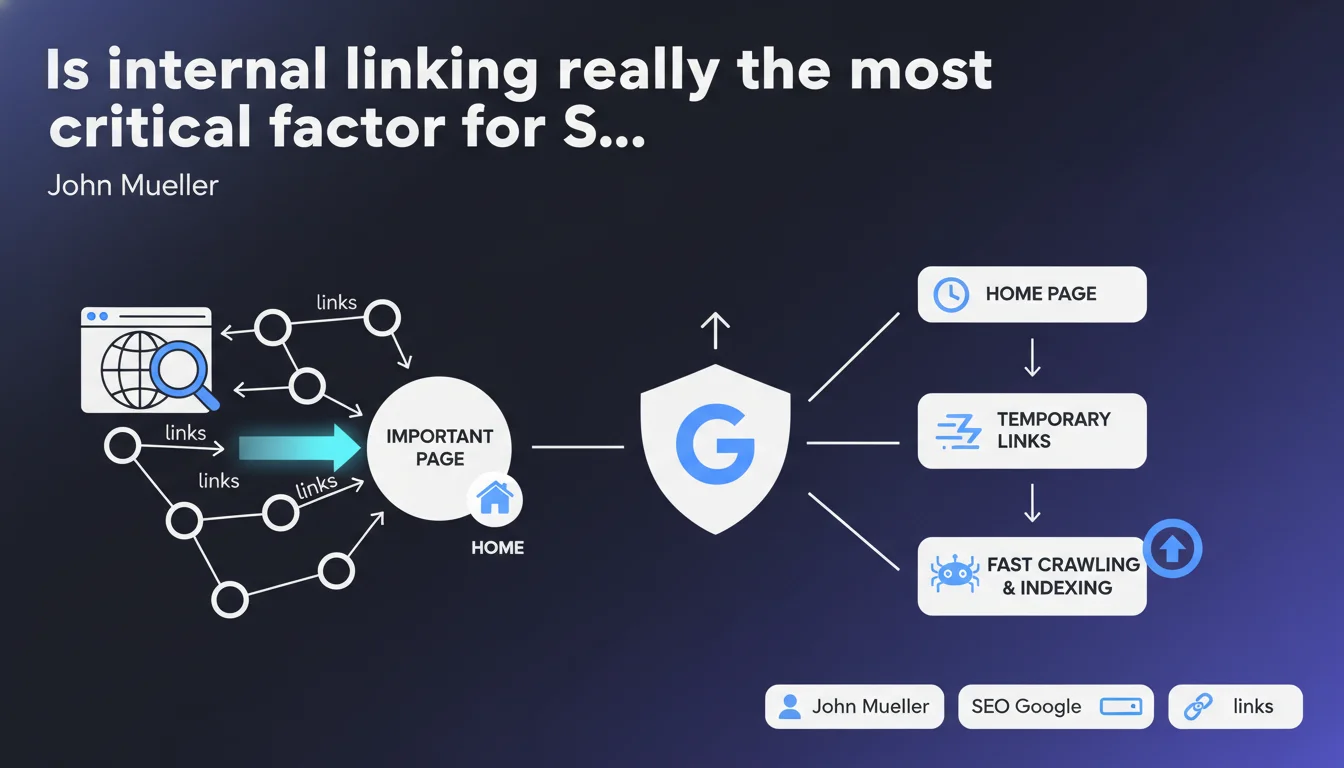
Google states that internal linking counts among the most important SEO factors: it helps the search engine understand your content hierarchy and priorities. Bonus tip: temporary links placed on your homepage accelerate crawling and indexing of new pages.
What you need to understand
John Mueller makes a strong case by placing internal linking at the top of SEO priorities. But what exactly does Google mean by this, and how does this statement translate into an operational strategy?
Why does Google place so much weight on internal linking?
The search engine crawls your site by following links. The more internal links a page receives from already-crawled pages, the faster it has a chance of being discovered and indexed.
But it's primarily a relevance signal: by linking to a page with specific anchor text and in a given context, you tell Google that this page deserves attention. Your internal linking reveals your editorial architecture, your thematic hierarchy.
What does "temporary links from the homepage" concretely mean?
Mueller is referring here to a well-known tactic: placing a temporary link on your homepage (or another high-crawl page) to accelerate the discovery of a new URL. Once the page is indexed, the link can disappear.
This works because the homepage is typically the most frequently crawled — so routing through this hub boosts the time to discovery. Useful for a product launch, a hot article, or a freshly published section.
Are all internal links created equal?
Obviously not. A link lost in a generic footer doesn't carry as much weight as an editorial link placed within the body of an in-depth article. The semantic context of the anchor and surrounding paragraph matters.
Likewise, crawl depth plays a role: a page buried 5 clicks deep from the home will carry less weight than a page accessible in 2 clicks. Google follows links, but its crawl budget is not infinite.
- Internal linking structures the hierarchy: it reveals to Google which pages you consider a priority
- Temporary links on homepage: effective tactic to boost rapid indexing of a new URL
- Context and anchor text matter: not just the quantity of links, but their semantic relevance
- Crawl depth: the closer a page is to the root, the more frequent crawl it benefits from
SEO Expert opinion
Is this statement consistent with real-world observations?
In principle, yes. All experienced SEO professionals know that a well-thought-out internal linking strategy makes a difference. We regularly see sites stagnate because their strategic pages are orphaned or buried 6 clicks deep.
However, claiming it's "one of the most important elements" remains a broad claim. More important than content? Than the quality of backlinks? Than technical factors? It's an essential factor, certainly — but not a magic wand. [To verify]: Mueller doesn't quantify the relative weight compared to other criteria.
What nuances should we add to this vision?
First, internal linking cannot compensate for mediocre content. If your pages have no added value, no amount of linking will make them rank.
Second, beware of overzealousness: stuffing your pages with internal links everywhere creates noise. Google can easily ignore links if they're too numerous, poorly contextualized, or from automated blocks repeated across the entire site.
Finally, pay attention to semantic coherence. Linking a page about running shoes to a page about cooking because "it adds another link" serves no purpose — and may even hurt if Google sees it as an attempt at manipulation.
In what cases does this recommendation have limitations?
On sites with millions of pages (massive e-commerce, marketplaces, aggregators), automated linking becomes a complex architectural challenge. It's impossible to manually control everything. Here, algorithmic structure must take over — and Google won't hand you a magic formula.
Another limitation: ultra-niche sites with 10 pages. Internal linking matters, but it's the quality of content and backlinks that will make the difference. Linking 10 pages together is quick — the marginal impact will be small compared to a large under-optimized site.
Practical impact and recommendations
What should you concretely do to optimize your internal linking?
Start with a crawl audit: identify orphaned pages, those more than 4-5 clicks deep, those receiving few or no internal links. Screaming Frog, OnCrawl, or Botify are your allies.
Next, sketch out a logical architecture: pillar pages (thematic hubs) that receive links from the home and distribute to specific sub-pages. Think in semantic silos: group content by topic with strong linking within each silo.
Use descriptive anchor text that contextualizes the target page. Avoid generic "click here" or "learn more" without context. Google reads the anchor, but also the surrounding paragraph.
What mistakes should you absolutely avoid?
Don't create endless link loops that drown crawling in useless cycles. Don't multiply links to the same page from a single article: one well-placed link is enough — additional ones are often ignored.
Avoid footer stuffing: dumping 50 links in the footer on all your pages dilutes link juice and creates noise. Google is very good at spotting these automated patterns and devaluing them.
Last point — don't neglect regular updates to your internal linking. You publish new content? Review existing articles to insert relevant links to this new page. It's ongoing work, not a one-time task.
How can you verify your internal linking is working?
Track internal PageRank distribution via tools like OnCrawl or custom scripts. Verify that your strategic pages actually receive juice.
Observe crawl behavior in Search Console: are the pages you want to push being crawled regularly? If not, strengthen the linking to them.
Finally, measure the impact on rankings and organic traffic. Optimized internal linking should drive increased visibility for your targeted pages — if not after a few weeks, investigate: the issue may be elsewhere (content, backlinks, technical).
- Audit the site to identify orphaned pages and excessive depth
- Structure in thematic silos with pillar pages and sub-pages
- Use descriptive, contextualized anchor text
- Place temporary links on the homepage to accelerate indexing of new content
- Avoid footer stuffing and redundant link multiplication
- Regularly update internal linking when publishing new content
- Track internal PageRank distribution and crawl frequency of strategic pages
❓ Frequently Asked Questions
Les liens internes en footer ou sidebar comptent-ils autant que ceux dans le contenu ?
Combien de liens internes faut-il placer par page ?
Faut-il varier les ancres texte quand on lie plusieurs fois vers la même page ?
Les liens temporaires en homepage doivent-ils rester combien de temps ?
Le maillage interne peut-il compenser un manque de backlinks ?
🎥 From the same video 23
Other SEO insights extracted from this same Google Search Central video · published on 18/02/2022
🎥 Watch the full video on YouTube →
💬 Comments (0)
Be the first to comment.