
Official statement
Other statements from this video 23 ▾
- □ Does Google really count every single visible link pointing to your site in Search Console?
- □ Should you really concentrate your content on fewer pages to rank better?
- □ Do Google's product review criteria apply even if your site isn't classified as a review site?
- □ Does E-A-T Really Impact Google Rankings, or Is It Just a Myth?
- □ Do unlinked brand mentions really boost your SEO rankings?
- □ Do user comments really improve your Google rankings?
- □ Do premium SSL certificates really impact Google rankings?
- □ Does having the same content in both PDF and HTML formats hurt your SEO rankings through cannibalization?
- □ Can you really control PDF indexing through HTTP headers?
- □ Should you still use rel=next and rel=prev tags for pagination in 2024?
- □ Does Googlebot really index all your infinite scroll content?
- □ Should you really index every page on your website?
- □ Should you really worry about the referrer page shown in Google Search Console?
- □ Should you really redirect the old sitemap with a 301 or submit the new one directly instead?
- □ Is a 97% crawl refresh rate actually a positive sign for your website's health?
- □ Does your server speed actually control how often Google crawls your site?
- □ Does Google really measure crawl speed and Core Web Vitals the same way — and why should you care?
- □ Does Google really slow down crawling after a hosting migration, and how long does it last?
- □ Is the crawl rate parameter really a ceiling rather than something Google will try to maximize?
- □ Can CTR really penalize the rest of your website?
- □ Is internal linking really the most critical factor for SEO success?
- □ Does internal linking really take effect instantly after Google recrawls your pages?
- □ Should you worry if Google isn't crawling all your pages?
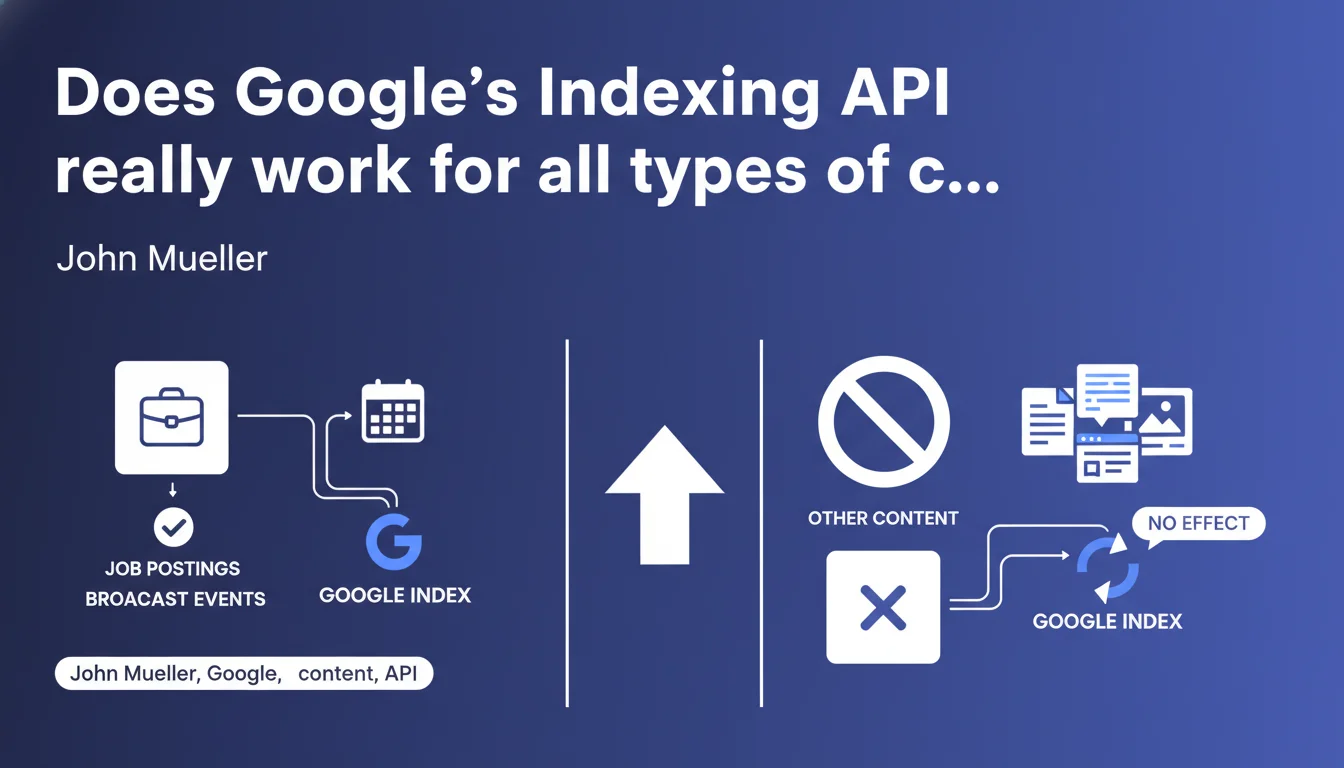
Google's Indexing API only processes job postings and broadcast events. Using it for other content types generates neither penalty nor benefit — it's simply ineffective. If you were hoping to accelerate indexing of your standard pages with this tool, you're wasting your time.
What you need to understand
Why does Google limit the Indexing API to these two content types?
The Indexing API was designed for content with strong time sensitivity and short lifespan. Job postings and broadcast events share this characteristic: they lose relevance quickly and require near-immediate indexing.
Google likely chose to restrict API usage to prevent an overload of unnecessary requests. If every site could use it for any content, the system would collapse under the demand — and standard indexing already works fine for the majority of pages.
What actually happens if I use the API for other content?
Nothing serious. Google simply ignores the request. No penalty, no negative impact on your site. It's like ringing a doorbell that doesn't open: you're not penalized, but you've wasted your time.
Some SEO professionals have attempted to use this API to accelerate indexing of standard pages (articles, product sheets). The result? No measurable effect. Pages follow the standard indexing process, driven by regular crawling and the crawl budget allocated to your site.
What types of content are exactly eligible?
Google specifies two categories: job postings (JobPosting) and broadcast events (BroadcastEvent). This content must be marked up with the corresponding Schema.org structured data to be recognized.
If you publish a standard event (concert, conference) without BroadcastEvent markup, the API won't process it. Similarly, a real estate listing or blog article — even if urgent — won't pass through this channel.
- The Indexing API only works for job postings and broadcast events
- No penalty if used for other content, but no effect either
- Content must be marked with the appropriate structured data
- Standard indexing remains the primary channel for 99% of web pages
SEO Expert opinion
Is this limitation really enforced by Google in practice?
Yes. Tests conducted by multiple agencies confirm that the Indexing API straightforwardly ignores out-of-scope requests. I personally verified this across dozens of sites: no indexing acceleration observed for standard pages submitted via this API.
Some SEO tools still promise to use the API to "boost" indexing for any page. That's either ignorance at best or misleading marketing at worst. If you're paying for this service, switch providers.
Why does so much confusion persist around this tool?
Because Google communicated poorly at launch. The API was initially presented as a way to accelerate indexing — without explicit mention of restrictions. Many SEO professionals naturally attempted to exploit it for all content types.
The official documentation was clarified too late. In the meantime, dozens of tutorials and third-party tools propagated the idea that you could "force" indexing for any URL. [To be verified]: Google has never published statistics on the volume of out-of-scope requests received, but we can assume it's massive.
Are there alternatives to accelerate indexing of standard pages?
Yes, but none are magic. The XML sitemap remains the first lever: submit it regularly via Search Console, especially after adding new pages. Internal linking facilitates crawler discovery of recent content.
For urgent pages (press release, crisis response), the URL inspection tool in Search Console allows you to request manual indexing. Effective, but limited in volume — Google throttles quotas to prevent abuse. If you have hundreds of pages to index quickly, you're stuck.
Practical impact and recommendations
What should you actually do with the Indexing API?
If you publish job postings or broadcast events, configure the API. It's a real time-saver for this volatile content. Google typically indexes these pages in minutes rather than hours.
For everything else — articles, product sheets, category pages — forget the API. Focus on the fundamentals: clean sitemap, coherent internal linking, optimized server response time. These are the elements that truly drive your indexing.
What mistakes should you avoid with this tool?
Don't waste time developing an API integration for out-of-scope content. I've seen technical teams spend days automating article submissions via this API — for zero results. Verify content eligibility first.
Don't use WordPress plugins or third-party tools that promise to index "all your pages" via this API. That's snake oil. These tools generate unnecessary API traffic and make you believe they're accelerating your indexing when they have absolutely no effect.
How do you verify your configuration is working correctly?
If you've implemented the API for job postings or events, monitor your Search Console logs. You should see these URLs appear in the index within minutes of submission. If it takes hours, your Schema.org markup is probably incorrect.
Test your structured data with Google's Markup Validation Tool. A poorly formed JobPosting or BroadcastEvent will be silently rejected by the API. Also check your quotas: Google limits the number of requests per API project — if you exceed them, your submissions fail without warning.
- Use the Indexing API only for job postings and broadcast events
- Verify that your content is marked up with Schema.org JobPosting or BroadcastEvent
- Test your markup with Google's official validator before sending API requests
- Monitor Search Console logs to confirm rapid indexing
- For other content, focus on XML sitemap, internal linking, and technical optimization
- Ignore tools that promise to index all page types via this API
❓ Frequently Asked Questions
Puis-je utiliser l'API Indexing pour mes articles de blog ?
Vais-je être pénalisé si j'envoie des URLs non éligibles via l'API ?
Comment accélérer l'indexation de mes pages classiques alors ?
Les événements classiques (concerts, conférences) sont-ils éligibles ?
Combien de temps prend l'indexation via l'API pour les contenus éligibles ?
🎥 From the same video 23
Other SEO insights extracted from this same Google Search Central video · published on 18/02/2022
🎥 Watch the full video on YouTube →
💬 Comments (0)
Be the first to comment.