
Official statement
Other statements from this video 23 ▾
- □ Google compte-t-il vraiment tous les liens visibles dans Search Console ?
- □ Faut-il vraiment concentrer son contenu sur moins de pages pour ranker ?
- □ Les critères d'avis produits Google s'appliquent-ils même si votre site n'est pas classé comme site d'avis ?
- □ L'API Indexing de Google fonctionne-t-elle vraiment pour tous les contenus ?
- □ L'E-A-T influence-t-il vraiment le classement Google ou n'est-ce qu'un mythe ?
- □ Les mentions de marque sans lien ont-elles un impact sur votre référencement ?
- □ Les commentaires d'utilisateurs améliorent-ils vraiment le classement dans Google ?
- □ Les certificats SSL premium influencent-ils vraiment le référencement Google ?
- □ Peut-on vraiment piloter l'indexation des PDF via les headers HTTP ?
- □ Faut-il encore utiliser rel=next et rel=prev pour la pagination ?
- □ Googlebot peut-il vraiment indexer vos contenus en défilement infini ?
- □ Faut-il vraiment indexer toutes les pages de son site ?
- □ Faut-il s'inquiéter de la page référente affichée dans Google Search Console ?
- □ Faut-il vraiment rediriger l'ancien sitemap en 301 ou soumettre le nouveau directement ?
- □ Pourquoi 97% de crawl refresh est-il un signal positif pour votre site ?
- □ Comment Google détermine-t-il réellement la vitesse de crawl de votre site ?
- □ Vitesse de crawl et Core Web Vitals : pourquoi Google fait-il la distinction ?
- □ Pourquoi Google ralentit-il son crawl après un changement d'hébergement ?
- □ Le paramètre de taux de crawl est-il vraiment un plafond et non un objectif ?
- □ Le CTR peut-il vraiment pénaliser le reste de votre site ?
- □ Le maillage interne est-il vraiment l'élément le plus déterminant pour le SEO ?
- □ Le linking interne agit-il vraiment instantanément après recrawl ?
- □ Faut-il s'inquiéter si Google ne crawle pas toutes vos pages ?
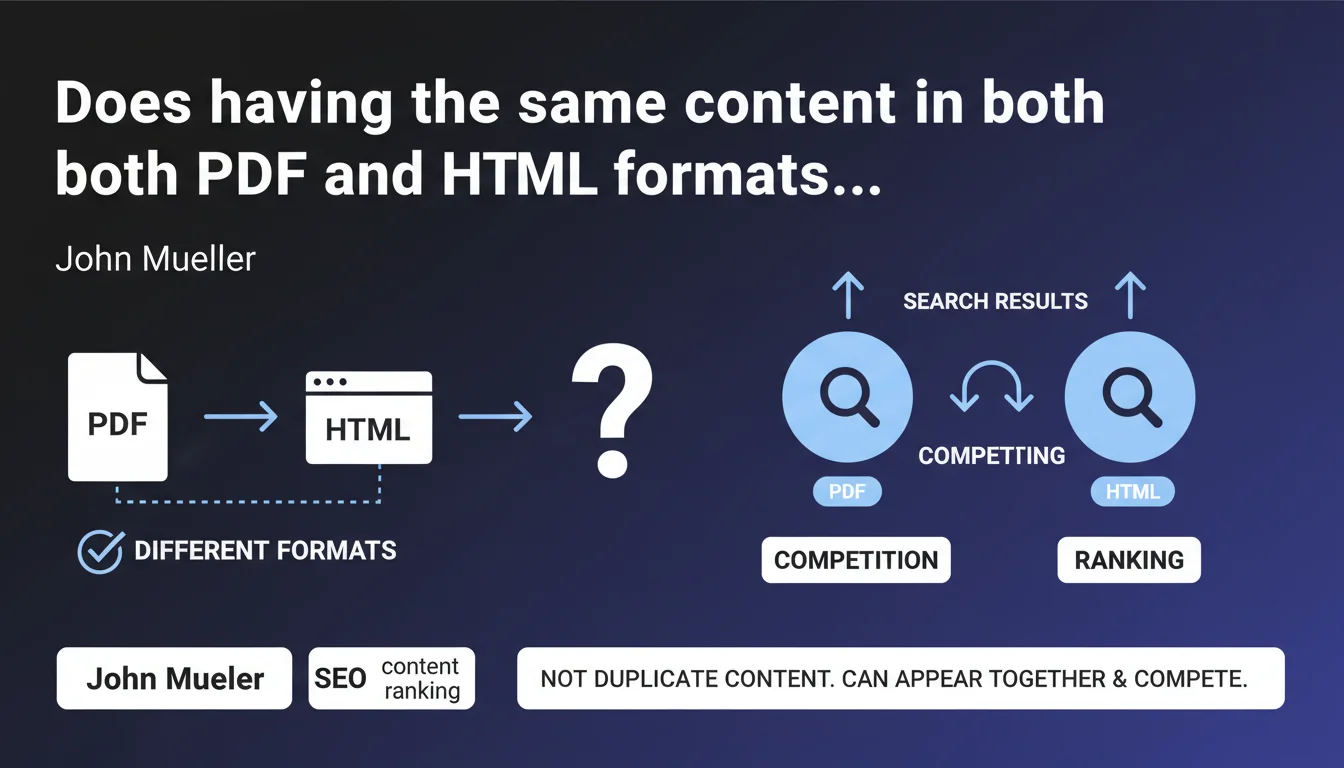
Google does not consider a PDF and an HTML page with identical content as duplicate content — they are different formats. However, they can compete directly in search results and cannibalize each other's performance.
What you need to understand
Why doesn't Google treat PDF and HTML as duplicate content?
The distinction is based on the technical nature of the formats. A PDF and an HTML page are not interchangeable for Google: one is a static document, often designed to be printed or downloaded, while the other is an interactive web page. The search engine considers that they serve different user intentions, even if the text content is identical.
This position avoids penalizing sites that legitimately publish resources in multiple formats — typically reports, studies, or guides available for online reading and PDF download. Google will therefore not filter one or the other for duplication reasons.
What competition arises between these two formats in search results?
The problem emerges when both URLs — the PDF and the HTML page — are indexed and eligible for the same keyword. Google can then display both in the SERPs, but they will compete for the same position, dilute their respective authority, and confuse the user's message.
Concretely, you end up in position 8 with the HTML page and position 12 with the PDF, when a single consolidated URL could have targeted the top 5. This is classic cannibalization, but without the duplicate content penalty.
What are the key takeaways?
- Google does not filter a PDF and an HTML page for duplicate content — they coexist in the index
- Both URLs can appear simultaneously in the SERPs for the same query
- This internal competition dilutes the SEO performance of each format
- No algorithmic penalty, but a real risk of cannibalization of rankings
- The choice of which format to index belongs to the site — Google doesn't impose anything
SEO Expert opinion
Does this statement match real-world observations?
Yes, and it's consistent with Google's behavior on other heterogeneous formats. We regularly observe sites ranking with a PDF and the equivalent HTML page on informational queries. The important nuance: Google doesn't say it's optimal, only that it's not penalized as duplicate.
What's missing here — and this is typical of Mueller — is guidance on which format Google favors in which context. PDFs have historically performed well on very specific queries (searching for reports, studies, official documents), but their mobile UX remains poor. [To verify]: does Google adjust its display based on device? There's no official data on this point.
When does this "competition" become truly problematic?
As soon as you're targeting competitive positions on strategic keywords. If you're alone on a niche query, having two URLs ranked doesn't change anything — you're occupying the space anyway. But in a saturated market, every position counts and dilution becomes a handicap.
The other critical case: when your PDFs steal traffic from your HTML pages without driving conversions. Typically, a user clicks on the PDF by mistake, realizes they can't navigate easily, and leaves. You pay the cost of the click (in paid search) or the position (in organic) for a degraded experience.
In which cases can both formats coexist?
When they serve genuinely distinct user objectives. An annual report available for online reading (structured HTML, separate chapters) and as a complete download (PDF for archiving or printing) serves two legitimate intentions. Same for technical data sheets, white papers, and studies.
But if your PDF is just an automatic conversion of the HTML page with no added value, you're creating unnecessary competition. Ask yourself: why would a user prefer the PDF? If the answer is unclear, don't index the PDF.
Practical impact and recommendations
What should you do concretely to avoid cannibalization?
The simplest solution: block indexation of the secondary format via noindex or a robots.txt directive. If your HTML page is optimized for SEO and offers better UX, forbid PDF indexation. If conversely the PDF is your flagship resource (reference study, official report), prioritize it and set the HTML page to noindex or canonical to the PDF.
A more nuanced alternative: differentiate search intentions via title tags and meta descriptions. The PDF targets "download report X", the HTML page targets "view report X online". You segment the queries and limit direct competition.
What critical mistakes should you absolutely avoid?
Never leave a PDF and an HTML page that are identical in content and SEO targeting without an explicit directive. Google will index both by default, and you'll lose performance on both fronts. Worse: if the PDF is poorly optimized (no extractable text, empty metadata), it can rank by momentum and capture traffic without converting.
Another trap: using a canonical from PDF to HTML or vice versa. Google may ignore this signal between heterogeneous formats — it's a directive, not an order. Noindex remains more reliable for eliminating a format from the index.
How can you verify that your site is correctly configured?
- Audit your indexed PDFs via
site:yourdomain.com filetype:pdfin Google - Cross-reference this list with your HTML pages: identify content duplicates
- For each duplicate, determine which format provides the most user value
- Apply noindex to the secondary format or block it in robots.txt
- If both formats are legitimate, differentiate their semantic optimization (title, meta, anchors)
- Monitor in Search Console the queries where both URLs appear simultaneously
- Test mobile UX of PDFs: if it's poor, prioritize HTML for mobile-first queries
❓ Frequently Asked Questions
Si je mets un canonical du PDF vers la page HTML, est-ce que ça résout le problème ?
Un PDF bien optimisé peut-il ranker mieux qu'une page HTML sur la même requête ?
Faut-il systématiquement bloquer tous les PDF de l'indexation ?
Comment savoir si mes PDF et pages HTML se cannibalisent dans les SERPs ?
Google peut-il afficher le PDF plutôt que le HTML même si je préfère l'inverse ?
🎥 From the same video 23
Other SEO insights extracted from this same Google Search Central video · published on 18/02/2022
🎥 Watch the full video on YouTube →
💬 Comments (0)
Be the first to comment.