
Official statement
Other statements from this video 23 ▾
- □ Does Google really count every single visible link pointing to your site in Search Console?
- □ Should you really concentrate your content on fewer pages to rank better?
- □ Do Google's product review criteria apply even if your site isn't classified as a review site?
- □ Does Google's Indexing API really work for all types of content?
- □ Does E-A-T Really Impact Google Rankings, or Is It Just a Myth?
- □ Do unlinked brand mentions really boost your SEO rankings?
- □ Do user comments really improve your Google rankings?
- □ Do premium SSL certificates really impact Google rankings?
- □ Does having the same content in both PDF and HTML formats hurt your SEO rankings through cannibalization?
- □ Can you really control PDF indexing through HTTP headers?
- □ Should you still use rel=next and rel=prev tags for pagination in 2024?
- □ Does Googlebot really index all your infinite scroll content?
- □ Should you really index every page on your website?
- □ Should you really worry about the referrer page shown in Google Search Console?
- □ Should you really redirect the old sitemap with a 301 or submit the new one directly instead?
- □ Is a 97% crawl refresh rate actually a positive sign for your website's health?
- □ Does your server speed actually control how often Google crawls your site?
- □ Does Google really measure crawl speed and Core Web Vitals the same way — and why should you care?
- □ Is the crawl rate parameter really a ceiling rather than something Google will try to maximize?
- □ Can CTR really penalize the rest of your website?
- □ Is internal linking really the most critical factor for SEO success?
- □ Does internal linking really take effect instantly after Google recrawls your pages?
- □ Should you worry if Google isn't crawling all your pages?
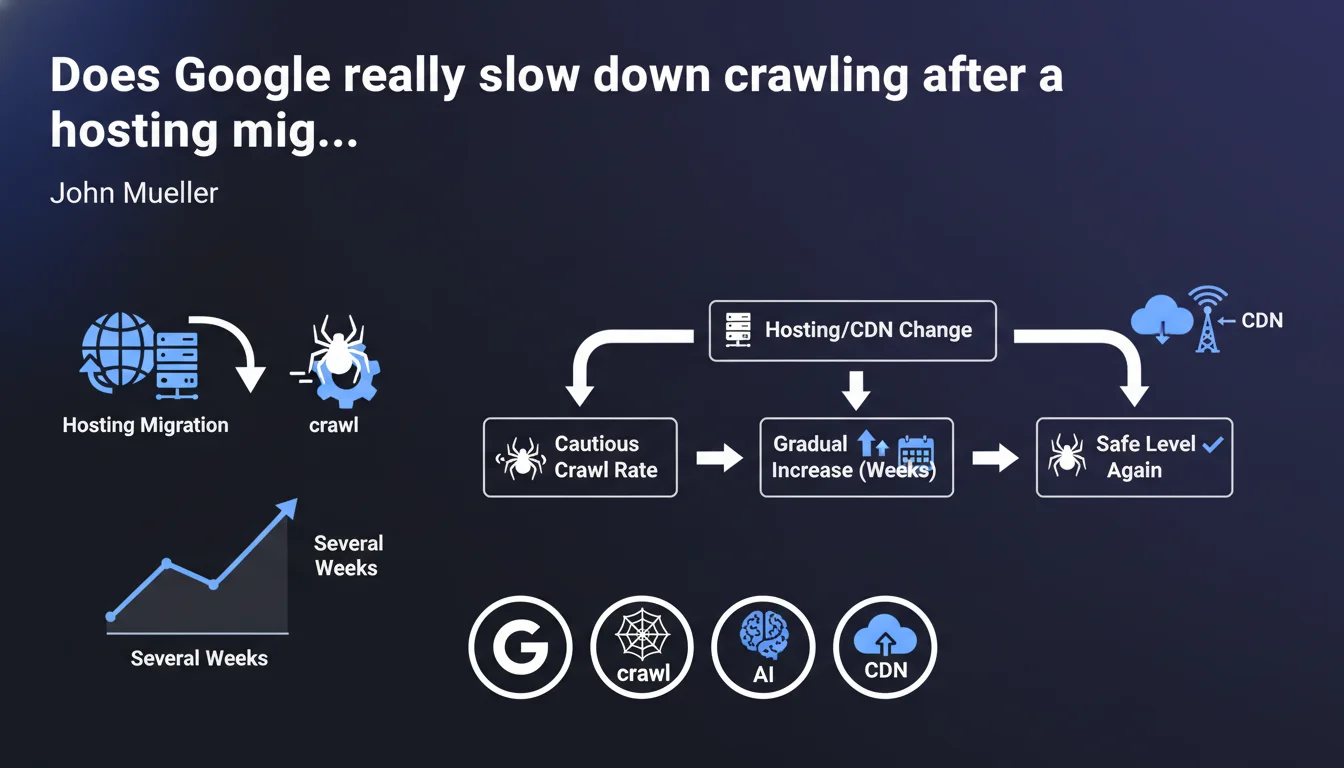
Google automatically applies a reduced crawl rate when you change hosting or CDN providers. The gradual recovery to normal levels takes several weeks. This precaution prevents overloading infrastructure that has just been migrated and whose real capacity remains unknown to the search engine.
What you need to understand
Why does Google automatically reduce crawl rate?
When you change hosting or CDN providers, Google detects the IP address change associated with your domain. At that point, the search engine doesn't know the real capacity of your new infrastructure.
The risk? Overwhelming a server that might not handle the same request volume as the old one. So Google prefers to revert to a conservative crawl rate to avoid crashing your new setup in the first few hours.
How long does this slowdown phase last?
Mueller mentions "several weeks." In practice, we observe periods ranging from 2 to 6 weeks depending on site size and crawl history.
The return to normal isn't linear — it's a progressive curve where Google tests in increments how much load your infrastructure can handle.
Does this slowdown affect all site types equally?
No. Sites with high crawl budget (large media outlets, massive e-commerce) are more impacted than small sites that get crawled 2-3 times daily anyway.
On a small WordPress blog, you might not even notice the difference. On a 500,000-page site with daily updates, that's another story entirely.
- Automatic slowdown: Google doesn't ask your permission — it's default behavior
- Variable duration: 2 to 6 weeks depending on the site and its history
- Proportional impact: the higher your crawl budget, the more you'll feel it
- Trigger: IP change detected during hosting or CDN migration
SEO Expert opinion
Is this statement consistent with real-world observations?
Yes, and it's been documented for years in crawl logs. We genuinely observe a sharp drop in Googlebot hits right after an IP change.
The problem is that Mueller stays vague about the exact timeline. "Several weeks" could mean 3 or 8 — and for an e-commerce site in peak season, that uncertainty is problematic.
What nuances should we add?
First nuance: this slowdown can be partially offset if you have a well-maintained sitemap.xml and pages that change regularly. Google still prioritizes fresh content, even in conservative mode.
Second nuance: [To verify] — we lack data on the real impact of a manual crawl request via Search Console during this period. Some observe normal responsiveness, others don't.
Third point: if your new server is significantly more performant than the old one and you've configured impeccable server response times, Google might adjust faster. But no official guarantee on that.
In what cases might this rule not apply?
If you've been using a CDN like Cloudflare in proxy mode from the start and you only change the hosting behind it, the public IP seen by Google doesn't change. So no slowdown.
Another case: sites with already very low crawl rates (a few pages per day) probably won't see any difference — you can't slow down what's already slow.
Practical impact and recommendations
What should you do concretely before and after migration?
Before: schedule your hosting migration outside critical periods (product launches, seasonal peaks). If you have a choice, migrate during a slow period.
During: monitor your crawl logs like a hawk. Set up monitoring on Googlebot hits to see the drop in real time and anticipate the recovery.
After: don't panic if you notice an immediate drop. That's normal. However, if after 6 weeks crawl still hasn't recovered, investigate — there may be a technical issue (response time, 500 errors, etc.).
What mistakes should you absolutely avoid?
Don't try to "force" crawling by massively submitting URLs via Search Console. Google will still respect its conservative crawl rate, and you'll just clutter your interface for nothing.
Another classic mistake: modifying robots.txt or sitemap.xml during the migration "to help Google." Result: you introduce new variables and don't know if the crawl drop is normal or linked to your changes.
How do you verify everything is going well?
Three indicators to monitor: server logs (Googlebot hit volume), the coverage report in Search Console (no new errors?), and server response times (if it's slow, Google will slow down even more).
If your infrastructure handles the load and performance is good, Google will progressively increase crawl. Just be patient.
- Schedule migration during a slow business period
- Set up crawl log monitoring before migration
- Verify the new server responds quickly (TTFB < 200ms ideally)
- Don't modify robots.txt or sitemap.xml during the transition
- Monitor the Search Console coverage report for 6 weeks
- Accept the temporary drop as normal — don't overreact
- If crawl doesn't recover after 6 weeks, audit server performance
❓ Frequently Asked Questions
Le ralentissement du crawl après migration affecte-t-il le référencement immédiat ?
Peut-on éviter ce ralentissement en prévenant Google à l'avance ?
Un CDN comme Cloudflare empêche-t-il ce ralentissement ?
Combien de temps exactement dure la phase de remontée progressive ?
Faut-il soumettre manuellement les URLs importantes pendant cette période ?
🎥 From the same video 23
Other SEO insights extracted from this same Google Search Central video · published on 18/02/2022
🎥 Watch the full video on YouTube →
💬 Comments (0)
Be the first to comment.