
Official statement
Other statements from this video 17 ▾
- □ Pourquoi Google pousse-t-il Search Console pour diagnostiquer l'indexation ?
- □ L'URL Inspection Tool de Search Console remplace-t-il vraiment le test d'indexation manuel ?
- □ Le rapport d'indexation de la Search Console suffit-il vraiment à diagnostiquer vos problèmes d'indexation ?
- □ Faut-il vraiment chercher à indexer 100% de ses pages ?
- □ Pourquoi Google indexe-t-il toujours la page d'accueil en premier sur un nouveau site ?
- □ Pourquoi la page d'accueil de votre nouveau site ne s'indexe-t-elle pas ?
- □ Pourquoi votre homepage n'apparaît-elle toujours pas dans l'index Google ?
- □ Votre site est-il vraiment absent de l'index Google ou juste victime de la canonicalisation ?
- □ Hreflang fausse-t-il vos rapports d'indexation dans Search Console ?
- □ Pourquoi vos pages 'site en construction' ne seront jamais indexées par Google ?
- □ Pourquoi certaines pages s'indexent en quelques secondes et d'autres jamais ?
- □ Google peut-il encore indexer l'intégralité du web ?
- □ Google applique-t-il vraiment un quota d'indexation par site ?
- □ Faut-il supprimer l'ancien contenu pour améliorer l'indexation du nouveau ?
- □ Faut-il vraiment utiliser la fonction 'Demander une indexation' de la Search Console ?
- □ L'opérateur site: est-il vraiment fiable pour mesurer l'indexation de votre site ?
- □ Comment exploiter vraiment l'opérateur site: au-delà de la simple vérification d'indexation ?
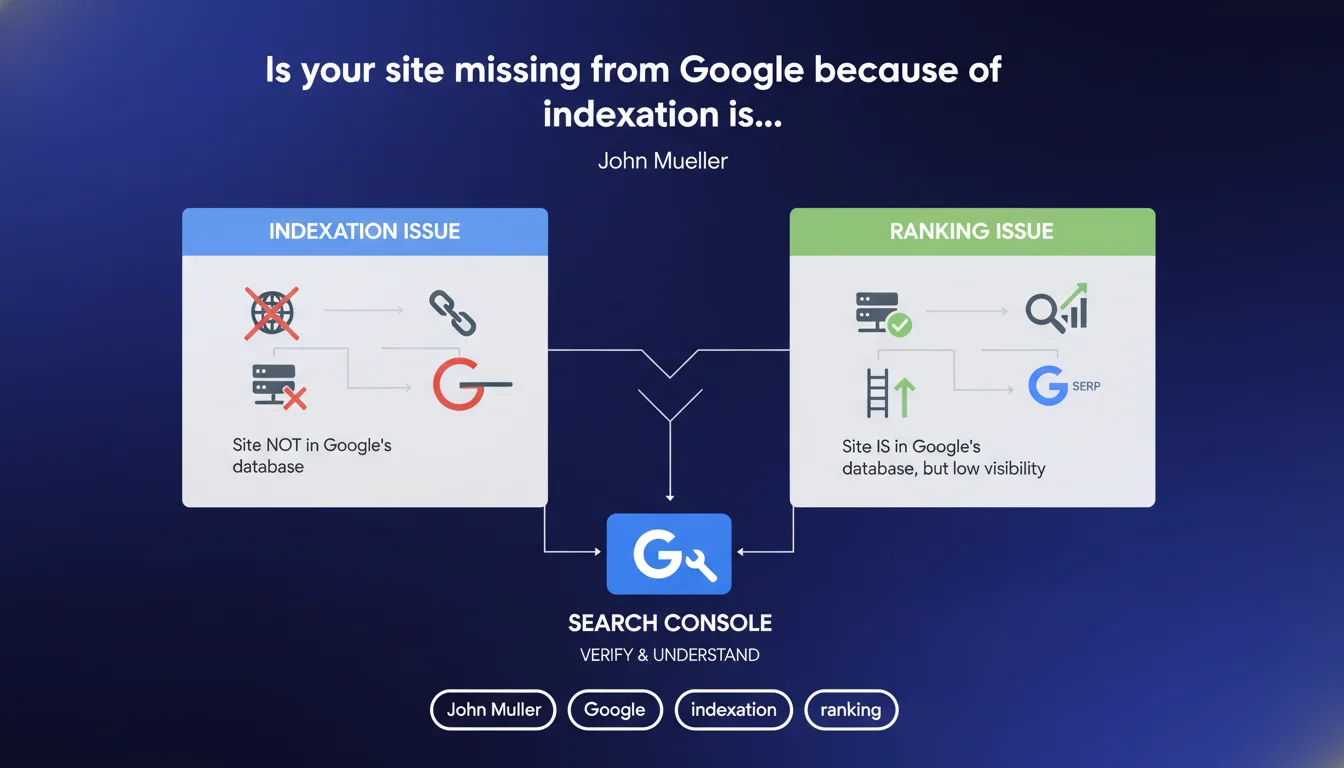
Google emphasizes that lack of visibility in SERPs hides two distinct problems: either the page is not indexed, or it is indexed but poorly ranked. Search Console allows you to quickly diagnose which of these two scenarios applies to you. Confusing the two leads to ineffective corrective actions.
What you need to understand
What is the concrete difference between indexation and ranking?
Indexation refers to the presence of a page in Google's database. If a URL is not indexed, it simply cannot appear in search results, regardless of its content or quality.
Ranking, on the other hand, comes after indexation. An indexed page can very well exist in Google's index but rank at position 87 for a given query — therefore invisible to 99% of users. The problem is no longer technical but rather one of quality and relevance.
Why is this confusion so common among SEO professionals?
Because the visible symptom is identical: lack of organic traffic. An inexperienced practitioner will often blame technical problems (robots.txt, noindex, crawl issues) when the real reason is weak content or overly strong competition.
Conversely, some spend weeks optimizing content on a page that was never indexed in the first place. Result: zero impact.
How does Search Console help you determine the difference?
The URL inspection tool in Search Console explicitly states whether a page is "indexed" or not. If it is indexed, the problem is ranking — you need to dive into performance metrics (impressions, average position).
If it is not indexed, Search Console generally specifies the reason: URL blocked by robots.txt, noindex tag detected, duplicate content, crawl failure, etc.
- Indexation: technical problem to solve as a priority — without indexation, no content optimization will help
- Ranking: problem of relevance, authority, or competition — the page exists in the index but does not rank
- Search Console allows you to quickly diagnose the problem by checking the actual indexation status
- Confusing the two leads to unnecessary corrective actions and considerable loss of time
SEO Expert opinion
Is this distinction always so clear in real-world scenarios?
Not really. Google oversimplifies a bit. There are hybrid cases where a page is technically indexed but with a degraded status — for example, indexed but considered "low quality" and therefore rarely served in search results.
In this case, Search Console will say "indexed," but the page remains invisible. The problem is neither purely technical nor purely ranking. It is a quality signal that limits the page's exposure before classic ranking. [To verify]: Google does not explicitly document these intermediate states.
Should you really blindly trust Search Console?
No. Search Console has significant update delays. A page may have been indexed for 48 hours but still display as "not indexed" in the interface. Conversely, a deindexed page may remain marked "indexed" for several days.
The on-the-ground test remains site:yoururl.com in Google. If the page appears, it is indexed, period. If it does not appear, it is not — or it is under severe filter (duplication, spam, penalty).
In what cases does this rule not apply?
When Google indexes a page but chooses to never serve it. This happens with ultra-duplicated content, detected satellite pages, or spam schemes. Technically indexed, practically dead.
Practical impact and recommendations
How do you effectively diagnose the problem on your site?
First step: use the URL inspection tool in Search Console for each problematic page. Note the exact status: "URL indexed," "URL discovered but not indexed," "URL blocked by robots.txt," etc.
If the page is indexed but invisible, go to the Performance tab and filter by URL. Look at impressions and average position. Zero impressions = relevance or demand problem. High impressions + low position = ranking problem.
What mistakes should you avoid in the analysis?
Never confuse "discovered" with "indexed." A discovered URL is not indexed — Google saw it but chose not to add it to the index.
Also avoid over-interpreting delays. If you just published a page or fixed a technical problem, wait 72 hours before drawing conclusions. Search Console and the actual index are not synchronized in real time.
What should you concretely do based on the diagnosis?
- If not indexed: fix technical blockers (robots.txt, noindex, incorrect canonical, chained redirects)
- If discovered but not indexed: improve content quality, strengthen internal linking, acquire backlinks
- If indexed but invisible: work on semantic relevance, page authority, and content structure
- If indexed with impressions but low position: optimize ranking signals (title, Hn, semantic depth, EAT)
- Use
site:yoururl.comas a ground truth test in addition to Search Console - Never launch content optimization on a non-indexed page — solve the technical problem first
❓ Frequently Asked Questions
Une page peut-elle être indexée sans jamais apparaître dans les résultats ?
Search Console indique « indexée » mais la page n'apparaît pas avec site: — pourquoi ?
Faut-il toujours corriger les URLs « découvertes mais non indexées » ?
Combien de temps faut-il attendre après correction d'un problème d'indexation ?
Peut-on forcer Google à indexer une page bloquée par noindex ?
🎥 From the same video 17
Other SEO insights extracted from this same Google Search Central video · published on 22/06/2023
🎥 Watch the full video on YouTube →
💬 Comments (0)
Be the first to comment.