
Official statement
Other statements from this video 17 ▾
- □ Pourquoi votre site n'apparaît-il pas dans Google : indexation ou ranking ?
- □ Pourquoi Google pousse-t-il Search Console pour diagnostiquer l'indexation ?
- □ L'URL Inspection Tool de Search Console remplace-t-il vraiment le test d'indexation manuel ?
- □ Le rapport d'indexation de la Search Console suffit-il vraiment à diagnostiquer vos problèmes d'indexation ?
- □ Faut-il vraiment chercher à indexer 100% de ses pages ?
- □ Pourquoi Google indexe-t-il toujours la page d'accueil en premier sur un nouveau site ?
- □ Pourquoi la page d'accueil de votre nouveau site ne s'indexe-t-elle pas ?
- □ Pourquoi votre homepage n'apparaît-elle toujours pas dans l'index Google ?
- □ Hreflang fausse-t-il vos rapports d'indexation dans Search Console ?
- □ Pourquoi vos pages 'site en construction' ne seront jamais indexées par Google ?
- □ Pourquoi certaines pages s'indexent en quelques secondes et d'autres jamais ?
- □ Google peut-il encore indexer l'intégralité du web ?
- □ Google applique-t-il vraiment un quota d'indexation par site ?
- □ Faut-il supprimer l'ancien contenu pour améliorer l'indexation du nouveau ?
- □ Faut-il vraiment utiliser la fonction 'Demander une indexation' de la Search Console ?
- □ L'opérateur site: est-il vraiment fiable pour mesurer l'indexation de votre site ?
- □ Comment exploiter vraiment l'opérateur site: au-delà de la simple vérification d'indexation ?
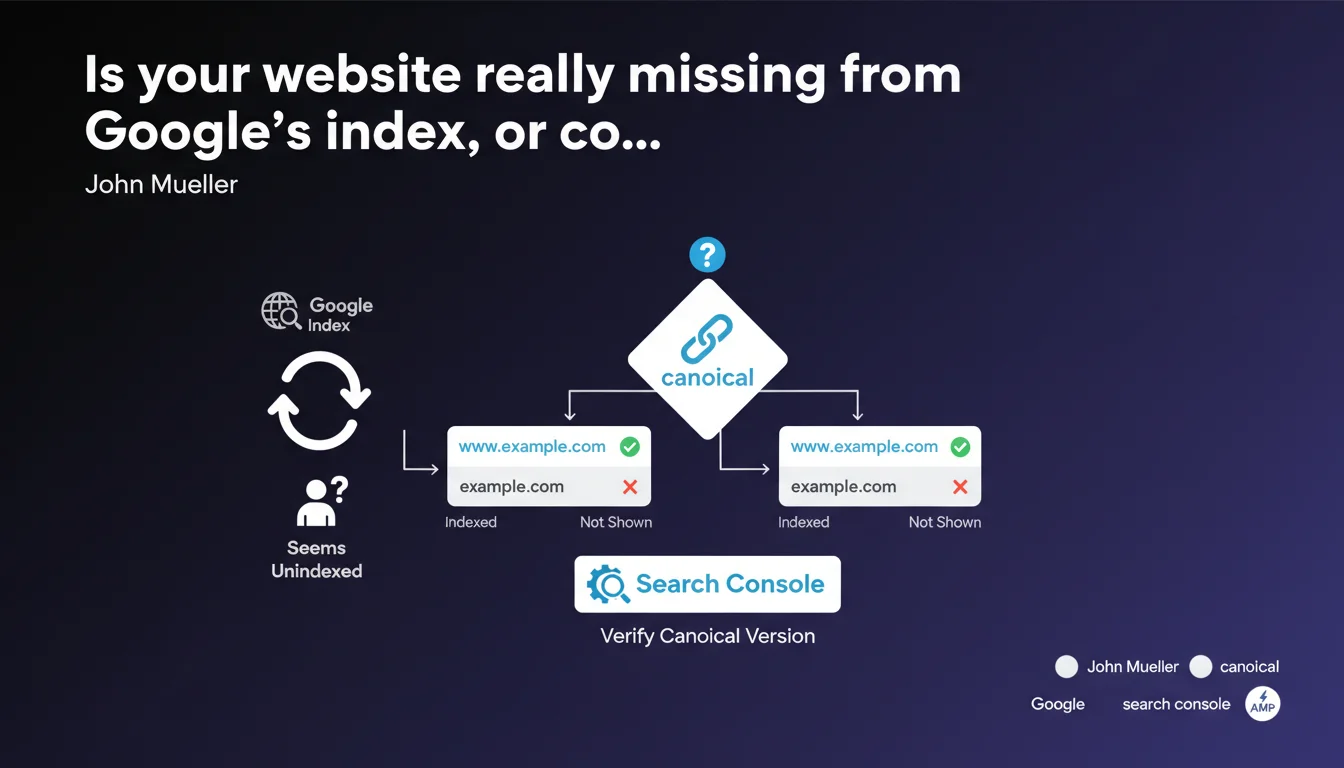
A website can appear to be unindexed when it actually is — blame canonicalization. Google sometimes indexes the www version but not the non-www, or vice versa. The result: you search for the wrong URL in Search Console and wrongly conclude your content isn't being crawled. Always verify which version Google considers canonical before panicking.
What you need to understand
Why can a website seem invisible in the index?
The problem is simple yet deceptive: you're searching for the wrong URL. You run a site: search on the non-www version, it returns nothing, and you conclude Google is ignoring your content. Except Google may have indexed the www version instead — or the opposite.
Canonicalization is the process by which Google selects a single version of a page from multiple variants (http/https, www/non-www, trailing slash, parameters). This version becomes the reference, the one appearing in search results. The others technically exist but remain hidden.
How does Google decide which version to canonicalize?
Google relies on several signals: your <link rel="canonical"> tag, your 301 redirects, your XML sitemaps, your internal links, and protocol consistency. If these signals contradict each other — or worse, if you send none at all — Google decides on its own.
And its choice doesn't always match yours. You want the non-www version indexed but your internal links point heavily to www? Google will likely canonicalize www. You then check indexation on non-www, see zero results, and cry foul.
Where can you verify the canonical version Google has selected?
In Search Console, under the "URL Inspection" tool. Enter the exact URL you want to verify. Google immediately tells you whether that URL is indexed and, most importantly, what the canonical URL selected by Google is.
If the canonical URL differs from the one you submitted, you have your answer: your content is indexed, just not in the form you expected. That's where everything hinges.
- A website can be indexed without you knowing it if you're checking the wrong URL variant.
- Google chooses a canonical version based on your technical signals — or decides alone if those signals are contradictory.
- Search Console > URL Inspection reveals immediately which version Google retains as canonical.
- Never rely solely on a site: query to diagnose an indexation issue without first verifying your URL variant consistency.
SEO Expert opinion
Does this statement reflect what happens in reality?
Yes, and it's a textbook issue. How many clients panic because site:example.com returns nothing, while site:www.example.com displays their entire catalog? Canonicalization is invisible to the average user, but devastating for SEO diagnostics if you don't know where to look.
Where Mueller states the obvious for experienced practitioners, he mainly highlights a recurring trap: searching for indexation without first validating URL variant consistency. It's basic SEO, yet most websites still have misalignments between redirects, canonicals, and sitemaps.
What nuances deserve mention?
Mueller oversimplifies intentionally. In practice, canonicalization extends beyond www vs non-www. It also covers http vs https, trailing slashes, URL parameters, separate mobile versions (when they still exist), AMP versions, geo-targeted variants… Each combination can generate a distinct canonical.
Another point: Search Console sometimes displays discrepancies between the requested URL and the canonical URL Google selected, but often doesn't explain why Google made that call. You see the outcome, rarely the reasoning. If your signals are contradictory, you must manually audit tags, redirects, sitemaps, and server logs to understand.
In what cases could this diagnosis be misleading?
If your site is actually deindexed (manual penalty, accidental noindex, robots.txt blocking), verifying canonicalization won't help. The lack of indexation won't be a URL variant illusion but a genuine technical or algorithmic issue.
Similarly, a site can display a correct canonical URL in Search Console but never appear in the SERPs due to quality issues, external duplication, or insufficient crawl budget. Canonicalization is just one piece of the puzzle — failing to index a URL and failing to rank it are two different things.
Practical impact and recommendations
What should you concretely do to avoid this trap?
First step: audit your URL variants. List all possible combinations (www/non-www, http/https, with/without trailing slash). Verify that each variant properly redirects (301) to your desired canonical version, or that a consistent canonical tag is in place.
Second step: check Search Console for each declared property (www and non-www, http and https). Google requires you to declare each variant separately — use this to see where your indexation is distributed. If one property shows zero indexed pages but another displays hundreds, you have your answer.
What mistakes must you absolutely avoid?
Never diagnose indexation based solely on a site: query. This operator is approximate and doesn't account for URL variants. Always use Search Console's "URL Inspection" tool, which explicitly shows you the canonical version Google selected.
Another common mistake: setting a canonical in your HTML but contradicting it with a 301 redirect or XML sitemap pointing to a different variant. Google weighs all these signals, and if they diverge, it will decide based on its own logic — not yours.
How do you verify your site complies?
- Declare all domain variants in Search Console (www, non-www, http, https).
- Use the "URL Inspection" tool to confirm Google retains the canonical version you want.
- Ensure all unwanted variants redirect with a 301 to your chosen canonical version.
- Verify alignment between
<link rel="canonical">tags, server redirects, and URLs declared in your XML sitemap. - Check server logs for crawls on undesired URL variants — a sign your technical signals are unclear.
- If you doubt your redirect or canonical consistency, use a crawler (Screaming Frog, OnCrawl, Botify) to map all variants.
❓ Frequently Asked Questions
Pourquoi Google indexe-t-il parfois la version www alors que j'ai mis un canonical sur la version non-www ?
L'outil Inspection d'URL de Search Console est-il fiable pour vérifier la canonicalisation ?
Si Google retient une variante d'URL différente de celle que je veux, mon contenu est-il quand même indexé ?
Dois-je déclarer toutes les variantes d'URL dans Search Console ?
La canonicalisation peut-elle affecter le classement dans les SERP ?
🎥 From the same video 17
Other SEO insights extracted from this same Google Search Central video · published on 22/06/2023
🎥 Watch the full video on YouTube →
💬 Comments (0)
Be the first to comment.