
Official statement
Other statements from this video 17 ▾
- □ Pourquoi votre site n'apparaît-il pas dans Google : indexation ou ranking ?
- □ Pourquoi Google pousse-t-il Search Console pour diagnostiquer l'indexation ?
- □ L'URL Inspection Tool de Search Console remplace-t-il vraiment le test d'indexation manuel ?
- □ Le rapport d'indexation de la Search Console suffit-il vraiment à diagnostiquer vos problèmes d'indexation ?
- □ Faut-il vraiment chercher à indexer 100% de ses pages ?
- □ Pourquoi Google indexe-t-il toujours la page d'accueil en premier sur un nouveau site ?
- □ Pourquoi la page d'accueil de votre nouveau site ne s'indexe-t-elle pas ?
- □ Pourquoi votre homepage n'apparaît-elle toujours pas dans l'index Google ?
- □ Votre site est-il vraiment absent de l'index Google ou juste victime de la canonicalisation ?
- □ Hreflang fausse-t-il vos rapports d'indexation dans Search Console ?
- □ Pourquoi vos pages 'site en construction' ne seront jamais indexées par Google ?
- □ Pourquoi certaines pages s'indexent en quelques secondes et d'autres jamais ?
- □ Google peut-il encore indexer l'intégralité du web ?
- □ Google applique-t-il vraiment un quota d'indexation par site ?
- □ Faut-il supprimer l'ancien contenu pour améliorer l'indexation du nouveau ?
- □ Faut-il vraiment utiliser la fonction 'Demander une indexation' de la Search Console ?
- □ L'opérateur site: est-il vraiment fiable pour mesurer l'indexation de votre site ?
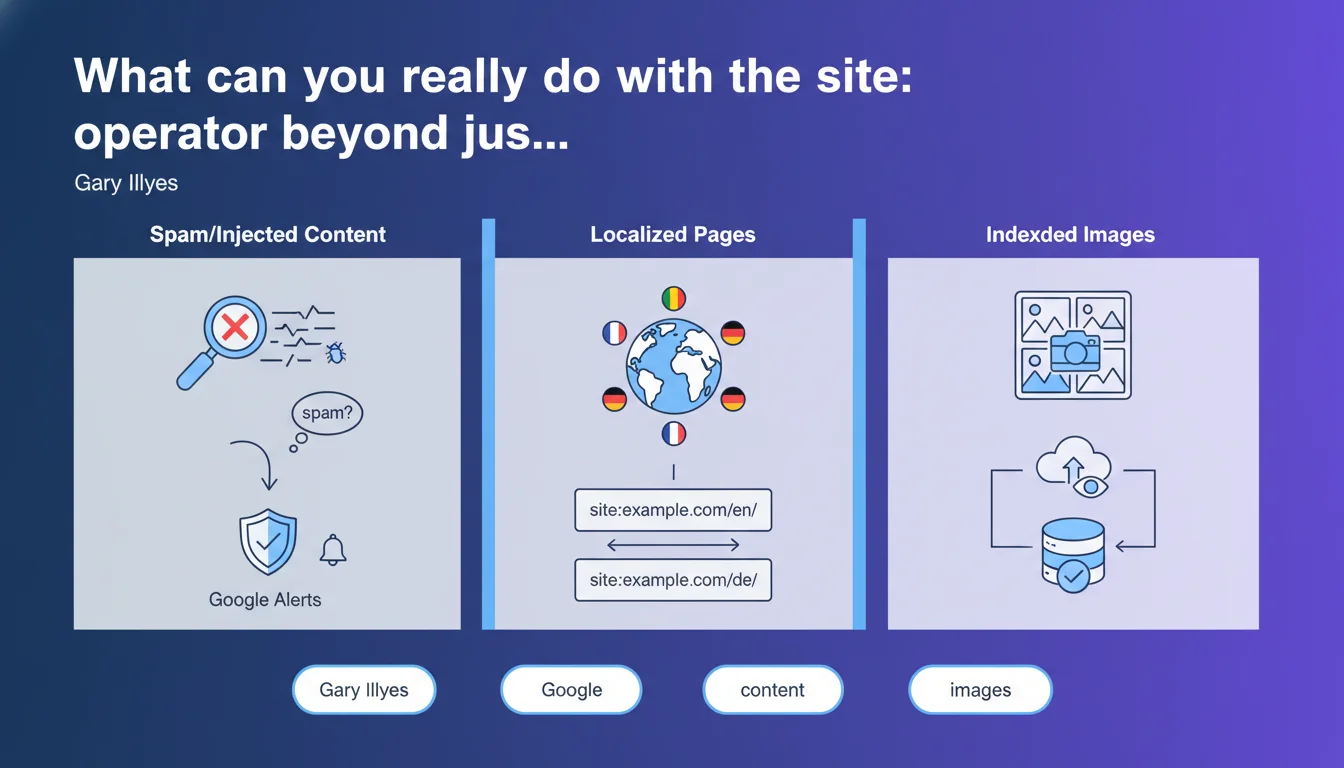
Gary Illyes clarifies that the site: operator does much more than count indexed pages. It can detect injected spam, locate language-specific page versions, and audit image indexation. Google Alerts can complement this toolkit for proactive monitoring.
What you need to understand
Why does Gary Illyes emphasize these alternative uses?
The site: operator is often reduced to a basic function: checking how many pages from a domain are indexed. Yet Google designed it as a much richer diagnostic tool.
Gary Illyes highlights use cases that fall under quality control: detecting unwanted content (spam, link injections, parasite pages), identifying localized versions of pages (useful for hreflang audits), or even listing indexed images from a site. These applications require mastery of advanced syntax: site:example.com inurl:casino to track spam, or site:example.com filetype:jpg for images.
What are the limitations of this operator for serious auditing?
The site: operator remains an approximate indicator, not a precision tool. Results fluctuate, and Google guarantees neither completeness nor stability of displayed figures.
For reliable indexation analysis, it's better to cross-reference with Google Search Console, which offers official data on indexed pages, crawl errors, and exclusion reasons. The site: operator is more useful for spot checks, hypotheses to validate, or quick anomaly detection.
Is Google Alerts as a complement really effective?
Setting up an alert on site:yourdomain.com suspicious-keyword allows you to receive notifications if unwanted content appears. This is passive monitoring, useful for sites that are victims of recurring hacks.
But be careful: Google Alerts only detects what is indexed and deemed relevant by the algorithm. Spam content can remain invisible for several days, or never trigger an alert if Google doesn't consider it "interesting." So it's not a foolproof security system.
- The site: operator does much more than simply count indexed pages
- It allows you to track injected spam, locate language versions, and audit image indexation
- Results are approximate: always cross-reference with Search Console
- Google Alerts complements the system, but doesn't replace active monitoring
- These tools require advanced syntax to be truly effective
SEO Expert opinion
Does this statement bring anything new to the table?
Honestly, not really. Experienced SEO professionals have known about these uses for years. What's interesting is that Google officially validates these practices publicly, which legitimizes them.
That said, Gary Illyes remains vague about the technical limitations of the site: operator. No mention of indexation latency, filters applied to results, or why figures vary from day to day. [To verify]: to what extent do site: results actually reflect the complete index, or just a sample deemed relevant by Google?
Do field observations contradict this narrative?
We regularly observe massive discrepancies between site: results and Search Console data. Sometimes site: shows 10,000 URLs while GSC reports 15,000 indexed. Sometimes the opposite.
Google doesn't communicate about the algorithm that filters these results. We only know there's a relevance layer applied, making the operator unreliable for precise counting. For spam detection, however, it works well: parasitic pages often appear in the top results because they contain abnormally recurring keywords.
Why is Google pushing Google Alerts for this function?
Because it's free, easy to configure, and it offloads support from Google. Rather than responding to panicked webmaster tickets after a hack, it's better to give them a tool to detect the problem themselves.
But let's be clear: Google Alerts is not a professional security tool. For an e-commerce site or high-traffic media outlet, you need active monitoring solutions (dedicated crawlers, content change alerts, server logs). Google Alerts is a basic safety net, not comprehensive insurance.
Practical impact and recommendations
What should you do concretely with this information?
First step: audit your site with targeted site: queries. Test site:yourdomain.com viagra, site:yourdomain.com casino, site:yourdomain.com cheap to uncover any spam injections.
Also check localized versions: site:yourdomain.com inurl:/fr/ versus site:yourdomain.com inurl:/en/ to ensure your hreflang is working. If pages in /fr/ appear in .com results without reason, you have a canonicalization or language targeting issue.
How do you set up proactive monitoring?
Create multiple Google Alerts with different syntax. For example:
site:yourdomain.com "buy cheap"for pharmaceutical spamsite:yourdomain.com "payday loan"for financial scamssite:yourdomain.com filetype:pdfif you never publish PDFs (detects suspicious uploads)site:yourdomain.com inurl:adminto track exposed admin pages
Schedule these alerts at daily frequency if your site is sensitive, weekly otherwise. But let's repeat: this is a complement, not a replacement for real server monitoring.
What errors should you avoid when interpreting results?
Never draw hasty conclusions about the total number of indexed pages. If site: shows 500 results while you have 2,000 pages, it doesn't necessarily mean 1,500 are deindexed. Google filters, samples, and guarantees nothing.
Another trap: site: results sometimes include noindex pages temporarily, redirects, or URL parameter variations. Only Search Console will tell you precisely what is indexed or excluded, and why.
The site: operator and Google Alerts are tools for quick detection, not exhaustive measurement. Use them to track spam, verify language versions, or spot image indexation anomalies. Always cross-reference with Search Console to validate your hypotheses.
If your site has complex architecture (multilingual, multi-domain, thousands of pages), or if you suspect recurring injections, these manual checks can quickly become time-consuming. In that case, support from an SEO-specialized agency will save you time and help you avoid missing critical weak signals.
❓ Frequently Asked Questions
L'opérateur site: donne-t-il un chiffre exact du nombre de pages indexées ?
Comment détecter du contenu spammé injecté sur mon site ?
Google Alerts est-il suffisant pour surveiller la sécurité de mon site ?
Pourquoi les résultats de site: varient-ils d'un jour à l'autre ?
Peut-on utiliser site: pour auditer l'indexation des images ?
🎥 From the same video 17
Other SEO insights extracted from this same Google Search Central video · published on 22/06/2023
🎥 Watch the full video on YouTube →
💬 Comments (0)
Be the first to comment.