
Official statement
Other statements from this video 15 ▾
- □ Why does Google cap sitemaps at 50,000 URLs, and how does it impact large websites?
- □ Do ARIA attributes really improve your website's SEO?
- □ Do you really need to redirect canonicalized URLs to improve your search rankings?
- □ Does Google really ignore URL fragments (#) for SEO purposes?
- □ Why isn't perfect technical optimization enough to rank your site anymore?
- □ Is your website hit by a manual penalty? Here's exactly how to check in Search Console
- □ Why is Product markup completely useless for real estate listings?
- □ Can you really use hreflang for non-translated content targeting different regions?
- □ Does color contrast really impact your SEO rankings?
- □ Does the HTML <article> tag really boost your SEO rankings?
- □ Do Relative and Absolute Links Really Make a Difference for SEO?
- □ Does Google really require English day names in structured data for non-English websites?
- □ How can you verify that a crawler is really Googlebot and block fake ones without hurting your SEO?
- □ Should you really use prefetch and prerender to boost your SEO rankings?
- □ Should you really stop relying on Google cache to diagnose indexation issues?
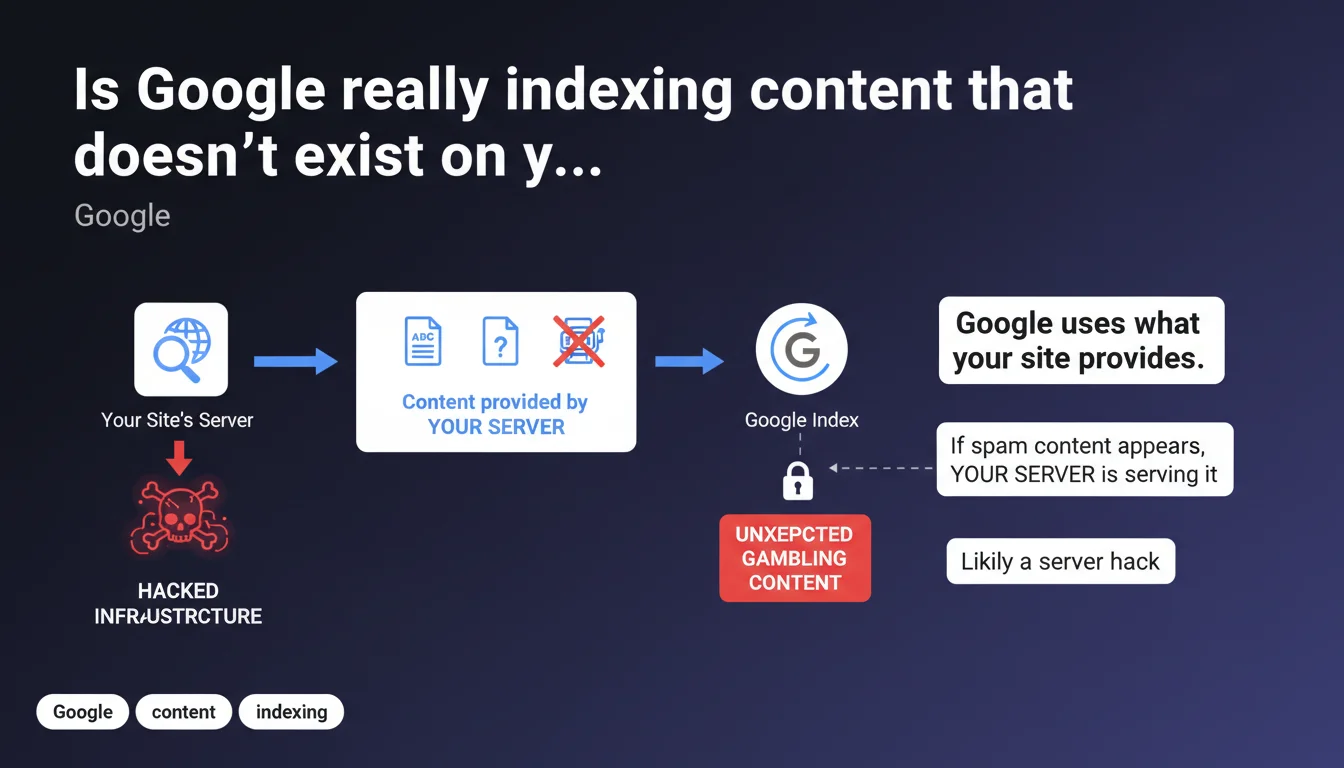
Google indexes only what your server provides to it. If unexpected content (gambling, pharmaceuticals, etc.) appears in search results for your site, it's because your infrastructure is actually returning that content — a likely sign of server or DNS hacking. Google creates nothing; it reflects what it crawls.
What you need to understand
Does Google invent content during indexing?
No. Google strictly indexes what your HTTP server returns at crawl time. No extrapolation, no creative interpretation. If Googlebot fetches HTML, that's the HTML that ends up in the index.
This statement reinforces an often-forgotten truth: when unexpected content appears in the SERPs, the problem lies on the server side, not on Google's side. The search engine is simply mirroring what's being served to it.
So why would gambling content suddenly appear?
If your e-commerce shoe site ends up indexing casino or pharma pages, it means your infrastructure has been compromised. In concrete terms: malicious content injection, server cloaking that serves spam to Googlebot, or DNS hijacking.
Hackers often target legitimate sites to exploit their domain authority. They inject spam pages that are visible only to crawlers, or only from certain IP addresses. The site owner sees nothing during normal browsing.
How does Google detect what it actually indexes?
Googlebot sends a standard HTTP request and processes the complete response: HTML code, executed JavaScript, followed redirects. If your server returns gambling content in response to this request, Google will index it — regardless of what you see in your browser.
The crawl is deterministic: same URL, same User-Agent, same expected response. Discrepancies between what you see and what Google indexes almost always signal a cloaking issue or compromisation.
- Google doesn't interpret: it indexes the raw HTML returned by the server
- Unexpected content = likely server or infrastructure compromise
- Hackers use cloaking to hide spam from site owners
- The URL Inspection Tool shows exactly what Googlebot crawled
- Any divergence between your view and Google's view warrants immediate investigation
SEO Expert opinion
Is this statement consistent with what we observe in the field?
Absolutely. In 99% of "Google is indexing random stuff" cases, the audit reveals an undetected hack. PHP injection in an outdated WordPress, .htaccess compromise, FTP hack, Cloudflare hijacking — the list goes on.
Site owners often discover the problem through Search Console: sudden traffic drop, exploding number of indexed pages, or worse, malware notifications. Cloaking makes diagnosis difficult because the site looks perfectly normal during regular browsing.
What nuances should we add to this claim?
Google mentions "server or infrastructure," which is vague. In reality, the compromise can occur at multiple levels: web server, DNS, CDN, CMS plugin, nulled theme, FTP access. All these vectors allow serving different content to Googlebot.
Another point: Google discusses indexing, but not detection. The search engine has anti-spam algorithms designed to catch these hacks. Yet some hacked sites remain indexed for weeks with malicious content before penalties kick in. [To verify]: the average detection time is not publicly disclosed.
Are there cases where this rule doesn't apply?
Let's be honest: it always applies. Google never invents content. If you think it does, you simply haven't identified the real problem.
The classic trap: a client swears they "never published that." Source code analysis via the URL Inspection Tool → the content is indeed in the returned HTML, often injected via an invisible malicious script on the front end. The server generates it, Google indexes it.
Practical impact and recommendations
What should you do concretely if unexpected content is indexed?
First step: URL Inspection Tool in Search Console. Request a live crawl and compare the rendered HTML with what you see in your browser. If you spot parasitic content, you've confirmed the compromise.
Next, conduct a full security audit: server antivirus scan, check recent FTP/SSH access logs, inspect .htaccess and wp-config.php files, review installed plugins and themes. Backdoors often hide in obscure wp-content files or /cache folders.
How do you clean up and prevent recurrence?
Cleanup: remove infected files, change all passwords (admin, FTP, database, hosting provider). Restore from a clean backup if possible. Update EVERYTHING: CMS, plugins, PHP, theme.
Prevention: Web Application Firewall (WAF), file integrity monitoring, two-factor authentication, daily automated backups. A WordPress site without regular maintenance is a sieve.
Once cleanup is done, request fast reindexing via Search Console. Google updates its index within days if malicious content has disappeared. Monitor impressions and organic traffic to verify everything returns to normal.
What mistakes should you avoid in this situation?
Mistake #1: panic and delete legitimate URLs. Before taking drastic action, precisely identify the compromised pages via Search Console (filter on weird queries, suspicious indexed URLs).
Mistake #2: surface-level cleanup without eliminating the backdoor. Hackers often leave multiple entry points. If you just delete spam pages without fixing the vulnerability, they return within 48 hours.
Mistake #3: failing to document the incident. Note when you detected the hack, what actions you took, which files were infected. This is useful if the problem resurfaces or Google requests clarification.
- Verify crawled HTML via URL Inspection Tool
- Compare with what you see during normal browsing
- Run a full antivirus scan on the server
- Inspect .htaccess, wp-config.php, functions.php files
- Change all passwords (admin, FTP, database, hosting provider)
- Update CMS, plugins, theme to latest versions
- Enable a WAF and file integrity monitoring
- Request reindexing via Search Console after cleanup
- Monitor indexed pages and organic traffic for 2 weeks
❓ Frequently Asked Questions
Google peut-il indexer du contenu que je ne vois pas sur mon site ?
Comment savoir si mon site est piraté sans voir de contenu suspect ?
Combien de temps faut-il pour que Google désindexe le contenu piraté après nettoyage ?
Un piratage peut-il provoquer une pénalité manuelle Google ?
Le cloaking serveur est-il détectable avant que Google n'indexe le contenu malveillant ?
🎥 From the same video 15
Other SEO insights extracted from this same Google Search Central video · published on 09/08/2023
🎥 Watch the full video on YouTube →
💬 Comments (0)
Be the first to comment.