
Official statement
Other statements from this video 20 ▾
- □ Why can't Google ever guarantee that your users will land on the right language version of your site?
- □ Are automatic redirects really killing your international SEO rankings?
- □ Should you really block JavaScript execution for SPAs with server-side rendering?
- □ Should you really tag foreign words with the lang attribute for SEO purposes?
- □ Does duplicate content really trigger a Google penalty?
- □ Are FAQs in blog articles really worth it for SEO rankings?
- □ Is hreflang really essential for managing a successful international website?
- □ Does Google's web cache actually affect your search rankings?
- □ How does Google really customize search results based on location and language? Here's what actually happens behind the scenes
- □ Does noindex really help you save crawl budget, or is it the wrong tool for the job?
- □ Do you really need to stick to just one topic on your site to rank well?
- □ How many links can you really put on a page without triggering a Google penalty?
- □ Does the referrer URL in Search Console really affect your search rankings?
- □ Does word count really matter for SEO ranking?
- □ Should you worry about reusing the same text blocks across multiple pages?
- □ Does Google really accept machine-translated content on multilingual websites?
- □ Does blocking URLs with robots.txt but leaving them indexed really hurt your SEO?
- □ Do you really need to duplicate the Organization schema on every page of your website?
- □ Can self-hosted reviews display star ratings in Google search results for local businesses?
- □ Why do website mergers produce unpredictable results in Google's eyes?
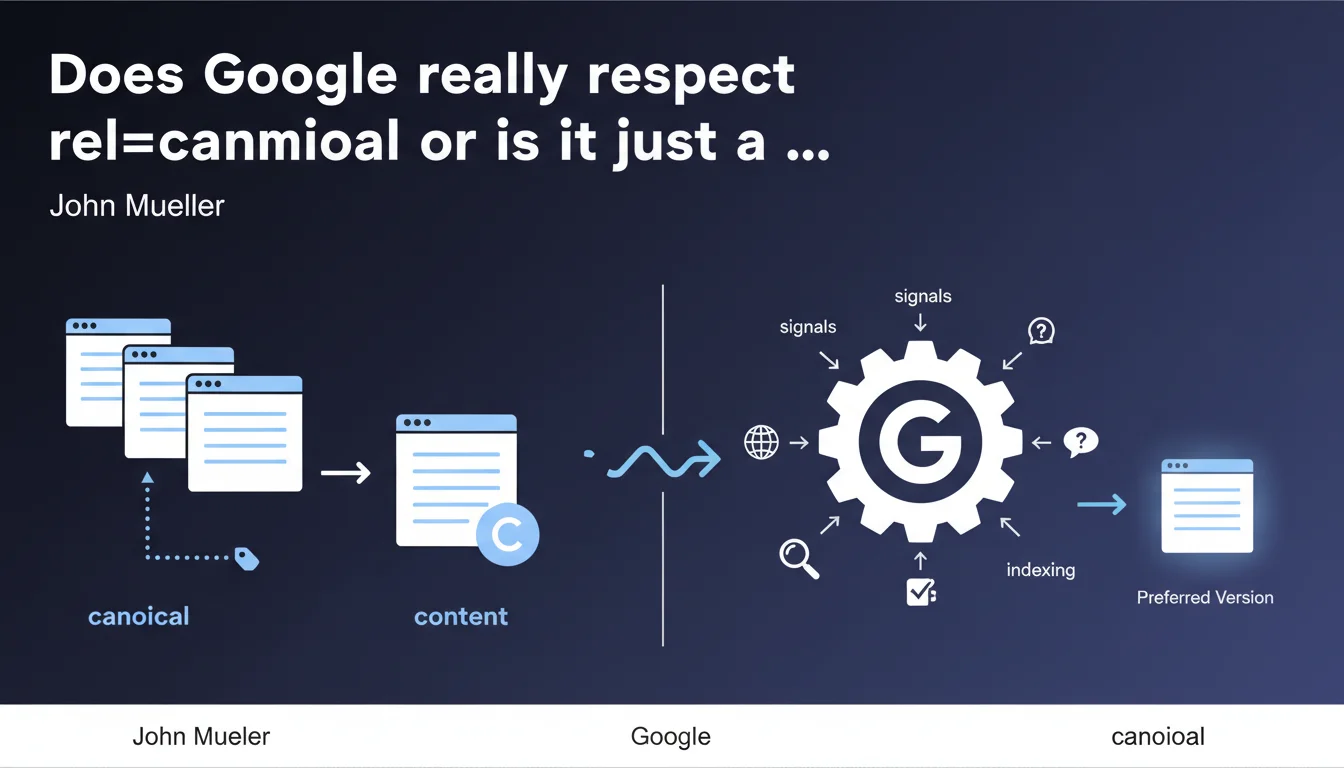
Google confirms that rel=canonical indicates your preferred page among similar content, but it's not an absolute directive — just one signal among many. The algorithm can choose to ignore it if it detects inconsistencies or if other signals contradict your choice. In practice, it's effective when properly implemented, but it doesn't replace the need for a clean site architecture.
What you need to understand
Why doesn't Google treat canonical as a strict directive?
Unlike noindex or disallow in robots.txt, canonical is just a preference signal. Google keeps the upper hand to evaluate whether your choice makes sense in the broader context of your site.
The algorithm cross-references this signal with other indicators: internal link structure, link coherence, relative URL popularity, presence of 301 redirects, versions in the XML sitemap. If everything points to the same page, the canonical will likely be respected. If there's a contradiction — for example a canonical to A but all internal linking points to B — Google will decide based on its own logic.
In what cases does Google deliberately ignore canonical?
Several classic scenarios: self-referencing canonical on a non-indexable page (noindex + canonical = contradiction), canonical pointing to a URL that returns a 404 or 301, or even circular canonicals between two pages.
Another frequent situation: misconfigured cross-domain canonical. If you point to an external domain without clear editorial legitimacy, Google may simply ignore the signal and index your version instead.
What actually happens when Google doesn't follow your canonical?
It chooses the canonical version itself based on its own criteria. You'll see this in Google Search Console: Google indicates the version it has selected as "URL canonical selected by Google" versus "URL canonical declared by user".
The consequences? PageRank dilution across multiple versions of the same page, indexing of unwanted duplicates, ranking on the wrong URL. And that's where it gets problematic: you lose control over what Google indexes.
- Canonical is a preference signal, not an absolute directive like noindex
- Google cross-references this signal with others: internal linking, redirects, XML sitemap, URL popularity
- It can ignore canonical in case of technical inconsistency (404, noindex, circular loops)
- Search Console allows you to compare the declared version and the one actually selected by Google
- An ignored canonical results in PageRank dilution and unwanted duplicate indexing
SEO Expert opinion
Is this statement consistent with what we observe in the field?
Yes, absolutely. Audits regularly show cases where Google disregards the declared canonical to index another version. This is particularly visible on e-commerce sites with URL parameters (filters, sorting, pagination): even with proper canonical implementation, if internal linking or external backlinks massively point to the filtered version, Google may decide that's the "real" page.
Let's be honest: this flexibility from Google is double-edged. It corrects webmaster technical errors (misconfigured canonical, pointing to a 404...), but it also removes some of your control. You can never be 100% sure your choice will be respected.
What nuances should be added to Mueller's statement?
Mueller mentions "many signals" without providing an exhaustive list or their relative weighting. Concretely, we don't know if a well-placed canonical counts for 80% of the decision or 30%. [To verify]: Google never communicates precise metrics on the weight of each signal.
Another nuance — and this is crucial: canonical does not automatically consolidate SEO signals (backlinks, anchors, popularity) toward the preferred version. Unlike a 301 redirect that transfers PageRank, canonical lets Google decide whether to merge signals or not. On sites with heavy duplication, this can create fuzzy situations where multiple versions coexist in the index with fragmented metrics.
In what cases doesn't this rule apply as expected?
Multilingual sites with hreflang + canonical frequently cause problems. If canonical and hreflang point to different URLs, Google generally prioritizes canonical — which can break your internationalization strategy. The official rule: each language version should canonicalize to itself, but in practice, we still see hybrid configs where everything points to the .com English version.
Another edge case: AMP. Historically, the AMP page should have canonicalized to the standard HTML version, but Google could index the AMP preferentially. With the end of mandatory AMP for top stories, this ambiguity disappeared, but it illustrates well that Google allows itself to deviate from its own recommendations.
<head> before any heavy scripts, but some CMS platforms generate it dynamically too late in the DOM.Practical impact and recommendations
What should you concretely do to maximize the chances Google respects your canonical?
Absolute consistency across all signals. If you declare version A as canonical, ensure that internal linking primarily points to A, the XML sitemap only lists A, and there are no 301 or 302 redirects to version B. Google hates contradictions — and it will decide without asking your opinion.
Place the canonical as high as possible in the <head>, before asynchronous scripts and Open Graph tags. Some CMS platforms (WordPress, Shopify) sometimes generate it after dozens of lines of unnecessary code. Verify by inspecting the raw source code, not through the browser inspector which reorganizes the DOM.
Use Search Console to cross-reference "User-declared canonical URL" and "Google-selected canonical URL". If they diverge significantly, that's a red flag. Export the indexing coverage report, filter by "Duplicate, page not selected as canonical" and identify recurring patterns.
What mistakes should you absolutely avoid with canonical?
- Never point a canonical to a page under noindex — this is a logical inconsistency that Google explicitly flags in Search Console
- Avoid canonical chains (A → B → C): Google can follow them, but they're error-prone and cause dilution
- Don't canonicalize a page to a URL that redirects with 301 — use the final destination directly
- On multilingual sites, don't point all versions to the same language (unless it's truly identical content, not a translation)
- Don't forget canonical on paginated pages: each page in the series should canonicalize to itself, unless you consolidate everything on page 1 (but then disindex the others)
How do you verify your implementation is correct?
A crawl with Screaming Frog or Oncrawl quickly identifies inconsistencies: canonical pointing to 404, circular loops, canonical HTTP on an HTTPS page, relative canonical instead of absolute (Google accepts both, but absolute is safer).
Also test JavaScript rendering with the Search Console (URL Inspection tool). If your canonical is injected via client-side JavaScript, verify that Googlebot sees it in the rendered version, not just in the raw HTML.
❓ Frequently Asked Questions
Peut-on utiliser un canonical cross-domaine pour éviter la duplication entre deux sites ?
Le canonical transmet-il le PageRank comme une redirection 301 ?
Que se passe-t-il si deux versions d'une page ont chacune un canonical pointant vers l'autre ?
Faut-il mettre un canonical sur toutes les pages, même uniques ?
Google respecte-t-il toujours le canonical dans les résultats de recherche ?
🎥 From the same video 20
Other SEO insights extracted from this same Google Search Central video · published on 21/10/2022
🎥 Watch the full video on YouTube →
💬 Comments (0)
Be the first to comment.