
Official statement
Other statements from this video 20 ▾
- □ Why can't Google ever guarantee that your users will land on the right language version of your site?
- □ Are automatic redirects really killing your international SEO rankings?
- □ Should you really block JavaScript execution for SPAs with server-side rendering?
- □ Should you really tag foreign words with the lang attribute for SEO purposes?
- □ Does duplicate content really trigger a Google penalty?
- □ Does Google really respect rel=canonical or is it just a suggestion that gets ignored?
- □ Are FAQs in blog articles really worth it for SEO rankings?
- □ Is hreflang really essential for managing a successful international website?
- □ How does Google really customize search results based on location and language? Here's what actually happens behind the scenes
- □ Does noindex really help you save crawl budget, or is it the wrong tool for the job?
- □ Do you really need to stick to just one topic on your site to rank well?
- □ How many links can you really put on a page without triggering a Google penalty?
- □ Does the referrer URL in Search Console really affect your search rankings?
- □ Does word count really matter for SEO ranking?
- □ Should you worry about reusing the same text blocks across multiple pages?
- □ Does Google really accept machine-translated content on multilingual websites?
- □ Does blocking URLs with robots.txt but leaving them indexed really hurt your SEO?
- □ Do you really need to duplicate the Organization schema on every page of your website?
- □ Can self-hosted reviews display star ratings in Google search results for local businesses?
- □ Why do website mergers produce unpredictable results in Google's eyes?
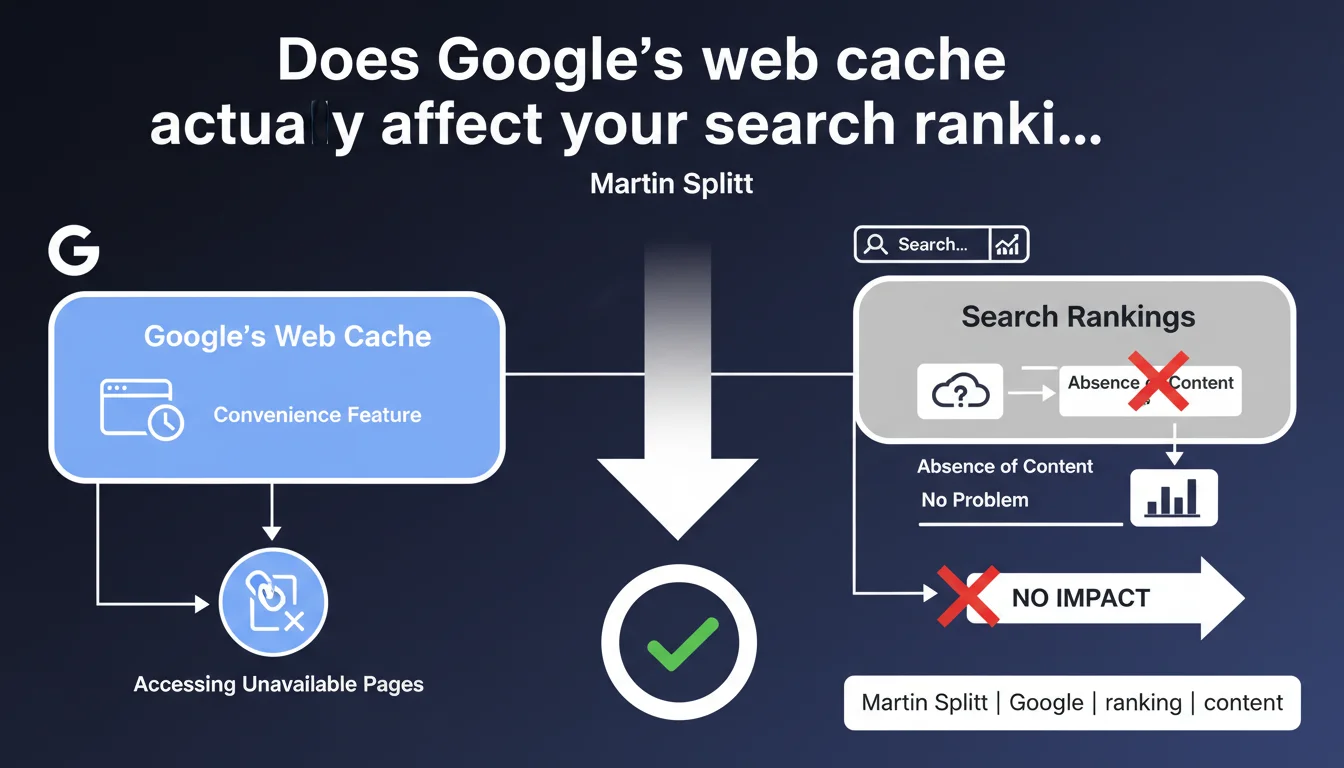
Google's web cache is only a convenience feature for accessing temporarily unavailable pages. The absence of your content from the cache does not penalize your SEO. It's a user-facing feature, not a ranking signal.
What you need to understand
What is Google's cache actually used for?
Web cache stores snapshots of pages crawled by Googlebot. Users can access it when the original site is down or the page has been removed.
It's a convenience. A service provided to internet users — nothing more. Google doesn't use it to evaluate the quality of your site or to determine your ranking position.
Why don't some pages appear in the cache?
Several technical reasons: the noarchive directive in meta tags or HTTP headers, dynamically generated content that changes too frequently, or simply a recently crawled page whose snapshot hasn't been updated yet.
The absence of cache can also signal an indexation problem — but this isn't always the case. A page can be indexed without a visible snapshot.
Should you worry if your pages aren't cached?
No. If your pages are indexed and ranking, the absence of cache is inconsequential. Instead, verify your presence in the index through Search Console or a site: query.
- Cache is a user-facing feature, not an SEO indicator
- The absence of a snapshot doesn't impact crawl, indexation, or ranking
- A noarchive directive intentionally prevents cache display
- Focus on actual indexation, not cache visibility
SEO Expert opinion
Is this statement consistent with real-world observations?
Yes — and it's even a welcome clarification. Too many practitioners still confuse cache with indexation. A page can be indexed without an accessible snapshot, and vice versa.
We regularly see perfectly performing sites where certain pages show no cache. No measurable impact on rankings. The real indicator is presence in the index and SERP performance.
Why does this confusion persist?
Because for a long time, checking the cache was a quick diagnostic reflex. No visible cache? You'd wonder if Googlebot had visited recently.
But tools have evolved. Search Console provides far more reliable data on crawl and indexation. Clinging to cache as an SEO metric is like looking in the rearview mirror.
When is cache still useful?
For competitive analysis or to verify what Googlebot actually saw during its last visit — especially with heavy JavaScript content. But this is a one-off diagnostic use, not a KPI to track.
And let's be honest: Google is gradually deprecating this feature. The interface changes, access becomes more complicated. Don't build any SEO strategy around cache. [To verify]: Google might even remove public access to this feature eventually.
Practical impact and recommendations
What should you monitor instead of cache?
Focus on indexation metrics in Search Console: pages crawled, pages indexed, coverage errors. These are your true health indicators.
Use crawl stats reports to detect anomalies: sudden drop in pages crawled, increase in errors, degraded response time. Cache won't tell you any of this.
How do you verify that Googlebot can properly access your pages?
Use the URL Inspection tool in Search Console. You see exactly the rendered HTML, blocked resources, any potential JavaScript issues.
Also test with the Mobile-Friendly Test and Rich Results Test. These tools show you what Google actually extracts — far more reliable than a random cache snapshot.
What mistakes should you avoid?
Don't panic if your pages don't appear in cache. First check if they're indexed and performing well. If so, there's no problem whatsoever.
Don't block cache reflexively with noarchive — unless you have a real reason (sensitive content, personal data). This directive neither improves nor damages your SEO.
- Monitor indexation via Search Console, not cache
- Use the URL Inspection tool to diagnose rendering issues
- Regularly check coverage reports and 4xx/5xx errors
- Test JavaScript rendering with official Google tools
- Don't confuse cache absence with indexation problems
❓ Frequently Asked Questions
Si ma page n'est pas en cache, est-elle quand même indexée ?
La directive noarchive empêche-t-elle l'indexation ?
Le cache Google influence-t-il la vitesse d'indexation ?
Peut-on forcer Google à mettre à jour le cache d'une page ?
Pourquoi certaines pages anciennes restent-elles en cache alors qu'elles ont été supprimées ?
🎥 From the same video 20
Other SEO insights extracted from this same Google Search Central video · published on 21/10/2022
🎥 Watch the full video on YouTube →
💬 Comments (0)
Be the first to comment.