
Official statement
Other statements from this video 20 ▾
- □ Why can't Google ever guarantee that your users will land on the right language version of your site?
- □ Are automatic redirects really killing your international SEO rankings?
- □ Should you really block JavaScript execution for SPAs with server-side rendering?
- □ Should you really tag foreign words with the lang attribute for SEO purposes?
- □ Does duplicate content really trigger a Google penalty?
- □ Does Google really respect rel=canonical or is it just a suggestion that gets ignored?
- □ Are FAQs in blog articles really worth it for SEO rankings?
- □ Is hreflang really essential for managing a successful international website?
- □ Does Google's web cache actually affect your search rankings?
- □ How does Google really customize search results based on location and language? Here's what actually happens behind the scenes
- □ Does noindex really help you save crawl budget, or is it the wrong tool for the job?
- □ Do you really need to stick to just one topic on your site to rank well?
- □ How many links can you really put on a page without triggering a Google penalty?
- □ Does word count really matter for SEO ranking?
- □ Should you worry about reusing the same text blocks across multiple pages?
- □ Does Google really accept machine-translated content on multilingual websites?
- □ Does blocking URLs with robots.txt but leaving them indexed really hurt your SEO?
- □ Do you really need to duplicate the Organization schema on every page of your website?
- □ Can self-hosted reviews display star ratings in Google search results for local businesses?
- □ Why do website mergers produce unpredictable results in Google's eyes?
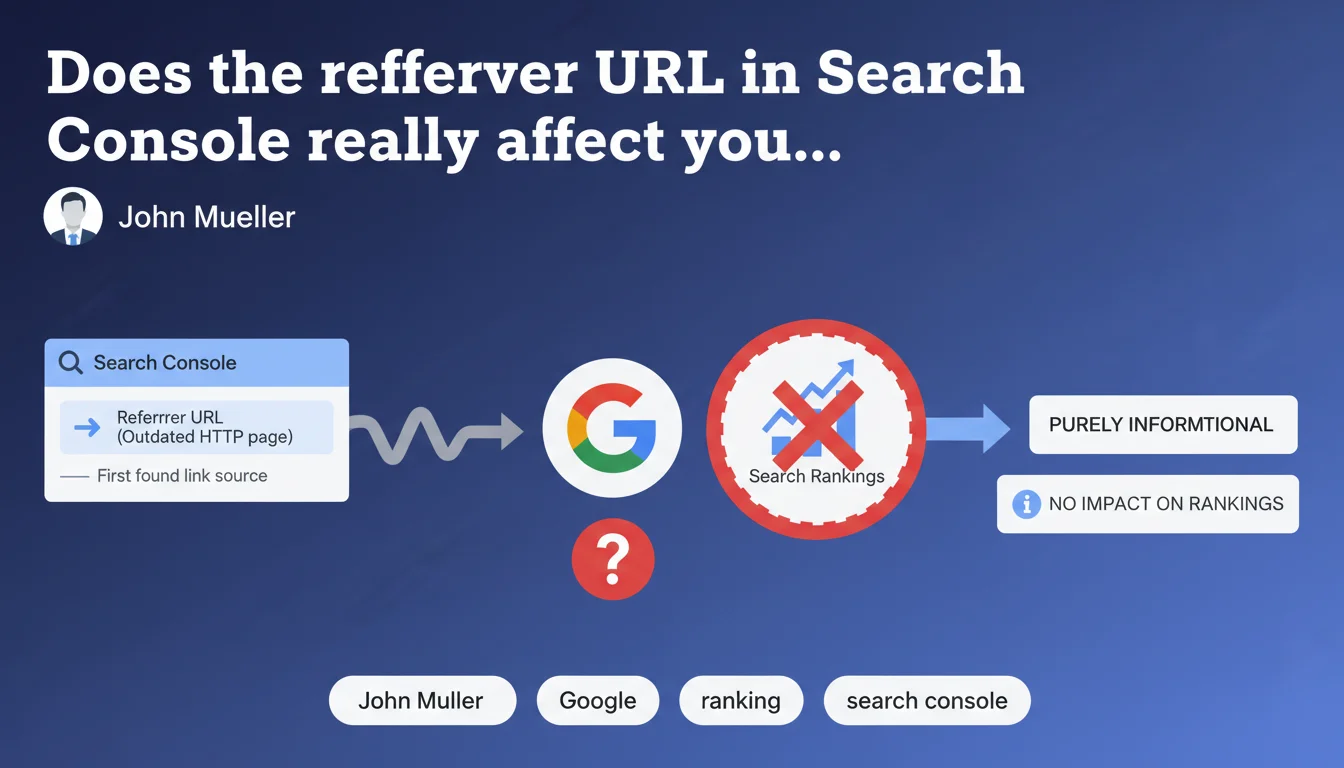
The referrer URL displayed in Search Console's URL inspection tool simply indicates where Google first discovered a link to a page. This data is purely historical and has no influence on your rankings. It may even point to an old HTTP version while your site is now HTTPS.
What you need to understand
What exactly is the referrer URL in Search Console?
Search Console's URL inspection tool displays information called the "referrer URL". It's simply the page where Googlebot found the first link pointing to the URL you're inspecting.
This data is stored in Google's history. It can therefore date back several months or years, even if the referring page no longer exists or has been modified since. It's an archived trace of Googlebot's discovery journey.
Why might this URL seem outdated or inconsistent?
You're inspecting a modern HTTPS page and the referrer URL points to an old HTTP page? That's normal. Google preserves the information of the first link discovered historically, not the most recent one.
This URL may even come from a deleted page, an old site design, or a migrated domain. It is never updated to reflect the current state of your internal linking structure.
Does this information have any impact on SEO?
No. John Mueller is explicit: this data is purely informational. It plays no role in ranking calculations, internal PageRank, or current indexation.
Google uses the links it finds today to evaluate your site, not those it discovered three years ago. The referrer URL displayed in Search Console is technical archaeology, nothing more.
- The referrer URL shows where Googlebot first discovered a link to a page
- This information may date back several years and point to obsolete pages
- It has no impact on rankings or current indexation
- Google uses recently discovered links to evaluate your site, not historical traces
- Don't waste time trying to correct this referrer URL—it's pointless
SEO Expert opinion
Is this statement consistent with real-world observations?
Yes, completely. I've come across dozens of cases where the referrer URL pointed to HTTP pages migrated long ago, or even to old domains. No negative impact observed on the rankings of these pages.
Some SEO professionals sometimes worry about seeing a "broken" or outdated referrer URL, thinking Google still considers that link. Mueller's statement closes the debate: this data is archived but inactive in the algorithm.
Why does Google keep this information if it's useless?
Good question. My theory: it's an internal debug data point exposed in Search Console without real practical value for webmasters. Google historically has a communication problem between its teams—some metrics displayed in GSC are more technical relics than actionable tools.
Let's be honest: if this metric had real impact, Google would update it in real-time. The fact that it remains frozen in the past confirms its purely informational nature.
In what cases might this referrer URL still be useful?
It can be helpful during a migration audit. If you find referrer URLs pointing to an old domain or old site structure, it confirms that Google crawled these old versions—useful for understanding your crawl history.
Another marginal use: detecting where your initial discoveries came from. If a strategic page was discovered via a low-quality external link rather than through your internal linking, that may indicate an initial crawlability problem—but be careful, this is archaeology, not current diagnostics.
Practical impact and recommendations
What should you actually do with this information?
Nothing. Literally nothing. Don't waste time trying to "fix" this referrer URL or update it. It's not a signal considered by Google's algorithm.
Focus your efforts on links currently being crawled: your internal linking structure, recent backlinks, navigation structure. That's where your SEO performance is determined.
What mistakes should you avoid?
First mistake: panicking when you see an obsolete or broken referrer URL. Some SEO professionals create redirects or modify their linking structure to "fix" this URL—that's wasted effort.
Second mistake: using this metric as a SEO health indicator. It doesn't reflect the current state of your crawl or your internal popularity.
How can you verify that your current links are being recognized?
Use the "Links" report in Search Console to see backlinks and internal links currently indexed. This is the reliable source for auditing your link profile.
For internal linking, crawl your site with Screaming Frog or Oncrawl. Compare click depths and verify that your strategic pages receive sufficient recent internal links.
- Ignore the referrer URL displayed in the inspection tool—it has no SEO impact
- Don't create redirects or corrections to "fix" an outdated referrer URL
- Focus on the "Links" report in Search Console to audit your current backlinks
- Crawl your site regularly to verify the quality of your internal linking structure
- Make sure your strategic pages are well-discovered through your current navigation
❓ Frequently Asked Questions
Dois-je corriger une URL référente qui pointe vers une ancienne page HTTP ?
L'URL référente peut-elle expliquer un problème d'indexation ?
Le rapport Liens de Search Console affiche-t-il aussi des données obsolètes ?
Pourquoi Google affiche-t-il cette information si elle est inutile ?
Cette URL référente peut-elle servir lors d'une migration de site ?
🎥 From the same video 20
Other SEO insights extracted from this same Google Search Central video · published on 21/10/2022
🎥 Watch the full video on YouTube →
💬 Comments (0)
Be the first to comment.