
Official statement
Other statements from this video 16 ▾
- □ Should Local Business markup really be limited to just one city?
- □ Should you really do a 1:1 migration without changing anything during a domain switch?
- □ Does Google really ignore most of your structured data markup?
- □ Do you really need to publish every day to improve your Google SEO?
- □ Does word count really matter for SEO rankings?
- □ Do keywords in URLs still have an impact on SEO?
- □ Do images really consume your crawl budget at the expense of your strategic pages?
- □ Can you really launch two nearly identical websites without risking a Google penalty?
- □ Why must your JavaScript links absolutely use A tags with valid href attributes?
- □ Does audio content on a page actually influence your Google ranking?
- □ Should you really avoid modifying meta tags with JavaScript?
- □ Are Google's algorithm updates really that different from penalties?
- □ Why does Google only communicate about a fraction of its algorithm updates?
- □ Do structured data really improve your Google rankings?
- □ Is it really a mistake to combine noindex and canonical on the same page?
- □ Are structured video data really just about getting your content indexed?
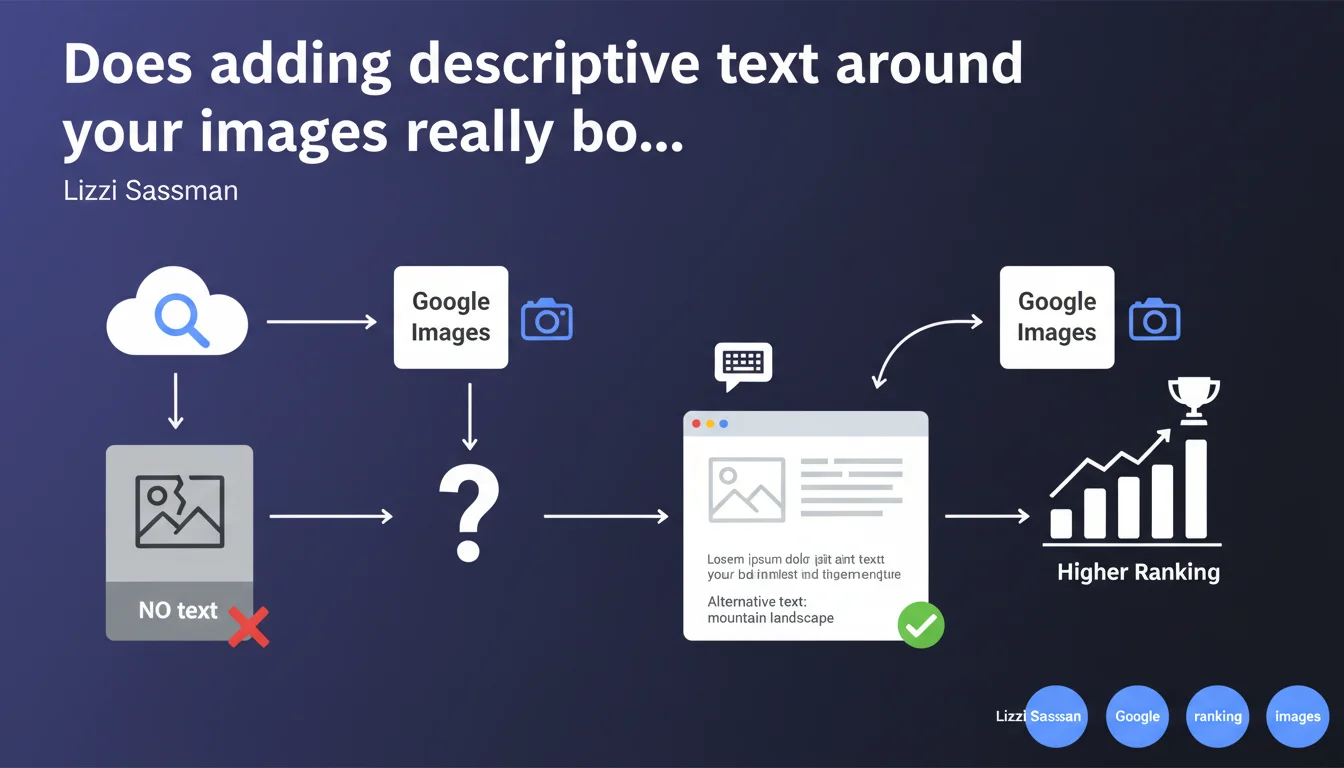
Google confirms that adding introductory text on the page AND descriptive alt text improves illustration performance in search results. The key: use words that users actually type into Google Images, not just the image title. This statement reinforces that Google reads the overall page context to understand an image.
What you need to understand
Why does Google insist on text surrounding images?
Google doesn't see images the way we do. Its algorithm first analyzes the textual context to determine what an illustration represents and whether it deserves to appear in search results.
The text on the page — notably the paragraphs that precede or follow the image — serves as a major contextual signal. Alt text alone isn't enough: the illustration needs to be part of a coherent narrative that Google can interpret.
What's the difference between alt text and introductory text?
The alt text describes the image itself, for accessibility and cases where the image doesn't load. Introductory text, on the other hand, explains why this image is there and what it adds to the content.
Google cross-references both. If your alt text says "organic traffic infographic 2023" but the surrounding text talks about link building, there's an inconsistency — and Google will hesitate to display this image in relevant results.
What does this change for image SEO?
Concretely, it means an isolated image with no textual context around it has less chance of ranking. Even with good alt text, Google lacks the signals to confirm relevance.
Lizzi Sassman clarifies that you need to use words that users actually search for in Google Images. Say goodbye to vague or artistic descriptions: aim for natural search language.
- The text around the image counts as much — if not more — than the alt text alone
- Google cross-references textual context and alt description to evaluate relevance
- Prioritize actual user vocabulary over generic titles
- An image without introductory text loses visibility in Google Images
SEO Expert opinion
Is this statement consistent with real-world observations?
Yes, and it's actually a helpful reminder. Too many websites still neglect textual context and settle for generic alt text.
On e-commerce projects especially, we see that product sheets with rich textual descriptions around photos perform better in Google Images than those limited to alt text like "product X front view". The engine needs material to understand usage, context, and intent.
What nuances should we add to this guideline?
Google says "use descriptive words that users would actually search for" — but how do you know which ones? Lizzi provides no concrete method. [To verify] depending on the sector, the gap between internal vocabulary and actual queries can be huge.
Another point: she talks about "introductory text", but what proximity to the image? A paragraph just before? Or 300 words earlier in the article? Google doesn't specify. Testing shows that text immediately adjacent (before or after) carries more weight than distant context.
In which cases doesn't this rule fully apply?
For decorative images (icons, visual dividers), adding descriptive text makes no sense — and Google understands this if the alt is empty or role="presentation".
On photo galleries or portfolios, textual context can be minimal. There, alt text and EXIF/IPTC metadata take over. But even in this case, a short caption or contextual introduction improves performance.
Practical impact and recommendations
What exactly should you do to optimize your illustrations?
First, audit your images: how many have textual context around them? How many are placed there without introduction or caption? On a site with hundreds of pages, it's often chaos.
Next, for each important image (those with traffic potential via Google Images), write an introductory paragraph or transition that explains what it shows, why it's there, and use natural search terms.
What mistakes should you absolutely avoid?
Don't just copy-paste the image title into the alt text. If your file is called "infographic-seo-2023.png", the alt shouldn't be "infographic seo 2023" — that adds nothing. Describe the actual content: "infographic presenting the 8 Google ranking factors in technical SEO".
Also avoid overly long alt descriptions (more than 125 characters). Google truncates, and accessibility suffers. Introductory text should complement the alt, not duplicate it.
How do you verify your site is compliant?
Crawl your site with Screaming Frog or Oncrawl, export all images, and check for adjacent text presence. Manually, that takes too long. Tools like ImageOptim or Python scripts can cross-reference alt tags and text proximity.
To validate vocabulary, compare your descriptions with actual queries that generate traffic in Google Search Console, Performance tab filtered on Google Images. If your keywords don't match, adjust.
- Write an introductory paragraph or caption for each strategic image
- Use real search terms in alt text and surrounding text (GSC, Google Trends)
- Verify consistency between alt text, surrounding text, and overall page content
- Avoid keyword stuffing: text must remain natural and editorial
- Regularly crawl to identify images without textual context
- Test performance in Google Images via Search Console
❓ Frequently Asked Questions
L'alt text seul suffit-il pour ranker dans Google Images ?
Quelle longueur idéale pour un texte introductif d'image ?
Faut-il ajouter du texte pour toutes les images, y compris les icônes ?
Comment savoir quels mots utiliser dans l'alt text et le texte adjacent ?
Le texte doit-il être juste avant ou juste après l'image ?
🎥 From the same video 16
Other SEO insights extracted from this same Google Search Central video · published on 07/09/2022
🎥 Watch the full video on YouTube →
💬 Comments (0)
Be the first to comment.