
Official statement
Other statements from this video 16 ▾
- □ Le balisage Local Business doit-il vraiment se limiter à une seule ville ?
- □ Faut-il vraiment migrer 1:1 sans rien changer lors d'un changement de domaine ?
- □ Schema.org : pourquoi Google ignore-t-il une partie de vos balises structurées ?
- □ Faut-il vraiment rédiger du texte descriptif autour de vos illustrations pour ranker dans Google Images ?
- □ Faut-il publier tous les jours pour améliorer son référencement Google ?
- □ Le nombre de mots est-il vraiment sans importance pour le référencement ?
- □ Les mots-clés dans les URLs ont-ils encore un impact en SEO ?
- □ Les images consomment-elles vraiment du budget de crawl au détriment de vos pages stratégiques ?
- □ Peut-on vraiment lancer deux sites quasi-identiques sans risquer de pénalité Google ?
- □ L'audio sur une page influence-t-il réellement le classement Google ?
- □ Faut-il vraiment éviter de modifier les balises meta avec JavaScript ?
- □ Les mises à jour algorithmiques de Google sont-elles vraiment différentes des pénalités ?
- □ Pourquoi Google ne communique-t-il que sur une fraction de ses mises à jour d'algorithme ?
- □ Les données structurées améliorent-elles vraiment votre classement dans Google ?
- □ Faut-il vraiment éviter d'utiliser noindex et canonical sur la même page ?
- □ Les données structurées vidéo servent-elles uniquement à l'indexation ?
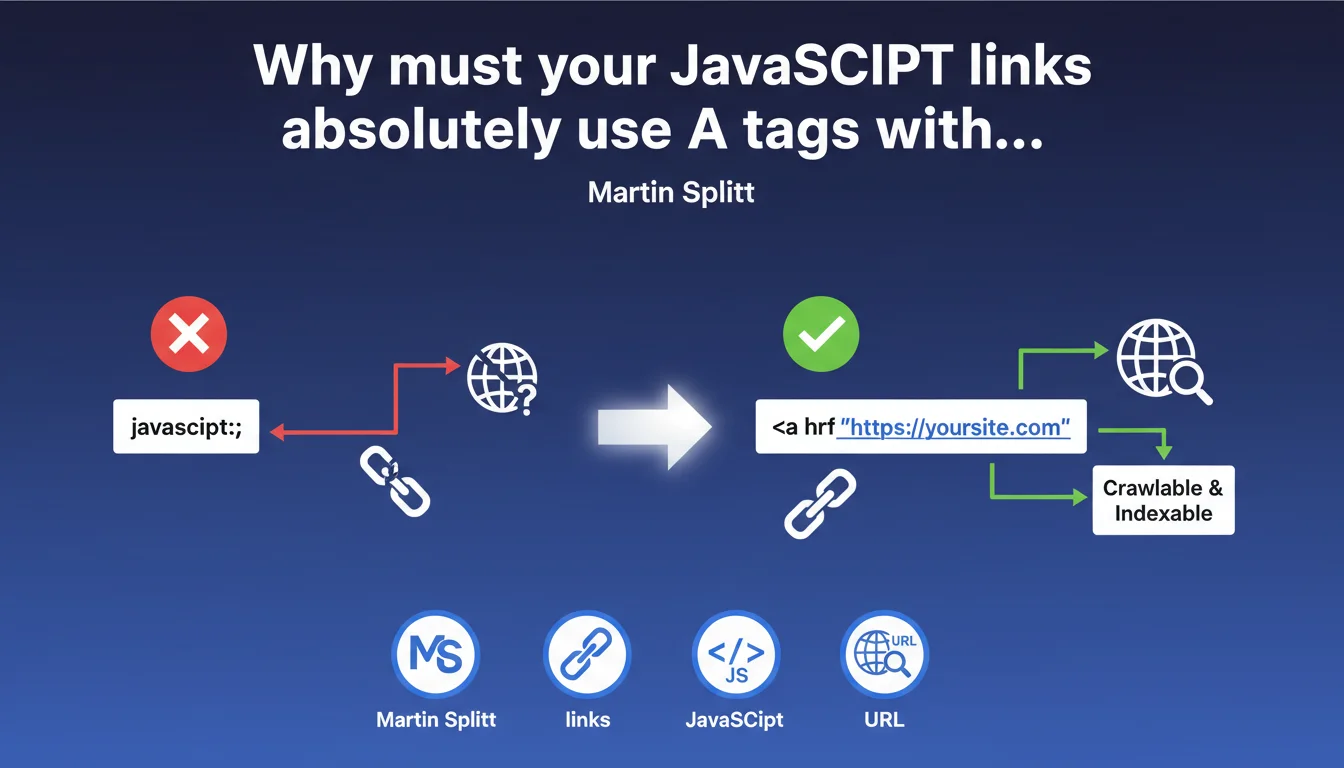
Google requires standard HTML <a> tags with an href attribute containing a real URL — not pseudo-links with 'javascript:' or onclick without href. Poorly implemented JavaScript links are simply not followed correctly by Googlebot, even if the engine executes JS. Always use href with a functional destination URL, even if you add JavaScript on top of it.
What you need to understand
Why does Google insist so much on A tags with valid href?
The answer comes down to one word: reliability. Googlebot discovers links by parsing raw HTML before executing any JavaScript. If your link doesn't exist in the initial DOM as <a href="URL">, you're taking an unnecessary risk.
Even though Google executes JavaScript — and it does — the process isn't instantaneous. The engine must wait for loading, execution, then analyze the modified DOM. A link present from the initial HTML is discovered immediately, with no dependency on JS budget or execution errors.
What exactly is a problematic 'JavaScript link' in practice?
Anything that isn't an <a> tag with an href pointing to a valid HTTP(S) URL. Typical cases: <a href="javascript:doSomething()">, <div onclick="navigate()">, or even <a> tags without href at all, entirely controlled by JS events.
These patterns force Googlebot to rely exclusively on JavaScript execution. If the script fails, if JS crawl budget is exceeded, or if rendering is partial — your link simply doesn't exist for the engine.
Does Google follow these malformed links anyway?
Sometimes yes, often no. Google can discover certain URLs through JS execution or other sources (sitemaps, backlinks). But you lose control: no guaranteed discovery, no predictable PageRank transmission, no clear anchor text signal.
Let's be honest: why bet on random engine behavior when the solution — using an href — takes 30 seconds to implement?
<a>tag required — no div, span, or other repurposed elementhrefattribute with valid URL — HTTP(S), not javascript: or #- Guaranteed discovery from HTML — independent of JS execution
- Reliable PageRank transmission — Google treats these links as standard signals
- Exploitable anchor text — the engine understands the semantic context of the link
SEO Expert opinion
Is this recommendation actually followed by major sites?
No. Many high-traffic sites still use non-compliant JavaScript patterns — and get away with it. Amazon, Airbnb, major SaaS platforms have links driven by JS without valid href. Why? Because they benefit from massive crawl budget, solid external linking, and Google invests more JS resources on them.
But here's the trap: what works for a site with 10 million monthly visits doesn't work for you. Your JS budget is limited, your authority too. You don't have the luxury of counting on Google's goodwill.
What nuances should be applied to this rule?
Martin Splitt says "use href," but doesn't specify what happens if you have both href AND an onclick event that modifies behavior. Typical case: <a href="/page" onclick="trackEvent()">. Does this pass?
Yes, as long as the href points to a valid URL. Google follows the href in the initial HTML, ignores the onclick event for link discovery. JS can enrich user experience (tracking, animations) without breaking SEO — provided the link works without JS.
[To verify]: Google doesn't explicitly document behavior with href attributes dynamically modified by JS after loading. If your script changes the destination URL after initial rendering, nothing guarantees Googlebot will follow the modified version rather than the original.
In which cases does this rule not apply strictly?
Interactions that are not navigation links. Action buttons (open a modal, submit a form, trigger an animation) don't need to be <a> tags. A <button> with onclick is perfectly legitimate — as long as it doesn't lead to a new page you want indexed.
The problem arises when developers use buttons or divs for what should be a link. If it leads to indexable content, it's an <a href>. End of story.
<a href>, you have a problem.Practical impact and recommendations
What should you do concretely on an existing site?
Audit your navigation links. All of them. Use a tool like Screaming Frog with JavaScript enabled/disabled mode and compare discovered links in both cases. If critical URLs only appear in the JS crawl, you have an issue.
Manually inspect a few key pages with Chrome DevTools. Disable JavaScript (Settings > Debugger > Disable JavaScript) and reload. Do your navigation links still work? If not, they're not reliable for Googlebot.
How do you fix problematic JavaScript links?
Replace anything that isn't an <a> with a real HTML link. If you're using onclick for navigation, convert to <a href="URL" onclick="function()"> and ensure the href points to the correct destination.
For JS frameworks: configure your router to generate real <a> tags. React Router, Vue Router, and Angular Router do this by default — but verify your custom components don't override this behavior. A React <Link> must produce an <a href> in the final DOM.
If you absolutely must use JavaScript for navigation (complex single-page apps), implement at minimum a working href fallback. Even if users never see it, Googlebot must be able to follow that link without executing a line of JS.
- Crawl the site with JS disabled and list missing links
- Replace
href="javascript:"with valid HTTP(S) URLs - Convert div/span onclick to real
<a>tags - Verify each navigation link has a working href, even if JS enriches behavior
- Test initial HTML rendering (View Source) vs final DOM (Inspect Element) to detect links only generated by JS
- Audit framework components (React Router, Vue Router) to confirm they produce
<a href> - Implement automated tests that verify the presence of valid href on critical links
❓ Frequently Asked Questions
Est-ce qu'un lien avec href='#' et un onclick qui redirige est acceptable pour Google ?
Les liens générés dynamiquement par JavaScript après le chargement sont-ils suivis par Google ?
Comment vérifier si mes liens sont bien des balises A avec href valide ?
Un site React ou Vue peut-il être SEO-friendly avec cette contrainte ?
Que se passe-t-il si un lien a un href valide mais que JavaScript change la destination au clic ?
🎥 From the same video 16
Other SEO insights extracted from this same Google Search Central video · published on 07/09/2022
🎥 Watch the full video on YouTube →
💬 Comments (0)
Be the first to comment.