
Official statement
Other statements from this video 20 ▾
- □ Comment Google indexe-t-il réellement le contenu des iframes ?
- □ Faut-il vraiment privilégier une structure hiérarchique pour les grands sites ?
- □ Faut-il traduire ses URLs pour améliorer son référencement international ?
- □ Pourquoi Googlebot ignore-t-il la balise meta prerender-status-code 404 dans les applications JavaScript ?
- □ Pourquoi les migrations de sites échouent-elles si souvent malgré une préparation SEO ?
- □ Les doubles slashes dans les URLs sont-ils un problème pour le SEO ?
- □ Pourquoi Google pénalise-t-il les vidéos hors du viewport et comment y remédier ?
- □ Comment transférer efficacement le classement de vos images vers de nouvelles URLs ?
- □ Faut-il vraiment s'inquiéter des erreurs 404 sur son site ?
- □ HTTP 200 sur une page 404 : soft 404 ou cloaking ?
- □ Faut-il forcer l'indexation de son fichier sitemap dans Google ?
- □ Faut-il s'inquiéter si Googlebot crawle vos endpoints API et génère des 404 ?
- □ L'accessibilité web est-elle vraiment un facteur de classement Google ou un écran de fumée ?
- □ L'achat de liens reste-t-il vraiment sanctionné par Google ?
- □ Faut-il encore signaler les mauvais backlinks à Google ?
- □ Pourquoi bloquer le crawl via robots.txt empêche-t-il Google de voir votre directive noindex ?
- □ Pourquoi Google refuse-t-il l'idée d'une formule magique pour ranker ?
- □ Pourquoi Google affiche-t-il mal vos caractères spéciaux dans ses résultats ?
- □ Google Analytics et Search Console : pourquoi ces différences de données posent-elles problème ?
- □ Faut-il vraiment viser le SEO parfait ?
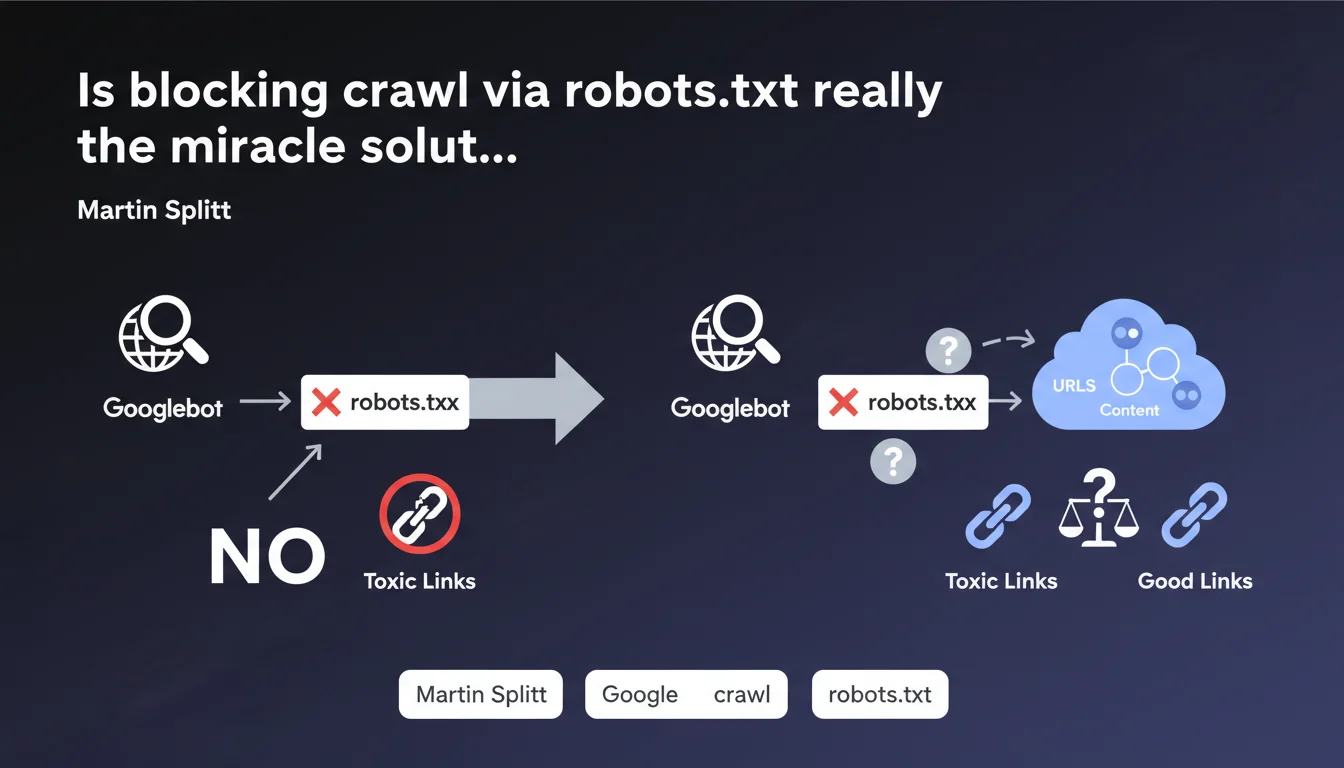
Martin Splitt confirms that blocking a URL in robots.txt prevents Googlebot from crawling it and therefore from discovering the links it contains. No crawl = no follow-up of outbound links. It's the basics, but be careful: this method doesn't deindex an already crawled page and can have side effects on your crawl budget.
What you need to understand
What exactly is this statement saying?
The logic is simple: if you block a URL in robots.txt, Googlebot cannot make a request to that resource. Without a request, no access to the HTML, so no discovery of outbound links present on that page.
This means that if a page on your site contains links to questionable sites or URLs you don't want associated with your domain, robots.txt blocking prevents Google from following those links. In theory, you cut off the transmission of "juice" or signal to those destinations.
Why does Google insist on this point?
Because many webmasters confuse crawl blocking with deindexation. Blocking in robots.txt doesn't prevent a URL from appearing in search results if it's already been indexed through other signals (external backlinks, sitemaps).
The objective here is to control what Googlebot explores, not necessarily what it indexes. If your problem is the presence of unwanted outbound links, robots.txt is indeed a solution.
What are the concrete use cases?
- Third-party redirect pages: tracking URLs, questionable affiliations, temporary redirects to disreputable sites.
- Compromised sections: parts of your site hacked with injected spammy links that you haven't cleaned up yet.
- User-generated content: forums, comments with insufficient nofollow links or at-risk areas.
- Archive or test pages containing experimental links you don't want crawled.
SEO Expert opinion
Is this statement consistent with real-world observations?
Yes, and it's actually one of the rare points where Google is perfectly transparent. Blocking in robots.txt = no crawl = no link follow-up. This is verifiable in Search Console and in server logs.
But — and this is where it gets tricky — this approach only solves part of the problem. If the blocked page was already crawled before the rule was added, Google retains in memory the links it discovered. You need to act fast or combine with other actions (nofollow, physical link deletion).
What nuances should be clarified?
First nuance: robots.txt blocks crawling, not indexation. If external backlinks point to the blocked URL, it can still appear in the index with a generic description like "No information available". To deindex, you need a noindex in HTTP header or meta tag — but for that, you need to allow crawling. The classic paradox.
Second point: blocking massively in robots.txt can create opaque zones for Googlebot. If you block entire sections without a clear strategy, you risk inadvertently hiding legitimate content or complicating your link architecture exploration. The crawl budget gets redistributed elsewhere, not always where you want it.
In what cases is this rule not enough?
If unwanted links are on pages you want to index, robots.txt is not the solution. You should then use the rel="nofollow" or rel="ugc" attribute on the links in question, or even rel="sponsored" if it's affiliate content.
Another limitation: JavaScript links. If your links are injected client-side after initial rendering, Googlebot may discover them during the second rendering pass. Blocking the page in robots.txt prevents initial crawling, but if the JS loads URLs from an unblocked external resource, the signal can still transit. [To verify] depending on your technical stack.
Practical impact and recommendations
What should you do in practice?
First identify the problematic URLs. Use Screaming Frog or an equivalent crawler to list all pages containing suspicious outbound links. Cross-reference with your server logs to see if Googlebot has recently crawled these pages.
Then add the relevant paths to your robots.txt file with a clear Disallow directive. Test using the robots.txt test tool in Search Console to verify the rule works. Then monitor your logs: if Googlebot continues to attempt access, there's a syntax error or a rule conflict.
What mistakes should you avoid?
Don't block a URL that contains valuable content just to hide a few outbound links. You'd lose the SEO benefit of that page. Prefer to clean up the links or pass them as nofollow.
Also avoid overly broad rules like Disallow: /blog/ if only a handful of articles pose a problem. Be surgical. A poorly configured robots.txt can block entire sections of your site and cause a sudden drop in visibility.
How to verify your strategy is working?
- Test each Disallow rule with Search Console's robots.txt tool
- Analyze your server logs after deployment: Googlebot hits should disappear on blocked URLs
- Check in Search Console (Coverage tab) that blocked pages don't generate unexpected indexing errors
- Control with an external crawler (Screaming Frog) that outbound links from blocked pages are no longer discovered
- Monitor your overall crawl budget: if you block a lot, Googlebot should redistribute its activity to other priority sections
❓ Frequently Asked Questions
Bloquer une page dans robots.txt empêche-t-il son indexation ?
Puis-je bloquer uniquement certains liens sortants d'une page sans la bloquer entièrement ?
Si je bloque une page déjà crawlée, Google oublie-t-il les liens qu'il y a découverts ?
Bloquer des sections entières dans robots.txt impacte-t-il mon budget crawl ?
Les liens en JavaScript sont-ils concernés par le blocage robots.txt ?
🎥 From the same video 20
Other SEO insights extracted from this same Google Search Central video · published on 18/12/2023
🎥 Watch the full video on YouTube →
💬 Comments (0)
Be the first to comment.