
Official statement
Other statements from this video 20 ▾
- □ Comment Google indexe-t-il réellement le contenu des iframes ?
- □ Faut-il vraiment privilégier une structure hiérarchique pour les grands sites ?
- □ Bloquer le crawl via robots.txt : solution miracle contre les liens toxiques ?
- □ Faut-il traduire ses URLs pour améliorer son référencement international ?
- □ Pourquoi Googlebot ignore-t-il la balise meta prerender-status-code 404 dans les applications JavaScript ?
- □ Pourquoi les migrations de sites échouent-elles si souvent malgré une préparation SEO ?
- □ Les doubles slashes dans les URLs sont-ils un problème pour le SEO ?
- □ Pourquoi Google pénalise-t-il les vidéos hors du viewport et comment y remédier ?
- □ Comment transférer efficacement le classement de vos images vers de nouvelles URLs ?
- □ Faut-il vraiment s'inquiéter des erreurs 404 sur son site ?
- □ HTTP 200 sur une page 404 : soft 404 ou cloaking ?
- □ Faut-il forcer l'indexation de son fichier sitemap dans Google ?
- □ Faut-il s'inquiéter si Googlebot crawle vos endpoints API et génère des 404 ?
- □ L'accessibilité web est-elle vraiment un facteur de classement Google ou un écran de fumée ?
- □ L'achat de liens reste-t-il vraiment sanctionné par Google ?
- □ Faut-il encore signaler les mauvais backlinks à Google ?
- □ Pourquoi bloquer le crawl via robots.txt empêche-t-il Google de voir votre directive noindex ?
- □ Pourquoi Google refuse-t-il l'idée d'une formule magique pour ranker ?
- □ Google Analytics et Search Console : pourquoi ces différences de données posent-elles problème ?
- □ Faut-il vraiment viser le SEO parfait ?
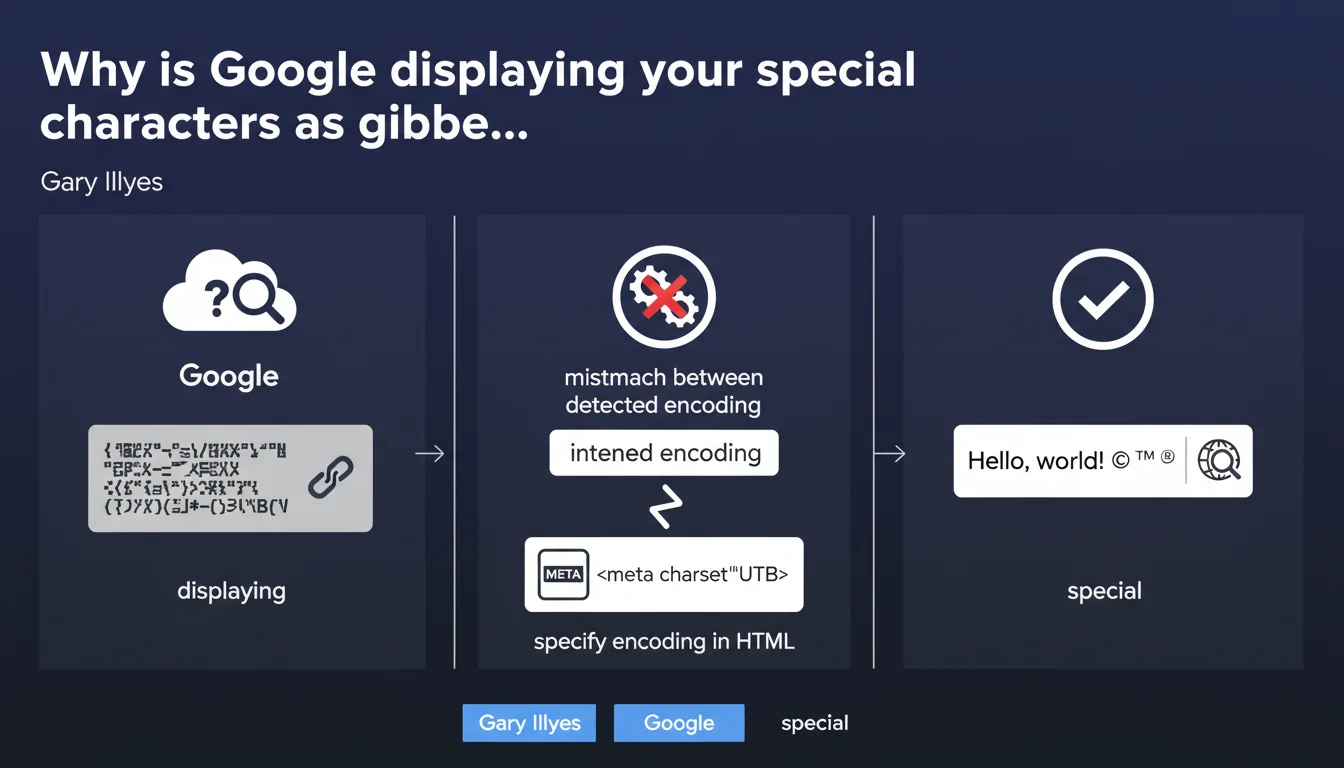
Google doesn't always correctly guess your page's encoding. If you don't explicitly declare the charset in your HTML with a meta tag, special characters can display as garbled text in the SERPs. The solution: systematically specify UTF-8.
What you need to understand
What is character encoding and why does Google care about it?
Character encoding defines how letters, numbers, and symbols are represented numerically. UTF-8, the current standard, handles all alphabets — Latin, Cyrillic, Chinese, emojis, and more.
When Google crawls a page without an explicit charset declaration, it must guess the encoding being used. This automatic detection frequently fails, especially on multilingual content or text rich in accented characters.
How does this encoding mismatch show up in practice?
In the SERPs, you'll see "é" transformed into "é", quotation marks becoming strange symbols, apostrophes breaking. Your title and meta description — your shop windows in search results — become unreadable.
CTR plummets. Users flee a page that appears broken before they even click.
Why doesn't Google automatically fix these errors?
Because heuristic encoding detection is inherently unreliable. Short text, a mix of languages, rare characters — everything complicates the robot's work.
Google passes responsibility to webmasters. It's up to you to properly declare your encoding — the engine won't do the work for you.
- Unspecified encoding forces Google to guess — with a high error rate
- Misinterpreted special characters degrade SERP display
- UTF-8 is the universal standard recommended for all modern websites
- The meta charset tag must appear within the first 1024 bytes of HTML
SEO Expert opinion
Is this statement consistent with real-world observations?
Absolutely. Even in 2024, we still see sites — sometimes major brands — that forget this tag or place it incorrectly. The result: mangled snippets in Google.
What's striking is that Gary Illyes is reminding us of a basic web principle that's 20 years old. This means the problem remains frequent enough to warrant official communication. Modern CMS platforms (WordPress, Shopify) add this tag by default, but custom-built sites or those migrated from older versions still suffer.
What nuances should we add to this recommendation?
The <meta charset="UTF-8"> tag must appear at the top of the <head>, ideally within the first bytes. If it comes too late in the code, the browser (and Google) will have already begun interpreting content with a default encoding — often ISO-8859-1 or Windows-1252.
Also watch for consistency between server and HTML. If your HTTP server sends a header Content-Type: text/html; charset=ISO-8859-1 but your HTML declares UTF-8, the HTTP header takes precedence. Check both layers.
In which cases does this rule become critical?
Multilingual sites, e-commerce with accented product names, media with typographic quotation marks — any non-pure-ASCII content is at risk. French, Spanish, and German blogs are particularly exposed.
English-language American sites often get away with it by accident — pure ASCII poses no encoding issues. But as soon as an accent, euro symbol, or emoji appears, the absence of charset comes with a price.
Practical impact and recommendations
What do you need to do concretely to fix this problem?
Add <meta charset="UTF-8"> in the <head> of all your pages, as high as possible — ideally right after the opening <head> tag.
If your CMS already adds it, verify there's no conflict with an old charset declared elsewhere in the template. Only one charset per page.
How do you verify your site is correctly configured?
Inspect the HTML source code: the meta charset tag must appear in the first 30 lines. Use your browser's DevTools to check the detected encoding (Network tab, look at the HTTP headers).
Test your snippets in Search Console using the URL inspection tool. If Google correctly displays your accents and symbols in the rendered version, you're good.
What errors should you avoid during the transition to compliance?
Don't mix encodings across files. If your database stores UTF-8, your HTML declares UTF-8, but your PHP files are saved as ISO-8859-1, you'll get double encoding — worse than no declaration.
Avoid exotic charsets (ISO-8859-15, Windows-1252). UTF-8 is the only universal choice in 2024. Everything else is legacy to migrate.
- Add
<meta charset="UTF-8">at the top of <head> on all pages - Verify that the HTTP Content-Type header is consistent with the HTML declaration
- Test snippet display in Search Console
- Audit pages with special characters (accents, symbols, emojis)
- Fix source files if double encoding is detected
- Trigger a full crawl after correction to force snippet updates
❓ Frequently Asked Questions
UTF-8 est-il le seul encodage acceptable pour le SEO ?
La balise meta charset suffit-elle ou faut-il aussi configurer le serveur ?
Combien de temps avant que Google corrige l'affichage des snippets après ajout du charset ?
Un site sans charset peut-il quand même être bien classé ?
Les émojis dans les balises title nécessitent-ils UTF-8 ?
🎥 From the same video 20
Other SEO insights extracted from this same Google Search Central video · published on 18/12/2023
🎥 Watch the full video on YouTube →
💬 Comments (0)
Be the first to comment.