
Official statement
Other statements from this video 16 ▾
- □ Are JavaScript Web Components really crawlable by Google's bots?
- □ Does Google really require FAQ Schema content to follow a strict presentation format?
- □ Does FAQ Schema Markup Really Guarantee That Your FAQ Snippets Will Show Up in Google?
- □ Should you really avoid duplicating your own content for SEO?
- □ Why does Google penalize excessive variations of the same content?
- □ Does Google really see your JavaScript content the way you do?
- □ Does your CMS really penalize your SEO compared to static HTML?
- □ Why aren't your pages getting indexed even though your site is technically flawless?
- □ Why have external user studies become essential for diagnosing quality issues that your team can no longer see?
- □ Should you really trust rel=canonical to control indexation?
- □ Are backlinks pointing to 404 pages really worthless for your SEO?
- □ Can an SSL certificate really penalize your search rankings?
- □ Does a progressive multi-domain ranking decline reveal a quality issue rather than a technical one?
- □ Do technical SEO issues really have an immediate impact on your rankings?
- □ Does blocking Google Translate really impact your search rankings?
- □ Can the meta notranslate tag really remove the 'Translate this page' link from Google search results?
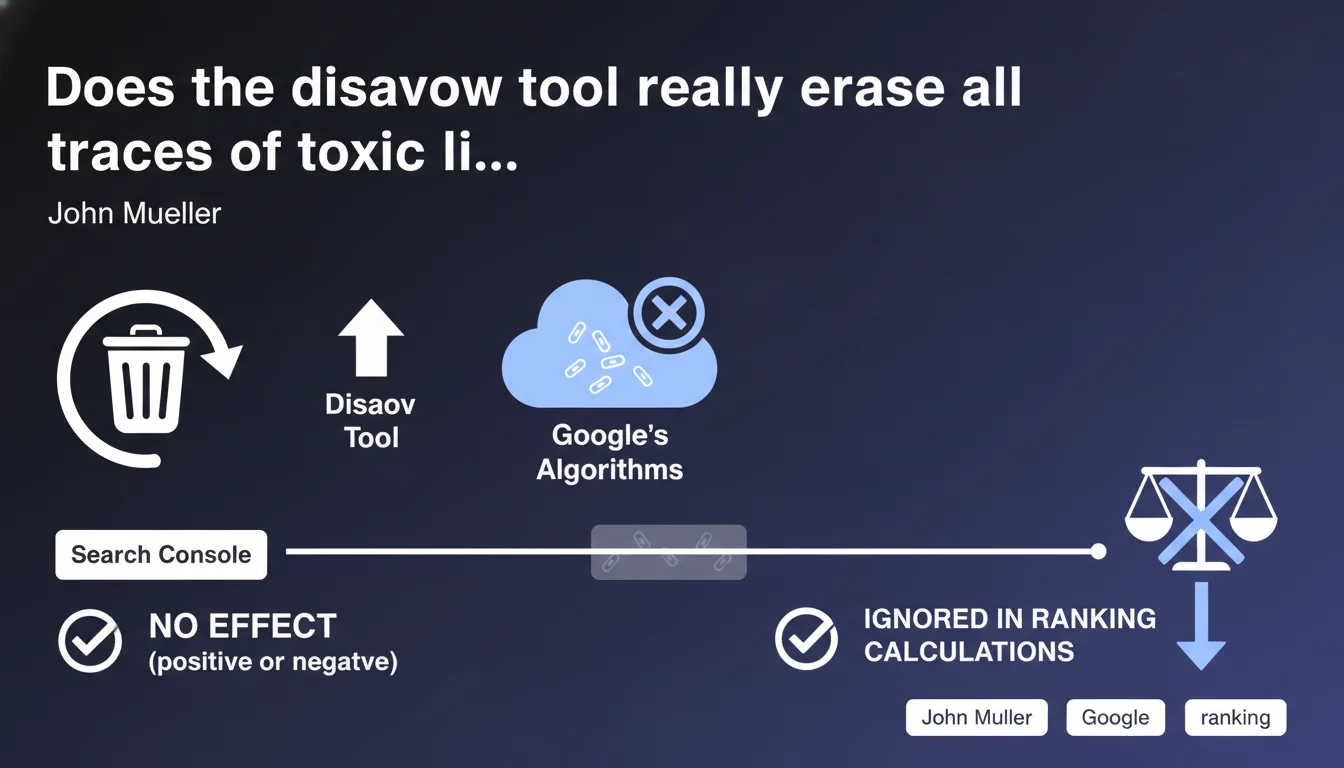
Google claims that links disavowed via the disavow tool are completely neutralized in its systems — neither benefiting nor harming. They remain visible in Search Console but no longer influence rankings. A statement worth testing against real-world observations.
What you need to understand
What does the disavow tool actually do according to Google?
According to John Mueller, the disavow tool completely removes links from the algorithmic equation. No gray area: these links no longer pass juice, but they also no longer penalize. Google simply ignores them in its ranking calculations.
The important nuance? These links continue to appear in Search Console. Their visual presence doesn't mean they're active — it's just a display artifact. The disavow system operates upstream, at the algorithmic processing level.
Why does Google emphasize this total neutrality?
Google insists that a disavowed link has no residual effect. Neither positive — you don't recover any PageRank. Nor negative — it can no longer harm you through Penguin or other anti-spam filters.
This stance contrasts with certain historical concerns: some SEOs feared that mass disavowal would send a negative signal to Google, like an admission of past manipulation. Mueller dismisses this worry.
What are the limitations of this neutralization?
- The processing delay is not instantaneous — you must wait for a recrawl and reprocessing of backlinks
- Disavowed links remain in third-party tools (Ahrefs, Majestic) that don't have access to your disavow file
- If a toxic link triggers a manual action, disavow alone often isn't enough — you must also submit a reconsideration request
- Neutralization only concerns the ranking algorithm — not issues of brand association or reputation
SEO Expert opinion
Is this statement consistent with real-world observations?
In principle, yes — but with some gray areas. Most disavow tests do show no visible impact after processing. No sudden drop, no spectacular rebound. This aligns with the idea of pure neutralization.
The catch? [To verify] Some documented cases report fluctuations after mass disavowal, especially with very artificial link profiles. Is this due to a recalculation of the overall link profile, incomplete processing delays, or other factors? Google doesn't provide enough granularity to decide.
Should you really disavow all suspicious links?
No. And that's where Mueller's statement can mislead if read too quickly. Google has always said that disavow was a last resort tool, not a monthly maintenance routine.
In the majority of cases, the algorithm already ignores spam links without manual intervention. Preemptively disavowing low-quality links — but not toxic ones — serves no purpose and can even create noise in your profile if you accidentally disavow legitimate links.
Concretely? Reserve disavow for situations where you've received a manual action, or when your link profile has been damaged by a documented negative SEO attack. Not for a couple of sketchy directories lingering since 2012.
What does Google say about the processing timeline?
Nothing specific — and that's a problem. Mueller talks about complete neutralization, but doesn't give any SLA (Service Level Agreement). How long between submitting your disavow file and its actual processing? It depends on recrawling, reprocessing backlinks, the size of your profile.
[To verify] In practice, we observe delays ranging from several weeks to several months. If you expect an immediate effect to escape a penalty, you may be disappointed.
Practical impact and recommendations
When should you really use the disavow tool?
Use it in three specific scenarios. First scenario: you've received a manual action for artificial links and can't get them removed. Disavowal then becomes essential for your reconsideration request.
Second scenario: you notice a massive and documented negative SEO attack — hundreds or thousands of spam backlinks appear within days. Here, preemptive disavowal is justified.
Third scenario: you're taking over a site with a troubled history (bought links, exposed PBN) and want to clean up before relaunching. But be careful — verify first that these links are truly toxic, not just mediocre.
How do you identify links to disavow without making mistakes?
Don't rely solely on third-party tool metrics. A DR 5 or TF 10 doesn't automatically mean toxic link. Instead, look at: overoptimized anchors, thematically unrelated sites, footers or sidebars stuffed with links, inconsistent languages, obviously spam sites.
Cross-reference data from Search Console with Ahrefs or Majestic. The links Google shows you in GSC are ones it still considers — if a spam link doesn't even appear in GSC, it's probably already naturally ignored.
And most importantly: never disavow at domain level without checking page by page. A site might have one rotten section and legitimate pages linking to you correctly.
What's the safe procedure for deploying a disavow?
- Export your backlink profile from Search Console and at least one third-party tool
- Filter suspicious links using objective criteria (anchors, topicality, source site quality)
- Attempt manual removal of the most toxic links before disavowing
- Prepare your disavow.txt file following Google's syntax (one link or domain per line, "domain:" prefix for entire domain)
- Keep a backup copy of your previous file before submitting a new version
- Monitor rankings and traffic for 2-3 months following to detect any side effects
- Document your action in a tracking file — you'll forget why you disavowed that domain in 6 months
❓ Frequently Asked Questions
Est-ce que désavouer un lien peut faire baisser mes positions ?
Combien de temps faut-il pour qu'un fichier disavow soit pris en compte ?
Faut-il désavouer au niveau page ou au niveau domaine ?
Les liens désavoués disparaissent-ils de Search Console ?
Peut-on annuler un disavow si on s'est trompé ?
🎥 From the same video 16
Other SEO insights extracted from this same Google Search Central video · published on 08/05/2022
🎥 Watch the full video on YouTube →
💬 Comments (0)
Be the first to comment.