
Official statement
Other statements from this video 16 ▾
- □ Are JavaScript Web Components really crawlable by Google's bots?
- □ Does Google really require FAQ Schema content to follow a strict presentation format?
- □ Does FAQ Schema Markup Really Guarantee That Your FAQ Snippets Will Show Up in Google?
- □ Should you really avoid duplicating your own content for SEO?
- □ Why does Google penalize excessive variations of the same content?
- □ Does Google really see your JavaScript content the way you do?
- □ Why aren't your pages getting indexed even though your site is technically flawless?
- □ Why have external user studies become essential for diagnosing quality issues that your team can no longer see?
- □ Should you really trust rel=canonical to control indexation?
- □ Are backlinks pointing to 404 pages really worthless for your SEO?
- □ Does the disavow tool really erase all traces of toxic links from Google's algorithms?
- □ Can an SSL certificate really penalize your search rankings?
- □ Does a progressive multi-domain ranking decline reveal a quality issue rather than a technical one?
- □ Do technical SEO issues really have an immediate impact on your rankings?
- □ Does blocking Google Translate really impact your search rankings?
- □ Can the meta notranslate tag really remove the 'Translate this page' link from Google search results?
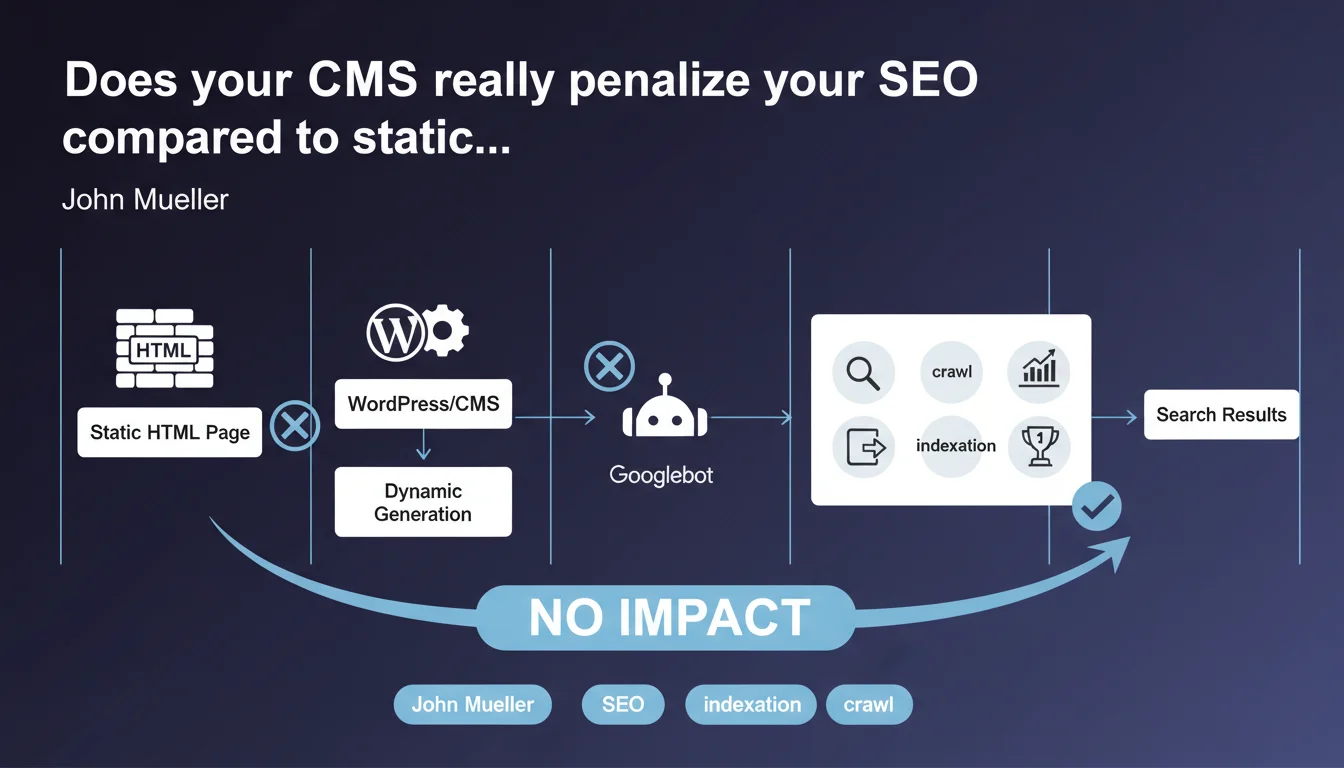
Googlebot makes no distinction between static HTML or content dynamically generated by a CMS like WordPress. Only the final rendered HTML matters for crawling, indexation and ranking. The backend technology is invisible and has no direct impact on SEO performance.
What you need to understand
What does Googlebot really see when it crawls a page?
Googlebot perceives only the final HTML delivered by the server after all generation steps. Whether a page is written by hand in pure HTML, assembled by WordPress, generated by a server-side JavaScript framework, or built by any other CMS, the final result is identical in the bot's eyes: a standard HTML structure.
This statement recalls a fundamental principle often misunderstood. Crawlers have neither access nor interest in the MySQL database, PHP, configuration files or backend architecture. They consume only the HTML document as it is served to the browser.
Does this statement mean all CMS platforms are equal for SEO?
No. The nuance is crucial here. If the technology itself has no direct impact, the way it generates the final HTML has enormous impact. A poorly configured CMS can produce heavy HTML, slow to load, stuffed with blocking scripts or unnecessary redirects.
Well-optimized WordPress can rival static HTML. Poorly managed WordPress — obese theme, redundant plugins, no cache — will be a dead weight. The problem is never the CMS, but always the implementation.
Why is Google clarifying this now?
Because the myth persists. Some professionals still believe that a static site benefits from an intrinsic algorithmic advantage, or that Google favors certain platforms. This statement puts an end to these fantasies.
It also reminds us that actual performance — speed, Core Web Vitals, HTML quality — matters far more than the technical stack. A slow, poorly structured static site will always lose to a fast, clean WordPress.
- Googlebot crawls only the final rendered HTML, not the backend source code
- No technology (WordPress, Drupal, static, JAMstack) has an intrinsic algorithmic advantage or penalty
- SEO impact depends solely on the quality of HTML produced: structure, performance, accessibility
- A poorly configured CMS generates bad HTML — and that's what penalizes, not the CMS itself
- Core Web Vitals, loading time and code cleanliness are the true discriminating factors
SEO Expert opinion
Is this statement consistent with practices observed in the field?
Absolutely. A/B tests between well-optimized WordPress sites and static sites show equivalent SEO performance when content and backlinks are equal. The determining factor remains always the HTML rendering speed and the quality of the final markup.
However — and this is where John Mueller simplifies things a bit — reality is that poorly managed WordPress represents 90% of WordPress sites. Bloated themes, conflicting plugins, unoptimized images, no cache… The CMS is not at fault, but the ecosystem and ease of installation attract catastrophic configurations.
What nuances should be added to this claim?
First nuance: the final HTML depends on the quality of the theme and plugins. A theme that injects 2 MB of unused CSS and 47 blocking JavaScript requests certainly generates valid HTML, but Google also sees performance metrics plummet. That doesn't impact crawling strictly speaking, but it destroys Core Web Vitals.
Second nuance: some CMS platforms generate structured HTML by default (semantic tags, coherent heading hierarchy, breadcrumbs), others don't. WordPress with Yoast or Rank Math often produces better markup than a hastily coded static site. Technology has no impact, but the tooling it provides does.
[To verify]: Mueller doesn't explicitly mention the case of client-side JavaScript (React, Vue in SPA). Technically, if the final render requires JS execution and the server doesn't deliver pre-rendered HTML, Googlebot must execute the JS — which adds a layer of complexity and latency. The statement remains true (only final HTML counts), but the path to get there differs.
In which cases does this rule not fully apply?
When the CMS generates content differentiated by user agent. If WordPress detects Googlebot and serves it a lighter version different from user versions, you enter cloaking territory — even unintentionally. Some poorly configured cache plugins can cause this issue.
Another edge case: CMS platforms that generate HTML but hide essential content behind non-indexable AJAX requests. Googlebot sees the initial HTML, but not content loaded after user interaction. Technically compliant with Mueller's statement, but catastrophic for SEO.
Practical impact and recommendations
What should you do concretely if your site runs on WordPress or another CMS?
Stop asking yourself whether WordPress is good or bad for SEO. The question makes no sense. Focus on the quality of HTML produced and actual performance measured by Google.
Audit the final HTML: inspect the source code as Googlebot receives it (via the URL inspection tool in Search Console). Verify that the heading structure is logical, that main content is present, that schema.org tags are valid. If it's clean, you're on track.
What errors should you avoid with a dynamic CMS?
Don't multiply redundant plugins. Each WordPress plugin adds CSS, JS, sometimes extra HTTP requests. A site with 40 active plugins rarely generates lean HTML. Do a ruthless cleanup.
Avoid "all-in-one" themes stuffed with features you'll never use. These monsters generate bloated HTML and catastrophic load times. Favor a minimal theme (GeneratePress, Astra without bloat) and add only what you need.
Never neglect caching and compression. A dynamic CMS that regenerates each page on every request is absurd. WP Rocket, LiteSpeed Cache or equivalent: non-negotiable. The difference between static and dynamic HTML vanishes completely with good caching.
How can you verify your implementation is optimal?
Test Core Web Vitals in real conditions (PageSpeed Insights, Chrome UX Report). If your metrics are in the green, your CMS is doing its job well. If they're in the red, the problem comes from implementation, not technology.
Compare the HTML source (curl or wget) with what you see in the Search Console URL inspection tool. If there are major differences, you have a rendering or server-side cache issue. Googlebot must see exactly what a browser receives.
- Audit final HTML via Search Console (URL inspection tool)
- Remove plugins and features that unnecessarily bloat code
- Use a lightweight, optimized theme (avoid bloatware)
- Enable a robust caching solution (WP Rocket, LiteSpeed, Varnish)
- Optimize images (WebP, lazy loading, appropriate dimensions)
- Check Core Web Vitals in real conditions (PageSpeed Insights)
- Ensure Googlebot sees the same HTML as a standard visitor
- Test TTFB: if > 600ms, improve hosting or server configuration
❓ Frequently Asked Questions
Un site en HTML statique est-il plus rapide qu'un site WordPress pour Googlebot ?
Google pénalise-t-il certains CMS comme Wix ou Shopify ?
Les sites WordPress ont-ils un problème de crawl budget à cause du PHP ?
Faut-il migrer vers du statique (JAMstack, Next.js) pour améliorer le SEO ?
Google voit-il les fichiers PHP ou la base de données MySQL ?
🎥 From the same video 16
Other SEO insights extracted from this same Google Search Central video · published on 08/05/2022
🎥 Watch the full video on YouTube →
💬 Comments (0)
Be the first to comment.