
Official statement
Other statements from this video 16 ▾
- □ Les Web Components JavaScript sont-ils vraiment crawlables par Google ?
- □ Le balisage FAQ Schema impose-t-il un format strict de présentation ?
- □ Le balisage FAQ Schema garantit-il vraiment l'affichage des FAQ snippets dans Google ?
- □ Faut-il vraiment éviter de dupliquer son propre contenu pour le SEO ?
- □ Pourquoi Google pénalise-t-il les variations excessives d'un même contenu ?
- □ Comment vérifier si Googlebot voit vraiment votre contenu JavaScript ?
- □ WordPress pénalise-t-il vraiment le référencement par rapport au HTML statique ?
- □ Pourquoi vos pages ne sont-elles pas indexées malgré un site techniquement irréprochable ?
- □ Pourquoi les études utilisateurs externes sont-elles devenues incontournables pour résoudre les problèmes de qualité ?
- □ Faut-il vraiment faire confiance au rel=canonical pour contrôler l'indexation ?
- □ Les backlinks vers des 404 sont-ils vraiment perdus pour le SEO ?
- □ Le disavow tool efface-t-il vraiment toute trace des liens toxiques dans les algorithmes Google ?
- □ Une baisse progressive multi-domaines révèle-t-elle un problème de qualité plutôt que technique ?
- □ Les problèmes techniques SEO ont-ils vraiment un impact immédiat sur vos rankings ?
- □ Bloquer Google Translate impacte-t-il vraiment votre référencement ?
- □ La balise meta notranslate peut-elle vraiment bloquer le lien « Traduire cette page » dans les SERP Google ?
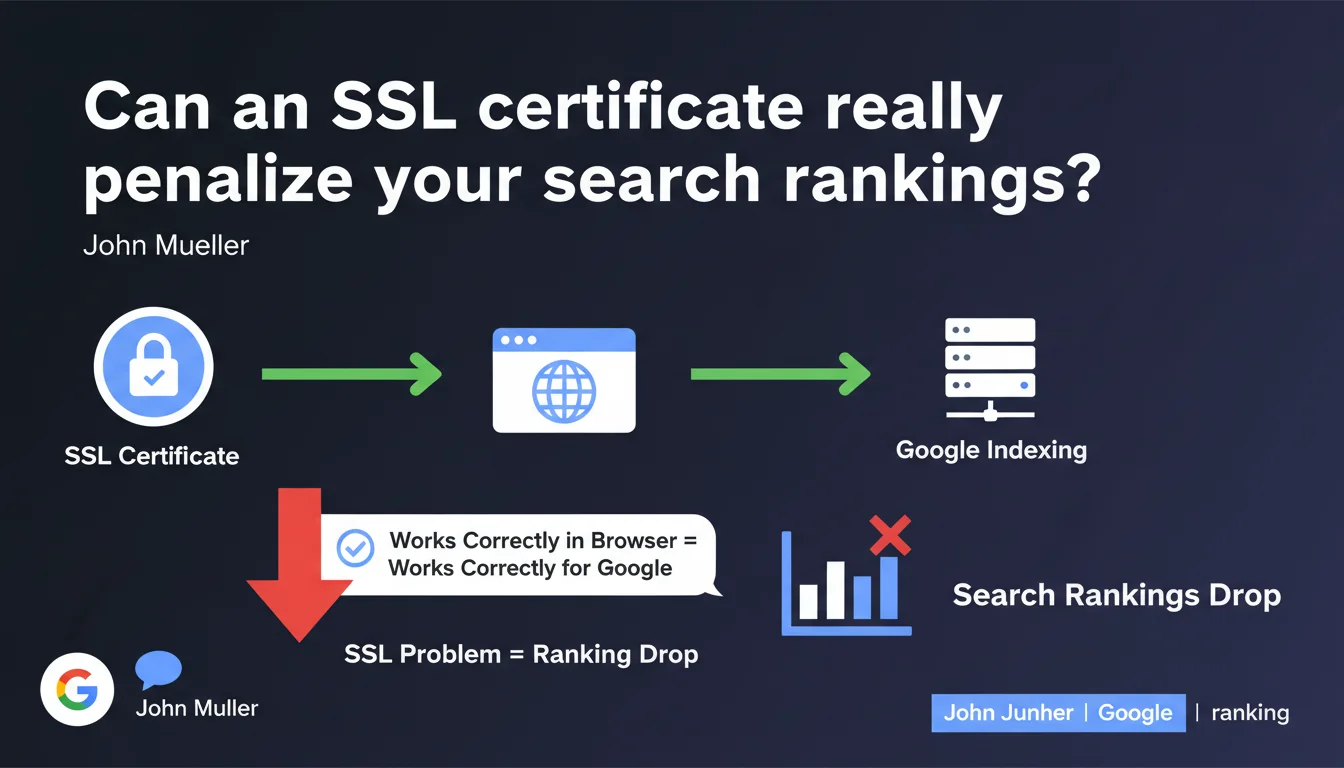
A functional SSL certificate in a browser is sufficient for Google indexing. A certificate problem will not trigger a ranking drop — Mueller dismisses this hypothesis. Plain and simple: if Chrome displays the green padlock, Google will index without any issues.
What you need to understand
Why did Mueller clarify this point about SSL certificates?
For years, SEO professionals have been searching for correlations between technical issues and traffic drops. SSL certificates are among the recurring suspects, especially when a site switches to HTTPS or renews its certificate.
Mueller establishes a simple rule here: if the certificate works on the browser side (Chrome, Firefox, Safari), it works for Googlebot. No differentiated treatment, no hidden penalty linked to a valid but « borderline » certificate.
What constitutes a « functional » certificate for Google?
A certificate is considered functional if no security warning appears in the browser. This covers self-signed certificates (discouraged in production), expired certificates, or those with incomplete certificate chains.
If the browser displays an error, Googlebot will likely encounter the same issue — but this falls under indexation, not ranking. The page simply won't be crawled correctly.
Can an SSL problem block indexation without affecting ranking?
Absolutely. An invalid certificate prevents Googlebot from accessing content, which blocks indexation upstream. But if the bot manages to read the page, the certificate does not enter ranking signals.
This is a crucial point: Mueller doesn't say « a broken SSL has no impact » — he says a functional SSL doesn't cause a drop in visibility. Important distinction.
- A valid certificate in a browser = OK for Googlebot
- No ranking penalty linked to a functional SSL certificate
- An invalid certificate blocks indexation, not ranking
- SSL problems fall under technical accessibility, not content quality
SEO Expert opinion
Is this statement consistent with real-world observations?
Yes, in most cases. When a site loses traffic after an HTTPS migration, the culprit is rarely the certificate itself — rather misconfigured 301 redirects, mixed resources (HTTP/HTTPS), or incorrect canonical tags.
The SSL certificate functions as a binary prerequisite: either it lets Googlebot through, or it blocks it. There is no gray area where a « mediocre » certificate would progressively degrade rankings. [To be verified] in exotic configurations (multiple subdomains, poorly configured wildcard certificates).
What nuances should be added to this statement?
Mueller is intentionally simplifying. A certificate can technically work in a browser but present anomalies visible only in in-depth audits: incomplete certificate chain, obsolete encryption algorithms, self-signed certificates.
These cases remain rare in production, but they exist. If your certificate generates warnings in Chrome DevTools or SSL Labs, fix them — not for SEO, but for user trust and compliance.
In what cases might this rule not apply?
If your site uses client certificates (mutual TLS authentication), complex network configurations with reverse proxy, or CDNs with SSL/TLS terminated upstream, behaviors can diverge.
In these architectures, what the browser sees is not always what Googlebot crawls. Always test with Search Console > URL Inspection to validate that the bot actually accesses the content.
Practical impact and recommendations
What should you concretely verify on your SSL certificate?
Use SSL Labs (ssllabs.com/ssltest) to get a detailed report. Aim for an A or A+ score. Critical points: certificate validity, complete certificate chain, TLS 1.2+ protocols enabled, no weak cipher suites.
On Google's side, validate access with Search Console > URL Inspection. If the crawled version displays without error, your certificate is operational for indexation.
What errors should you avoid during an HTTPS migration?
Never assume that « installing a certificate » is enough. Redirect all HTTP URLs to HTTPS with 301 redirects, update canonical tags, modify XML sitemaps, and check for mixed resources (images, CSS, JS still in HTTP).
A valid certificate cannot compensate for broken redirects. Ranking loss after HTTPS almost always comes from misconfigured redirects, not the certificate itself.
- Audit the certificate with SSL Labs (A minimum score)
- Test Googlebot access via Search Console > URL Inspection
- Verify that all HTTP → HTTPS redirects are 301
- Fix mixed resources (HTTP in an HTTPS page)
- Update XML sitemaps with HTTPS URLs
- Monitor indexation errors in Search Console for 2 weeks
How can you anticipate certificate renewals?
Configure renewal alerts at least 30 days before expiration. Let's Encrypt certificates renew automatically every 90 days — verify that the cron is working.
An expired certificate instantly blocks indexation. This is a technical emergency requiring immediate intervention, ideally before Google detects it.
❓ Frequently Asked Questions
Un certificat auto-signé pénalise-t-il le SEO ?
Dois-je migrer en HTTPS si je n'ai pas de paiement sur mon site ?
Mon certificat expire dans 1 mois, dois-je le renouveler maintenant ?
Les certificats wildcard (*.domaine.com) posent-ils problème pour Google ?
Googlebot utilise-t-il les mêmes validations SSL que Chrome ?
🎥 From the same video 16
Other SEO insights extracted from this same Google Search Central video · published on 08/05/2022
🎥 Watch the full video on YouTube →
💬 Comments (0)
Be the first to comment.