
Official statement
Other statements from this video 16 ▾
- □ Le balisage FAQ Schema impose-t-il un format strict de présentation ?
- □ Le balisage FAQ Schema garantit-il vraiment l'affichage des FAQ snippets dans Google ?
- □ Faut-il vraiment éviter de dupliquer son propre contenu pour le SEO ?
- □ Pourquoi Google pénalise-t-il les variations excessives d'un même contenu ?
- □ Comment vérifier si Googlebot voit vraiment votre contenu JavaScript ?
- □ WordPress pénalise-t-il vraiment le référencement par rapport au HTML statique ?
- □ Pourquoi vos pages ne sont-elles pas indexées malgré un site techniquement irréprochable ?
- □ Pourquoi les études utilisateurs externes sont-elles devenues incontournables pour résoudre les problèmes de qualité ?
- □ Faut-il vraiment faire confiance au rel=canonical pour contrôler l'indexation ?
- □ Les backlinks vers des 404 sont-ils vraiment perdus pour le SEO ?
- □ Le disavow tool efface-t-il vraiment toute trace des liens toxiques dans les algorithmes Google ?
- □ Un certificat SSL peut-il vraiment pénaliser votre référencement ?
- □ Une baisse progressive multi-domaines révèle-t-elle un problème de qualité plutôt que technique ?
- □ Les problèmes techniques SEO ont-ils vraiment un impact immédiat sur vos rankings ?
- □ Bloquer Google Translate impacte-t-il vraiment votre référencement ?
- □ La balise meta notranslate peut-elle vraiment bloquer le lien « Traduire cette page » dans les SERP Google ?
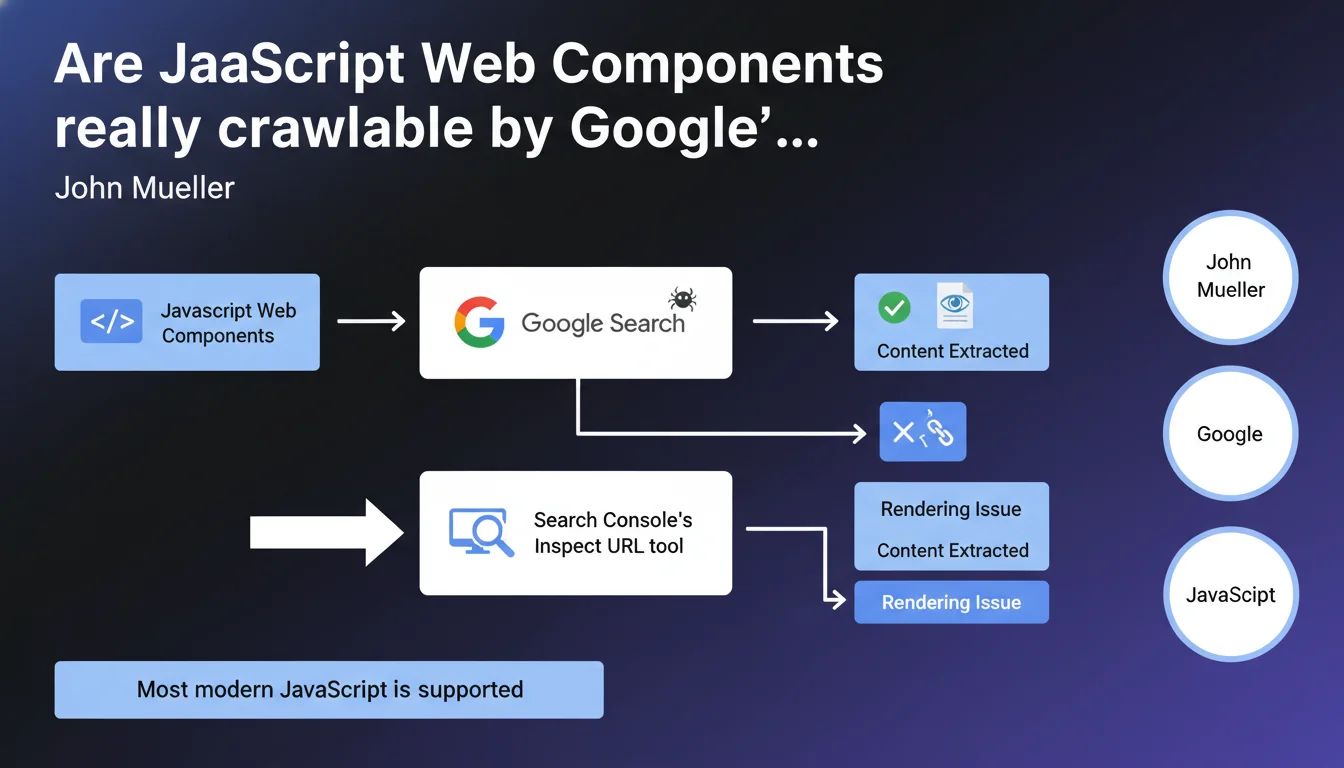
Google states that it handles JavaScript-based Web Components without particular issues. Mueller recommends verifying the rendering using Search Console's URL Inspection tool to ensure that critical content remains accessible to the crawler. Most modern JavaScript is now supported.
What you need to understand
What exactly is a Web Component, and why is this question important?
Web Components are a native browser technology that allows you to create reusable components via JavaScript. Unlike frameworks such as React or Vue, they rely on web standards (Custom Elements, Shadow DOM, HTML Templates).
What was the historical problem with JavaScript in SEO? Google had to execute the code to access the content. For a long time, this deferred rendering posed risks: processing delays, execution errors, missing resources. Web Components, particularly with the Shadow DOM, add a layer of encapsulation that could theoretically complicate content access.
Does Google actually handle the Shadow DOM of Web Components?
According to Mueller, yes — but with an important caveat. Google can process Web Components, which does not necessarily mean it will always do so perfectly. The crawler must execute JavaScript, wait for rendering, and then extract the content encapsulated in the Shadow DOM.
In practice? If your Web Component loads content asynchronously, with external dependencies or aggressive timeouts, Google might not capture everything. This is why there is an insistent recommendation to test using the Inspect URL tool in Search Console.
- Google supports most modern JavaScript, including ES6+
- Shadow DOM is not an absolute technical blocker for Googlebot
- Rendering remains conditional on execution times and resource availability
- Systematic testing via Search Console is essential to validate indexability
What is meant by "most modern JavaScript"?
Mueller deliberately remains vague. Google uses a fairly recent version of Chromium for its WRS engine (Web Rendering Service), but "most" is not "all." Certain polyfills, very recent ES modules, or experimental APIs may not be supported.
The real risk? Silent JavaScript errors that break rendering without your knowledge. A missing try/catch, an external dependency that fails, a CDN temporarily inaccessible — and your content disappears for Googlebot.
SEO Expert opinion
Is this statement consistent with real-world observations?
Yes and no. Google definitely handles JavaScript much better than it did five years ago — that is a fact. Sites built with React, Vue, or Angular are indexed without too many issues if the code is clean. For Web Components, field experience shows variable success.
Shadow DOM, particularly in closed mode, can complicate content extraction. Some reports show that Google accesses rendered content, but sometimes with a delay that penalizes freshness. [To be verified]: we lack reliable public data on the success rate of rendering complex Web Components with multiple dependencies.
What nuances should we add to this official position?
Let's be honest: saying "Google can process Web Components" does not mean it is optimal or without risk. JavaScript rendering consumes resources and time. For a site with millions of pages, this can become a bottleneck.
Another point — "Google can" does not mean "with the same reliability as static HTML." If your critical content depends entirely on a Web Component that initializes in 2 seconds, you are taking a risk. And that is where it gets tricky: Mueller provides no SLA, no guarantee of maximum rendering time.
In what cases does this rule not apply completely?
If your Web Component depends on third-party APIs with authentication, specific cookies, or particular browsing contexts, Google is likely to see nothing. The WRS does not have access to user session cookies, does not log into your private APIs.
Concrete case observed: an e-commerce site with prices and availability rendered client-side via Web Components. Google indexed the product pages, but without prices or purchase buttons — content loaded asynchronously after stock verification. Result: catastrophic click-through rate in SERPs, empty snippets.
Practical impact and recommendations
What should you do concretely if you use Web Components?
First reflex: test each critical page using Search Console's URL Inspection tool. Compare the source HTML (View Source) with the rendering (screenshot + rendered DOM). If important content appears only in the rendering, you depend on JavaScript — assumed risk.
Second action: implement SSR (Server-Side Rendering) or prerendering for strategic pages. Frameworks like Lit support SSR for Web Components. This reduces dependence on client-side rendering and accelerates indexing.
- Systematically test rendering via Search Console (Inspect URL tool)
- Verify that critical content is visible in the rendered DOM, not only client-side
- Avoid Shadow DOM in
closedmode for strategic SEO content - Implement a static HTML fallback for essential elements (headings, descriptions, main content)
- Monitor JavaScript errors in production (Google Tag Manager, Sentry, etc.)
- Analyze server logs to identify timeouts or errors on Googlebot's side
What mistakes must you absolutely avoid with Web Components in SEO?
Never encapsulate the H1 title, simulated meta description in HTML, or main text content in a Web Component without a fallback. If the JS breaks, you lose everything. Google is tolerant, but not a magician.
Another trap: loading Web Components via oversized or overly fragmented JavaScript bundles. Googlebot has a limited rendering budget. If your page takes 5 seconds to become interactive, the crawler might snapshot an incomplete intermediate state.
How can you verify that your current implementation is compliant?
Technical audit in three steps. First: complete crawl with a tool like Screaming Frog with JavaScript enabled, comparison with JavaScript disabled crawl. Second: analysis of coverage reports in Search Console, identification of indexed pages without visible content. Third: manual testing on a sample of strategic pages.
If you detect significant gaps between rendered content and indexed content, you must correct quickly. Either through SSR, targeted prerendering, or by revisiting Web Component architecture to expose essential content without JavaScript dependency.
❓ Frequently Asked Questions
Googlebot exécute-t-il le JavaScript de tous les Web Components sans exception ?
Le Shadow DOM en mode closed empêche-t-il Google d'accéder au contenu ?
Faut-il absolument implémenter du SSR pour les Web Components ?
L'outil Inspect URL de Search Console suffit-il pour valider l'indexabilité ?
Les Web Components impactent-ils les Core Web Vitals ?
🎥 From the same video 16
Other SEO insights extracted from this same Google Search Central video · published on 08/05/2022
🎥 Watch the full video on YouTube →
💬 Comments (0)
Be the first to comment.