
Official statement
Other statements from this video 7 ▾
- 4:02 How does Google really handle PDF files for SEO?
- 9:23 What is the real size limit for indexing your PDFs on Google?
- 11:09 How do your rasterized PDFs hurt your Google indexing?
- 13:23 Why are PDFs hurting your mobile SEO?
- 15:28 Should you really apply a rel canonical to your PDFs?
- 15:40 Impact des PDF sur l'IA et l'indexation ⚠
- 21:57 Should you really avoid restaurant menus in PDF format for SEO?
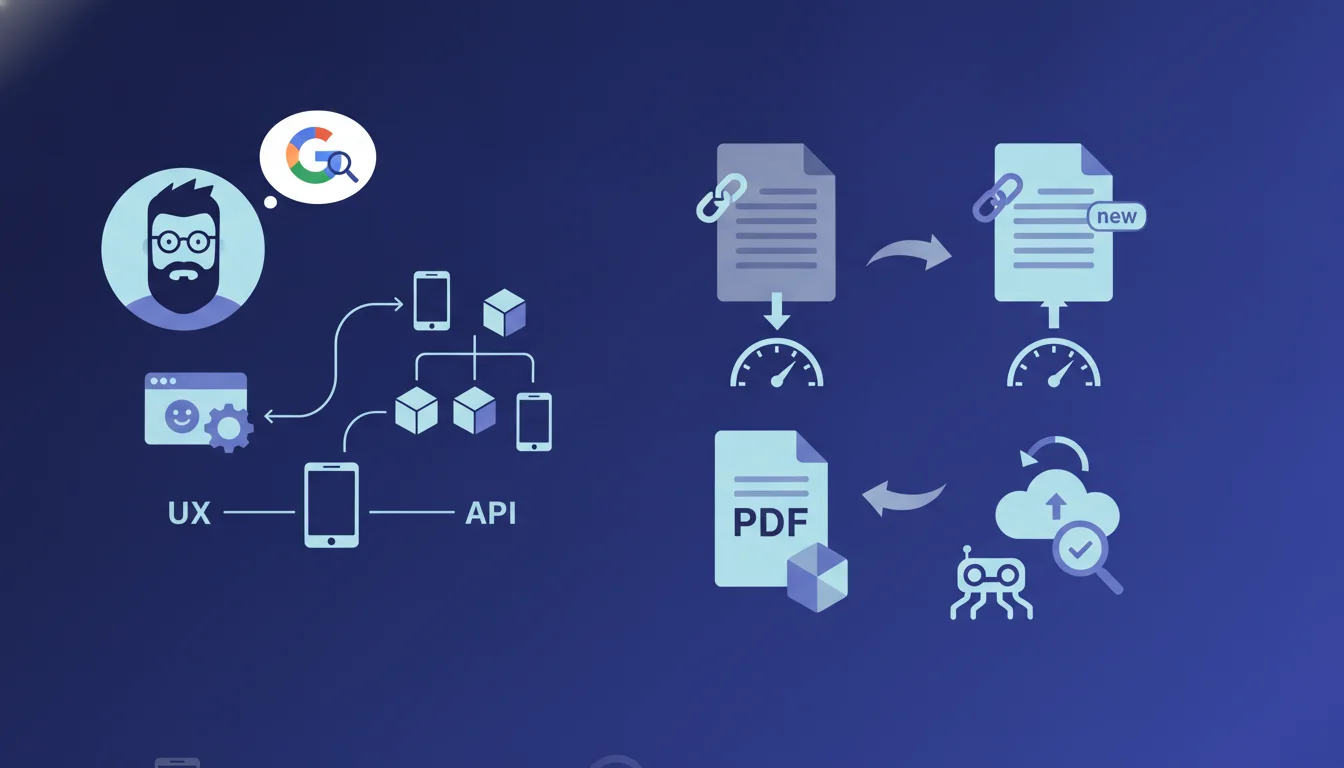
Google officially recommends changing the filename of a PDF during significant updates to speed up its reindexing. Since PDFs are crawled less frequently than HTML, this additional signal helps Googlebot prioritize crawling. This practice remains debated among SEO practitioners as it involves redirects and can fragment the authority accumulated by the original URL.
What you need to understand
Why does Google treat PDFs differently from HTML pages?
PDF files do not benefit from the same crawling frequency as standard HTML pages. Google allocates its crawling budget based on the historical frequency of changes detected on each type of resource.
Concretely, if your site regularly publishes evolving HTML content, Googlebot will frequently revisit your web pages. PDFs, on the other hand, are generally seen as static documents. Once indexed, they fall into a lower-priority queue. The engine assumes that a published PDF remains unchanged for months or even years.
What constitutes a 'significant' update in this context?
Google does not precisely define the threshold. One might interpret 'significant' as a change of substantial content: new data, added chapters, complete redesign, change in methodology.
A typographical correction or cosmetic update probably does not warrant a renaming. The risk would be multiplying versions and dispersing authority signals (backlinks, age) with no actual gain in visibility.
How does this renaming speed up detection by Google?
A new filename generates a new URL. If this URL appears in your XML sitemap or is linked from a freshly crawled HTML page, Googlebot discovers it as a new resource and prioritizes it.
At the same time, the old URL must be redirected with a 301 to the new one. This redirection signals a content move. Google then explores the redirection target faster than it would recrawl an existing file of which it is unaware of the update.
- PDFs experience less frequent crawling than HTML, even on high-authority sites.
- Changing the filename creates an explicit newness signal for Googlebot.
- The 301 redirect theoretically preserves authority but can result in some PageRank loss in the redirect flow.
- This tactic does not exempt you from optimizing the title and metadata of the PDF itself.
- A well-updated XML sitemap remains the most reliable method to notify a new resource.
SEO Expert opinion
Is this recommendation consistent with on-the-ground observations?
On paper, the logic holds. Empirical tests have shown that archived PDFs can go months without being recrawled, even when their content changes. Replacing the file without touching the URL does not trigger any signal usable by Googlebot, which does not read the Last-Modified headers on PDFs as systematically as it does on HTML.
Many SEO practitioners have found faster reindexing after renaming + redirecting. But this gain comes at a price: each 301 redirect introduces a slight risk of authority dilution, and multiplying versions of the same document fragments natural backlinks. [To be verified]: no official data precisely quantifies PageRank loss on a PDF to PDF redirection.
When does this rule become counterproductive?
If your PDF accumulates quality external backlinks pointing to its original URL, renaming the file requires you to implement a permanent redirect. Not all third-party sites will update their links. You risk fragmenting your link profile across multiple versions of the document.
Another problematic case is PDFs hosted on dedicated subdomains or CDNs where redirect management is burdensome. The effort is only worth it if the update offers a real competitive advantage, such as exclusive data that justifies a boost in indexing.
Are there less risky alternatives?
Instead of systematically renaming, you can force detection by adding an update date in the XML sitemap () and linking the PDF from a recently crawled HTML page. Google follows internal links: if a popular HTML page on your site points to the PDF, it will be recrawled faster.
Another option is to publish a companion HTML page that summarizes the PDF and links to it. This page serves as an indexing proxy, captures HTML backlinks (which are easier to obtain), and ensures the PDF remains in the active crawl circuit. This is a more sustainable strategy than repeated renaming.
Practical impact and recommendations
What should you do to optimize the reindexing of a PDF?
First, identify whether the update is substantial. If so, create a new file with an explicit name including a version or date (e.g., guide-seo-2025-v2.pdf). Set up a 301 redirect from the old URL to the new one in your .htaccess file or via your web server.
Immediately update your XML sitemap by adding the new URL with a recent tag. Then, link this PDF from an up-to-date and already well-crawled HTML page. This double signal — sitemap + internal link — maximizes the speed of discovery by Googlebot.
What mistakes should you avoid when renaming a PDF?
Never create a new version without a 301 redirect from the old one. Leaving the old file as a 404 or 410 destroys the accumulated authority and frustrates users who have bookmarked the URL. Also, avoid renaming after every minor correction: you will multiply cascading redirects and dilute authority with each hop.
Another common pitfall is forgetting to update the internal metadata of the PDF (title, author, keywords in the document properties). Google reads them and uses them for ranking. A renamed file with outdated metadata does not provide any real SEO gain.
How can you check if your PDF strategy is working?
Use Google Search Console to monitor the indexing of PDFs. Check that the new URL appears in the index and that the old one gradually disappears. Also, track impressions and clicks: a well-optimized PDF can capture traffic for long-tail queries that your HTML pages do not cover.
Analyze your server logs to confirm that Googlebot is indeed crawling the new version. If the recrawl is delayed beyond two weeks, manually submit the URL via the URL Inspection tool in Search Console. It's not magic, but it often speeds up the process.
- Rename the PDF only for major content updates.
- Set up a 301 redirect from the old URL to the new one.
- Update the XML sitemap with the new URL and a recent date.
- Link the PDF from a well-crawled HTML page to speed up discovery.
- Optimize the internal metadata of the PDF file (title, author, keywords).
- Monitor indexing in Google Search Console and server logs.
❓ Frequently Asked Questions
Dois-je renommer mes PDF à chaque correction mineure ?
Que se passe-t-il si je ne redirige pas l'ancienne URL du PDF ?
Le renommage d'un PDF dilue-t-il le PageRank via la redirection 301 ?
Comment signaler à Google qu'un PDF a été mis à jour sans le renommer ?
Les métadonnées internes du PDF (titre, auteur) influencent-elles vraiment le ranking ?
🎥 From the same video 7
Other SEO insights extracted from this same Google Search Central video · duration 24 min · published on 13/10/2026
🎥 Watch the full video on YouTube →
💬 Comments (0)
Be the first to comment.