
Official statement
Other statements from this video 7 ▾
- 4:02 How does Google really handle PDF files for SEO?
- 9:23 What is the real size limit for indexing your PDFs on Google?
- 13:23 Why are PDFs hurting your mobile SEO?
- 15:28 Should you really apply a rel canonical to your PDFs?
- 15:40 Impact des PDF sur l'IA et l'indexation ⚠
- 18:25 Should you rename your PDFs with every update to enhance their indexing?
- 21:57 Should you really avoid restaurant menus in PDF format for SEO?
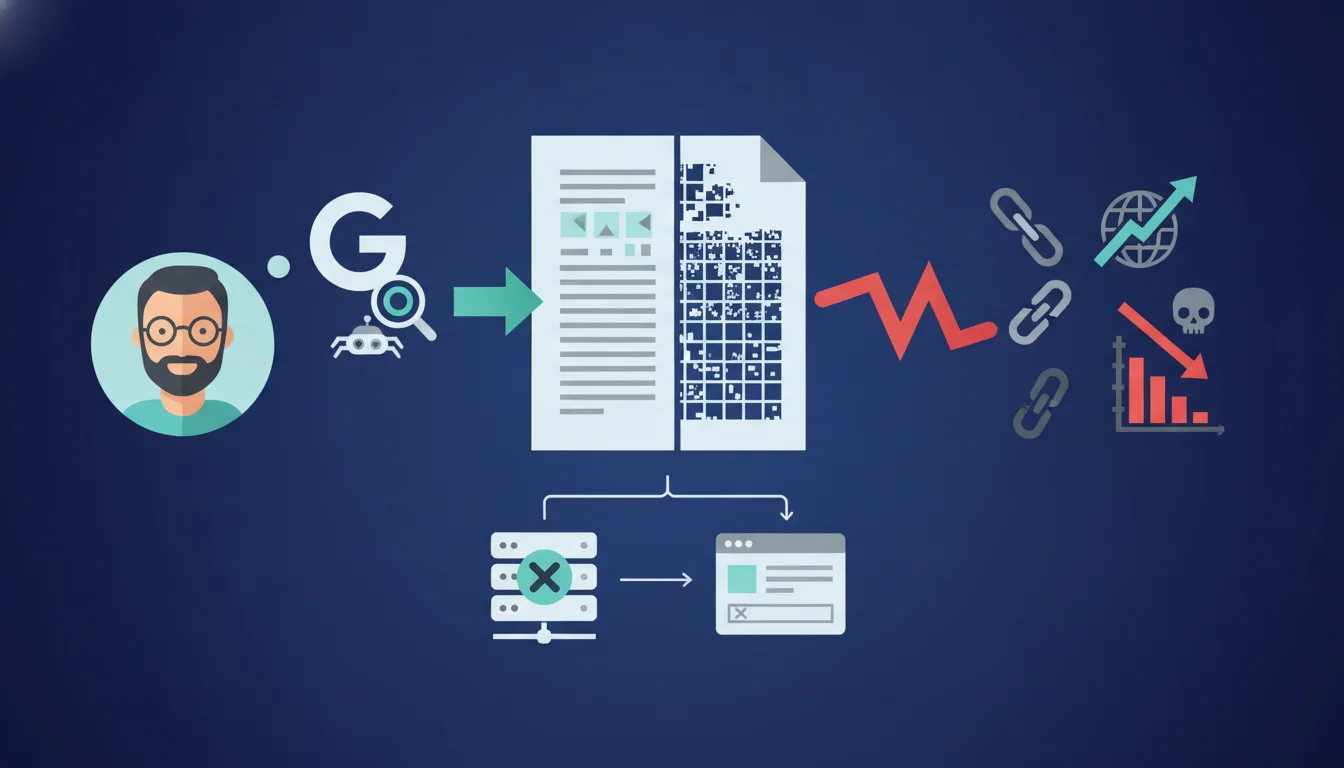
Google cannot read or index text converted into images within rasterized PDFs. This common practice during scans or improperly configured conversions creates documents that are invisible to search engines. The solution: prioritize native PDFs with selectable text or apply Optical Character Recognition (OCR) to scanned documents.
What you need to understand
What is a rasterized PDF and why is it problematic?
A rasterized PDF transforms each page into a bitmap image, effectively erasing any usable text structure. You visually get the same rendering as a standard PDF, but technically, it is a succession of pixels without semantics.
Google and other engines rely on text extraction to index content, identify keywords, understand thematic context, and establish relevance. Faced with an image, they see nothing. Even though OCR solutions exist on the engine side, they remain optional and less reliable than native text.
In what contexts are rasterized PDFs created unknowingly?
Three classic scenarios: scanning paper documents without activated OCR, exporting from certain poorly configured DTP software, and automatic conversions from proprietary formats (DWG, InDesign) that flatten layers into images.
Marketing or technical teams sometimes generate catalogs, white papers, or technical guides in image mode to preserve layout or protect content from copying. The result: a document perfectly readable for humans but completely opaque for crawlers.
Can Google still extract something from an image PDF?
Technically, Google has OCR capabilities, but their deployment remains unreliable and unpredictable. Nothing in the official documentation confirms that OCR systematically applies to all indexed rasterized PDFs.
Relying on this automatic extraction is like flipping a coin regarding your organic visibility. Field tests show that most image PDFs remain under-indexed or indexed only on their metadata (file title, URL, incoming link anchors).
- A rasterized PDF replaces text with pixels, making the content unreadable for crawlers
- Scans without OCR and some poorly configured conversions generate these types of files
- Google can theoretically apply OCR, but nothing guarantees its activation or quality
- Metadata (file name, Dublin Core tags) remain the only reliable indexable signals on an image PDF
- A native PDF with selectable text always offers a better guarantee of complete indexing
SEO Expert opinion
Is this statement consistent with field observations?
Absolutely. Technical audits on B2B sites heavily publishing PDFs show that rasterized documents rarely appear in results for specific long-tail queries. Their presence is limited to searches on the exact file name or brand.
A/B tests conducted on product catalogs confirm an indexing gap of 70 to 90% between rasterized and textual versions. When Google indexes an image PDF, it relies on external anchors, the URL, and the document title, ignoring the body text.
What nuances should be added to this rule?
The first nuance: hybrid PDFs, which mix native text and images, properly index their textual portions. A scanned document with applied OCR becomes a usable hybrid, though the quality depends on the OCR engine used.
The second point: the visibility of a PDF does not solely rely on its internal indexing. A rasterized document benefiting from strong backlinks and descriptive anchors can rank on generic queries due to its external context. But this is a fragile bet. [To verify]: Google has never communicated a precise OCR quality threshold below which it gives up on extracting text.
In what cases does this rule not really apply?
If your goal is not organic SEO but simple file accessibility (download from an already indexed product page, internal sharing, archiving), the rasterized format poses no technical problem. The PDF then serves as a deliverable, not a SEO entry point.
Some sectors (legal, notarial, heritage archiving) deliberately favor rasterization to ensure visual integrity or complicate automated extraction. In these contexts, the SEO sacrifice is accepted and compensated by other acquisition channels.
Practical impact and recommendations
How can you check if your PDFs are rasterized or textual?
Open the document in any PDF reader and attempt to select text with the mouse. If no characters highlight, you're facing an image. Another method: Ctrl+F to launch a search. Absence of results = rasterization.
On the technical side, use tools like PDFtk or Apache PDFBox to programmatically extract text from a batch of files. A blank return confirms the issue. Some CMS (WordPress with plugins, Drupal) provide automatic analysis modules indicating non-indexable PDFs.
What should you do if you have already published hundreds of rasterized PDFs?
Prioritize based on traffic potential. Identify first the documents that receive backlinks or generate Search Console impressions. Apply OCR processing through Adobe Acrobat Pro, ABBYY FineReader, or open-source solutions like Tesseract.
For documents with low SEO value, two options: either leave them as they are and compensate with a dedicated HTML page summarizing their content, or remove them from indexing via robots.txt or X-Robots-Tag if their presence dilutes crawl budget. Do not waste resources on files without measurable returns.
What mistakes should you avoid when creating or converting PDFs?
Never print to PDF from a browser or a word processor with the “Print as Image” option activated. Always prefer native PDF export from the source software (Word, InDesign, LaTeX) that preserves text structure.
Avoid low-cost online conversion tools that systematically flatten to raster to reduce file size. Explicitly configure your enterprise scanners to activate automatic OCR during scanning. An ignored setting = hundreds of invisible documents produced each month.
- Audit all your published PDFs with a text extraction script to spot rasterized files
- Apply quality OCR (Adobe, ABBYY, Tesseract) on prioritized documents identified through Search Console
- Configure your creation workflows to export in native PDF rather than printing as images
- Set enterprise scanners and copiers with OCR activated by default
- Create dedicated HTML pages summarizing the content of strategic PDFs, with the file available for download
- Exclude rasterized PDFs with no SEO value from indexing to preserve crawl budget
❓ Frequently Asked Questions
Google indexe-t-il automatiquement le texte des PDF scannés ?
Un PDF hybride (texte + images) pose-t-il problème pour l'indexation ?
Peut-on compenser un PDF rasterisé par une page HTML résumant son contenu ?
Les métadonnées PDF (Dublin Core, XMP) suffisent-elles si le texte est rasterisé ?
Faut-il systématiquement bloquer l'indexation des PDF rasterisés via robots.txt ?
🎥 From the same video 7
Other SEO insights extracted from this same Google Search Central video · duration 24 min · published on 13/10/2026
🎥 Watch the full video on YouTube →
💬 Comments (0)
Be the first to comment.