
Official statement
Other statements from this video 16 ▾
- □ Are JavaScript Web Components really crawlable by Google's bots?
- □ Does Google really require FAQ Schema content to follow a strict presentation format?
- □ Does FAQ Schema Markup Really Guarantee That Your FAQ Snippets Will Show Up in Google?
- □ Should you really avoid duplicating your own content for SEO?
- □ Why does Google penalize excessive variations of the same content?
- □ Does Google really see your JavaScript content the way you do?
- □ Does your CMS really penalize your SEO compared to static HTML?
- □ Why aren't your pages getting indexed even though your site is technically flawless?
- □ Why have external user studies become essential for diagnosing quality issues that your team can no longer see?
- □ Should you really trust rel=canonical to control indexation?
- □ Are backlinks pointing to 404 pages really worthless for your SEO?
- □ Does the disavow tool really erase all traces of toxic links from Google's algorithms?
- □ Can an SSL certificate really penalize your search rankings?
- □ Does a progressive multi-domain ranking decline reveal a quality issue rather than a technical one?
- □ Do technical SEO issues really have an immediate impact on your rankings?
- □ Can the meta notranslate tag really remove the 'Translate this page' link from Google search results?
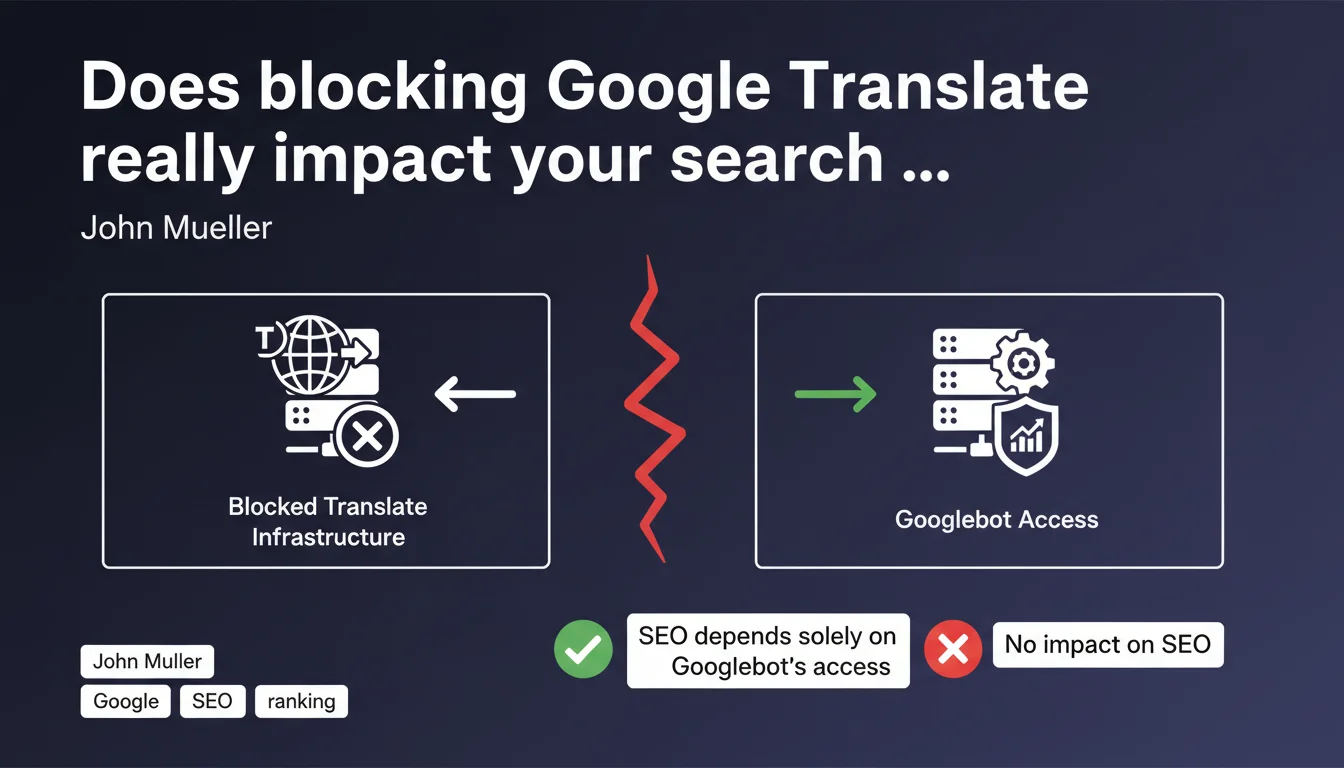
Blocking Google's "Translate this page" feature has no impact on your SEO. The automatic translation infrastructure operates independently from Googlebot — only the latter's access matters for your search performance. You can safely disable translation if needed without any concerns.
What you need to understand
Why did Google clarify its stance on automatic translation?
Google operates two distinct infrastructures: Googlebot, which crawls and indexes your pages, and the automatic translation system that allows users to translate your content via the "Translate this page" button in search results.
This confusion arises because both services come from Google. Some webmasters blocked translation out of fear of duplicate content or believed that enabling translation improved their crawl budget. They were wrong on both counts.
How does this separation work technically?
The translation system doesn't use Googlebot to access your pages. It's a separate service that retrieves content on demand when users click the translation link.
Blocking this service — via robots.txt or other methods — doesn't prevent Googlebot from crawling, analyzing, and indexing your pages normally. Both systems operate on parallel channels with no interaction.
When might blocking translation actually make sense?
If your site already offers native multilingual versions, you might want to disable automatic translation to prevent users from landing on a poorly translated version instead of your professional content.
Some sensitive sites (legal, medical) also prefer to disable this feature to avoid translation errors that could distort the meaning of critical information.
- Google's translation infrastructure is independent from Googlebot
- Blocking "Translate this page" affects neither crawling nor indexation
- Only Googlebot's access to your pages determines your SEO performance
- You can block translation for UX or content quality reasons without penalty
- Automatic translation does not create penalizable duplicate content
SEO Expert opinion
Is this infrastructure separation really airtight?
On paper, yes — and Mueller's statement is consistent with what we observe in the field. No site blocking translation has experienced ranking drops for this reason alone. Crawl data confirms that Googlebot and the translation service use different user-agents.
That said, be cautious: blocking access to a Google service via overly broad directives in your robots.txt could accidentally block Googlebot. Always verify your rules with precision — one syntax error and you could block the wrong agent. [Verify this] in your server logs after any modification.
Is there an indirect impact on user experience?
Here we're leaving strict SEO territory for a gray zone. If your international audience heavily relies on automatic translation to access your English-language content, blocking this feature degrades their experience. Less engagement, higher bounce rates, reduced time on site.
Can these behavioral signals indirectly influence your ranking? Google officially denies that bounce rate is a ranking factor, but let's be realistic — a page that doesn't satisfy users will eventually lose ground. It's not the blocked translation penalizing you; it's the resulting UX consequence.
When does this rule not apply as stated?
If you block translation AND accidentally make your content inaccessible to Googlebot (bad configuration), obviously that impacts SEO. But that's your technical error, not the rule being false.
Another edge case: sites using heavy JavaScript to display content. If the translation service can see your content but Googlebot mobile can't (failed JS rendering), you have a problem — but again, this isn't related to translation; it's your rendering blocking the solution.
Practical impact and recommendations
What should you actually do on your site?
First rule: don't touch anything if it's working. Automatic translation enabled by default won't penalize you and may serve some users. No reason to block it "just in case."
If you genuinely want to block it — because you have native multilingual versions or for quality reasons — do it properly. Use the notranslate meta tag or configure your robots.txt to specifically target the translation service without affecting Googlebot.
How do you verify that Googlebot can access your pages?
Open Google Search Console, "URL Inspection" section. Test a few key pages and confirm that Google can crawl and render them correctly. If the test passes green, whatever you do with translation doesn't matter.
Also analyze your server logs: identify Googlebot requests (Googlebot user-agent) and compare them with translation service requests. You'll clearly see these are two distinct flows. If Googlebot is knocking on your door normally, you're good.
What mistakes should you absolutely avoid?
Never broadly block "google.com" in your robots.txt or via firewall rules. You risk blocking Googlebot along with other Google services, and that's a disaster.
Don't add reckless noindex or canonical directives thinking you'll "protect" your pages from translation. These tags affect indexation, not third-party services — you'll de-index your own content for nothing.
- Leave translation enabled by default unless you have a specific justified need
- If blocking is necessary, use the meta name="google" content="notranslate" tag
- Test Googlebot access via Search Console > URL Inspection after any change
- Check your server logs to confirm Googlebot is crawling normally
- Never broadly block google.com in robots.txt or firewalls
- Maintain your hreflang tags if you manage native multilingual content
- Document any blocking rules to prevent errors during future updates
❓ Frequently Asked Questions
Puis-je bloquer Google Translate sans risque pour mon référencement ?
Comment bloquer la traduction automatique proprement ?
La traduction automatique crée-t-elle du duplicate content ?
Dois-je bloquer la traduction si j'ai déjà des versions multilingues ?
Comment vérifier que Googlebot accède bien à mon site après avoir bloqué la traduction ?
🎥 From the same video 16
Other SEO insights extracted from this same Google Search Central video · published on 08/05/2022
🎥 Watch the full video on YouTube →
💬 Comments (0)
Be the first to comment.