
Official statement
Other statements from this video 16 ▾
- □ Are JavaScript Web Components really crawlable by Google's bots?
- □ Does Google really require FAQ Schema content to follow a strict presentation format?
- □ Does FAQ Schema Markup Really Guarantee That Your FAQ Snippets Will Show Up in Google?
- □ Should you really avoid duplicating your own content for SEO?
- □ Why does Google penalize excessive variations of the same content?
- □ Does Google really see your JavaScript content the way you do?
- □ Does your CMS really penalize your SEO compared to static HTML?
- □ Why aren't your pages getting indexed even though your site is technically flawless?
- □ Why have external user studies become essential for diagnosing quality issues that your team can no longer see?
- □ Should you really trust rel=canonical to control indexation?
- □ Does the disavow tool really erase all traces of toxic links from Google's algorithms?
- □ Can an SSL certificate really penalize your search rankings?
- □ Does a progressive multi-domain ranking decline reveal a quality issue rather than a technical one?
- □ Do technical SEO issues really have an immediate impact on your rankings?
- □ Does blocking Google Translate really impact your search rankings?
- □ Can the meta notranslate tag really remove the 'Translate this page' link from Google search results?
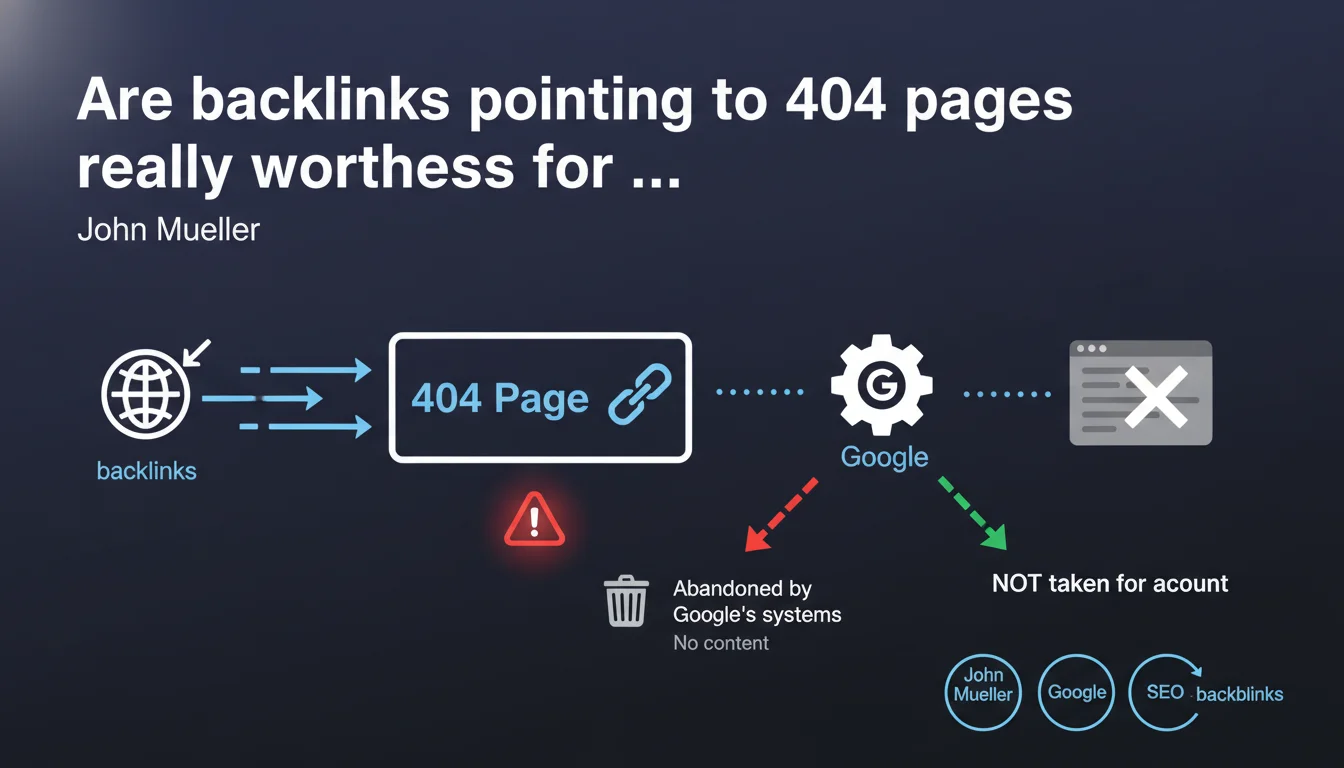
Google automatically ignores backlinks that point to pages returning a 404 code, because no content can be associated with these links. These links are abandoned by Google's systems and therefore do not contribute to the site's ranking. This loss of SEO juice can significantly impact a domain's authority if strategic pages disappear without proper redirection.
What you need to understand
Why does Google abandon links to 404 pages?
Google's logic is straightforward: a link points to content. If that content no longer exists, the link loses its purpose in the ranking algorithm.
The search engine cannot assign relevance or authority to a non-existent page. Google's systems detect the 404 code during crawling and automatically mark these backlinks as invalid. They are excluded from PageRank calculations and authority signals.
Is this loss of links immediate or gradual?
Google doesn't instantly remove these links from its index. The process follows the regular crawl cycle — the 404 page is visited, the status is recorded, then the links are progressively disabled in the processing systems.
Depending on the crawl frequency of the site and the importance of the disappeared page, this delay can range from a few days to several weeks. During this transitional period, a link may still transmit some residual value.
What's the difference with a soft 404 page?
A soft 404 — a page that returns a 200 code but displays empty or generic content — presents a different problem. Google attempts to identify these pages and generally ends up treating them as real 404s.
But the detection delay is longer. In the meantime, the link remains technically active but points to worthless content, which can create confusion in the algorithm.
- Backlinks to 404 pages transmit no PageRank once the status is detected by Google
- The deactivation process follows the crawl cycle and is not instantaneous
- Soft 404s create a temporary gray area before being treated as real 404s
- Each lost link represents a missed opportunity for authority and ranking potential
- Restoring a deleted page does not automatically reactivate the links — a new crawl is necessary
SEO Expert opinion
Is this statement consistent with real-world observations?
Absolutely. Tests show that a page going from 200 to 404 quickly loses its rankings, even with a solid backlink profile. The correlation between disappearance and ranking drop is systematic.
What's less clear is the exact timing. Mueller speaks of an "automatic" abandonment, but in practice, we observe variations — some 404 pages continue to receive organic traffic for weeks. [To verify]: is this a refresh delay or a caching effect in search results?
What nuances does Google omit from this explanation?
First point: not all backlinks are equal. A link from an authoritative site to a 404 has more negative impact than a link from a low-quality directory. Yet Google speaks of uniform treatment.
Second nuance — and this is where it gets tricky: what happens if a 404 page regularly receives new backlinks? Does Google continue to ignore them or does it attempt to recrawl to verify if the page exists again? [To verify]: does the crawl frequency of a 404 decrease exponentially or remain stable?
In what cases might this rule have exceptions?
Let's be honest: Google doesn't tell us everything. If a historically important page (with thousands of backlinks) goes to 404 and then comes back to 200 a few days later, it's likely that Google retains a record of its past authority.
Cache systems and historical data don't disappear in a snap. We sometimes observe restored pages that recover their rankings faster than expected — suggesting that part of the signal is put on "pause" rather than permanently deleted.
Practical impact and recommendations
What should you do concretely when facing this reality?
Top priority: regularly audit your backlinks to identify those pointing to pages that have become 404. Tools like Ahrefs, Majestic, or SEMrush allow you to filter dead links.
Once identified, analyze each case individually. If the deleted page had real SEO value, create a 301 redirect to the most relevant content. Never redirect to the homepage out of laziness — that's a missed opportunity.
How do you prevent this problem from the start?
Implement a strict workflow before any page deletion. Systematically check the backlink profile of the URL in question. If it receives quality links, plan a redirect before publishing the change.
Also set up alerts in Google Search Console to detect 404 spikes. A sudden spike often signals a poorly managed migration or a technical issue destroying indexed URLs.
What mistakes must you absolutely avoid?
Classic mistake: deleting "useless" pages without analyzing their link profile. A page may generate zero direct traffic but receive strategic backlinks. Delete the page, you lose those links permanently.
Another trap: the 302 temporary redirect. Some SEOs think it preserves the link in case of future restoration. Wrong. Google treats 302s less reliably and may eventually abandon the link if the redirect persists too long.
- Audit your backlinks monthly to detect links to 404 pages
- Create 301 redirects to thematically close content, never to the homepage
- Set up Search Console alerts for 404 errors
- Check the backlink profile before any page deletion
- Document each redirect to simplify future maintenance
- Prioritize redirects based on the DR/DA of referring domains
- Avoid redirect chains that dilute PageRank
❓ Frequently Asked Questions
Un lien vers une 404 nuit-il au classement du site qui le reçoit ?
Si je restaure une page 404, les backlinks redeviennent-ils actifs ?
Vaut-il mieux une 404 ou une redirection 301 vers la home ?
Les liens internes vers des 404 ont-ils le même traitement ?
Combien de temps Google continue-t-il de crawler une page 404 ?
🎥 From the same video 16
Other SEO insights extracted from this same Google Search Central video · published on 08/05/2022
🎥 Watch the full video on YouTube →
💬 Comments (0)
Be the first to comment.