
Official statement
Other statements from this video 19 ▾
- □ Does Google really index all languages the same way?
- □ Are nofollow links and noindex tags actually hurting your SEO?
- □ Do 404 errors really hurt your site's search rankings?
- □ Should you really redirect all 404 pages to improve your SEO?
- □ Does your image CDN speed really penalize your ranking in Google Images?
- □ Are regional subdomains enough to target a specific geographic market?
- □ Why are your rich results displaying the wrong currency and what's the fix?
- □ Does Google really penalize you for publishing video transcriptions as text on your website?
- □ Why does Google reject aggregated reviews in product structured data?
- □ Does Google really crawl URL variations that have no internal links or backlinks pointing to them?
- □ Why does Googlebot keep crawling 404 pages long after they've been deleted?
- □ Is the text-to-code ratio really a Google ranking factor?
- □ Do UTM parameters with medium=referral really kill the SEO value of a backlink?
- □ Do you really need to reply to every blog comment to boost your SEO?
- □ Should you worry when robots.txt shows up as a soft 404 in Search Console?
- □ Do you really need to worry about missing X-Robots-Tag and meta robots tags?
- □ Are your automatic Geo IP redirects killing your international SEO performance?
- □ Can modifying your title tags and meta descriptions really shift your Google rankings?
- □ Can poor quality links or traffic harm your site's reputation?
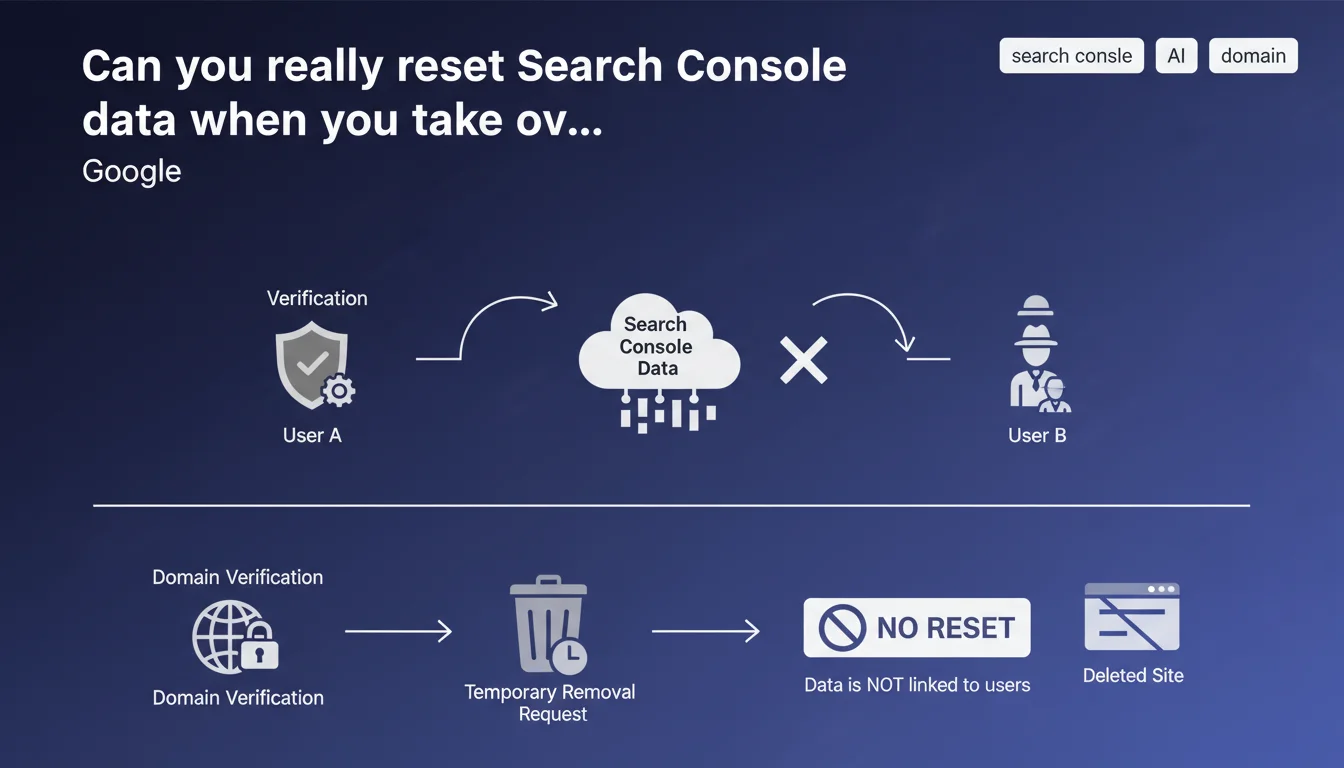
Search Console data is tied to the website, not to the user who verifies it. There's no way to delete it or start from scratch. The only option to hide an old site: domain verification + temporary removal request.
What you need to understand
Why does Search Console data persist after a change of ownership?
Google considers that Search Console records the history of a website, not that of a particular owner. Concretely, if you buy a domain or take over an existing project, you inherit all the data — indexing errors, manual penalties, reported toxic backlinks, crawl history.
This approach makes sense: Google tracks web properties, not individuals. Every new verifier gets access to the complete history, without distinction.
What are the consequences for a purchased or relaunched site?
You inherit the baggage from the previous owner. If the site was manually penalized, the penalty remains active until explicitly lifted. 404 errors accumulate, broken redirects too.
The real problem: it's impossible to start fresh. You'll need to address each inherited alert before you can hope to get back on solid ground.
What is the only option to hide an old site in Search Console?
Google offers a flawed solution: use domain verification (DNS) and submit a temporary removal request through the dedicated tool. It doesn't reset anything — it temporarily hides the site from search results.
- Search Console data remains visible to anyone who verifies the site
- No reset or deletion function exists
- Temporary removal doesn't solve historical issues
- A new owner immediately gets access to the entire site history
SEO Expert opinion
Does this statement really reflect ground reality?
Yes, and it's problematic. Dozens of clients recover expired domains or abandoned projects and stumble upon ghost penalties they never created. Google provides no way to separate the old owner from the new one.
Most frustrating: even when submitting a reconsideration request for a legitimate manual penalty, Google sometimes maintains the penalty if the new owner hasn't fixed all inherited problems. It's up to you to fix what you didn't break.
What nuances should be added to this claim?
Google implies that domain verification + temporary removal solves the problem. That's false. [To verify] because in practice, this procedure only removes the site from the index for a maximum of 6 months — it erases nothing in Search Console.
Let's be honest: if you take over a damaged domain, no magical reset exists. You'll have to manually clean each alert, disavow toxic links, fix 404 errors, and hope Google eventually forgets the past.
In what cases does this rule create a real problem?
Three critical situations:
- Purchasing expired domains: the history may include unlifted Penguin or Panda penalties
- Taking over a client's site: you discover inherited manual actions after signing the contract
- Internal ownership transfer: a former colleague left structural errors never corrected
In all cases, you start with an invisible handicap that Search Console will never let you erase.
Practical impact and recommendations
What should you do concretely before taking over a site?
First rule: audit the domain before acquisition. Use third-party tools (Ahrefs, Majestic, Wayback Machine) to check backlink history and content. If the site has a questionable past, negotiate the price accordingly — or walk away.
If you've already claimed ownership in Search Console, methodically review each section: manual actions, indexing issues, Core Web Vitals signals, 404 errors. Everything must be handled line by line.
What mistakes should you avoid after taking over a site?
Don't assume a new owner means a clean slate. Google doesn't care. Penalties remain active until fully resolved and reconsideration request accepted.
Also avoid brutally removing the site from the index thinking it resets the data. Temporary removal only hides the site for 6 months — it cleans nothing in Search Console.
How can you limit damage if the history is catastrophic?
Three options:
- Massively disavow toxic backlinks using Google's Disavow tool
- Fix all inherited indexing errors and 404s
- Submit a reconsideration request if a manual action is active
- Consider a complete rebrand on a new domain if the history is irreparable
In extreme cases, it's better to abandon the domain and start fresh. Fixing a site destroyed by a previous owner can cost more in time than starting from scratch.
❓ Frequently Asked Questions
Puis-je supprimer définitivement les anciennes données Search Console d'un site racheté ?
La suppression temporaire d'un site efface-t-elle son historique dans Search Console ?
Si je vérifie un site dans Search Console, est-ce que je vois les pénalités manuelles appliquées par le passé ?
Comment savoir si un domaine que je veux acheter a un passé problématique dans Search Console ?
Dois-je créer une nouvelle propriété Search Console pour un site repris ?
🎥 From the same video 19
Other SEO insights extracted from this same Google Search Central video · published on 21/08/2024
🎥 Watch the full video on YouTube →
💬 Comments (0)
Be the first to comment.