
Official statement
Other statements from this video 19 ▾
- □ Does Google really index all languages the same way?
- □ Are nofollow links and noindex tags actually hurting your SEO?
- □ Do 404 errors really hurt your site's search rankings?
- □ Should you really redirect all 404 pages to improve your SEO?
- □ Does your image CDN speed really penalize your ranking in Google Images?
- □ Can you really reset Search Console data when you take over a website?
- □ Are regional subdomains enough to target a specific geographic market?
- □ Why are your rich results displaying the wrong currency and what's the fix?
- □ Does Google really penalize you for publishing video transcriptions as text on your website?
- □ Why does Google reject aggregated reviews in product structured data?
- □ Does Google really crawl URL variations that have no internal links or backlinks pointing to them?
- □ Why does Googlebot keep crawling 404 pages long after they've been deleted?
- □ Is the text-to-code ratio really a Google ranking factor?
- □ Do UTM parameters with medium=referral really kill the SEO value of a backlink?
- □ Should you worry when robots.txt shows up as a soft 404 in Search Console?
- □ Do you really need to worry about missing X-Robots-Tag and meta robots tags?
- □ Are your automatic Geo IP redirects killing your international SEO performance?
- □ Can modifying your title tags and meta descriptions really shift your Google rankings?
- □ Can poor quality links or traffic harm your site's reputation?
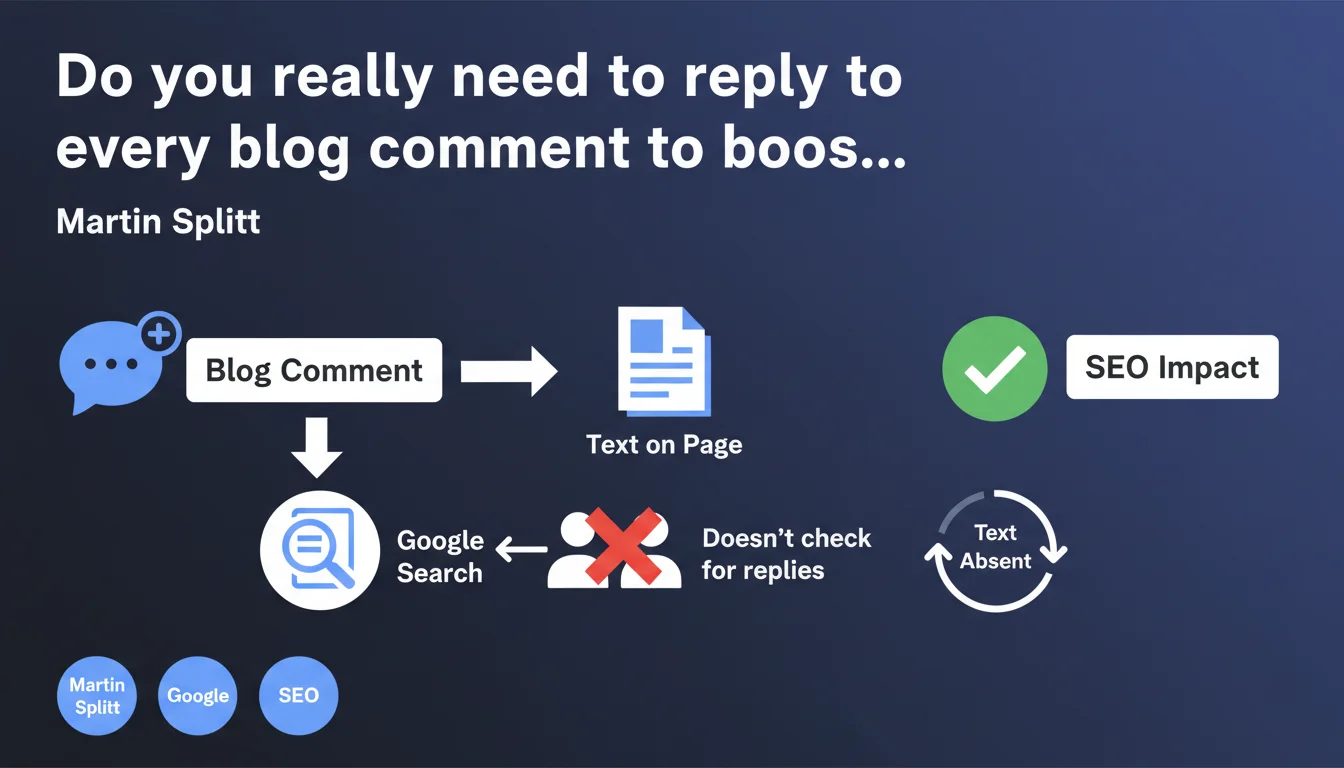
Google doesn't detect whether a comment has received a response or not. Comments count as text present on the page, period. Replying or not replying is an editorial and UX decision, not an SEO one.
What you need to understand
Why did Google clarify this about comments?
The question keeps popping up in SEO forums: do you absolutely need to reply to comments to show Google that your content is "active" and "engaging"? Martin Splitt puts an end to the debate. Google treats comments as text — either present or absent. There's no logic that checks whether a comment actually received a response from the author.
This statement fits into a broader logic: Google analyzes what's visible on the page, not the editorial intentions behind it. An unanswered comment counts just as much as a comment followed by a detailed response, as long as it's indexable and displayed.
What actually happens to comments in the algorithm?
Comments are crawled and indexed like any other text on the page. If they contain relevant keywords or useful semantic variations, they potentially enrich the thematic understanding of your content. But Google won't verify whether the author bothered to reply — that would be technically complex and pointless.
On the other hand, an empty or spam-filled comment section can dilute the perceived quality of the page. The presence of text isn't always an advantage — it has to be relevant.
What are the real SEO levers connected to comments?
- Volume of relevant UGC: comments rich in thematic vocabulary can strengthen semantic relevance.
- Freshness: recent comments can signal an active page, but it's not the act of replying that matters.
- Moderation: removing spam prevents polluting the page with off-topic text or questionable links.
- Page load time: too many unpaginated comments can slow down the page — a Core Web Vitals factor.
SEO Expert opinion
Is this statement consistent with what we observe in practice?
Yes, and it's actually reassuring. We've never seen a site lose traffic because the author didn't reply to comments. But letting unmoderated spam pile up, now that's a real problem — questionable outbound links, off-topic text, over-optimized anchor text. But that has nothing to do with your reply rate.
What's interesting is that certain SEO myths persist because people confuse correlation with causation. Blogs that reply to comments are usually better maintained overall — better moderation, fresher content, active community. That translates into positive UX signals (time on page, bounce rate), but it's not the act of replying itself that makes the difference.
What nuances should we add?
Google doesn't look at whether you reply, but your users do. A blog where the author interacts builds more loyalty, generates more repeat visits, more shares. That can indirectly translate into positive behavioral signals — improved organic click-through rate, increased brand searches.
Another point: comments can trigger featured snippets if a relevant question is asked and a clear answer follows immediately. Again, it's not the author's reply that counts, but the question-answer structure present on the page.
When doesn't this rule apply?
If your comments are loaded in pure JavaScript without server-side rendering or indexable hydration, Google may not see them at all — reply or no reply. Indexability takes precedence over everything else. Verify in Search Console or via a rendering test that your comment system is properly crawled.
Another edge case: paginated comments. If Google only crawls the first page of comments, the rest simply doesn't count — regardless of whether you reply to them or not. [To be verified] with a crawl audit if you have thousands of comments per article.
Practical impact and recommendations
What should you actually do with comments?
Stop wasting time replying systematically if your only goal is SEO. Focus on moderation: remove spam, keep comments that add value or ask relevant questions. If you want to reply to build community loyalty or improve UX, go ahead — but not for Google.
Make sure your comments are properly indexable. If you use Disqus, Facebook Comments, or an exotic plugin, verify in Search Console that the text is present in the rendered HTML. Quick test: inspect a URL in GSC, look at the rendered HTML, search for a comment snippet. Not there? Problem.
What mistakes should you avoid with comments?
- Leaving hundreds of spam comments in nofollow — that still pollutes the page and degrades experience.
- Loading all comments at once without pagination — guaranteed Core Web Vitals impact.
- Thinking you need to reply to every comment to "show activity" to Google — that's time wasted.
- Never moderating under the pretext that "it's more content" — bad content hurts more than it helps.
How do you optimize comment management without spending hours on it?
Enable automatic moderation to filter spam (Akismet, CleanTalk). Configure smart pagination — load the first 10 comments, the rest with lazy loading or classic pagination. If a comment asks a strategic question that deserves to be highlighted, integrate it into your article as a structured FAQ — that's where you capture real SEO value.
❓ Frequently Asked Questions
Google pénalise-t-il les pages avec beaucoup de commentaires non répondus ?
Faut-il désactiver les commentaires si on n'a pas le temps de répondre ?
Les commentaires comptent-ils autant que le contenu principal pour Google ?
Répondre aux commentaires améliore-t-il l'engagement utilisateur de manière mesurable ?
Comment savoir si mes commentaires sont bien indexés par Google ?
🎥 From the same video 19
Other SEO insights extracted from this same Google Search Central video · published on 21/08/2024
🎥 Watch the full video on YouTube →
💬 Comments (0)
Be the first to comment.