
Official statement
Other statements from this video 11 ▾
- □ Le H1 a-t-il vraiment l'impact SEO que Google prétend ?
- □ Pourquoi la Search Console est-elle la seule source de vérité sur votre performance réelle ?
- □ Le sitemap est-il vraiment indispensable pour le crawl de Google ?
- □ Google indexe-t-il vraiment le JavaScript aussi bien que le HTML classique ?
- □ Faut-il vraiment forcer le rendu côté serveur pour toutes les applications JavaScript ?
- □ Faut-il vraiment migrer ses microdata en JSON-LD pour les données structurées ?
- □ Combien de liens faut-il vraiment placer sur votre page d'accueil pour optimiser le crawl ?
- □ Pourquoi Google insiste-t-il sur la collaboration entre développeurs et SEO ?
- □ View Source et DevTools suffisent-ils vraiment pour diagnostiquer vos problèmes SEO ?
- □ Faut-il vraiment attendre un an avant d'évaluer les performances SEO d'un site saisonnier ?
- □ Faut-il vraiment attendre 6 mois avant de juger les performances d'un nouveau site ?
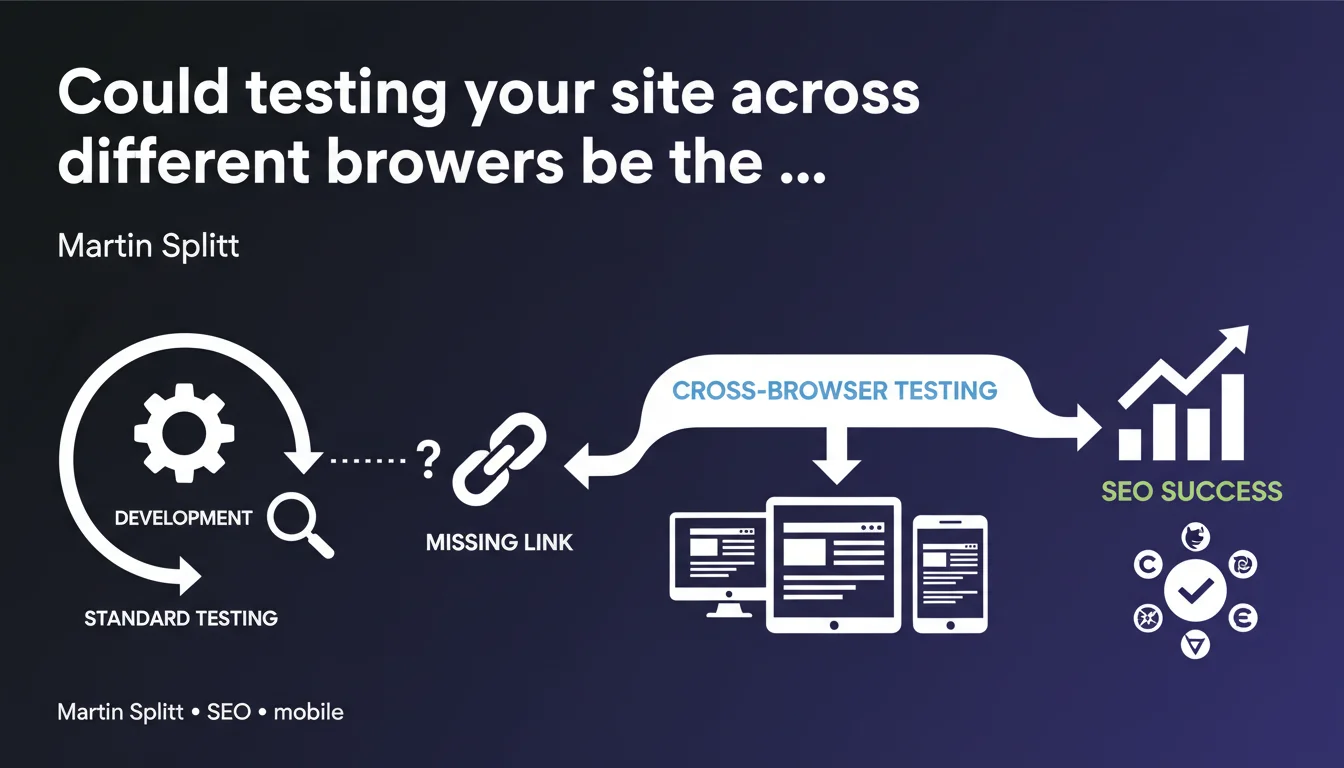
Google reminds us that rendering tests must cover multiple browsers, machines, and mobile devices, because the real-world conditions users face far exceed the scope of standard development testing. A site that displays poorly on certain environments can lose rankings without you ever understanding why.
What you need to understand
Why does Google insist on multi-environment testing?
A site's rendering doesn't follow a universal rule. The same HTML/CSS/JavaScript code can produce radically different results depending on the browser, its version, the operating system, and the device being used.
Google crawls and indexes based on what it can interpret and display. If your site crashes on Chrome mobile Android 10 but runs perfectly on your MacBook Pro under Safari, you have a problem that your standard tests won't catch — and that Googlebot mobile is likely to encounter.
What don't "standard development tests" cover?
Most developers test in their local environment, often using a recent browser on a high-performance machine. They verify that the site "works" in this very limited context.
But your users arrive with outdated browsers, slow connections, budget smartphones, ad blockers, and aggressive extensions. All of this affects the final rendering — and therefore what Google sees when it crawls.
Concretely, what's the impact on SEO?
If your content doesn't display correctly because a JavaScript polyfill is missing for an old browser, Google might see nothing. If your layout breaks on mobile because a media query is poorly handled, you'll lose rankings in mobile-first index.
Core Web Vitals can also explode if a third-party script behaves badly only on certain devices. You optimize on desktop, everything looks green — but in production on mobile, it's chaos.
- A site that doesn't display correctly can have its content invisible to Googlebot.
- Standard development tests often miss the edge cases that affect your real users.
- The mobile-first index amplifies the impact of undetected mobile bugs.
- Scripts that block rendering on certain browsers can destroy your experience metrics.
SEO Expert opinion
Is this statement really useful or just recycled common sense?
Let's be honest: Martin Splitt is reminding us here of a theoretical obvious fact. Every developer and SEO knows you should test across many environments. The problem is that almost nobody actually does it thoroughly.
At agencies, we don't have the time or budget to test across 15 browser/OS/device combinations before each production push. We often settle for Chrome DevTools in responsive mode, do a quick check on an iPhone, and ship. And it works 90% of the time.
What are the real risks Google is implying?
What Google doesn't explicitly say is that Googlebot mobile can crawl your site under conditions that don't reflect your test environment. For example, if you only test on iOS Safari and Googlebot uses Chrome mobile on Android, you could have surprises.
Another point: Google increasingly tests your sites with simulated network throttling. If your JavaScript takes 8 seconds to load on 3G, anything that's client-side rendered risks never appearing to Google. [To verify]: we don't know exactly what timeouts Google applies before considering JS-rendered content inaccessible.
In what cases does this recommendation actually make a real difference?
If your site is full SSR (Server-Side Rendering) and your HTML is clean, rendering differences between browsers remain limited. The real danger concerns heavy JavaScript sites with intensive client-side rendering.
Frameworks like React/Vue/Angular can produce unpredictable behavior depending on the browser — especially if you're not transpiling correctly with Babel, if your polyfills are incomplete, or if you leave unsupported APIs lying around.
Practical impact and recommendations
What should you concretely do to cover different environments?
Ideally, you'd test manually on at least 5-6 key combinations: Chrome desktop, Safari desktop, Chrome mobile Android, Safari mobile iOS, Firefox, and an old Edge if you have a corporate audience. But manually, that's impossible to do with every push.
Cross-browser test automation tools (BrowserStack, Sauce Labs, LambdaTest) let you run visual and functional test suites across multiple environments in parallel. It's an investment, but it catches regressions before they hit your users — and Googlebot.
How do you verify that Googlebot sees your content properly on mobile?
The simplest approach remains Google's mobile compatibility test tool in Search Console. It shows you exactly what Googlebot mobile can render. If the screenshot is blank or broken, you have a problem.
Complement it with manual testing via Chrome DevTools in device emulation mode, but be careful: DevTools only emulates resolution, not the actual behavior of a native mobile browser. Use real physical devices if possible.
What mistakes should you absolutely avoid?
Never rely solely on your local environment. Your M2 Mac with the latest Chrome doesn't represent 95% of your users. Also test on less powerful machines and slow connections.
Avoid blocking rendering with non-essential third-party scripts. If an ad script crashes on a specific browser, your content can become invisible. Use async/defer intelligently and lazy-load everything that isn't critical.
- Integrate cross-browser automated tests into your CI/CD pipeline
- Check mobile rendering with the Google Search Console tool at least once a month
- Test manually on at least 3 different physical devices (iOS, Android, an older model)
- Install polyfills for JavaScript features not universally supported
- Monitor Core Web Vitals segmented by browser and device via CrUX or RUM
- Use an automated cross-browser testing service (BrowserStack, Sauce Labs…)
- Verify that your critical content is accessible without JavaScript (progressive enhancement)
❓ Frequently Asked Questions
Google crawle-t-il vraiment mon site sur plusieurs navigateurs différents ?
Dois-je tester sur toutes les versions de tous les navigateurs ?
Les tests dans Chrome DevTools en mode responsive suffisent-ils ?
Que faire si mon site utilise des features JavaScript récentes ?
Comment savoir si Googlebot a rencontré un problème de rendu sur mon site ?
🎥 From the same video 11
Other SEO insights extracted from this same Google Search Central video · published on 22/03/2022
🎥 Watch the full video on YouTube →
💬 Comments (0)
Be the first to comment.