
Official statement
Other statements from this video 11 ▾
- □ Le H1 a-t-il vraiment l'impact SEO que Google prétend ?
- □ Le sitemap est-il vraiment indispensable pour le crawl de Google ?
- □ Google indexe-t-il vraiment le JavaScript aussi bien que le HTML classique ?
- □ Faut-il vraiment forcer le rendu côté serveur pour toutes les applications JavaScript ?
- □ Faut-il vraiment migrer ses microdata en JSON-LD pour les données structurées ?
- □ Combien de liens faut-il vraiment placer sur votre page d'accueil pour optimiser le crawl ?
- □ Pourquoi Google insiste-t-il sur la collaboration entre développeurs et SEO ?
- □ Pourquoi tester votre site sur différents navigateurs peut-il sauver votre SEO ?
- □ View Source et DevTools suffisent-ils vraiment pour diagnostiquer vos problèmes SEO ?
- □ Faut-il vraiment attendre un an avant d'évaluer les performances SEO d'un site saisonnier ?
- □ Faut-il vraiment attendre 6 mois avant de juger les performances d'un nouveau site ?
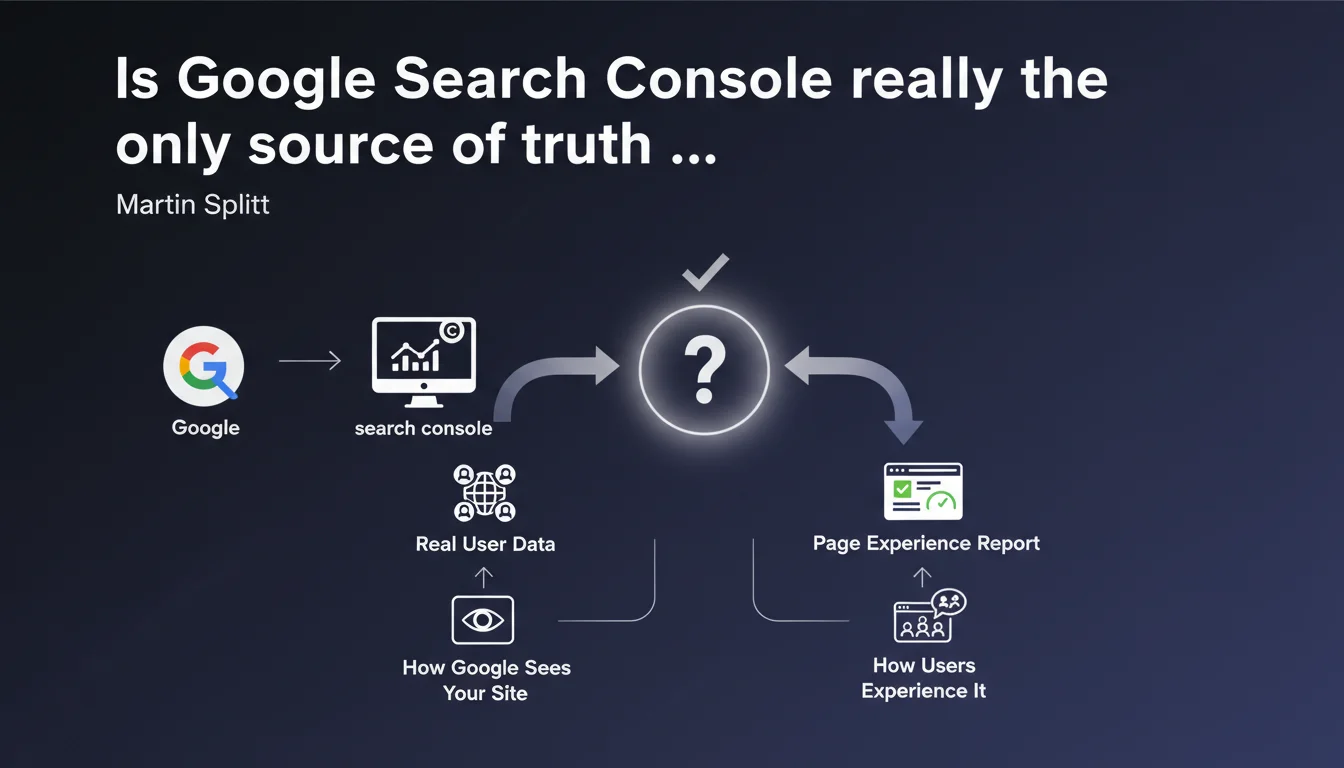
Google confirms that Search Console relies on real user data, not simulations or averages. The Page Experience report reflects exactly how the search engine sees your site and how your visitors experience it in reality. It's the absolute benchmark for diagnosing your perceived performance issues.
What you need to understand
What sets Search Console apart from other analytics tools?
Martin Splitt's statement settles a recurring debate: Search Console doesn't compile synthetic data, it displays what Google collects directly from your visitors' Chrome browsers via the Chrome User Experience Report (CrUX). Unlike PageSpeed Insights, which simulates a load under controlled conditions, GSC shows you the ground truth.
What changes the game? You see how your site actually performs with poor 4G connections, old Android smartphones, and misconfigured browsers. The theoretical performance of a Lighthouse audit has zero value if your real users experience catastrophic load times.
Why does Google insist on "how Google actually sees the site"?
This wording isn't accidental. It confirms that the Page Experience signals used in rankings come from the same data displayed in GSC. No opaque algorithm that weighs things differently, no secret sauce — what you read in the report is exactly what Google factors into its ranking criteria.
Concretely? If your report shows 80% of URLs with poor experience, that's exactly the figure Google uses. No point reassuring yourself with a Lighthouse score of 95 if real user experience is catastrophic. GSC is your only reliable thermometer.
- Real data vs. simulation: GSC compiles authentic user experiences, not lab tests
- Consistency with ranking: the Page Experience signals leveraged by the algorithm are the same ones displayed in your reports
- Geographic segmentation: the data reflects how different users, based on their location and equipment, experience your site
- Time limitation: CrUX data is aggregated over a rolling 28-day period, so a fix takes time to show up
Which GSC metrics should you prioritize monitoring?
The Page Experience report groups Core Web Vitals (LCP, INP, CLS) and security indicators (HTTPS, absence of intrusive interstitials). These signals come directly from CrUX, so they're a faithful reflection of what your visitors experience. If a metric turns red, it means the majority of your users is experiencing degraded performance.
Beyond Core Web Vitals, GSC now offers index coverage data and crawl error alerts — all signals that, combined, paint the picture of how Google "sees" your site. Neglecting these reports means flying blind.
SEO Expert opinion
Is this statement consistent with real-world observations?
Yes, and it's actually one of the few Google statements that leaves no ambiguity. In the field, we've observed for years that CrUX data from GSC aligns with Analytics reports on real user populations. When a site migrates to faster hosting, you observe a gradual improvement in GSC metrics over 28 days — exactly the CrUX refresh cycle.
What sometimes gets sticky: low-traffic sites don't have enough CrUX data to appear in the report. Google then falls back on origin-level data or simply provides no metrics. In that case, you're navigating without Google validation — a problem rarely discussed by Mountain View.
What nuances should you apply to this statement?
First point: GSC only captures Chrome users (or Chromium-based browsers that share their data). If your audience is mostly on Safari or Firefox, you have a blind spot. The data remains representative in most cases, but for certain segments (premium iOS users, for example), the gap can be significant.
Second nuance: CrUX data is aggregated at the URL level, but also at the origin level (entire domain). If a strategic page has little traffic, it may not report individually, and you'll only see the site average. For an e-commerce site with thousands of product pages, it's impossible to fine-tune problem diagnosis without cross-referencing other tools.
In what cases doesn't this rule apply?
If your site has fewer than a few hundred visitors per month, you probably won't have any CrUX data. Google doesn't shout this from the rooftops, but the threshold for sufficient data is never officially disclosed — [To verify] empirically on each project. In that case, you need to fall back on Lighthouse audits and third-party RUM (Real User Monitoring) tests.
Another edge case: intranets, sites with strict authentication, or restricted content. No Chrome user can report CrUX data, so no usable GSC report. Here again, Google offers no official alternative — you're on your own.
Practical impact and recommendations
What should you concretely do to leverage this data?
Start by enabling Search Console if you haven't already, and verify that all your properties (www, non-www, HTTPS, HTTP) are properly declared and consolidated. Next, check the Page Experience report at least once a week — it's your official performance dashboard in Google's eyes.
Identify URLs in red (poor experience) and prioritize those driving traffic or conversions. Fix recurring issues first (render-blocking scripts, unoptimized images, CLS caused by ads) rather than scattering your efforts. Once fixes are deployed, wait 28 days before assessing the impact — that's the CrUX update cycle.
- Verify that your GSC property is properly configured and CrUX data is coming in (otherwise, traffic too low)
- Check the Page Experience report weekly and note URLs in red
- Prioritize fixes based on actual traffic (cross-reference with Google Analytics)
- Deploy technical fixes (lazy loading, server optimization, JS reduction)
- Wait 28 days before measuring real impact in GSC
- Monitor crawl errors and index coverage alerts in parallel
- Never rely solely on PageSpeed Insights to validate an improvement
What errors should you avoid when interpreting GSC data?
Classic mistake: confusing origin-level and URL-level data. If your entire site shows good experience on average, but a few key pages are catastrophic, you won't see it in the overall summary. Always drill down to URL level for strategic pages.
Another trap: believing a Lighthouse improvement immediately shows up in GSC. CrUX data is aggregated over 28 days, so a fix deployed today won't fully appear until a month later. Until then, old bad scores continue to drag the average down. Patience is key.
How do you verify that your site meets Google's expectations?
If the Page Experience report shows at least 75% of URLs with good user experience, you're in the clear to avoid penalties tied to Core Web Vitals. Below that, you risk demotion on competitive queries where multiple results are similar in quality.
Complement this diagnosis with index coverage reports (to spot excluded or errored pages) and security alerts. A technically flawless site with catastrophic user experience will never make the cut on competitive queries.
Summary of priority actions: Search Console is your only official tool to measure how Google and your real users perceive your site. Focus on the Page Experience report, fix high-traffic URLs first, and allow 28 days between each fix and its validation. If CrUX metrics aren't showing up, your traffic is too low — then turn to third-party RUM tools.
These optimizations often touch on site technical architecture (hosting, CDN, resource management, front-end code) and require specialized expertise to avoid side effects. If your team lacks internal skills or bandwidth to manage these projects, calling on a specialized SEO agency can save you months of trial and error and guarantee quick, lasting compliance.
❓ Frequently Asked Questions
La Search Console remplace-t-elle PageSpeed Insights pour mesurer la performance ?
Pourquoi mes données CrUX n'apparaissent-elles pas dans la Search Console ?
Les données de la GSC incluent-elles les utilisateurs Safari et Firefox ?
Combien de temps faut-il pour qu'une amélioration se reflète dans la GSC ?
Peut-on améliorer le ranking uniquement en optimisant les Core Web Vitals ?
🎥 From the same video 11
Other SEO insights extracted from this same Google Search Central video · published on 22/03/2022
🎥 Watch the full video on YouTube →
💬 Comments (0)
Be the first to comment.