
Official statement
Other statements from this video 16 ▾
- □ Are Google Search Essentials Really Enough to Rank Well in Google?
- □ Is user-centric content really the ranking factor Google claims it to be?
- □ Is Trust Really the True Central Pillar of E-E-A-T According to Google?
- □ Has first-hand experience become a non-negotiable ranking factor for Google?
- □ Is creator expertise really the game-changing ranking factor Google claims it is?
- □ Is thematic authority really enough to position yourself as a reference source in Google's eyes?
- □ Does Google really penalize you for not specifying timezone information in your structured data dates?
- □ Should you really update your article's publication date every time you make changes?
- □ Should you really remove all secondary dates from a page to boost your SEO performance?
- □ Does Google really not care how you structure your editorial approach to breaking news?
- □ Does Google News really consider all websites automatically, or are there hidden criteria you need to know about?
- □ Why does Google News require complete transparency about author identity?
- □ Does Google really penalize websites when ads dominate editorial content?
- □ Are pop-ups and ads really killing your SEO rankings?
- □ Do you really need to tag ALL your outbound links with rel=sponsored or rel=ugc?
- □ Is your paywall triggering Google's cloaking detection without you knowing it?
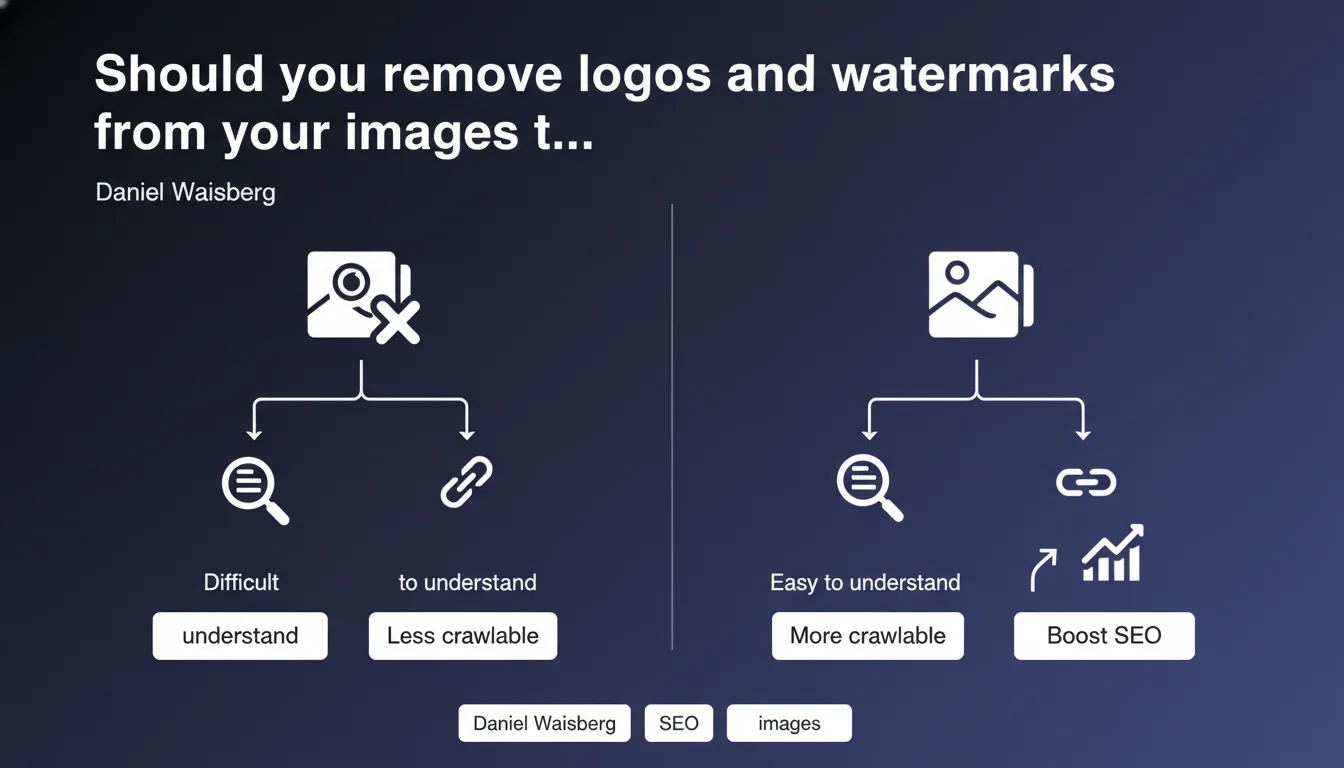
Google recommends avoiding large logos and watermarks on your article images, as they harm visual comprehension. Essential information must appear as crawlable text, not solely embedded in visuals. The stakes: accessibility and perceived relevance by vision algorithms.
What you need to understand
Why does Google care about watermark size?
Google's computer vision algorithms now analyze the visual content of images to assess their relevance to surrounding text. An oversized watermark or logo clutters the visual space and complicates this automated analysis.
Concretely? If your logo takes up 40% of an image supposed to illustrate a technical concept, Google's visual recognition systems struggle to identify the actual subject. Result: the image is deemed less relevant for the query.
What does "too large" mean in this context?
Google provides no numerical threshold — typical. But field experience suggests a watermark exceeding 15-20% of total surface area starts causing problems, especially if it masks central image elements.
The real test: does the image remain immediately understandable despite the watermark? If a human needs to squint to identify the subject, the algorithm struggles too.
Why demand crawlable text as a complement?
Because even the best visual recognition algorithms remain approximate. Embedding critical data (price, technical specs, quotes) solely within an image risks them never being indexed correctly.
Google insists: text must be accessible in HTML. The alt, figcaption tags and adjacent editorial content allow reliable contextualization of the image.
- Large logos and watermarks harm algorithmic visual analysis
- No official threshold communicated — evaluation remains subjective
- Critical information must exist in crawlable text, never solely in images
- Alt attributes and editorial context remain indexing priorities
SEO Expert opinion
Is this directive really new?
No. Google has hammered home the importance of accessibility and visual relevance for years. What's changing is the continuous improvement of vision algorithms — notably via MUM and multimodal models — making this recommendation more critical today.
Let's be honest: many sites still neglect this, thinking a subtle watermark suffices to protect their visuals. But "subtle" has become a luxury visual crawlers no longer forgive.
Are all watermarks problematic?
No, and that's where Google's artistic vagueness becomes frustrating. A light watermark positioned at the edge (lower corner, reduced opacity) shouldn't penalize a well-contextualized image. Problems begin when the logo overlaps the main subject or occupies a central zone.
[To verify]: Google provided no visual benchmark or precise percentage. Hard to draw an objective red line — leaving practitioners in an uncomfortable gray area.
What about text-heavy infographics?
Infographics pose a edge case. If all content is visually embedded (stats, quotes, charts), Google demands a complete text transcript in the article body or via schema.org. Tedious, but the price of reliable indexing.
And that's where it pinches: few CMS platforms offer efficient workflows to sync visuals and rich alternative text. Result: many quality visual contents remain underexploited in SEO.
Practical impact and recommendations
What should you actually do on your existing images?
Start with a visual audit of your strategic pages. Identify images with logos or watermarks occupying over 15-20% of surface, especially those masking the main subject. Prioritize high organic traffic pages or those targeting image-sensitive queries (recipes, tutorials, product sheets).
For each problematic image, two options: drastically reduce the watermark (opacity, size, reposition to edge) or remove it and compensate with other protection mechanisms (EXIF metadata, invisible watermarking, digital fingerprint tracking).
How should you handle infographics and rich visual content?
Every infographic must be accompanied by a complete text transcript in the article. Not just generic alt text — a real restatement of key data. Use figcaption tags for context, and consider schema.org/ImageObject markup with detailed description.
If the infographic contains numerical data, tables or quotes, reproduce them in structured HTML (tables, lists) elsewhere on the page. Intentional redundancy: it's the only way to guarantee indexing.
What mistakes must you absolutely avoid?
Don't fall into the opposite trap: removing all visual branding out of fear of Google. A discreet logo in lower corner (5-10% of surface, 30-50% opacity) remains acceptable and protects your intellectual property without harming comprehension.
Another common mistake: believing alt attribute alone suffices. No. Google wants contextual text in the DOM, not just metadata. Alt helps, but adjacent editorial content remains the strongest signal.
- Audit strategic images (traffic, conversions) to identify excessive watermarks
- Reduce or reposition logos exceeding 15-20% of visible surface
- Fully transcribe infographic content into crawlable HTML
- Use figcaption and editorial context to strengthen perceived relevance
- Test invisible watermarking solutions if protection remains critical
- Never embed essential information (price, specs) solely within images
- Enrich schema.org/ImageObject markup for strategic visuals
❓ Frequently Asked Questions
Un filigrane de quelle taille est acceptable pour Google ?
Dois-je supprimer tous mes logos sur les images de mon site ?
Comment savoir si mes images sont pénalisées par Google ?
L'attribut alt suffit-il pour indexer le contenu d'une infographie ?
Existe-t-il des alternatives au filigrane visible pour protéger mes images ?
🎥 From the same video 16
Other SEO insights extracted from this same Google Search Central video · published on 15/05/2023
🎥 Watch the full video on YouTube →
💬 Comments (0)
Be the first to comment.