
Official statement
Other statements from this video 16 ▾
- □ Does Google really detect WEBP format through the HTTP header rather than the file extension?
- □ What does Google really consider a prominent video, and why does it matter for your search rankings?
- □ Does multilingual duplicate content really hurt your international SEO rankings?
- □ Should you choose a ccTLD over .com to target a local market?
- □ Why does Google insist on isolating site migrations from any other redesign work?
- □ Is AdsBot skewing your Search Console crawl data without you knowing?
- □ Should you consolidate all hreflang annotations in one sitemap or split them by language?
- □ Does Google offer a button to force massive reindexing of a website after a redesign?
- □ Strong vs Bold: Does Google really make a difference between these two tags?
- □ Does LCP really only measure what's visible in your viewport at load time?
- □ Is an XML sitemap really essential for Google to index your website?
- □ Should you use hreflang 'de' or 'de-de' to target German speakers?
- □ Does Google really retry indexing your pages after a 401 error or server downtime?
- □ Does nesting your structured data really help Google understand what your page is actually about?
- □ Should you really prioritize alt text over OCR for extracting text from images?
- □ Is infinite scroll killing your e-commerce indexation on Google?
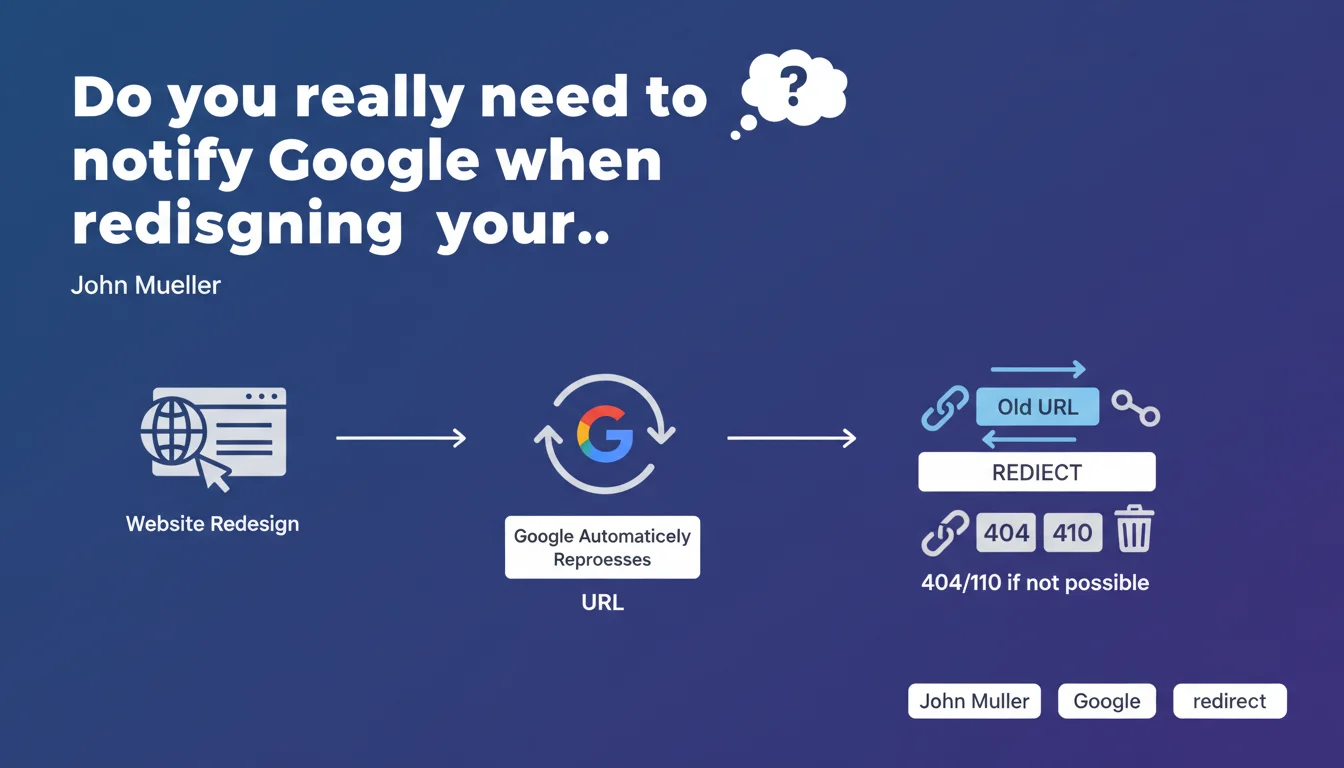
Google requires no special action when you update your website. The search engine automatically recrawls pages and updates its index. The essential: implement 301 redirects for modified URLs, or return a 404/410 if they disappear permanently.
What you need to understand
John Mueller reminds us here of a fundamental principle that too many professionals unnecessarily complicate: Google needs no special notification when updating a site. No URL resubmission via Search Console, no manual ping, nothing.
The search engine naturally discovers changes through its regular crawl process. But this simple message hides some subtleties that must be well understood.
Does Google really detect all changes automatically?
Theoretically yes. The Googlebot regularly recrawls pages based on their historical update frequency and their importance in the site architecture. A strategic page visited daily will be updated quickly, a forgotten deep page may wait weeks.
This is where Mueller's discourse becomes imprecise. He does not specify timeframes or optimal conditions for this automatic detection to work effectively. In practice, the speed of discovery depends on your crawl budget, your internal linking, and your freshness signals.
Why emphasize redirects and error codes?
Because that's the only point where human action really matters. When you change a page's URL, Google must understand what happened: 301 redirect if content moved, 404 or 410 code if the page no longer exists.
Without this, you create broken links, lose link equity pointing to old URLs, and generate poor user experience. It's the bare minimum technical requirement to respect.
What is therefore not necessary according to Google?
All the "magical" actions that some still recommend: resubmit the entire sitemap, force indexation page by page via Search Console, use third-party tools to "notify" Google. None of this significantly accelerates the process according to this statement.
- Google automatically recrawls updated sites without manual intervention
- 301 redirects are essential to preserve link equity when changing URLs
- 404/410 codes must be returned for permanently deleted pages
- No notification via Search Console is required to trigger recrawl
- Update speed depends on crawl budget and historical crawl frequency
SEO Expert opinion
Does this statement match real-world observations?
Yes and no. In absolute terms, Google does effectively recrawl sites without needing us to beg it. But the delay can be catastrophic if you don't understand the underlying mechanics. I've seen migrations where Google took 3 weeks to discover certain redirects, simply because internal linking was poor.
Mueller oversimplifies. He deliberately omits to mention the crawl acceleration factors: updated XML sitemap, internal links to new URLs, publication frequency, popularity of affected pages. "No special action" doesn't mean doing nothing — it just means you don't need to take administrative steps with Google.
What nuances should be added to this message?
First nuance: this recommendation applies to "normal" updates. If you migrate 50,000 URLs at once or change domains, Mueller's passive approach is suicidal. You absolutely must prepare the ground: clean sitemap, tested redirects, indexation monitoring. [To verify]: Mueller does not specify at what volume of changes this approach becomes insufficient.
Second nuance: returning a 404 or 410 "if redirect is not possible" is dangerous advice without context. If a page received quality backlinks, leaving it as 404 wastes link equity. He should have clarified that a 404 is only acceptable if the page has no residual SEO value or if no logical alternative exists.
In which cases is this approach insufficient?
Domain migration, complete redesign with CMS change, HTTP to HTTPS migration at scale, massive architecture restructuring — all these scenarios require much more than a passive attitude. You must actively monitor indexation, verify proper redirect handling, track 404 errors in Search Console.
The other critical case: sites with low crawl budget. If Google only visits your pages every two weeks, waiting passively for changes to be detected can cost you weeks of visibility.
Practical impact and recommendations
What should you concretely do when updating a website?
First action: map all your old URLs to new ones. Excel file, script, whatever — but you must have clear correspondence. Then configure 301 redirects server-side (not in JavaScript, not in meta refresh). Test them with a tool like Screaming Frog before going live.
Second action: identify pages that have no equivalent in the new version. If they receive backlinks or organic traffic, create a relevant alternative page and redirect. Otherwise, let them return a clean 404 with a clear message and navigation suggestions.
Third action: update your XML sitemap with new URLs only. Remove old ones. Submit it via Search Console — not to "notify" Google, but to facilitate rapid discovery of new pages by the crawler.
What errors must be avoided absolutely?
Don't create redirect chains (A → B → C). Google follows redirects, but each hop dilutes equity and slows crawling. Always redirect directly to the final destination.
Don't leave old URLs in your XML sitemap. This is a contradictory signal that confuses the crawler and can slow down index updates. Your sitemap must reflect the exact current state of the site.
Don't wait passively for Google to discover your changes if you've modified strategic pages. Use the URL inspection tool in Search Console to request reindexation of critical URLs — even if Mueller says it's not necessary, it can accelerate processing.
How to verify everything is working correctly?
Monitor your coverage reports in Search Console. You should see old URLs gradually leave the index (marked as redirected) and new ones appear. If old URLs remain indexed after 2-3 weeks, there's a crawl or internal linking problem.
Check that your organic rankings are maintained for your strategic keywords. Temporary decline can be normal, but a sharp drop usually indicates missing or misconfigured redirects.
- Establish complete mapping of old URLs → new URLs
- Configure 301 server-side redirects for all modified URLs
- Test redirects with a crawler before going live
- Update XML sitemap with only new URLs
- Submit new sitemap via Search Console
- Return a clean 404/410 for permanently deleted pages with no equivalent
- Monitor coverage reports for 4-6 weeks post-migration
- Check organic ranking evolution on strategic keywords
- Quickly fix any redirect chains or detected errors
❓ Frequently Asked Questions
Dois-je resoumettre mon sitemap après chaque mise à jour de contenu ?
Combien de temps Google met-il à détecter une redirection 301 ?
Quelle différence entre un code 404 et un code 410 pour Google ?
Faut-il garder les anciennes URLs en 404 ou supprimer complètement les pages ?
Les redirections 302 sont-elles acceptables lors d'une refonte ?
🎥 From the same video 16
Other SEO insights extracted from this same Google Search Central video · published on 09/03/2023
🎥 Watch the full video on YouTube →
💬 Comments (0)
Be the first to comment.