
Official statement
Other statements from this video 16 ▾
- □ Faut-il vraiment prévenir Google lors d'une refonte de site ?
- □ Google détecte-t-il vraiment le format WEBP par l'en-tête HTTP plutôt que par l'extension du fichier ?
- □ Comment Google évalue-t-il vraiment la proéminence d'une vidéo sur une page ?
- □ Le contenu dupliqué multilingue pénalise-t-il vraiment votre référencement international ?
- □ Faut-il préférer un ccTLD au .com pour cibler un marché local ?
- □ Pourquoi AdsBot fausse-t-il vos statistiques de crawl dans Search Console ?
- □ Hreflang : faut-il regrouper toutes les annotations dans un seul sitemap ou les séparer par langue ?
- □ Google propose-t-il un bouton pour réindexer massivement un site après refonte ?
- □ Strong vs Bold : Google fait-il vraiment la différence entre ces deux balises ?
- □ Le LCP ne mesure-t-il vraiment que le viewport visible au chargement ?
- □ Le sitemap XML est-il vraiment indispensable pour être indexé par Google ?
- □ Faut-il utiliser hreflang 'de' ou 'de-de' pour cibler les germanophones ?
- □ Google réessaie-t-il vraiment d'indexer vos pages après une erreur 401 ou serveur down ?
- □ Faut-il vraiment imbriquer ses données structurées pour indiquer le focus principal d'une page ?
- □ Faut-il vraiment privilégier l'attribut alt plutôt que l'OCR pour le texte dans les images ?
- □ Pourquoi le scroll infini pénalise-t-il l'indexation de vos pages e-commerce ?
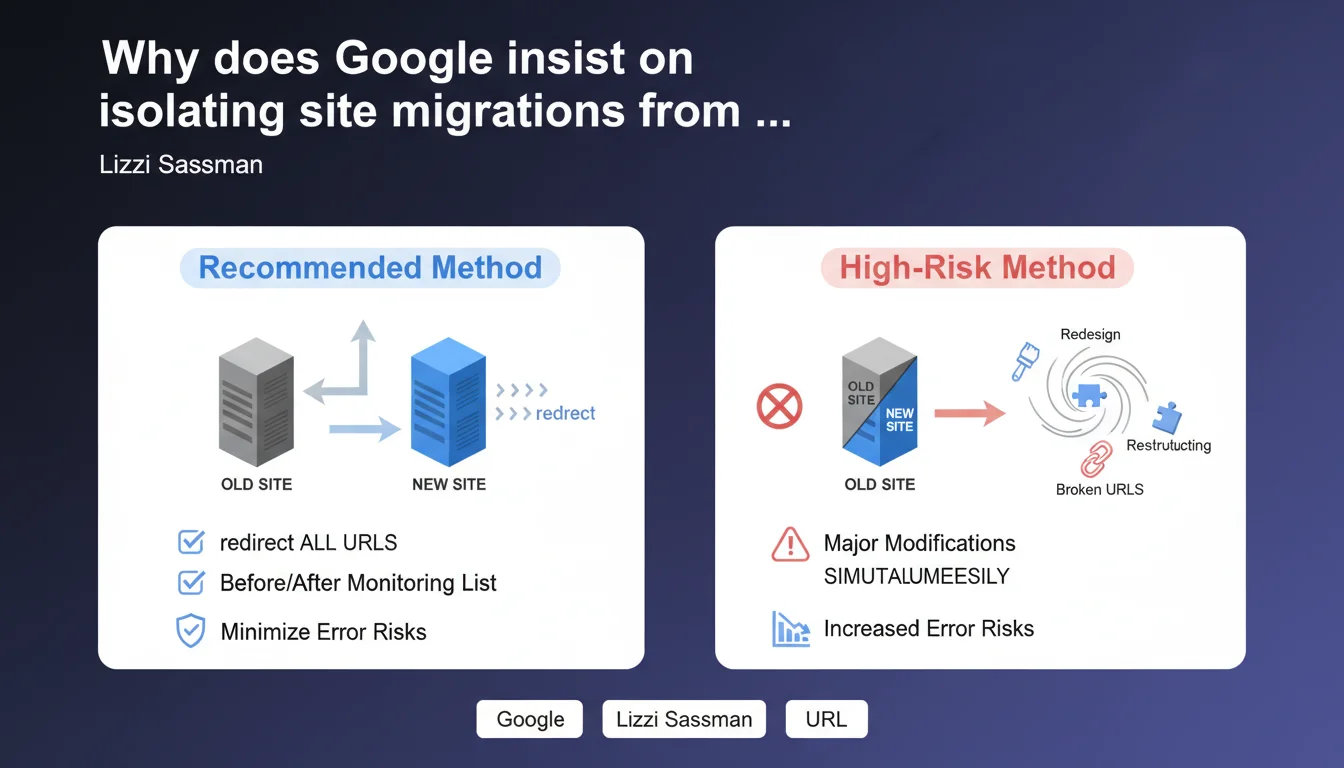
When migrating a large volume of pages to a new site, Google recommends addressing only one problem at a time: the URL change. Any simultaneous modification (visual redesign, architectural changes, new CMS platform) multiplies error risks and makes diagnosing traffic drops impossible. The recommendation: clean 301 redirects, exhaustive before/after mapping, tight monitoring — and nothing else.
What you need to understand
Why does Google place such emphasis on isolating changes?
The logic follows medical diagnosis: if you change ten variables at once and the patient dies, good luck identifying the cause. A site migration moves thousands of URLs from domain A to domain B. Each URL must be individually redirected to its new address.
If, at the same time, you modify your site architecture, redesign your templates, switch your CMS, and rewrite all your content, you create total confusion. When organic traffic plummets by 40%, you'll never know whether it's due to a broken redirect, an exploded crawl budget, destroyed internal linking, or page load times tripling.
What exactly constitutes a site migration in Google's terms?
Google is talking about URL migration: moving from domain-a.com to domain-b.com, from HTTP to HTTPS, or from a /category/product/ structure to /product/. The goal is to make crawlers understand that page X is now accessible at address Y, not at address X anymore.
Technically, this relies on 301 permanent redirects (or 308 for POST requests, but that's anecdotal in SEO). Each old URL must point to a new URL that's equivalent in terms of content and user intent. No generic redirects to the homepage, no redirect chains, no approximations.
- Exhaustive mapping: complete before/after list of all indexed URLs (Screaming Frog crawl, Search Console export)
- 1-to-1 redirects: each old page redirects to its exact equivalent, not to a parent category or homepage
- Post-migration monitoring: daily verification of HTTP codes, 404 errors, organic traffic by landing page
- Address change declaration: if domain migration, use the dedicated tool in Google Search Console
What other changes must you avoid in practice?
Anything that changes beyond the URL itself. A visual redesign modifies templates, DOM, semantic tags, page weight, and load times. Content restructuring changes crawl depth, internal linking, and link equity distribution. A CMS switch transforms how meta tags, canonicals, sitemaps, and robots.txt are managed.
Each of these projects has its own SEO impact. If you stack them alongside a URL migration, you'll never isolate the cause of any performance drop. Google isn't saying these projects are forbidden — it's saying you must sequence them. Migrate first, stabilize rankings for 2-3 months, then launch the redesign.
SEO Expert opinion
Is this recommendation realistic in a real business context?
Let's be honest: in theory, it makes perfect sense. In practice, it's rarely followed. Marketing and IT leadership often synchronize redesigns, platform changes, and domain migrations for budget or political reasons. Selling three sequenced projects over 18 months internally is infinitely harder than selling one big "digital transformation."
The problem is that this organizational reality doesn't change the technical laws. When a bundled migration fails — and statistically, they fail more often — the SEO team spends six months playing detective and never identifies the real culprit. Traffic never fully recovers, and leadership concludes that "SEO doesn't work anymore."
When is isolation technically impossible?
A CMS change often forces architectural modifications. Moving from Magento to Shopify, for example, imposes new URL management for products, filters, and variants. In that case, pure isolation is impossible — but you can at least document every variable. Create detailed mapping of modifications: URLs, templates, tags, speed, linking structure.
You won't be able to separate the impacts, but you can prioritize them. If 90% of your redirects work correctly but product pages lose 50% of traffic, the problem is likely in the new Shopify templates (missing tags, load times, degraded schema.org markup), not in the redirects themselves.
What's the main error observed in the field?
Approximate mapping. Project teams create an Excel file with "old URLs / new URLs," but it only covers 60% of the site. The rest is handled "by generic rule" via regex in .htaccess or server config. Result: thousands of pages redirect to incorrect destinations or to 404s.
Second classic mistake: not testing redirects before the switch. You can perfectly deploy your new site on a staging domain, configure all redirects, then test with a Screaming Frog crawl by simulating the production domain (rewrite in hosts file). If you discover problems after going live, it's often too late to respond properly.
Practical impact and recommendations
What must you do before launching a site migration?
First, crawl the old site in its entirety. Screaming Frog, Oncrawl, Botify — any tool works, but you must have the exact list of all indexed or indexable URLs. Next, compare this list with Search Console data (URLs that generated organic traffic over the past 16 months). Some pages that appear dead in crawls may still have strong backlinks or residual traffic.
Then create a 1-to-1 mapping: each old URL must have a precise destination on the new site. If a page disappears with no equivalent, redirect to the most relevant parent category — never to the homepage. Document each exception, each grouping choice. This file will be your migration bible.
- Crawl the old site (Screaming Frog, Oncrawl) to get the complete URL list
- Export Search Console data (traffic, impressions, clicks per URL over 16 months)
- Create a before/after mapping file with one line per URL (no generic regex without manual verification)
- Test redirects on a staging environment before production deployment
- Configure monitoring tools: uptime, HTTP codes, organic traffic by landing page
- Declare the address change in Google Search Console (if domain migration)
- Verify that XML sitemaps point to new URLs, not old ones
- Keep the old site accessible (without indexation) for at least 6 months for comparison
What mistakes must you absolutely avoid during migration?
Never block crawling of the old site with robots.txt or noindex tags before Google has had time to discover all redirects. If you deindex the old site too quickly, crawlers will never follow the redirects, and new URLs will take months to be indexed.
Also avoid redirect chains (A → B → C). Google follows up to 5 hops, but it dilutes PageRank and slows crawling. Each redirect must point directly to the final destination. And crucially, don't change anything else: no template redesigns, no content rewrites, no architectural modifications beyond what the new URL structure requires.
How do you monitor effectively after migration?
Set up automated alerts on HTTP codes (rise in 404s, appearance of 500s), overall organic traffic (drop over 10% in a week), and indexed page count (sudden decline). Compare new URL performance daily against the same period last year.
If a page loses 50% of traffic post-migration, first check the redirect (does it work? does it point to the right destination?), then the indexation status of the new URL (is it in the index? does it have errors in Search Console?). Most problems show up in the first 7 days — but some impacts (PageRank dilution, long-tail ranking losses) take 2-3 months to stabilize.
❓ Frequently Asked Questions
Peut-on faire une refonte graphique en même temps qu'une migration de domaine si les URLs restent identiques ?
Combien de temps faut-il attendre après une migration avant de lancer une refonte ?
Faut-il rediriger les pages d'erreur 404 vers la homepage pendant une migration ?
Comment détecter les chaînes de redirections après une migration ?
Est-ce que Google pénalise les sites qui font plusieurs changements simultanés ?
🎥 From the same video 16
Other SEO insights extracted from this same Google Search Central video · published on 09/03/2023
🎥 Watch the full video on YouTube →
💬 Comments (0)
Be the first to comment.