
Official statement
Other statements from this video 16 ▾
- □ Faut-il vraiment prévenir Google lors d'une refonte de site ?
- □ Comment Google évalue-t-il vraiment la proéminence d'une vidéo sur une page ?
- □ Le contenu dupliqué multilingue pénalise-t-il vraiment votre référencement international ?
- □ Faut-il préférer un ccTLD au .com pour cibler un marché local ?
- □ Pourquoi Google insiste-t-il pour isoler les migrations de site de toute autre refonte ?
- □ Pourquoi AdsBot fausse-t-il vos statistiques de crawl dans Search Console ?
- □ Hreflang : faut-il regrouper toutes les annotations dans un seul sitemap ou les séparer par langue ?
- □ Google propose-t-il un bouton pour réindexer massivement un site après refonte ?
- □ Strong vs Bold : Google fait-il vraiment la différence entre ces deux balises ?
- □ Le LCP ne mesure-t-il vraiment que le viewport visible au chargement ?
- □ Le sitemap XML est-il vraiment indispensable pour être indexé par Google ?
- □ Faut-il utiliser hreflang 'de' ou 'de-de' pour cibler les germanophones ?
- □ Google réessaie-t-il vraiment d'indexer vos pages après une erreur 401 ou serveur down ?
- □ Faut-il vraiment imbriquer ses données structurées pour indiquer le focus principal d'une page ?
- □ Faut-il vraiment privilégier l'attribut alt plutôt que l'OCR pour le texte dans les images ?
- □ Pourquoi le scroll infini pénalise-t-il l'indexation de vos pages e-commerce ?
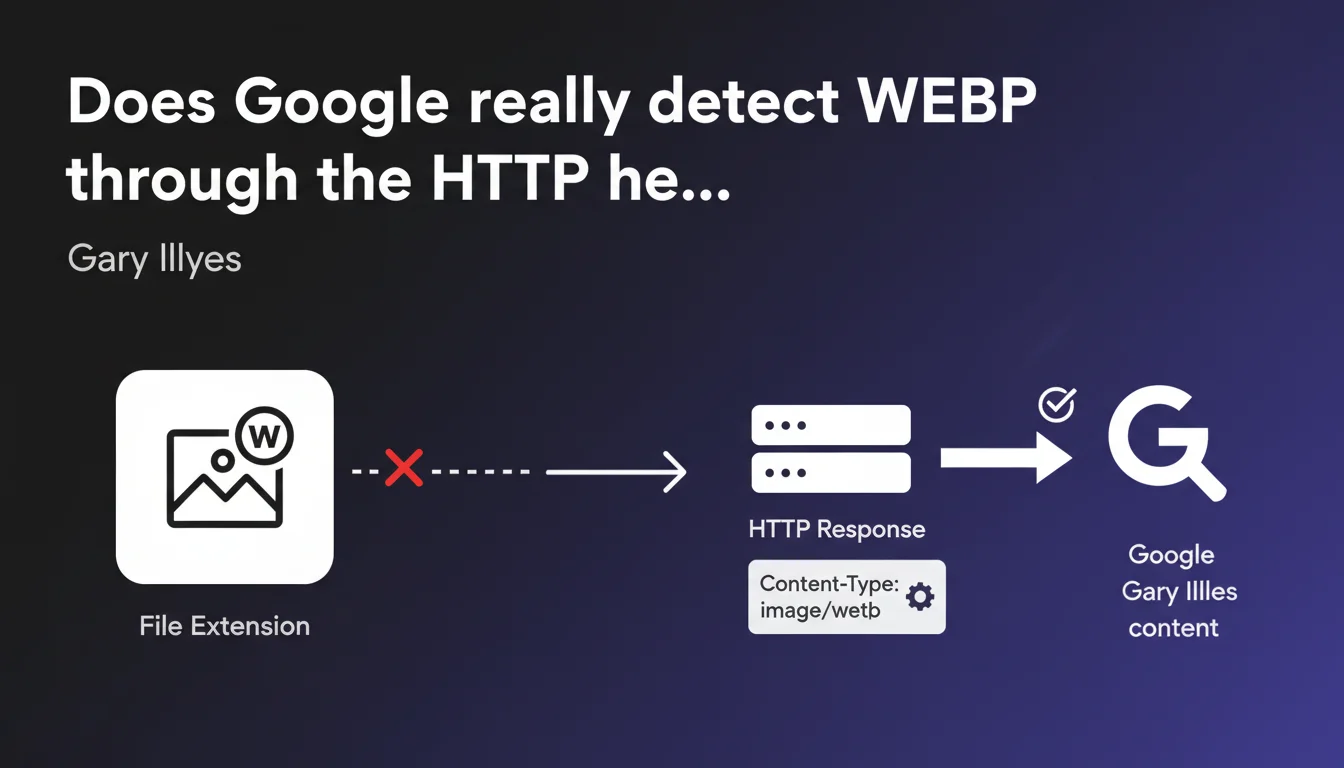
Google identifies image format (WEBP, JPEG, PNG, etc.) via the Content-Type header in the HTTP response, not by the file extension in the URL. The extension can be misleading — it's the header that matters. In practice: if your server sends an incorrect Content-Type, Google will misinterpret your images, even if the extension is correct.
What you need to understand
Why does Google prioritize the HTTP header over the file extension?
A file extension (.webp, .jpg, .png) is just a naming convention. It can be arbitrary, modified, or absent. The Content-Type header, on the other hand, is part of the HTTP response sent by the server — it's reliable technical information that describes the true format of the file being transmitted.
Google needs to know precisely which codec to use to decode the image. Relying solely on the extension would mean blindly trusting what the URL says, when the server could very well send a WEBP file named image.jpg. The HTTP header is the source of truth.
What exactly is the Content-Type header?
It's a metadata line included in the HTTP response that the server returns to the browser or Google bot. For example: Content-Type: image/webp or Content-Type: image/jpeg.
This header explicitly tells the client (browser, Googlebot) what type of content it's receiving. If the server sends a WEBP file with Content-Type: image/jpeg, Google will attempt to decode the image as a JPEG — and fail.
Gary Illyes says the header is "generally sufficient" — what does that imply?
This nuance suggests that Google might have fallback mechanisms or heuristic analysis if the header is absent or inconsistent. But "generally sufficient" mainly means: in 99% of cases, Google stops at this header.
Don't count on magical detection through binary analysis or extension. The header must be correct. Period.
- The Content-Type header is the reference Google uses to identify an image format.
- The file extension (.webp, .jpg) is ignored or secondary in this process.
- An incorrect HTTP header can prevent Google from properly processing your WEBP images.
- Always verify that your server sends the correct Content-Type for each image format.
SEO Expert opinion
Does this statement match real-world observations?
Yes, absolutely. Across thousands of audits, we regularly find images served with an incorrect Content-Type header — and Google doesn't interpret them correctly. Typically: a misconfigured CDN sending Content-Type: application/octet-stream or image/jpeg for a WEBP file.
The result? The image doesn't appear in Google Images, or Google doesn't use it for visual understanding of the page. It's not a Google bug — it's a server configuration problem.
What gray areas remain despite this statement?
Gary Illyes uses the term "generally sufficient" — which leaves room for doubt. Does Google have a fallback mechanism if the header is absent or inconsistent? Probably, but nothing is documented. [To verify]: in what specific cases does Google ignore the header to fall back on the extension or binary analysis.
Another unclear point: what about images embedded in base64 or served through proxies that modify headers? Google doesn't detail these edge cases. Be cautious if your technical stack is unconventional.
Should you still care about the file extension?
Yes, but for other reasons. The extension remains important for overall consistency: developer tools, browsers in local file mode, CMSs, caching systems. Naming a WEBP file with a .jpg extension creates unnecessary confusion and multiplies the risk of human error during migrations or redesigns.
Let's be clear: properly naming your files (image.webp for a WEBP) AND sending the correct Content-Type is the only clean approach. Don't rely on Google's supposed leniency.
Practical impact and recommendations
How do I verify that my WEBP images are served correctly?
Use Chrome DevTools (Network tab, filter by Img, click on a WEBP image). Look at the Content-Type line in the Response Headers. It should display image/webp.
Another method: curl -I https://example.com/image.webp on the command line. If the Content-Type is incorrect or missing, fix the server or CDN configuration.
What configuration errors should you absolutely avoid?
First classic mistake: a WEBP file served with Content-Type: image/jpeg. Google will attempt to decode a JPEG, fail, and ignore the image. Same problem with application/octet-stream or an empty Content-Type.
Second trap: Apache or Nginx servers without the MIME declaration for WEBP. If your mime.types or .htaccess doesn't know the image/webp type, the server won't send it. Explicitly add AddType image/webp .webp on Apache, or check /etc/nginx/mime.types on Nginx.
What should you actually do to be compliant?
- Audit all your WEBP images with a crawling tool (Screaming Frog, OnCrawl) or DevTools to verify Content-Type headers.
- Fix the MIME configuration of your server (Apache, Nginx, IIS) or CDN (Cloudflare, Fastly, Akamai) so each format sends the correct Content-Type.
- Rename files with the correct extension (.webp for WEBP, .jpg for JPEG) to avoid confusion — even though Google doesn't rely on it.
- Test after deployment with curl or DevTools to confirm that the Content-Type is indeed
image/webp. - Monitor server logs and Google Search Console reports (Coverage, Enhancements) to detect any potential image indexing issues.
❓ Frequently Asked Questions
Google peut-il quand même reconnaître une image WEBP si l'en-tête Content-Type est absent ?
L'extension du fichier (.webp) a-t-elle encore une importance pour le SEO ?
Un fichier WEBP nommé image.jpg peut-il fonctionner si le Content-Type est correct ?
Comment ajouter le type MIME image/webp sur Apache ?
Les CDN peuvent-ils modifier ou ignorer l'en-tête Content-Type ?
🎥 From the same video 16
Other SEO insights extracted from this same Google Search Central video · published on 09/03/2023
🎥 Watch the full video on YouTube →
💬 Comments (0)
Be the first to comment.